




Written by: Aaron Rovner, Founder, Saas Hero | Last updated: August 31, 2026
Key Takeaways
- Act-On marketing automation for B2B SaaS focuses on behavioral lead scoring, automated journeys, CRM sync, and behavior tracking to drive pipeline and revenue.
- Behavioral lead scoring separates high-intent buyers from tire-kickers by assigning points to actions like pricing page visits, demo requests, and case study downloads.
- Automated trial and demo nurture sequences use behavior-triggered emails to guide prospects from signup through activation and conversion.
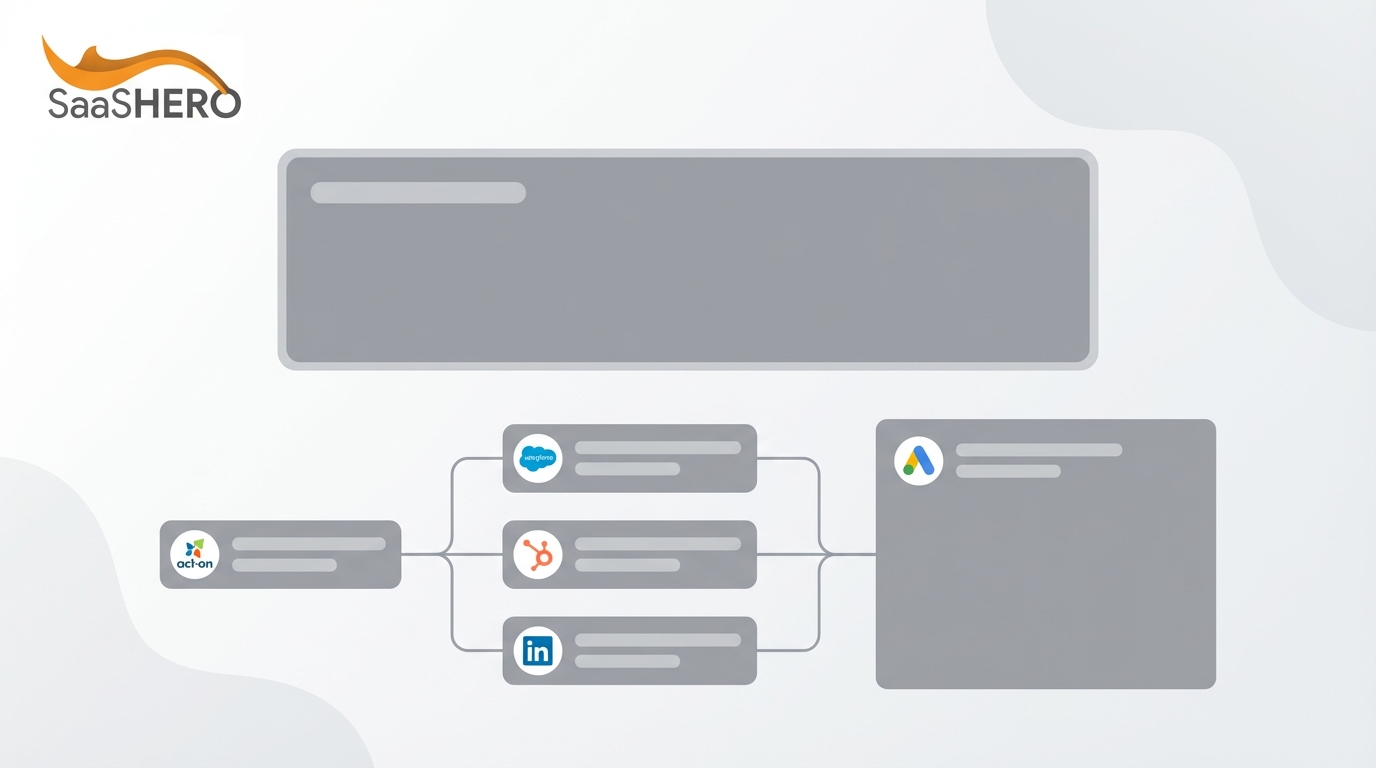
- CRM-integrated revenue attribution connects Act-On to Salesforce or HubSpot to track leads from first touch to closed revenue, enabling multi-touch attribution.
- SaaSHero builds these Act-On workflows on CRM revenue data to turn marketing automation into a complete pipeline engine. Book a discovery call to see the approach in action.
Why B2B SaaS Companies Rely on Act-On Marketing Automation
B2B SaaS companies face a structural challenge: long sales cycles, multiple stakeholders, and constant pressure to prove which marketing activities generate revenue. Companies excelling at lead nurturing generate more sales-ready leads at lower cost, but only when the underlying workflows are built correctly. Act-On connects behavioral data, email automation, and CRM records into a single system of record for demand generation.
The platform delivers results when the right workflows sit on top of it. The six use cases below are the highest-impact applications of Act-On for B2B SaaS, each with implementation steps, trigger examples, and KPIs you can track against CRM revenue data. If you want to see how SaaSHero runs these workflows against CRM revenue data, not vanity metrics, book a discovery call.
1. Behavioral Lead Scoring and Sales Handoff
The Use Case
Behavioral lead scoring assigns numerical values to leads based on their actions, such as email engagement, website visits, content downloads, and pricing page views, then automatically routes high-scoring leads to sales. For B2B SaaS, this process separates tire-kickers from buyers before a rep spends time on a bad-fit lead.
How to Implement in Act-On
Act-On’s Lead Scoring feature lets you assign points to specific behaviors and demographic attributes. Start with 8–12 scoring criteria, not 50, because over-engineered models often fail. To build a practical starting framework, draw on your closed-won data and assign points along these lines:
- Pricing page visit: In the lead scoring model template, a pricing page visit within the last 14 days is worth +20 points. A visit 15–60 days ago is worth +10.
- Demo request: In lead scoring frameworks, a demo request typically receives a high point value, commonly +30 or +40 points, with some models using +25 and others +50.
- Case study download: In the lead scoring framework, a case study download is assigned +25 points, while a generic content download is assigned +15 points.
- Webinar attendance: +10 points.
- Email link click: In HubSpot’s lead scoring tool, a marketing email link click is assigned 5 points.
- Inactive 90+ days: In the lead scoring framework, being inactive for 90 days results in a deduction of 25 points from the behavioral score.
- Competitor domain: Competitor domain deductions vary by framework, commonly −30 points as a hard suppressor in many models, with other sources using −50 or −100. No standard value is −20.
Separating fit and engagement scores is critical for B2B SaaS: a high-fit lead with no engagement is a nurture candidate, while a high-engagement lead with poor fit is a tire-kicker. Use Act-On’s CRM Sync to route leads above threshold to sales, triggering an immediate alert and task creation. To operationalize this, set up the following triggers and workflows.
Triggers and Workflows
- Trigger a sales alert when a lead crosses a high engagement threshold within a defined period.
- Apply time decay and halve behavioral scores every 30–60 days.
- Route leads with fit and engagement scores above your defined thresholds to sales as MQLs.
- Send leads with high fit but low engagement to a nurture sequence instead.
KPIs
- Lead-to-MQL conversion rate.
- MQL-to-SQL conversion rate (with a formal SLA, typical rates range from about 18–40%, with the B2B median around 13%; the 60–75% figure refers to marketing-sourced pipeline coverage, not MQL-to-SQL conversion).
- Time-to-lead (sub-hour follow-up correlates with roughly 3x higher MQL-to-SQL conversion).
- Pipeline velocity by lead source.
A common pitfall is over-weighting webinar attendance or content downloads, which inflates scores for researchers with no purchase intent. Audit scoring criteria quarterly against closed-won data.
2. Automated Trial and Demo Nurture
The Use Case
Free trial users and demo requesters need structured, behavior-triggered communication to reach activation and conversion. Act-On’s Automated Journeys and Behavior Tracking let you send the right message at the right moment, instead of on a fixed calendar schedule.
How to Implement in Act-On
Build a 4–6 email sequence triggered by signup, and gate each email behind user behavior. A high-converting trial email sequence follows a five-stage arc: Sign-up (Day 0, immediate welcome), First Use (Days 1-3, guide to aha moment), Activation (Days 4-7, deepen engagement), Evaluation (Days 8-12, reinforce value), and Decision (Days 13-14, create urgency).
Use Act-On’s Automated Journeys to branch based on behavior, and Behavior Tracking to trigger emails when users complete or fail to complete key actions.
Triggers and Workflows
- Trigger a nurture sequence when a prospect visits the pricing page three or more times but does not start a trial.
- Send an activation nudge when a user is inactive for 24–48 hours post-signup.
- Trigger a conversion pitch when a trial is nearing expiration, for example three to five days before it ends, or when users hit usage limits, as part of a broader behavior-based trigger strategy that also includes prompts at value moments and mid-trial engagement.
- Remove users from a trial nurture sequence when they upgrade, using exit triggers such as stage change to Opportunity or deal closed-won, to prevent redundant outreach.
KPIs
- Activation rate, measured as the percentage completing the “aha” milestone.
- Trial-to-paid conversion rate (B2B benchmark: 14–25%).
- Email engagement rate by sequence stage.
- Time-to-activation.
3. CRM-Integrated Revenue Attribution
The Use Case
Connecting Act-On to Salesforce or HubSpot lets you track leads from first touch to closed revenue and supports multi-touch attribution that shows which campaigns drive pipeline, not just form fills.
How to Implement in Act-On
Use Act-On’s CRM Sync to push lead, contact, and opportunity data between systems. Configure lifecycle stage events such as MQL, SQL, opportunity created, and closed-won as conversion points in Act-On. Push these events back to your ad platforms so bidding algorithms focus on qualified outcomes instead of raw form volume.
The key is separating primary conversions (demo requests, SQLs) from secondary conversions (content downloads, webinar registrations). Only primary conversions should inform account-wide optimization. To put this into practice, configure the following triggers and workflows.
Triggers and Workflows
- Sync Act-On lead scores to CRM fields for sales prioritization.
- Push lifecycle stage changes back to Google Ads and LinkedIn as conversion events.
- Build multi-touch attribution reports using first-touch, last-touch, and U-shaped models.
- Track attribution coverage rate, aiming for a high percentage of closed-won deals with at least one marketing touch.
KPIs
- Marketing-sourced pipeline (target: 30–50% of total pipeline).
- Cost per closed deal by channel.
- Attribution coverage rate.
- Pipeline velocity by channel.
Last-click attribution systematically under-credits upper-funnel channels in long B2B sales cycles because buyers interact with six to ten or more touchpoints before a purchase decision. Use multi-touch models and compare them side-by-side.
4. ABM and Account-Based Engagement
The Use Case
Account-based marketing targets specific high-value accounts with personalized, multi-channel campaigns. Act-On’s segmentation and integration capabilities let lean marketing teams run ABM without a dedicated ABM platform.
How to Implement in Act-On
Build target account lists in Act-On using firmographic segmentation such as company size, industry, and revenue band. Integrate with intent platforms like 6sense to prioritize accounts showing active buying signals. Create account-level engagement scores by rolling up individual lead behaviors to the account level.
Triggers and Workflows
- Trigger a personalized nurture sequence when multiple contacts from a target account engage within a defined period.
- Alert sales when a target account shows a spike in website activity.
- Route accounts with engagement scores above threshold to sales for outbound follow-up.
- Exclude accounts already in active sales cycles from marketing nurture.
KPIs
- Accounts engaged, with targets varying by ABM program type and maturity. 1:1 programs typically target 70–85%, 1:Few programs 45–60%, and 1:Many programs 25–40%, with mature programs generally achieving 40–60% engagement.
- Pipeline influenced by ABM campaigns.
- Win rate by account tier.
- Average deal size (ABM deals are typically 33% larger once an account converts).
5. Customer Expansion and Upsell Campaigns
The Use Case
Existing customers convert at 60–70%, compared to 5–20% for new prospects. Act-On’s Lifecycle Marketing features let you trigger expansion campaigns based on product usage, lifecycle stage, or engagement signals.
How to Implement in Act-On
Build lifecycle stages in Act-On that reflect your customer journey: Onboarding, First Value, Deep Adoption, Proven ROI, and Expansion Ready. Once these stages are defined, trigger expansion campaigns only after customers reach “First Value”. This moment represents a concrete, measurable outcome from their initial deployment. Expansion attempts before First Value feel like upselling to someone still reading the manual.
Use behavior tracking to monitor usage thresholds. When an account hits 80% of their seat allotment or plan limit, trigger an upsell sequence, then fire again at 95% utilization.
Triggers and Workflows
- Trigger upsell prompts at 80% and 95% utilization thresholds.
- Alert the account manager when an account hits hard usage limits.
- Send feature-surfacing emails for unused capabilities in the current tier.
- Trigger renewal conversations before contract end for accounts showing expansion signals.
KPIs
- Net Revenue Retention (for mid-market SaaS with ACV $25K-$100K, a target of 110%+ is a strong goal, above the median of 108% and below the top-quartile benchmark of 120%+).
- Expansion revenue as a percentage of total new ARR.
- Time-to-expansion conversation.
- Expansion win rate (best-in-class target: 35–50%).
6. Webinar and Event Automation
The Use Case
Webinars are a primary demand generation channel for B2B SaaS, and manual registration, reminder, and follow-up processes waste hours. Act-On’s Event Marketing features automate the entire lifecycle, from registration confirmation through post-event lead routing.
How to Implement in Act-On
Build an Automated Journey for each webinar that includes registration confirmation, a reminder sequence, post-event follow-up with a recording, and behavior-based segmentation and follow-up based on attendance rather than formal lead scoring. Reminder timings vary by source, for example three days, one day, and one hour before the event. Use Act-On’s Behavior Tracking to segment attendees by engagement level, including attended live, watched recording, and registered but no-show.
Triggers and Workflows
- Trigger registration confirmation immediately upon form submission.
- Send reminder sequences at three days, one day, and one hour before the event, as recommended by ClickMeeting.
- Trigger post-event follow-up with the recording within two hours of event end.
- Score attendees based on engagement, with higher points for live attendance than for recording views.
- Route high-engagement attendees to sales for immediate follow-up.
KPIs
- Registration-to-attendance rate.
- Post-event lead-to-MQL conversion rate.
- Pipeline influenced by webinar campaigns.
- Cost per webinar-sourced opportunity.
Treating all registrants the same is the most common webinar automation pitfall. Segment by engagement level and route high-intent live attendees to sales while placing no-shows and recording viewers into a longer nurture sequence.
Act-On vs. Other Platforms for B2B SaaS
Act-On competes most directly with Marketo and HubSpot as a mid-market B2B marketing automation alternative, and it also positions itself against Pardot and Eloqua. The table below summarizes how each platform fits different team sizes and priorities so you can quickly see where Act-On stands out.
| Platform | Best Fit | Key Strength | Key Tradeoff |
|---|---|---|---|
| Act-On | Mid-market B2B companies with 50-500 employees that prioritize onboarding and customer success over maximum feature depth. | Deep behavioral tracking, flexible automated journeys, and bidirectional CRM Sync with Salesforce and HubSpot, while remaining CRM-agnostic and integrating with Microsoft Dynamics and other CRMs. | Steeper learning curve than HubSpot’s intuitive interface and a shorter third-party integration list than Marketo, although it still offers a wide variety of built-in CRM integrations. |
| HubSpot | Teams already using HubSpot CRM for sales, or planning to, because it is designed to work within HubSpot’s connected suite and delivers its strongest ROI when paired with Sales Hub or Service Hub. | Tight CRM-native integration and lead scoring in the Professional and Enterprise tiers, with manual lead scoring at Professional and predictive lead scoring at Enterprise. | Reporting and behavioral tracking features are less accessible, since they are gated to higher-priced tiers, than Act-On’s. Pricing escalates steeply as contacts and features scale, for example from $800/month for 2.5k contacts to $3,600/month for 10k+ contacts. |
| Marketo (Adobe) | Enterprise, multi-region, multi-product organizations. | Enterprise scale, complex attribution, and an extensive integration ecosystem. | Overkill for many mid-market teams under 100 employees, especially those without a dedicated marketing operations or admin resource, and it requires significant implementation resources ($15K–50K+ setup) and ongoing maintenance, including a dedicated admin. It remains a strong fit for larger mid-market and enterprise teams with dedicated MOps and complex needs. |
For B2B SaaS teams evaluating Act-On, the platform’s behavioral tracking depth and automated journey flexibility stand out. The real challenge is execution: building the workflows, calibrating the scoring models, and connecting everything to CRM revenue data. Many teams stall on implementation rather than on the platform itself.

Frequently Asked Questions
What is the rule of 7 in B2B marketing?
The rule of 7 states that a B2B prospect needs to encounter your brand at least seven times before they are ready to buy. Marketing automation platforms like Act-On operationalize this by orchestrating multi-touch nurture sequences across email, web personalization, and retargeting, which ensures consistent touchpoints throughout a long sales cycle. For B2B SaaS companies with sales cycles measured in months, this approach means building awareness, consideration, and conversion stages into every campaign rather than asking cold audiences for a demo on first contact.
What are the biggest challenges of marketing automation for B2B SaaS?
The three most common challenges are data quality, over-engineering, and the “set and forget” trap. Incomplete or inconsistent CRM data undermines scoring and attribution before a single workflow runs. Building 50-criteria scoring models creates systems that become unauditable and ignored within a quarter. Workflows that run for months without recalibration drift away from actual buyer behavior as the market shifts. Successful teams treat automation as a living system, with scoring models reviewed quarterly against closed-won data, nurture sequences updated every two months, and attribution models compared side-by-side rather than locked to a single view.
How long does it take to see results with Act-On for B2B SaaS?
Expect 60–90 days for the first meaningful data. Month one covers setup, including building journeys, configuring lead scoring, connecting CRM Sync, and establishing the primary-versus-secondary conversion architecture. Month two focuses on optimization, including cutting underperformers, adjusting score thresholds, and testing messaging. By day 90, there is enough data to evaluate whether the workflows are driving pipeline, not just activity. Because B2B sales cycles often run six to nine months, pipeline influence metrics matter more than closed revenue in the first quarter.
Can Act-On integrate with Salesforce for revenue attribution?
Yes. Act-On’s CRM Sync provides bidirectional integration with Salesforce, syncing leads, contacts, campaigns, and opportunity data. This integration forms the foundation of revenue attribution because it lets you track leads from first touch through closed-won revenue and push lifecycle stage events back to your ad platforms so bidding algorithms focus on qualified outcomes. Without this connection, optimization defaults to form-fill counts, which trains the algorithm toward the wrong audience over time.
How does Act-On compare to HubSpot for lead scoring in B2B SaaS?
Act-On offers more granular behavioral tracking and greater flexibility in automated journey branching, which makes it a strong fit for B2B SaaS teams that need to score on in-product events and complex multi-step behaviors. HubSpot’s native lead scoring is easier to configure and benefits from tight CRM-native integration if you are already on HubSpot CRM, and it includes predictive scoring, although predictive scoring is only available on Enterprise plans and requires sufficient closed-won data, such as at least 50–200+ closed-won deals, to activate. For teams that prioritize behavioral lead scoring and trial nurture workflows, Act-On is often the stronger technical fit. For teams that want the fastest path to a working scoring model with minimal configuration, HubSpot’s native tools provide a lower-friction starting point.
Turn Act-On into a Pipeline Engine
Act-On is a capable marketing automation platform, and its value depends entirely on the workflows built on top of it. The six use cases above, including behavioral lead scoring, trial and demo nurture, CRM-integrated revenue attribution, ABM, customer expansion, and webinar automation, represent the highest-impact applications for B2B SaaS companies at the $10M–$50M ARR stage.
Each use case relies on the same foundation: clean CRM data, calibrated scoring models, behavior-triggered journeys, and attribution that connects marketing activity to closed revenue. Many teams stall on this execution layer rather than on the platform itself.
SaaSHero operates as the outsourced growth team that owns this execution end-to-end. With over $60M in lifetime ad spend managed for 100+ B2B companies, an in-house team of designers, copywriters, and campaign managers, and a measurement layer built on CRM revenue data instead of vanity metrics, SaaSHero implements these Act-On use cases as a complete pipeline engine, not a collection of disconnected tactics.
Ready to turn Act-On into a revenue engine? Book a discovery call with SaaSHero.