




Written by: Aaron Rovner, Founder, Saas Hero
Key Takeaways
- Ortto lifecycle automation unifies subscription, usage, and CRM data so onboarding, trial-to-paid, expansion, and win-back flows trigger on real revenue signals.
- Correct configuration of the four flows shortens CAC payback, increases trial-to-paid conversion, surfaces expansion opportunities, and recovers churned accounts with personalized outreach.
- Each flow relies on prerequisite integrations with Stripe or Chargebee, Salesforce or HubSpot, and the Ortto Capture SDK, plus clear segment criteria, exit conditions, and validation checklists.
- Measurement checkpoints at 30, 60, and 90 days tie journey performance directly to net-new ARR, CAC payback, and LTV through closed-loop CRM attribution.
- SaaSHero configures and attributes these Ortto flows to closed-won revenue within 30 days; schedule a free audit to get started.
Ortto’s Unified Customer View and Journey Structure for This Guide
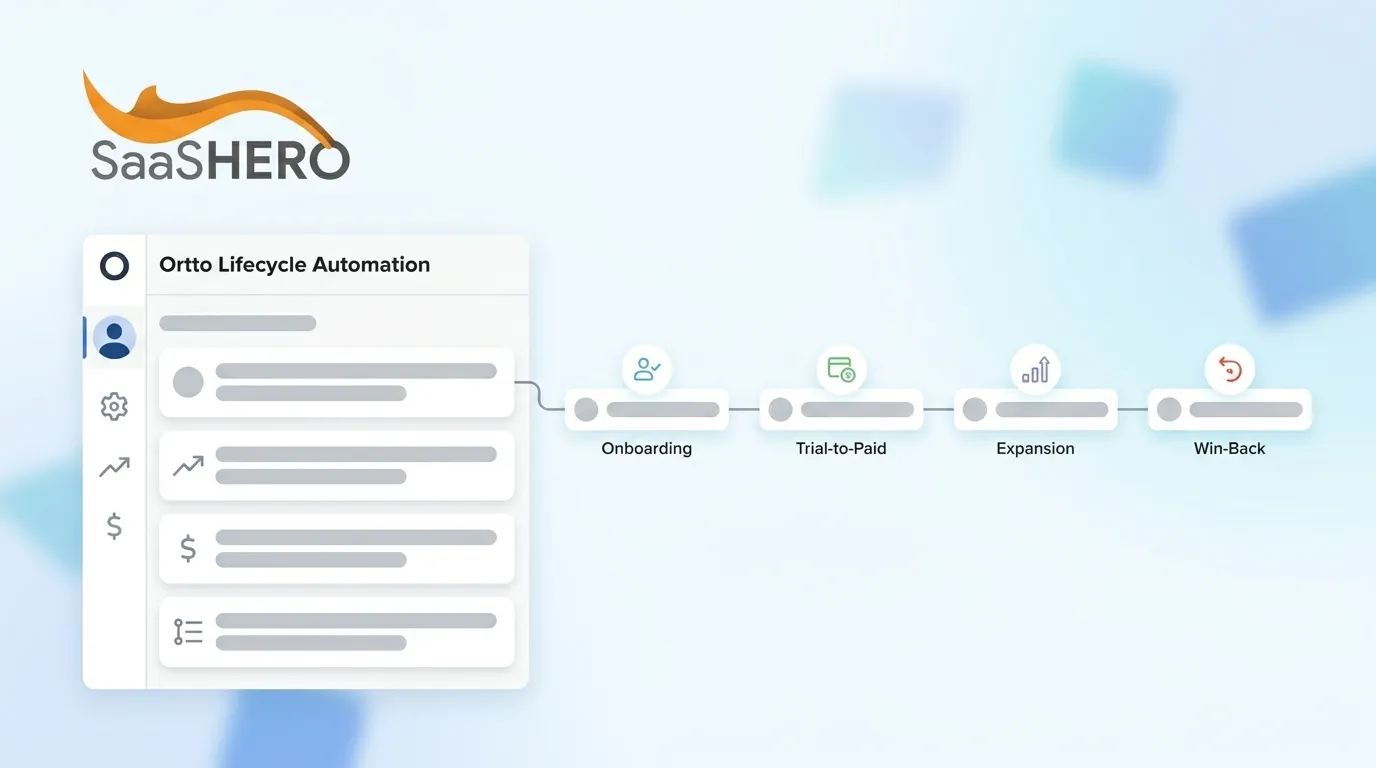
Ortto’s unified customer view merges CRM contacts, product events, and billing records into a single profile so every journey trigger fires on real subscription state, not just form fills. Its no-code journey builder lets revenue teams build, branch, and A/B-test multi-channel sequences without engineering support. The four B2B SaaS lifecycle flows it powers are:
- Onboarding flow — accelerates time-to-value and compresses CAC payback
- Trial-to-paid flow — converts free or trial seats into ARR before expiry
- Expansion flow — surfaces upsell and cross-sell moments tied to usage thresholds
- Win-back flow — recovers churned or lapsed accounts with AI-personalized outreach
Each flow in this guide follows the same pattern: prerequisite integrations, key fields and triggers, step-by-step setup, segment criteria, content templates, and validation checklists. Onboarding comes first because it establishes the activation baseline that the other three flows depend on.
Onboarding Flow: Driving First Activation Fast
Purpose: Reduce time-to-value so new users hit the activation milestone that correlates with paid conversion, which shortens the CAC payback period.
Prerequisite integrations: Connect Stripe or Chargebee to sync subscription status and trial end date. Connect Salesforce or HubSpot to pass account owner and deal stage. Enable the Ortto Capture SDK to stream product events.
| Ortto Field | Source | Trigger Use |
|---|---|---|
| subscription_status | Stripe/Chargebee | Entry condition: equals “trialing” |
| activation_event_fired | Product SDK | Exit condition: equals true |
| trial_end_date | Stripe/Chargebee | Deadline branch: days until expiry |
| crm_owner_email | Salesforce/HubSpot | Sales alert notification step |
Step-by-step configuration:
- In the journey builder, set entry trigger to Person enters segment where
subscription_status = trialing. - Add a 0-minute wait, then send a welcome email with a single CTA pointing to the activation step, such as first project created.
- Insert a Wait until event node:
activation_event_fired = true, with a maximum wait of 48 hours. - Branch: if activated, send a “next feature” email. If not activated, send a plain-text check-in from the assigned CSM.
- At day 5, add a Condition node checking
activation_event_fired. Non-activated contacts receive a 15-minute onboarding call invite.
Segment criteria: subscription_status = trialing AND signup_date <= 7 days ago AND activation_event_fired = false
Content template: Subject: “One step to get value from [Product]”. The body shows a single GIF of the activation action and no navigation links.
Validation checklist:
- Stripe webhook delivers
subscription_statusupdates within 5 minutes - Activation event appears in Ortto’s People profile before launch
- Exit condition prevents re-entry after activation fires
- Sales alert email confirmed delivered to CRM owner
Trial-to-Paid Flow: Converting Trials Before Expiry
Purpose: Convert trial seats to paid subscriptions before expiry, which adds net-new ARR and reduces CAC payback by removing manual sales follow-up lag.
Prerequisite integrations: Use the same Stripe or Chargebee and CRM integrations as onboarding, plus a payment intent webhook to capture checkout-started events for abandoned upgrade detection.
| Ortto Field | Source | Trigger Use |
|---|---|---|
| trial_end_date | Stripe/Chargebee | Time-based branch: T-7, T-3, T-1 days |
| checkout_started | Payment webhook | Abandoned upgrade branch |
| plan_selected | Stripe/Chargebee | Exit condition: not null |
| usage_score | Product SDK | Personalization token in email body |
Step-by-step configuration:
- Set entry trigger to Date relative, 7 days before
trial_end_date, with segmentplan_selected = null. - Send a “Your trial ends in 7 days” email that surfaces the user’s
usage_scoreas social proof, such as “You’ve completed X actions, here’s what paid unlocks.” - At T-3, branch on
checkout_started = true. Abandoned upgraders receive a one-click resume-checkout link, while others receive a pricing comparison email. - At T-1, trigger a sales task in the CRM for accounts with
employee_count > 50. SMB accounts receive a final automated email with a limited-time offer token. - Exit the journey when
plan_selectedis not null or the trial expires.
Segment criteria: subscription_status = trialing AND trial_end_date <= 7 days AND plan_selected = null
Content template: T-3 subject: “You left your upgrade unfinished”. Use a single button, a pre-populated plan, and no distractions.
Validation checklist:
- Time-based trigger fires at the correct UTC offset relative to
trial_end_date - Abandoned checkout branch tested with a sandbox Stripe event
- CRM task creation confirmed for enterprise-threshold accounts
- Exit condition suppresses post-conversion sends
With the trial-to-paid flow validated, the next step is identifying expansion opportunities inside your active customer base.
Expansion Flow: Turning Usage Signals into Upsell ARR
Purpose: Identify accounts approaching usage limits or eligible for additional seats and convert that signal into expansion ARR before a competitor or manual process intervenes.
Prerequisite integrations: Stream usage events from the product SDK. Sync seat count and plan limits from Stripe or Chargebee. Sync opportunity stage from Salesforce or HubSpot for CSM coordination.
| Ortto Field | Source | Trigger Use |
|---|---|---|
| usage_percentage | Product SDK | Entry condition: >= 80% of plan limit |
| active_seat_count | Stripe/Chargebee | Upsell message personalization |
| product_module_used | Product SDK | Cross-sell branch selection |
| renewal_date | Stripe/Chargebee | Timing branch: >60 days vs. <=60 days to renewal |
Step-by-step configuration:
- Set entry trigger to Event condition, where
usage_percentage >= 80fired in the last 24 hours. - Branch on
renewal_date. Accounts more than 60 days from renewal receive an in-app message plus email. Accounts at or below 60 days receive a CSM-assigned task in the CRM. - For multi-product expansion, add a Condition node on
product_module_used. Accounts not using Module B receive a cross-sell sequence with a use-case video. Accounts already using all modules receive a seat-expansion offer. - Insert a 5-day wait. If no upgrade event fires, send a ROI calculator email using
active_seat_countandusage_percentageas dynamic tokens. - Exit when
plan_upgraded = trueor 30 days elapse without conversion.
Segment criteria: subscription_status = active AND usage_percentage >= 80 AND plan_upgraded = false
Content template: Subject: “You’re at [usage_percentage]% of your [plan_name] limit”. The body shows a progress bar graphic and a one-click upgrade CTA.
Validation checklist:
- Usage event streaming confirmed in Ortto’s real-time activity feed
- Multi-product branch logic tested with accounts in each module state
- CRM opportunity created automatically for CSM-assigned accounts
- Exit condition prevents duplicate expansion sends after upgrade
Win-Back Flow: Re-Engaging Churned Accounts
Purpose: Recover churned or lapsed accounts with AI-personalized outreach that references historical usage, which lowers re-acquisition cost compared with sourcing a net-new logo.
Prerequisite integrations: Capture a churn event from Stripe or Chargebee (subscription_status = canceled). Capture the last active product event from the SDK. Sync CRM closed-lost reason from Salesforce or HubSpot. Enable Ortto AI content personalization.
| Ortto Field | Source | Trigger Use |
|---|---|---|
| subscription_status | Stripe/Chargebee | Entry condition: equals “canceled” |
| cancellation_reason | Stripe/Chargebee | Branch: price vs. feature vs. competitor |
| last_active_date | Product SDK | Personalization: recency framing in subject line |
| crm_lost_reason | Salesforce/HubSpot | AI prompt context for body copy generation |
Step-by-step configuration:
- Set entry trigger to Person enters segment where
subscription_status = canceledwithin the last 24 hours. - Add a 7-day wait as a cooling-off period, then branch on
cancellation_reason. Price objectors receive a discounted reactivation offer. Feature objectors receive a “what’s new” release notes email. Competitor churners receive a comparison landing page link. - Enable Ortto AI content personalization on the email body node, passing
crm_lost_reasonandlast_active_dateas prompt context to generate account-specific messaging at scale. - At day 30, send a final “We’ve made changes” email with a reactivation CTA and trigger a CRM task for accounts with historical ACV above a defined threshold.
- Exit when
subscription_status = activeor 60 days elapse.
Segment criteria: subscription_status = canceled AND cancellation_date <= 60 days ago AND reactivation_date = null
Content template: Subject: “It’s been [days_since_last_active] days, here’s what changed”. The AI-generated body references the account’s top-used feature by name.
Validation checklist:
- Cancellation webhook confirmed delivering within 10 minutes of the Stripe event
- AI personalization node tested with three cancellation reason variants
- Cooling-off wait prevents sends to accounts that reactivate within 7 days
- CRM task creation confirmed for high-ACV churned accounts
Measurement and Revenue Validation
Connect Ortto journey events to closed-won revenue by passing Ortto’s person_id as a custom field on every CRM contact. When a deal closes, the CRM writes closed_won_date and arr_value back to the Ortto profile through the Salesforce or HubSpot bi-directional sync. CAC payback then uses the formula total campaign cost ÷ gross margin per account ÷ months.
| Checkpoint | Metric | Decision Criteria |
|---|---|---|
| 30-day | Trial-to-paid conversion rate | Below baseline → revise T-3 branch offer |
| 60-day | Expansion ARR per account | Below target → lower usage_percentage threshold to 70% |
| 90-day | CAC payback period | Above 12 months → audit onboarding activation rate first |
Use Ortto’s journey analytics to export step-level conversion rates, then join them to CRM closed-won data in Looker Studio or HubSpot’s revenue attribution report to confirm ARR influence per flow.
Advanced Variations for Mature Teams
Multi-product expansion flows work best with a separate journey per product line, each with its own product_module_used entry condition, which prevents cross-sell message fatigue. This segmentation principle also applies to usage-based triggers. Recalculating them on a rolling 7-day window instead of a point-in-time snapshot reduces false positives from single-session spikes and keeps expansion offers focused on sustained high usage. The same context-richness principle improves AI content personalization in win-back flows. When the prompt includes both crm_lost_reason and the account’s top three product events, Ortto AI has enough signal to generate differentiated copy without manual segmentation.
Quick-Start Checklist and Next Steps
- Stripe or Chargebee webhook delivers
subscription_statusandtrial_end_dateto Ortto - Product SDK streams at least one activation event per flow
- CRM bi-directional sync passes
closed_won_dateandarr_valueback to Ortto profiles - All four journeys configured with explicit exit conditions
- 30-, 60-, and 90-day measurement checkpoints scheduled in the CRM
SaaSHero builds and attributes these four Ortto lifecycle flows to net-new ARR, CAC payback, and LTV faster than in-house teams or generalist partners, operating on a flat-fee, month-to-month retainer with senior practitioners hands-on from day one. Schedule a strategy session to move your Ortto flows into production.
Frequently Asked Questions
What data integrations are required before configuring Ortto lifecycle flows for B2B SaaS?
Three integrations must be in place before any journey goes live. First, a payment platform connection with Stripe or Chargebee must deliver subscription status, trial end date, and plan selection events to Ortto in near real time through webhooks. Second, a CRM integration with Salesforce or HubSpot must support bi-directional sync so account owner, deal stage, and closed-won revenue write back to the Ortto person profile. Third, the Ortto Capture SDK or a server-side event pipeline must stream product usage events, specifically the activation milestone and usage percentage, so journey branches fire on actual product behavior rather than time-based assumptions alone. Without all three, journey branches misfire and exit conditions fail to suppress post-conversion sends.
How does Ortto’s unified customer view differ from a standard marketing automation contact record?
A standard marketing automation contact record stores form fills, email opens, and CRM fields. Ortto’s unified customer view merges those records with real-time product event streams and billing data from the payment platform, which creates a single profile that reflects current subscription state, feature adoption depth, and revenue value at the same time. A journey trigger can then fire the moment a user crosses 80% of their plan’s usage limit, a signal that exists only in the product layer, instead of waiting for a CRM field to be updated manually. For B2B SaaS lifecycle automation, this distinction separates campaigns that react to revenue signals from campaigns that react to marketing activity proxies.
How should B2B SaaS teams measure whether Ortto lifecycle flows contribute to net-new ARR?
The most reliable method passes Ortto’s internal person identifier as a custom field on every CRM contact at signup, then configures the CRM to write closed-won date and ARR value back to the Ortto profile when a deal closes. This setup creates a closed-loop attribution chain. Ortto knows which journey steps a contact passed through, and the CRM confirms whether that contact became revenue. Teams then calculate flow-level influence by filtering closed-won deals by the journey steps the contact completed before the close date. CAC payback is calculated as total campaign cost divided by gross margin per account divided by months to payback. The 30-, 60-, and 90-day checkpoints in the measurement table above provide structured decision gates to adjust trigger thresholds before a full quarter of data accumulates.
What is the most common configuration mistake in Ortto trial-to-paid flows?
The most common mistake sets the entry trigger to a fixed date, such as “7 days after signup,” instead of a date relative to the trial end date field sourced from the payment platform. Fixed-date triggers fail for accounts on non-standard trial lengths, promotional extensions, or sales-assisted trials where the end date was adjusted manually in Stripe or Chargebee. A date-relative trigger keyed to the actual trial end date field ensures the T-7, T-3, and T-1 branches fire at the correct intervals regardless of how the trial was provisioned. The second most common mistake omits an exit condition for accounts that upgrade mid-sequence, which causes post-conversion emails that damage the customer experience and inflate unsubscribe rates.
Why use SaaSHero to configure Ortto lifecycle flows rather than an in-house team or generalist agency?
In-house teams typically face two constraints. The integration and attribution setup requires coordination between marketing, engineering, and RevOps, which delays production by weeks. The ongoing optimization of trigger thresholds against ARR metrics also requires pattern recognition across multiple SaaS accounts that a single in-house team rarely accumulates. Generalist agencies often lack the subscription-metric vocabulary, such as CAC payback, expansion ARR, and net revenue retention, needed to configure branches and exit conditions that map to financial outcomes rather than engagement proxies. SaaSHero operates exclusively in B2B SaaS, uses a flat-fee month-to-month retainer that removes the percentage-of-spend conflict of interest, and assigns senior practitioners directly to each account instead of routing work through junior staff. This model produces production-ready Ortto flows attributed to closed-won revenue within the first 30 days of engagement.