




Written by: Aaron Rovner, Founder, Saas Hero
Key Takeaways
- This seven-step workflow moves you from surface-level personalization to role-based, intent-driven ABM content that influences buying committees.
- The system connects intent research, role-based messaging, modular asset creation, account tiering, multi-channel delivery, and account-level pipeline measurement into one repeatable loop.
- Clear tiering (1:1, 1:few, 1:many) and a tagged modular content library let teams scale personalization without blowing up budgets or headcount.
- CRM-centered measurement that tracks Net New ARR and payback period, not clicks, proves real pipeline impact and guides quarterly changes.
- SaaSHero runs this exact workflow as a senior-led, flat-fee extension of your demand-gen team; schedule a discovery call to start building measurable account-level pipeline lift.
Systems and Metrics You Need Before You Start
Set up a basic tech stack before you run this workflow. You need a CRM such as HubSpot or Salesforce with revenue from won deals mapped to lead source. Add at least one intent data provider like Bombora or G2 Buyer Intent to see which accounts are actively researching. Connect paid ad platforms such as LinkedIn Campaign Manager and Google Ads with conversion tracking that passes click IDs into the CRM. Maintain a content management or digital asset system with version control so your team can manage and update modules confidently.
Lock in baseline metrics at launch. Track your current SQL-to-won rate by segment, average deal size by ICP tier, and average sales cycle length. These numbers anchor every measurement decision later. A few terms matter throughout this workflow. Buying stage means Awareness, Consideration, and Decision as mapped to CRM pipeline stages. SQL-to-ARR conversion is the ratio of sales-qualified opportunities to closed revenue in a set period. Multi-touch attribution assigns fractional pipeline credit across every marketing touch in a deal instead of giving all credit to the last click.
7-Step ABM Content Workflow Overview
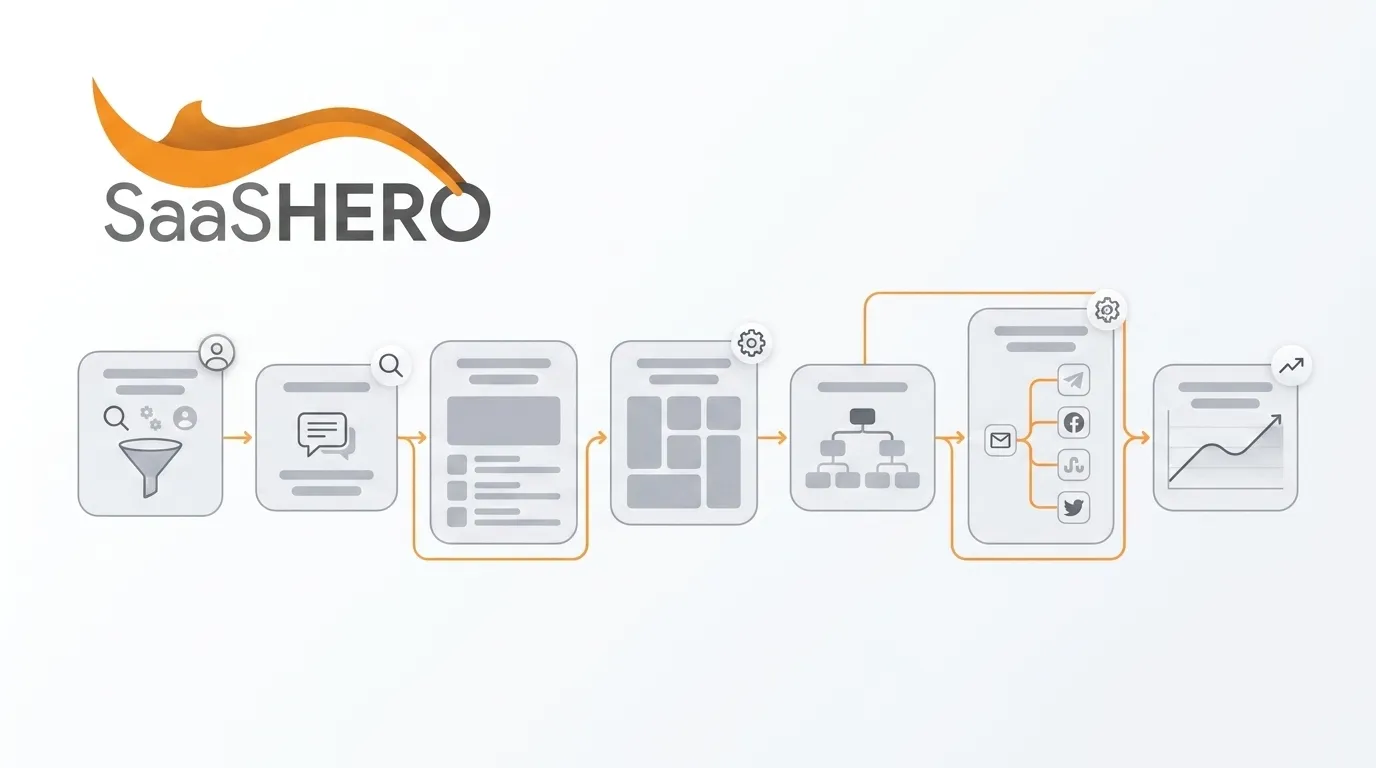
Here is the workflow at a glance. Step 1: Research target accounts with intent data. Step 2: Define role-based messaging for the buying committee. Step 3: Map buying stages to content needs. Step 4: Build a modular content system. Step 5: Tier accounts and assets (1:1, 1:few, 1:many). Step 6: Orchestrate multi-channel delivery and sales handoff. Step 7: Measure account-level pipeline and iterate. Each step produces a clear output that feeds the next step and closes the loop between research and revenue.
Step 1: Research Target Accounts with Intent Data
Purpose: Focus content on accounts that are already researching problems your product solves, so your effort supports deals that are likely to enter pipeline.
Actions: Pull a weekly intent surge report from your intent provider and filter it to your ICP firmographic criteria such as industry, employee count, and revenue band. Cross-check surging accounts against your CRM to separate net-new prospects from existing opportunities. Export a prioritized account list ranked by intent score and layer in first-party signals like pricing page visits, G2 profile views, or trial activity.
Inputs: ICP definition document, intent platform access, CRM account list. Output: A ranked target account list with intent topic tags attached to each account.
Decision point: Flag any high-intent account that falls outside your ICP for manual review instead of adding it automatically. Off-ICP accounts usually increase content costs without matching pipeline impact.
Validation checkpoint: Keep the list small enough for your team to personalize within the current sprint. Many teams pull 500 accounts and try to treat all of them as 1:1 targets. Segment aggressively before you move to Step 2.
Step 2: Turn Intent Insights into Role-Based Messaging
Purpose: Buying committees include several stakeholders, and each one cares about different outcomes. Role-based messaging ensures each decision-maker at your priority accounts hears a clear, specific value story.
Actions: Identify the three to five roles that show up most often in your won deals by reviewing CRM contact records. For each role, document the main business outcome they own, the risk they want to avoid, and the metric they report to leadership. Typical roles in B2B SaaS buying include the CFO, who focuses on payback period, CAC, and budget risk. The technical evaluator or engineering lead cares about integration complexity, security, and implementation timeline. The operations or end-user champion focuses on workflow disruption and adoption friction.
Inputs: Won-deal CRM data, win/loss interview notes, sales call recordings. Output: A role-based messaging matrix with one primary headline, one supporting proof point, and one objection-handling statement for each role.
Decision point: Expand your dataset to include lost deals if your won data shows fewer than three distinct roles. Contacts from lost opportunities often reveal which roles you ignored, which exposes messaging gaps.
Validation checkpoint: Share draft messaging with a few sales reps. If they cannot match each message to real prospect conversations right away, the language is too abstract and needs to be more concrete.
Step 3: Match Buying Stages to Specific Content
Purpose: Each buying stage calls for different content, so you avoid sending heavy ROI tools to accounts that are still defining their problem.
Actions: Map each CRM pipeline stage to a content format. Awareness-stage accounts, which include contacts with no CRM record or early MQLs, receive problem-framing content such as short-form thought leadership, benchmark reports, or category explainers. Consideration-stage accounts with active early-stage opportunities receive comparison content such as competitor alternative pages, feature comparison guides, and customer case studies. Decision-stage accounts with late-stage opportunities receive validation content such as ROI calculators, security documentation, implementation timelines, and reference customer introductions.
Inputs: CRM pipeline stage definitions, content inventory audit. Output: A content-stage matrix that assigns at least two content formats to each pipeline stage for each primary buying role.
Validation checkpoint: Compare your current content library to this matrix. Mark gaps clearly. Most B2B SaaS teams have plenty of Awareness content and very few Decision-stage validation assets.
Step 4: Build a Modular ABM Content Library
Purpose: Modular content lets you reuse and remix components instead of writing every asset from scratch for each account.
Actions: Break each content format from Step 3 into smaller parts. A case study, for example, includes a challenge block, a solution block, a results block, and a social proof quote. Build each block as a standalone unit that you can swap easily. Tag each block by industry vertical, buying role, and pipeline stage so your team can find and assemble it quickly. Store all modules in a shared asset library that both marketing and sales can access.
Inputs: Content-stage matrix from Step 3, existing content library, brand guidelines. Output: A tagged modular asset library with clear assembly instructions.
Decision point: Start with modules for the stages and roles where your win rate is weakest. Filling Decision-stage gaps for CFOs often drives faster pipeline impact than adding more Awareness content.
Common mistake: Skipping systematic tagging. A growing but untagged library becomes impossible to use within a few quarters.
Step 5: Tier Accounts and Match Content Effort
Purpose: Account tiers help you match content effort to revenue potential and intent strength instead of treating every account the same.
Actions: Assign each account from your Step 1 list to one of three tiers. Tier 1 accounts are your highest-ACV targets with strong intent signals. They receive fully customized assets such as bespoke landing pages, account-specific ROI models, and personalized video or direct mail. Tier 2 accounts share a vertical, use case, or persona cluster. They receive segment-personalized assets assembled from the tagged library you built in Step 4, using vertical-specific case studies and messaging swaps. Tier 3 accounts receive programmatic personalization such as dynamic ad creative, intent-triggered email sequences, and landing pages with industry-level variable substitution.
Inputs: Ranked account list from Step 1, ACV data from the CRM, modular asset library from Step 4. Output: A tiered account roster with assigned content treatment and a production timeline for each tier.
Decision point: Tighten your criteria if more than 15 percent of your accounts fall into Tier 1. Tier 1 treatment consumes significant resources, and spreading it across too many accounts lowers quality.
Validation checkpoint: Check that the production timeline for Tier 1 assets fits inside the average sales cycle for those accounts. A custom asset that lands after a deal closes adds no pipeline value.
Step 6: Coordinate Channels and Sales Handoff
Purpose: A clear delivery plan turns stored content into live programs and gives sales a reliable way to act on engagement.
Actions: Build a delivery sequence for each tier. Coordinate LinkedIn Ads for role-based targeting by job title and company. Run Google Ads for intent keywords and competitor-conquesting campaigns. Add direct outreach sequences in your sales engagement platform and connect them to personalized landing pages. Sync account engagement signals such as ad clicks, page visits, and content downloads back to the CRM in real time. Configure alerts so sales reps know when a target account crosses a defined engagement threshold. Define a clear handoff trigger. For example, a Tier 1 account that visits the pricing page and opens two sales emails within seven days moves from marketing nurture to an active sales sequence.
Inputs: Tiered account roster from Step 5, ad platform access, CRM workflow configuration, sales engagement platform. Output: A delivery playbook for each tier with channel sequence, timing, handoff triggers, and rep notification rules.
Common mistake: Running paid campaigns to target accounts without telling the assigned rep. Engagement that sales cannot see or act on in time wastes budget.
Step 7: Track Account-Level Pipeline and Improve
Purpose: Revenue leaders care about pipeline and closed revenue, so your reporting needs to show those outcomes clearly.
Actions: Build a CRM report that tracks, for each target account, the first marketing touch date, content assets engaged, pipeline stage progression, opportunity creation date, and the date and value of any won deal. Calculate account-level pipeline influenced by the ABM program by filtering for opportunities where at least one ABM touch happened before opportunity creation. Report on three core metrics. Track total influenced pipeline value, Net New ARR from target accounts, and payback period, which equals total program cost divided by gross margin from ARR in won deals.
Attribution gaps: Long B2B sales cycles create lag between first touch and revenue. Reduce confusion by using first-party CRM data that maps won revenue to lead source instead of relying on ad platform last-click reports. Add account-level engagement scoring to show influence even before deals close.
Iteration cadence: Review account-level engagement data every week and pipeline influence plus ARR metrics every month. Rotate weak content modules out of the library each quarter based on how often they show up in won deals, not on impressions or open rates.
Advanced Ways to Scale Tiers and Sales Alignment
Mature programs refine tiers and segments over time. Tier 2 segments can split by sub-vertical or company size to increase relevance without moving to full 1:1 production. Tier 3 programmatic personalization can expand through dynamic landing page platforms that swap headlines, case studies, and CTAs based on firmographic data from reverse-IP lookup or UTM parameters from ad campaigns.
Sales integration also deepens over time. Teams can add rep-specific content recommendations into CRM deal records so the system surfaces the most relevant modular asset for the account’s current stage and the contact’s role. This approach cuts the time reps spend hunting for content and keeps messaging consistent across the buying committee.
Checklist and Next Steps by Program Maturity
All teams: Confirm that CRM data for won deals maps to lead source. Audit your content library against the content-stage matrix. Build the role-based messaging matrix before you create new assets.
Early-stage programs with fewer than 50 target accounts: Start with Tier 2 treatment for every account. Build five to seven core modular blocks for each buying stage. Define one clear handoff trigger between marketing and sales before you scale paid spend.
Scaling programs with 50 to 500 target accounts: Add Tier 1 treatment for the top 10 percent of accounts by ACV and intent score. Implement account-level engagement scoring in the CRM. Introduce a quarterly content module rotation based on pipeline conversion data.
Mature programs with more than 500 target accounts: Automate Tier 3 delivery with dynamic landing pages and intent-triggered ad sequences. Build a dedicated ABM reporting dashboard that separates target-account pipeline from general inbound pipeline. Run win/loss analysis by content treatment tier.
Frequently Asked Questions
How long does it take to set up a functional personalized ABM content system?
A functional foundation can be live in four to six weeks for teams that already use a CRM and ad platforms. That foundation includes intent data integration, a role-based messaging matrix, an initial modular asset library, and CRM handoff triggers. Most teams see the first clear pipeline signals within 60 to 90 days, which matches a typical B2B SaaS sales cycle. Full maturity, where each iteration cycle produces consistent pipeline lift, usually takes two to three quarters of steady operation and refinement.
What team roles are required to run this workflow?
This workflow needs a demand-gen manager to own strategy and measurement. You also need a content resource to build and maintain the modular asset library and a sales operations or CRM administrator to configure handoff triggers and pipeline reporting. A specialist can manage LinkedIn and Google Ads, either in-house or as an external partner. Design support is required for Tier 1 bespoke assets and landing pages. Teams without dedicated content or design capacity can move faster with a specialized partner instead of hiring and waiting through a three-to-four-month ramp.
How does this workflow adapt for smaller SaaS teams versus enterprise teams?
Smaller teams with limited resources should focus the workflow on Tier 2 treatment and delay Tier 1 until they have at least one full quarter of Tier 2 data. That data shows which segments convert best. Enterprise teams with larger account lists and higher ACVs should invest in Tier 1 treatment for top strategic accounts from day one, because a single won Tier 1 deal often covers the cost of the full program. The modular system supports both ends of the spectrum. Smaller teams build fewer modules and reuse them often, while enterprise teams build more modules to cover extra verticals and roles.
What are the most common risks when scaling personalized ABM content?
Three risks appear most often. Asset library sprawl happens when teams create many modules without a tagging and retirement system, which makes the library hard to use. Attribution misalignment appears when teams measure ad-platform conversions instead of CRM revenue from won deals, which inflates performance. Sales and marketing misalignment shows up when marketing drives engagement that sales ignores because handoff rules are unclear. This workflow reduces those risks through systematic tagging in Step 4, CRM-centered measurement in Step 7, and explicit handoff triggers in Step 6.
How often should content modules be revised?
Review modules every quarter and use their link to revenue as the main filter. Any module that earns clicks or downloads but does not appear in the content history of won deals within two quarters should be revised or retired. Update the messaging matrix when you ship major product changes, see new competitive pressure, or notice a meaningful shift in win or loss rates. Do not update it on a fixed calendar alone. Tier 1 bespoke assets stay account-specific and retire after the deal closes, whether you win or lose.
Conclusion: Turn This ABM Workflow into Predictable Pipeline
This seven-step workflow turns personalized ABM content into a repeatable revenue system. Intent research shows where to invest. Role-based messaging keeps every stakeholder engaged. Modular asset production makes scale financially realistic. Tiering aligns effort with opportunity value. Coordinated delivery connects marketing activity to sales motion. Account-level measurement then ties every content decision to Net New ARR and payback period.

Running this system well calls for senior-level skills across paid media, content strategy, CRM configuration, and pipeline analytics at the same time. SaaSHero provides that mix as a flat-fee, month-to-month partner with no long-term contracts, no percentage-of-spend pricing, and no junior account managers. The same methodology that produced $504,758 in Net New ARR for TripMaster and an 80-day payback period for TestGorilla is available as a turnkey extension of your demand-gen team, without adding headcount.