





Written by: Aaron Rovner, Founder, Saas Hero | Last updated: July 8, 2026
Key Takeaways
- Free Framer templates let B2B SaaS teams launch production-ready marketing sites in days instead of the 6 to 12 weeks required for custom builds.
- Conversion-focused templates such as Agentrox, Salient, Nexus, Riviera, and Orbit ship with pricing tables, testimonials, and lead-capture forms that directly affect customer-acquisition costs.
- High-performing SaaS sites rely on an outcome-focused hero, a clear problem-solution story, named testimonials with metrics, transparent pricing, and a low-friction lead form.
- Simple customization steps like swapping CTAs, wiring forms to CRMs, and adding competitor comparison rows turn generic templates into pages ready for paid campaigns.
- When paid spend, competitor conquesting, or advanced attribution outgrow template limits, get a senior-led assessment of your scaling needs for execution and ARR-focused reporting.
Best Free Framer Templates for SaaS Marketing Websites
The templates below are grouped by primary use case and evaluated on conversion-critical sections for B2B SaaS: pricing tables, testimonials, lead-capture forms, and competitor-conquesting flows. Each entry includes a direct Framer edit link where publicly available.
1. Agentrox (AI SaaS & Automation)
Agentrox by Arini Studio is a fully free 2026 template built for AI SaaS and automation startups. It includes dedicated pages for Pricing, Integrations, Integration Details, and Testimonials, along with smooth animations and SEO-optimized page structure. Mobile-responsive layouts come ready to use.
- Key marketing sections: Hero, Features, Pricing Plans, Integrations, Testimonials, Blog
- Pros: Comprehensive page set covers the full B2B buyer journey, and SEO-friendly structure reduces post-launch technical work.
- Cons: AI and automation aesthetic can feel narrow for non-technical SaaS verticals.
- Ideal use case: Seed-stage AI SaaS teams needing a complete marketing site with pricing and integration proof in under a week.
2. Salient (B2B Pricing-First)
Salient treats the pricing page as the main conversion surface, which matches how many B2B SaaS visitors evaluate products. The template uses a three-tier card layout with a clearly highlighted recommended plan.
- Key marketing sections: Hero, Feature Grid, Pricing Table, FAQ, CTA Footer
- Pros: Pricing psychology is built in, and an annual or monthly toggle is already configured.
- Cons: Above-the-fold testimonial options are limited.
- Ideal use case: Self-serve SaaS products where transparent pricing drives sign-up volume.
3. Nexus (Lead-Gen Landing Page)
Nexus focuses on a single conversion action and follows data showing that pages with a single primary CTA convert at 13.5% versus 10.5% for pages with five or more CTAs. The hero section uses an outcome-focused headline and keeps the form above the fold.
- Key marketing sections: Hero with inline form, Social Proof Bar, Feature Benefits, Closing CTA
- Pros: Minimal friction path that works well for paid traffic campaigns.
- Cons: No pricing page, so full sites need a separate pricing template or page.
- Ideal use case: Paid search or LinkedIn Ads landing pages that focus on demo requests.
4. Riviera (Competitor-Conquesting Flow)
Riviera includes a pre-built comparison section with a feature matrix, which makes it the strongest free option for competitor-conquesting campaigns. The layout supports side-by-side columns and a switching-resources block.
- Key marketing sections: Hero, Comparison Table, Switching Resources, Testimonials, Demo CTA
- Pros: Comparison architecture is ready to populate, and trust signals sit close to commitment points.
- Cons: Heavier page weight means images need compression before launch.
- Ideal use case: Teams running Google Ads on competitor keywords such as “[Competitor] alternatives” or “[Competitor] pricing”.
5. Minimal (MVP Marketing Site)
Minimal is a stripped-down template for pre-launch or MVP-stage SaaS products. It follows the principle that early-stage SaaS teams need to explain the product, capture leads, and validate demand with limited pages and basic integrations.
- Key marketing sections: Hero, Three-Feature Row, Email Capture, Footer
- Pros: Fastest to launch with the lowest customization overhead.
- Cons: No pricing table or testimonial sections, so full marketing use requires additions.
- Ideal use case: Pre-launch waitlist pages or demand-validation experiments.
6. Prism (HR Tech & Vertical SaaS)
Prism follows a problem-solution-proof structure that high-performing B2B service and product pages use, with case study callouts linked from the hero section.
- Key marketing sections: Hero, Problem Agitation, Solution Features, Case Study Callout, Pricing, CTA
- Pros: Strong narrative flow for complex SaaS products and built-in case study integration.
- Cons: Requires real case study content, since placeholder copy weakens trust.
- Ideal use case: HR Tech, Procurement, or vertical SaaS teams with existing customer success stories.
7. Orbit (Product-Led Growth)
Orbit suits product-led growth motions and uses a free-trial CTA as the primary action. Obility’s analysis of 11,286 B2B SaaS paid search ads found that free-trial CTAs win on click-through rate while demo CTAs win on per-click conversion rate, so Orbit fits high-volume, lower-ACV products.
- Key marketing sections: Hero with trial CTA, Feature Showcase, Testimonial Carousel, Pricing Toggle, FAQ
- Pros: PLG-native structure with an annual or monthly pricing toggle included.
- Cons: Less suited to enterprise or sales-led motions.
- Ideal use case: SMB-focused SaaS with a no-credit-card free trial.
8. Clarity (Sales-Led Enterprise)
Clarity supports sales-led motions and uses a dual-path CTA pattern where one path serves self-serve buyers and one routes enterprise buyers to a demo request.
- Key marketing sections: Hero with dual CTA, Security & Compliance Section, Case Studies, Enterprise Logos, Demo Form
- Pros: Addresses multi-stakeholder buying groups, and the compliance section reduces enterprise objections.
- Cons: Heavy content requirements, since it needs real security badges and enterprise logos.
- Ideal use case: Mid-market to enterprise SaaS with ACV above $10,000.
9. Pulse (Marketing Tech)
Pulse uses a metrics-forward hero that leads with specific outcome numbers, matching findings that outcome-specific headlines can drive higher engagement than generic ones.
- Key marketing sections: Metrics Hero, Integration Grid, Testimonials with Metrics, Pricing, CTA
- Pros: Data-forward design builds immediate credibility, and the integration grid fits MarTech buyers.
- Cons: Needs real performance data to make the metrics hero believable.
- Ideal use case: Marketing Tech or analytics SaaS with documented customer ROI.
10. Launchpad (Bootstrapped Founder)
Launchpad is the most accessible free Framer template for non-designers, with a guided section structure and pre-written placeholder copy aligned to B2B SaaS messaging patterns.
- Key marketing sections: Hero, Three-Benefit Row, Testimonials, Simple Pricing, Email CTA
- Pros: Lowest learning curve, and placeholder copy reduces blank-page paralysis.
- Cons: Limited animation and visual differentiation.
- Ideal use case: Bootstrapped founders launching a first marketing site without a designer.
These templates give you strong starting points, yet the highest-converting SaaS sites share deeper structural patterns that matter more than visual style.
7 Must-Have Sections in Every SaaS Framer Template
B2B SaaS landing pages that follow a structured 5 to 8 section layout convert 2 to 3 times higher than unstructured pages. The seven sections below are non-negotiable for driving demo requests and sign-ups.
- Outcome-Focused Hero: The hero should identify the user, the outcome, and the next step within a single screen. Above-fold social proof can lift B2B SaaS landing page conversions, so add 2 to 3 enterprise logos directly below the primary CTA.
- Problem-Solution Block: State the buyer’s pain before presenting the product. Pages that highlight customer pain points and show resolution improve conversion performance by creating relevance before asking for commitment.
- Feature-Benefit Section: Turn technical features into outcome-driven language. The Feature-Benefit Transformation framework changes “advanced encryption” into “Protect customer data with AES-256 encryption, so your security team signs off in days, not months.”
- Named Testimonials with Metrics: Anonymous quotes have near-zero impact. Testimonials should include name, title, company, photo, and a specific metric such as “Reduced onboarding time from 3 weeks to 2 days.”
- Transparent Pricing Table: Pricing transparency matters to B2B buyers. Use 3 to 4 tiers, highlight one recommended plan, and show annual savings on a billing toggle.
- Lead-Capture Form: For most B2B SaaS demo request forms, only name, work email, company name, and one routing field should be requested at first contact to keep friction low.
- FAQ Section: Address billing, upgrade paths, onboarding, and pricing objections. Hiding overwhelming feature grids behind collapsible FAQ sections keeps the page scannable while handling late-stage objections.
Customizing Framer Templates for Higher Conversions
Template selection is the first step, and targeted component swaps then turn a generic free Framer template into a conversion-focused B2B SaaS marketing site.
Hero CTA Swap
Open the template in Framer, select the hero CTA button component, and replace generic text such as “Get Started” with an action-specific label. Action-specific CTAs such as “Start free trial” or “Book 15-min demo” outperform generic “Sign up” buttons by 2x. After updating the copy, confirm the button meets accessibility standards by setting contrast to a minimum 4.5:1 ratio against the hero background. Then duplicate this optimized CTA component and place it after every major section to keep conversion opportunities visible throughout the page.
Pricing Table with Competitor Keywords
In the pricing section, add a comparison row labeled “vs. [Competitor Name]” using Framer’s table component. Populate it with factual feature comparisons only and avoid competitor logos to stay within legal safe practices. Link this pricing section from any competitor-conquesting ad campaign so message match stays tight. Set the billing toggle default to annual and display savings clearly.
Trust Signal Placement
Place customer logos immediately below the hero CTA to build credibility at the first commitment moment. Security badges work best next to the lead-capture form, where they address data-privacy concerns at the point of information exchange. Add G2 or Capterra review badges near the pricing table so they validate value at the decision point where buyers weigh cost against perceived quality. Strong B2B SaaS landing pages distribute proof by placing customer logos near the hero, security badges near forms, and testimonials near commitment moments.
CRM-Wired Forms
In Framer’s form settings, connect the lead-capture form to HubSpot or your CRM through the native integration or a Zapier webhook. Pass UTM parameters as hidden fields so every lead carries its source campaign. This setup enables revenue-attribution reporting that connects ad spend to closed-won ARR, which matches the tracking architecture SaaSHero implements for clients that want to move beyond last-click attribution.
Get senior B2B SaaS specialists to build and manage your CRM-wired landing pages
Top 5 Free Framer Templates Comparison
The table below compares the five highest-ranked templates across three like-for-like conversion metrics. Pricing psychology describes whether the template includes a highlighted recommended tier and billing toggle. Lead-form placement shows whether a form appears above the fold. Mobile responsiveness indicates whether the template ships with a mobile-optimized layout.
| Template | Pricing Psychology | Lead-Form Placement | Mobile Responsive |
|---|---|---|---|
| Agentrox | Dedicated pricing page with plan tiers | CTA-linked form, not above fold | Yes, responsive layouts for all screen sizes |
| Nexus | No pricing table included | Form above fold, single-CTA design | Yes, built for paid mobile traffic |
| Riviera | Comparison table with competitor column | Demo CTA form below comparison section | Yes, requires image optimization for speed |
| Orbit | Annual or monthly toggle with highlighted recommended tier | Trial CTA in hero, no inline form | Yes, PLG-native stacked card layout |
| Clarity | Enterprise tier with “Contact Sales” routing | Dual-path CTA with prominent demo form | Yes, adaptive design for multi-device research |
Mobile and SEO Checklist for Framer SaaS Sites
Unbounce reports 83% of landing page visits occur on mobile while desktop converts approximately 8% better, so mobile performance affects traffic volume even when desktop drives more revenue. Run this checklist before publishing any free Framer template.
- Target Largest Contentful Paint under 2.5 seconds, Interaction to Next Paint under 200ms, and Cumulative Layout Shift under 0.1.
- Compress all hero images to WebP format and set explicit width and height attributes to prevent layout shift.
- Verify the pricing table stacks to single-column cards on screens below 768px.
- Confirm all CTA buttons meet a minimum 44×44px tap target on mobile.
- Set a canonical URL on every page to prevent duplicate content from Framer’s preview URLs.
- Add a unique meta title under 60 characters and meta description under 155 characters to every page using Framer’s SEO panel.
- Enable Framer’s sitemap auto-generation and submit it to Google Search Console.
- Add structured data markup (Organization and WebPage schema) through Framer’s custom code injection.
- Test form submission on mobile before launch and confirm the CRM webhook fires correctly on iOS Safari.
- A 0.1-second improvement in mobile load time produced a 21.6% lift in form-submission progression, so prioritize speed over visual complexity.
When Free Framer Templates Hit Their Limits
Free Framer templates work as a starting point for most B2B SaaS marketing sites, yet they become a constraint at three specific growth stages.
Scaling paid campaigns: Template-based pages average a 3.8% conversion rate versus 11.6% for custom-designed SaaS landing pages. At $30,000 per month in ad spend, that gap directly affects cost per lead and pipeline volume. Systematic A/B testing, dynamic keyword insertion, and campaign-specific landing page variants need infrastructure that templates rarely support without heavy custom development.
Competitor conquesting at volume: Running campaigns against multiple competitors at once requires dedicated comparison pages for each target. These pages need precise message match to the ad copy, legal-compliant competitor references, and switching-resource sections. A single template comparison page does not scale to five or ten competitor targets without turning into a maintenance problem.
Advanced attribution: Connecting ad impressions to closed-won ARR in HubSpot or Salesforce requires GCLID passthrough, deep CRM integration, and multi-touch attribution modeling. Template forms with basic webhook connections capture leads but do not feed the revenue-reporting layer that boards and investors expect.
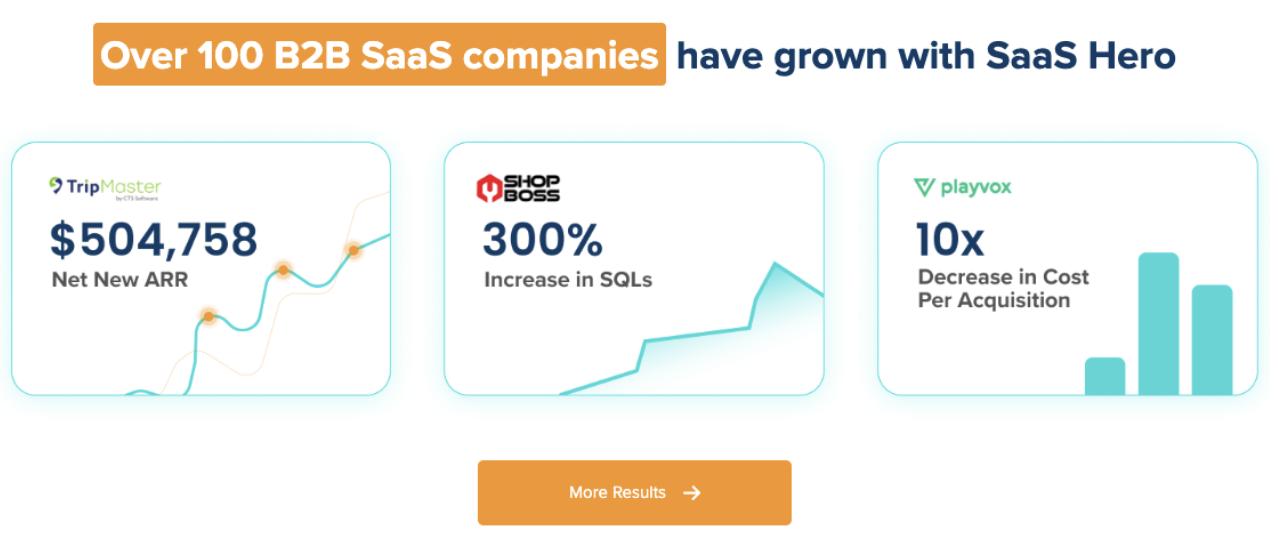
SaaSHero’s flat-fee, month-to-month model focuses on this transition. Senior-led execution, a maximum of 8 to 10 clients per manager, and reporting anchored to Net New ARR instead of impressions address these three limitations without percentage-of-spend billing conflicts or 12-month lock-in contracts. Clients including TripMaster ($504,758 in Net New ARR), TestGorilla ($70M Series A, 80-day payback period), and Playvox (10x decrease in cost per lead) show how this model performs at scale.

Next Steps: Choosing the Right Path for Your SaaS Site
The decision framework stays simple. If your goal is to launch or validate a marketing site in under a week with limited budget, the free Framer templates ranked above, especially Agentrox for full-site coverage and Nexus for paid traffic landing pages, give you the fastest path to a conversion-ready presence.
If your goal is to scale paid campaigns, run competitor-conquesting flows against multiple targets, or connect marketing spend to pipeline in a board-ready attribution model, a template serves as the starting line rather than the finish line.
SaaSHero partners with B2B SaaS founders, VPs of Marketing, and post-funding growth teams at that inflection point, when the template has done its job and the next constraint is execution quality instead of design cost.
Get a senior-led assessment of your marketing site and paid media setup
Frequently Asked Questions
What makes a Framer template suitable for B2B SaaS marketing specifically?
A B2B SaaS-suitable Framer template includes at minimum a pricing table with 3 to 4 tiers and a highlighted recommended plan, named testimonials with specific outcome metrics, a lead-capture form with minimal fields, and a hero section that states a clear outcome for a defined buyer. Templates built for general business or e-commerce lack the pricing psychology, trust signal placement, and multi-stakeholder content hierarchy that B2B SaaS buying groups need. The strongest free options also ship with dedicated pricing pages, FAQ sections that handle billing objections, and mobile-responsive layouts that preserve pricing tables on smaller screens.
How long does it take to customize a free Framer template for a SaaS marketing site?
A founder or marketer with no prior Framer experience can usually complete a basic customization in 8 to 16 hours spread across two to three days. Basic work includes replacing placeholder copy, swapping brand colors and fonts, adding a logo, and connecting a lead-capture form to a CRM. Adding a competitor comparison page, configuring UTM parameter passthrough on forms, and completing the mobile and SEO checklist adds another 4 to 8 hours. The total time to launch for a template-based Framer site is 3 to 5 business days for a single operator, compared to 6 to 12 weeks for a custom build.
When should a B2B SaaS company move from a free template to a custom-built or agency-managed site?
Three signals show that a template has reached its limit. First, paid media spend exceeds $15,000 per month and cost per lead does not improve despite copy and offer changes. At that scale, the conversion rate gap between template and custom pages becomes a material budget drain. Second, the team needs to run simultaneous competitor-conquesting campaigns against more than two competitors, each with a dedicated comparison page and precise message match. Third, the board or investors request pipeline attribution that connects ad spend to closed-won revenue, which requires CRM integration depth that basic template forms cannot provide. At any of these points, the economics of professional execution outweigh the cost savings of a free template.
Do free Framer templates include SEO features needed for B2B SaaS organic traffic?
Most free Framer templates include basic SEO infrastructure such as editable meta titles and descriptions per page, auto-generated sitemaps, and clean semantic HTML output. They usually do not include pre-configured structured data schema, canonical URL management for multi-page sites, or page speed optimization for image-heavy hero sections. Teams should complete the mobile and SEO checklist in this guide before publishing, with special focus on Core Web Vitals targets, image compression, and Google Search Console submission. For teams targeting competitive B2B SaaS keywords through organic search, the template supplies the technical base while content strategy, internal linking, and ongoing improvements require separate investment.
How does SaaSHero’s pricing model compare to hiring a freelancer to customize a Framer template?
A freelancer hired to customize a Framer template typically charges a one-time project fee and delivers a static site with no ongoing optimization, attribution setup, or paid media management. SaaSHero’s flat monthly retainer, starting at $1,250 per month for up to $10,000 in ad spend on a month-to-month basis, covers senior-led campaign management, landing page design at a flat $750 fee, and reporting anchored to Net New ARR instead of impressions. The freelancer model fits when the only need is a designed site. The SaaSHero model fits when the site acts as the entry point to a paid media system that must generate measurable pipeline. The month-to-month structure removes long-term contract risk, and the flat fee avoids the percentage-of-spend conflict of interest that pushes traditional agencies to recommend higher budgets regardless of performance.