




Written by: Aaron Rovner, Founder, Saas Hero | Last updated: September 2, 2026
Key Takeaways
- A Google Ads agency reporting dashboard centralizes performance data from multiple client accounts and automates tracking of spend, clicks, conversions, and ROAS for faster, client-ready reporting.
- Reporting is the top operational time sink for most agencies in 2026 (see Executive Summary), which directly affects margin and client retention.
- Agencies can choose three main paths: build a free dashboard with Looker Studio, buy a platform like AgencyAnalytics or Databox, or partner with an expert team to outsource reporting and optimization.
- Effective dashboards connect ad spend to CRM outcomes such as qualified pipeline and closed revenue, giving clients the revenue-focused insights they now expect.
Executive Summary: The Agency Reporting Dilemma
Agencies in 2026 face a structural tension: clients demand real-time, revenue-focused reporting, while the work of pulling data from multiple ad accounts, CRMs, and analytics platforms consumes hours every week. A 2025 HubSpot survey found that 67% of agency owners identify reporting as their single biggest operational time sink, with the average agency spending 15+ hours per week on manual report creation.
This guide evaluates the three primary paths available to agency leaders:
- Build: Construct a free dashboard using Looker Studio
- Buy: Subscribe to a purpose-built reporting platform like AgencyAnalytics or Databox
- Partner: Outsource the entire reporting and optimization function to an expert team
Three terms appear throughout this guide and are worth defining upfront. An MCC-level view (Manager Customer Center) refers to a single interface that aggregates data across multiple individual Google Ads accounts. White-labeling is the ability to present dashboards and reports under your agency’s own brand, removing platform branding. Data blending is the process of combining data from multiple sources, such as Google Ads cost data and CRM pipeline data, into a single unified chart or report.
The Strategic Imperative: Why Reporting Becomes an Agency Bottleneck
Inefficient reporting erodes margin, client retention, and growth capacity. An agency managing 30 clients that switches from manual reporting to automated software saves an average of 52 hours per month, equivalent to $7,800 per month in analyst salary.
Client expectations have shifted sharply. In 2026, clients expect real-time dashboards and AI-generated insights explaining what happened and why, a significant change from 2024, when most clients accepted a monthly PDF with charts. Agencies that still rely on manual reporting lose time and, with it, client trust. Agencies with live client portals report 3.2x higher client retention rates compared to agencies that rely solely on periodic PDF reports.
The deeper problem is what gets reported. Most agency dashboards surface platform metrics such as clicks, impressions, and cost per lead without connecting them to the CRM outcomes clients care about: qualified pipeline, sales-accepted opportunities, and closed revenue. A dashboard that cannot answer whether ad spend produced pipeline is, as one practitioner put it, a receipt, not a report.

The Build vs. Buy Decision for Agency Dashboards
Every agency eventually chooses whether to invest time in building a free solution, pay for a purpose-built tool, or hand the entire function to a specialist team. The right answer depends on client volume, internal technical capacity, and how central reporting is to your agency’s value proposition.
Option 1: Build with Looker Studio (The Free and Flexible Route)
Looker Studio remains the most capable free reporting option available to agencies. It connects natively to Google Ads, GA4, Google Search Console, and BigQuery. Its free tier includes unlimited reports and sharing, all native Google connectors, a community connector gallery of 800+ options, data blending across up to five sources, and one scheduled email per report.
Google continues to invest heavily in the platform. At Google Cloud Next ’26 in April 2026, Google announced Dashboard Agents in preview, bringing conversational capabilities directly into Looker dashboards, and introduced Agentic Workflows that monitor critical metrics for irregularities and provide “what’s next” recommendations. A June 2026 update also increased the default row limit for non-BigQuery sources to 50,000 rows, making native dashboard reporting more practical for agencies surfacing detailed underlying data.
The limitations remain significant. Looker Studio does not offer white-labeling on either the free plan or Looker Studio Pro, so reports always carry Google branding. The native Google Ads connector connects at the individual account level, not the MCC level, so agencies managing multiple accounts must select each individual account when connecting. Looker Studio has no native connectors for Facebook Ads, LinkedIn Ads, or TikTok Ads, which requires paid third-party connectors like Supermetrics or Funnel.io. The platform also struggles with multi-client scale, white-labeling, automation, and performance across complex blended data.
Option 2: Buy a Paid Tool (The All-in-One Route)
Purpose-built platforms solve the white-labeling, automation, and client portal gaps that Looker Studio cannot address. AgencyAnalytics restructured its pricing in May 2026 to a single Core plan at $20 per client per month on annual billing, with no feature gating, including 85+ integrations, white-label branding, AI insights, a custom-domain client portal, anomaly detection, and forecasting. Databox offers tiered SaaS pricing starting at $64 per month for its Analyst plan, with 130+ integrations, KPI dashboards, goals and alerts, and an AI Analyst powered by monthly AI credits.
The trade-off is cost at scale. AgencyAnalytics’ per-client pricing scales linearly with no volume discounts: 15 clients cost approximately $300 per month and 30 clients approximately $600 per month at the annual rate. These tools also remain read-only. They describe performance but cannot change it, and they still require an agency to interpret the data and manage the tool.
Option 3: Partner with an Expert Team (The Strategic Route)
The third path removes the reporting burden by outsourcing it to a team that owns the entire optimization and reporting lifecycle. This is the model SaaSHero operates on: a single team that owns paid media strategy, creative, landing pages, CRM-connected attribution, and reporting. The team optimizes against qualified pipeline and closed revenue. The distinction matters because an agency that only builds dashboards still requires someone to interpret the data, manage the tool, and connect ad spend to business outcomes. A partner that owns the full chain removes that requirement.
Comparison Table: Looker Studio vs. AgencyAnalytics vs. Databox
The table below summarizes key differences in pricing, features, white-labeling, and best-fit scenarios so you can quickly match each tool to your agency’s client volume and technical capacity.
| Feature | Looker Studio | AgencyAnalytics | Databox |
|---|---|---|---|
| Pricing Model | Free; Pro ~$9/user/month | ~$20/client/month (annual) | Tiered SaaS; from ~$64/month |
| Key Features | Native Google connectors, data blending (up to 5 sources), customizable reports, 800+ community connectors | 85+ integrations, white-label dashboards, client portal, AI insights, anomaly detection, forecasting | 130+ integrations, KPI dashboards, goals and alerts, AI Analyst (Genie) |
| White-Labeling | Not available, Google branding remains on all plans | Yes, custom domain, logo, colors, branded PDF covers | Limited to higher-tier plans |
| Best Use Case | Agencies with in-house technical skills needing a free, customizable solution for a small number of clients | Small to mid-sized agencies needing fast, polished, automated reporting for many clients without technical setup | Teams wanting highly visual, mobile-friendly KPI monitoring with strong goal-setting features |
How to Build a Scalable Multi-Client Dashboard in Looker Studio
Agencies that choose the build route can follow these steps as a practical blueprint for a dashboard that scales beyond a single client.
Step 1: Connect Your Data Sources
Use the native Google Ads connector for each client account. For agency work, create reusable data sources, which exist independently of any report and can be shared across multiple reports, rather than embedded sources, which are created inside a specific report and become harder to maintain at scale. For an MCC-level view, the native connector does not support MCC-level pulls directly, so agencies must either connect each individual account or export data to BigQuery via the Google Ads Data Transfer for full field access.
Step 2: Set Up Interactive Controls
Add a date-range control and a campaign filter at the top of the executive scorecard page so the whole report remains interactive for stakeholders. Filter controls such as date range, drop-down lists, advanced search, and checkboxes can be applied to specific chart groups to create independent filtering sections on the same page, which is essential for making a single dashboard template usable across multiple clients.
Step 3: Create KPI Cards and Charts
A four-page blueprint works well for most agency dashboards: an executive scorecard (spend, conversions, CPA, conversion value, ROAS with period-over-period deltas), performance trends (spend vs. conversions and CPA vs. ROAS time-series), a sortable campaign table with impression share, and a search-term hygiene view for wasted spend. Use scorecards for high-level KPIs and time-series charts for trends. Cut vanity metrics such as raw impressions and average position as headline numbers, because they inflate the dashboard and bury the metrics that actually move budget decisions.
Step 4: Blend Data for Revenue-Focused Reporting
Looker Studio’s data blending feature allows combining up to five data sources into a single chart, which enables agencies to combine Google Ads cost data with CRM data from HubSpot or Salesforce to show qualified pipeline and revenue alongside ad spend. This step turns a form-fill dashboard into a revenue dashboard. Blended data tables in Looker Studio often break due to mismatched join keys, differing date ranges, and conflicting aggregation settings, so combining Google Ads cost data with GA4 conversion data requires careful alignment of campaign names, dates, dimensions, and aggregation levels.
Step 5: Schedule Delivery and Data Refresh
Reports can be shared via email with Viewer or Editor permissions, scheduled for automated email delivery of PDF snapshots, embedded on client portals via iframe, and turned into reusable templates by copying and swapping data sources. Looker Studio Pro, at approximately $9 per user per month, adds up to 20 automated email schedules per report and Slack report sharing, while the free tier offers only one scheduled email per report.
Essential KPIs for Your Agency Dashboard
Every client dashboard needs a core set of metrics that connect ad activity to business outcomes. The following metrics are non-negotiable, organized from baseline to diagnostic to outcome.
- Spend: Total budget consumed. This is the baseline against which all other metrics are evaluated.
- Clicks and Impressions: Volume metrics that provide context for efficiency calculations.
- CTR and CPC: Efficiency metrics. CTR measures interest, not success, and should always be paired with conversion rate. CPC measures the cost of a visit, while CPA measures the cost of a result.
- Conversions and CPA: The primary outcome metrics for lead generation. CPA is the KPI most clients understand instinctively because it maps directly to money in and money out.
- ROAS: The primary outcome metric for e-commerce accounts with configured conversion values.
- Impression Share: Impression Share and its sub-metrics, IS Lost to Budget and IS Lost to Rank, reveal growth constraints before cost metrics show them. IS Lost to Budget above 30% on a profitable-CPA campaign signals a budget ceiling, while IS Lost to Rank above 30% signals an auction quality problem.
Connecting KPIs to CRM Outcomes: The most important shift for B2B agencies is linking these metrics to CRM data and tracking qualified pipeline and closed revenue. A SaaS company that spent $18,000 in a month on Google Ads saw a 22% increase in clicks and 17% increase in conversions, but qualified pipeline fell from $96,000 to $71,000 because broad-match expansion brought weaker traffic, illustrating that dashboards can report accurate clicks while misrepresenting business impact. This CRM-connected approach is a core SaaSHero philosophy, explored further in our Google Ads HubSpot Reporting: 7-Step Attribution Guide.

Once your dashboard includes the right KPIs and CRM connections, the next challenge is delivering it efficiently and under your own brand. Automation and white-labeling address that challenge.
Automation and White-Labeling Best Practices
AI-assisted reporting can reduce the time per client report from 2–4 hours (manual) to 10–20 minutes of review, with the savings coming from eliminating manual data pulls and first-draft writing, not from skipping the review step. Automation handles the data pull and draft generation. A human review step before delivery catches wrong numbers or misinterpretations before the client does.
According to a 2025 Promethean Research survey, 78% of agency owners say white-labeled reports increase the perceived value of their services. For Looker Studio users, white-labeling is not available natively, but branded headers and custom styling can still create a professional appearance. Purpose-built platforms like AgencyAnalytics provide full white-labeling, including custom domain, logo, and colors on all plans.
Automation saves time, but the data still requires human interpretation. AI can tell you a campaign’s cost per lead doubled, but it cannot always explain why, such as a competitor bidding on your brand term or a landing page being down for six hours. That context still requires a person who knows the account.
Common Pitfalls to Avoid in Agency Reporting
The following mistakes appear consistently across agency reporting setups, regardless of the tool used.
- Showing too many metrics: A 2023 Statista report found that 38% of marketing professionals struggle with data overload. Limit strategic dashboards to 5–7 KPIs tied to business objectives, because four numbers with one-sentence interpretations beat twenty numbers with none.
- Not customizing views per client: Generic templates are a major failure in agency reporting, since a template built for lead generation will not serve an e-commerce brand running Shopping, Performance Max, and Remarketing simultaneously.
- Ignoring data discrepancies: Google Ads attributes conversions to ad interactions while GA4 attributes to website events, so Google Ads can report 100 conversions while GA4 reports 75, both technically correct but using different attribution models. Acknowledge and explain these discrepancies proactively rather than letting clients discover them.
- Failing to tie spend to business outcomes: Most paid media dashboards underperform because they are built around the data that platforms make easy to export, rather than around the business questions that actually need answers. Reporting on clicks and form fills without connecting them to pipeline and revenue creates a vanity metrics trap.
Conclusion: How SaaSHero Supports Agency Growth
Building and maintaining multi-client dashboards pulls focus away from the work that actually grows an agency. Looker Studio is a powerful free tool for technically capable teams managing a small number of clients. Purpose-built platforms like AgencyAnalytics and Databox solve the white-labeling and automation gaps but introduce recurring costs that scale with client volume and still require ongoing management and interpretation.
Both paths share a common ceiling: they report on what happened without owning what happens next.
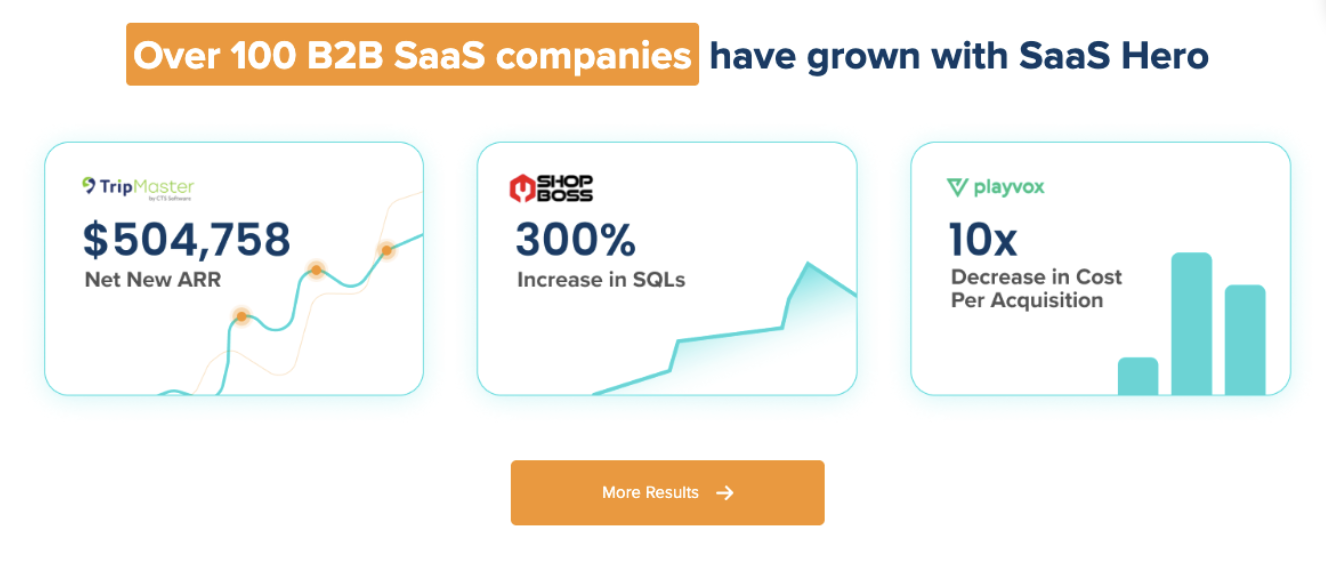
SaaSHero operates differently. As an outsourced inbound growth team for B2B companies, SaaSHero owns the entire reporting and optimization lifecycle, including paid media strategy, creative, landing pages, CRM-connected attribution, and dashboards built in Looker Studio and HubSpot that connect ad spend to qualified pipeline and closed revenue. The optimization target is CRM outcomes, which turns a dashboard that describes performance into a system that improves it.

Agencies that want to understand what transparent, revenue-focused reporting looks like in practice can read more in our guide on how to evaluate a Google Ads agency for transparent reporting.
Discover how SaaSHero can own your reporting and optimization so your team focuses on growth.
Frequently Asked Questions
What is the difference between a Google Ads reporting dashboard and a standard Google Ads account view?
The native Google Ads interface is designed for campaign management, such as adjusting bids, reviewing search terms, and pausing ad groups. It is not designed for client-facing reporting. It lacks cross-channel visibility, white-labeling, automated delivery, and the ability to blend CRM data with ad platform data. A reporting dashboard, whether built in Looker Studio or a purpose-built tool, is designed to answer a different set of questions: how much was spent, what it produced in terms of pipeline and revenue, and how that compares to the previous period. The native interface answers operational questions. A reporting dashboard answers strategic and commercial ones.
How does CRM-connected reporting differ from standard Google Ads conversion tracking?
Standard Google Ads conversion tracking records a conversion event, typically a form submission or a page visit, at the moment it occurs and feeds that signal back to the platform’s bidding algorithms. The challenge for B2B agencies is that a form submission is the earliest and least reliable proxy for revenue. A CRM-connected reporting approach goes further and maps the journey from ad click through to CRM lifecycle stages such as marketing-qualified lead, sales-qualified lead, opportunity, and closed revenue, then feeds those downstream signals back to the ad platform. This change shifts what the algorithm optimizes toward. Instead of finding more people who fill out forms, the system learns to find more people who become qualified pipeline. The practical result is that cost per lead may rise while cost per qualified opportunity falls, and the dashboard reflects business outcomes rather than platform activity.
When does it make sense to build with Looker Studio versus buying a paid reporting tool?
Looker Studio is the right choice when an agency has in-house technical capacity, manages a relatively small number of clients, and is comfortable with ongoing maintenance. It is free, highly customizable, and connects natively to the entire Google ecosystem. The build route becomes strained when client volume grows past roughly 10–15 accounts, when clients expect branded dashboards without Google’s logo, or when the agency lacks the technical resources to maintain data source connections, troubleshoot blending errors, and keep the dashboard current as platform APIs change. At that point, a purpose-built platform like AgencyAnalytics removes the maintenance burden and adds white-labeling and client portals out of the box, at a cost that scales linearly with client count. Neither option addresses the underlying question of who interprets the data and connects it to business outcomes.
What are the most common reasons Google Ads reporting dashboards produce inaccurate data?
Inaccurate dashboards almost always trace back to one of four root causes. First, broken or misconfigured conversion tracking, including duplicate tracking where GA4 events are imported into Google Ads and native tags fire for the same action, which inflates reported conversions. Second, attribution model conflicts between platforms: Google Ads and GA4 use different attribution logic by default, so the same conversion can appear with different credit across systems. Third, data blending errors in Looker Studio caused by mismatched join keys, differing date ranges, or conflicting aggregation levels. Fourth, stale data from API rate limiting or infrequent refresh schedules, which causes dashboards to show numbers from different points in time when multiple platforms are blended. The fix for all four is the same: establish a clean measurement architecture before building the dashboard layer on top of it.
What should a B2B agency’s Google Ads dashboard include that a standard e-commerce dashboard does not?
B2B agency dashboards require a layer of CRM data that e-commerce dashboards typically do not. Where an e-commerce dashboard leads with ROAS and conversion value, metrics that are available directly from the ad platform, a B2B dashboard must connect ad spend to CRM stages: how many form submissions became marketing-qualified leads, how many of those became sales-accepted opportunities, and what pipeline value was created. This connection requires integrating the ad platform with the CRM and mapping lifecycle stage changes back to the original ad interaction. B2B dashboards also need to account for longer attribution windows, because sales cycles of six to nine months mean that last-click attribution systematically misattributes credit, and multi-touch models are necessary to evaluate upper-funnel channels fairly. Finally, B2B dashboards should surface cost per SQL and cost per opportunity alongside cost per lead, because the gap between those numbers is where most B2B paid media programs quietly fail.