




Written by: Aaron Rovner, Founder, Saas Hero
Key Takeaways for SaaS Competitor CRO
- Competitor analysis for SaaS CRO becomes a repeatable revenue engine that intercepts high-intent buyers searching for pricing, alternatives, or reviews of rival products.
- The playbook maps keywords to three psychological intent buckets (pricing, problem or complaint, and review or validation) and then builds a dedicated comparison page for each.
- A 7-principle heuristic audit plus targeted design and copy changes reduce friction and improve message-match before you scale ad spend.
- Revenue attribution via GCLID, offline conversions, and Looker Studio dashboards keeps decisions tied to Net New ARR and CAC payback period instead of vanity metrics.
- Teams ready to turn competitor search data into closed-won revenue can book a discovery call with SaaSHero and receive a competitor keyword audit built for their ICP.
Step 1: Mine Competitor Keywords and Tighten Negative-Keyword Hygiene
Purpose: Capture the exact search queries buyers use when evaluating your competitors so you intercept high-intent traffic before it converts elsewhere.
Required inputs: A list of three to seven direct competitors from sales call notes and CRM data, access to a keyword research tool (Google Keyword Planner, Semrush, or Ahrefs), and your existing negative keyword list.
Actions:
- Enter each competitor’s brand name into your keyword tool and export all modifier combinations such as pricing, cost, alternatives, reviews, vs, cancel, support, and down.
- Sort by search volume and commercial intent score, then prioritize queries with clear evaluative modifiers over navigational brand-only searches.
- Tag each keyword to one of the three intent buckets defined above so every query has a clear destination later.
- Add the bare competitor brand name (for example, “HubSpot” alone) as a negative keyword, because a user searching only the brand name usually wants the login page, which wastes budget and inflates bounce rate.
- Add a second layer of negative keywords for irrelevant modifiers such as “jobs,” “careers,” “tutorial,” “API docs,” and “login” so non-buyer traffic never enters your campaigns.
Decision criteria: Include a keyword when it contains an evaluative modifier and has at least 50 monthly searches. Exclude navigational and informational queries with no commercial signal.
Validation checkpoint: Run a search term report after the first two weeks. Any impression share from bare brand or navigational queries signals a gap in your negative keyword list.
Common mistake: Bidding on the competitor’s brand name alone. Organizations using intent data to prioritize prospects based on active research behaviors can see improvements in conversion rates, but only when that intent data is filtered to evaluative signals instead of navigational noise.
Step 2: Bucket Intent and Build Dedicated Comparison Pages per Competitor
Purpose: Match each intent bucket to a purpose-built landing page so the message a buyer sees after clicking your ad directly reflects the question they just asked.
Required inputs: The bucketed keyword list from Step 1, sales call recordings that surface common objections, and G2 or Capterra review data for the competitor.
Message-match architecture by bucket:
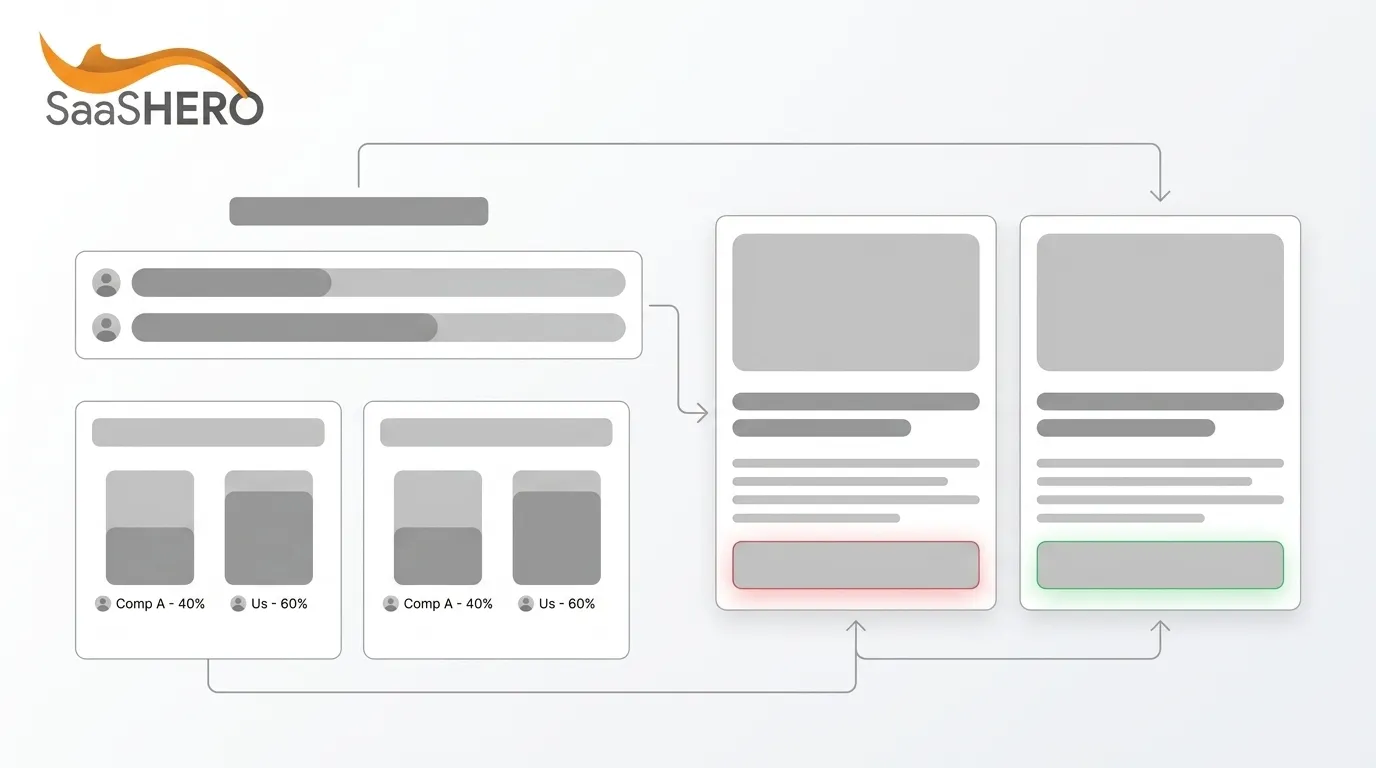
- Pricing intent → Pricing comparison page: Lead with a side-by-side cost table. Show total cost of ownership. Address the value gap if you are priced higher. Teams actively testing their pricing pages see 11–30% higher conversion rates than those treating pricing as static content.
- Problem or complaint intent → Problem-solution page: Open by naming the specific pain, such as “Tired of [Competitor]’s onboarding delays?” Use case studies from customers who switched from that exact competitor. Many B2B buyers switch vendors, so alternatives pages work well for capturing switchers.
- Review or validation intent → Comparison page: Aggregate G2 badges, Capterra ratings, and testimonials. Use a structured feature matrix. 81% of buyers had already selected a winning vendor before speaking with sales, so controlling the narrative on these pages directly shapes the shortlist.
Actions:
- Create a /compare/ subfolder with URL patterns such as /compare/your-product-vs-competitor/ and /compare/alternatives-to-competitor/.
- Include the competitor name in the title tag, H1, meta description, body copy, and URL slug so search intent and page content align.
- Anchor each page on one strategic differentiator instead of trying to win on every dimension. Buyers remember one clear reason to choose a product.
- Once that single differentiator anchors the narrative, reinforce it with supporting elements such as customer-switch testimonials, an FAQ that addresses switching objections tied to that differentiator, and a repeated demo or trial CTA that highlights the same benefit.
- Link comparison pages from your pricing page, demo page, and homepage to pass authority and support buyers already in evaluation mode.
Validation checkpoint: Versus-keyword pages often convert several times better than top-of-funnel content. When comparison pages do not outperform your homepage conversion rate within 60 days, message-match needs work.
Troubleshooting: When bounce rate on a comparison page exceeds 70%, the ad headline and page H1 are misaligned. The first five words of your H1 should mirror the search query that triggered the ad.
Ready to turn competitor search data into closed-won revenue? Book a discovery call with SaaSHero and get a competitor keyword audit built for your ICP.
Step 3: Run a 7-Principle Heuristic CRO Audit on Comparison Pages
Purpose: Surface conversion killers on your comparison pages before you scale ad spend by using structured expert review instead of waiting months for statistically significant A/B test data.
Why heuristic evaluation: Comparison pages in B2B SaaS often receive only a few hundred visitors per month, which keeps A/B tests from reaching significance quickly. A heuristic audit applies established conversion principles through expert review and delivers clear direction within days.
Required inputs: Live URLs for each comparison page, the ad copy driving traffic to each page, and three independent reviewers, including a strategist, a designer, and a subject-matter expert.
The 7 principles to audit against:
- Relevance: Confirm that the page headline matches the ad copy, because message mismatch is the single largest source of paid traffic waste.
- Clarity: Check whether a first-time visitor can understand the value proposition within five seconds, and run a five-second test with an unprimed reviewer.
- Trust: Place trust signals such as client logos, G2 badges, SSL indicators, and testimonials above the fold.
- Friction: Count how many form fields the primary CTA requires, because each additional field in a sign-up form can reduce completions.
- Distraction: Review navigation visibility, since navigation links give buyers an exit ramp before they convert, so remove or suppress them on dedicated comparison pages.
- Urgency: Add a reason to act now, such as a time-limited trial, a migration offer, or a “limited onboarding slots” message that reduces decision paralysis.
- Mobile responsiveness: Confirm that the page renders cleanly on a 390px viewport, because B2B research often begins on mobile even when the final conversion happens on desktop.
Actions: Ask each reviewer to score every principle independently on a 1–5 scale, then average the scores. Treat any principle scoring below 3 as a prioritized fix and use the PIE framework (Potential, Importance, Ease) to sequence work.
Validation checkpoint: Re-audit after you implement fixes. A heuristic score improvement of 1.5 points or more across the seven principles usually correlates with measurable conversion rate movement within 30 days.
Tip: For B2B SaaS landing pages with low conversion volumes, traditional A/B testing often fails to reach statistical significance. Heuristic audits provide faster, actionable direction than waiting for test data.
Step 4: Improve Landing-Page Design and Copy to Reduce Friction
Purpose: Turn heuristic audit findings into concrete design and copy changes that raise the conversion rate of each comparison page.

Required inputs: Heuristic audit output, session recordings from Hotjar or Microsoft Clarity, and scroll-depth data from Google Analytics 4.
Actions:
- Hero section: Lead with a benefit-driven headline that names the competitor and your differentiator, and place the primary CTA, such as demo or trial, in the top 600 pixels.
- Comparison table: Use a table with a maximum of four columns so mobile users can still read it without horizontal scrolling. Use Feature, Your Product, Competitor, and Why It Matters as columns, limit rows to the ten most decision-relevant features, and keep the table honest, including rows where the competitor is stronger, because that builds credibility. Effective competitive comparison pages blend hard feature comparisons with a value narrative that explains who each product serves best.
- Social proof placement: Place customer logos above or below pricing sections, testimonials between comparison content and FAQ, third-party badges near headlines, and at least one case study from a customer who switched from the named competitor.
- Copy structure: Follow a clear flow of problem agitation, solution presentation, feature breakdown, social proof, and final CTA, while keeping paragraphs short with bolded key points and scannable subheadings.
- Form optimization: Reduce demo request forms to three fields at most, such as name, work email, and company, and handle deeper qualification during the sales call.
Validation checkpoint: Scroll-depth data should show at least 60% of visitors reaching the comparison table. When fewer than 40% reach it, the hero section is not compelling enough to pull them down the page.
Common mistake: Copying a competitor’s page layout without understanding the psychological principle behind it. Competitor-inspired CRO changes should be grounded in user psychology principles and validated with engagement data, not replicated wholesale.
Step 5: Connect CRM and Ad-Platform Tracking for Revenue Attribution
Purpose: Tie every ad click to a closed-won deal so optimization decisions rely on revenue instead of impressions or CTR.
Required inputs: A Google Ads account with auto-tagging enabled, a CRM such as HubSpot or Salesforce with a lead source field, and a UTM parameter naming convention.
Actions:
- Enable Google Click ID (GCLID) auto-tagging in Google Ads and pass the GCLID as a hidden field on every form submission so it is stored against the contact record in your CRM.
- Create a “Lead Source” field in your CRM that captures UTM source, medium, campaign, and content values, then map these to the three intent buckets, which include pricing, problem, and review, using campaign naming conventions.
- Set up offline conversion imports by exporting Closed-Won opportunities from the CRM weekly and importing them back into Google Ads as offline conversions so the algorithm can optimize toward deals instead of form fills.
- Build a Looker Studio dashboard that joins ad spend data from the Google Ads API with pipeline and revenue data from the CRM, and include columns for Campaign, Spend, Leads, SQLs, Pipeline Value, Closed-Won ARR, CAC, and Payback Period.
- Tag every comparison page campaign with a consistent naming convention such as [Competitor]-[Intent Bucket]-[Channel], for example HubSpot-Pricing-GoogleSearch.
Validation checkpoint: Within 30 days, every closed-won deal originating from a competitor campaign should have a traceable GCLID in the CRM. When more than 20% of deals show “direct” or “unknown” source, the GCLID pass-through has broken.
Troubleshooting: When GCLID values do not populate in the CRM, confirm that the hidden form field name matches exactly what the landing page passes. Case sensitivity in field names is the most common cause of tracking failure.
Step 6: Measure Performance with Payback Period, Conversion Rate, and Net New ARR
Purpose: Confirm that the competitor analysis playbook generates financially efficient revenue and identify which intent buckets and pages deserve more budget.
Required inputs: The Looker Studio dashboard from Step 5, CRM closed-won data segmented by campaign, and your average contract value and gross margin percentage.
Actions:
- Net New ARR: Sum the annualized contract value of all deals closed from competitor campaigns in the measurement period. Net New ARR equals new ARR plus expansion ARR minus churn ARR minus contraction ARR. Focus on the new component for acquisition campaign attribution.
- CAC Payback Period: Divide total campaign spend, including ad spend and agency retainer, by the monthly gross profit generated from new customers acquired. Best-in-class SaaS teams target a CAC payback period under 12 months while good performance is typically 12–18 months to maintain healthy unit economics.
- Conversion rate by intent bucket: Calculate landing page conversion rate, defined as form submissions divided by sessions, for each bucket separately, because pricing, problem, and review pages convert at different rates and need separate optimization.
- LTV:CAC ratio: Confirm that revenue from competitor-acquired customers meets the 3:1 LTV:CAC minimum threshold considered healthy for SaaS businesses.
- Treat Net New ARR and CAC payback period as parallel health metrics, then review results monthly and scale budget to the intent bucket and comparison page combination that produces the lowest CAC payback period.
Validation checkpoint: When a competitor campaign has run for 90 days without at least one closed-won deal attributable via GCLID, the issue usually sits in traffic volume, page conversion rate, or sales follow-up speed, so increase budget, return to Step 3, or escalate to sales leadership.
Tip: Segment your conversion rate measurement by traffic source. Conversion rates can vary significantly by traffic source for SaaS landing pages, and a blended figure hides the true performance of each channel.
Download the Competitor Analysis Template for B2B SaaS
Before you finalize your measurement framework, grab the full competitor analysis template that includes keyword buckets, a comparison page brief, a heuristic audit scorecard, and a revenue attribution dashboard structure built for B2B SaaS teams running competitor conquest campaigns.
How to Review Results Across Google Ads, Looker Studio, and Your CRM
A weekly review cadence across three platforms keeps the playbook calibrated and prevents wasted spend. In Google Ads, review the Search Terms report to confirm negative keyword hygiene still holds and that impression share remains concentrated on evaluative modifier queries. Check Quality Score on competitor campaign ad groups, because a score below 6 usually signals message mismatch between ad copy and landing page, which raises CPC and suppresses conversion rate.
Once you confirm that ad targeting and quality are in a healthy range, shift to pipeline analysis. In Looker Studio, review the joined dashboard built in Step 5. The primary view should show spend, leads, SQLs, and pipeline value by campaign or intent bucket. A secondary view should show the same metrics by landing page URL so you can see which comparison pages generate the most qualified pipeline per dollar spent.
In the CRM, filter Closed-Won deals by lead source to the competitor campaign UTM values, then calculate Net New ARR and CAC payback period monthly. Remember that B2B SaaS sales cycles of 30–90 days mean that campaign spend in Month 1 may not appear as Closed-Won ARR until Month 3 or later. The Opportunity-to-Closed-Won rate in B2B SaaS benchmarks at 20–35% depending on segment (median about 24–30%), so pipeline value acts as a leading indicator of ARR while the cycle completes.
Attribution in long B2B cycles always carries some uncertainty. A buyer may click a competitor pricing ad, attend a webinar, and then convert via a branded search three months later. Last-click attribution assigns all credit to the branded search and hides the competitor campaign’s contribution. Use data-driven attribution in Google Ads and a multi-touch model in the CRM to distribute credit more accurately across touchpoints.
Advanced Variations for Scaling SaaS Competitor Analysis
Teams with budgets above $25,000 per month and several active competitors can scale this playbook in three main directions.
Programmatic comparison pages: Common Room generated 175,000 impressions in two months from systematic deployment of programmatic competitor pages, while SpotDraft saw 20x traffic and signup growth from the same approach. Use a templated page structure with competitor-specific variables so you can build pages at scale without starting from scratch for each rival.
Multi-channel intent amplification: Layer LinkedIn Ads targeting the same job titles and company sizes as your Google competitor campaigns. When a buyer sees your comparison page via paid search and then encounters a LinkedIn ad featuring a customer testimonial from a company in their industry, the combined exposure accelerates the validation phase. Cello achieved a 160% increase in LinkedIn impressions via founder-led content, which generated qualified pipeline conversations.
Three-way comparison pages: Startups with limited brand recognition can create pages structured as “Competitor A vs. Competitor B vs. Your Product” to capture search volume from buyers comparing two established rivals. This approach piggybacks on the competitors’ brand equity while inserting your product into the consideration set. Three-way pages become a practical mechanism for getting onto the initial shortlist buyers create before they ever speak with sales.
AI-accelerated competitive intelligence: AI tools can help teams produce comparison content faster by mining competitor websites for positioning changes and extracting customer sentiment from reviews and forums. Use these tools to maintain quarterly update cycles on all comparison pages, especially when a competitor changes pricing or packaging.
Competitor Analysis Playbook Recap Checklist
- ☐ Step 1: Export competitor keyword modifier combinations, then add bare brand names and navigational terms as negatives.
- ☐ Step 2: Assign every keyword to a pricing, problem, or review intent bucket, and build a dedicated comparison page for each bucket per competitor.
- ☐ Step 3: Run a 7-principle heuristic audit, covering relevance, clarity, trust, friction, distraction, urgency, and mobile, with three independent reviewers.
- ☐ Step 4: Implement audit fixes and refine hero section, comparison table, social proof placement, and form field count.
- ☐ Step 5: Pass GCLID through every form, set up offline conversion imports, and build a Looker Studio dashboard that joins ad spend and CRM revenue data.
- ☐ Step 6: Measure Net New ARR, CAC payback period, and conversion rate by intent bucket monthly, then scale budget to the lowest-payback-period combination.
Suggested next actions: Run Step 1 this week using your top three competitors, build one comparison page per intent bucket before you scale ad spend, and review the Looker Studio dashboard weekly for the first 90 days.
Turn Competitor Insights into Net New ARR with SaaSHero
This six-step playbook reflects the operational framework SaaSHero uses to run competitor conquest campaigns for B2B SaaS companies across HR Tech, CX, Transportation, Real Estate, and Cybersecurity. The results include $504,758 in Net New ARR for TripMaster, an 80-day CAC payback period for TestGorilla, and a 10x decrease in cost per lead for Playvox.

SaaSHero works on flat monthly retainers with no percentage-of-spend billing, no 12-month lock-in contracts, and no vanity metric reporting. Every engagement runs month-to-month, every report anchors to Net New ARR and pipeline value, and every recommendation follows the data instead of increasing the agency fee.
Teams that want to stop wasting budget on broad keywords and start turning competitor search traffic into closed-won revenue should move to a live conversation.
Frequently Asked Questions
How long does it take to see conversion rate improvements from a competitor analysis campaign?
Most B2B SaaS teams see measurable landing page conversion rate movement within 30 to 60 days of launching dedicated comparison pages with strong message-match and heuristic fixes in place. Ranking movement in organic search usually begins within four to eight weeks for lower-competition versus queries. Because B2B SaaS sales cycles often run 30 to 90 days, the full revenue impact, measured as Net New ARR and CAC payback period, typically becomes visible in the CRM between 60 and 120 days. Teams should treat pipeline value as a leading indicator during the first 90 days and then shift to closed-won ARR as the primary success metric once the cycle completes.
Is it legal to use a competitor’s name in Google Ads and on landing pages?
Using a competitor’s brand name in ad copy and on landing pages is generally permissible under Google’s trademark policy when you use the name in a factual, comparative context, such as a side-by-side feature comparison or an “alternatives to [Competitor]” page. The key legal guardrails include avoiding use of the competitor’s logo, avoiding any implication of affiliation or endorsement, clearly identifying your company as the advertiser in the ad headline to avoid “passing off” claims, and keeping all factual claims accurate and verifiable. When questions arise, have legal review the page copy before launch. SaaSHero builds all competitor conquest campaigns within these guidelines as standard practice.
What is a realistic Net New ARR target for a competitor conquest campaign in B2B SaaS?
The right target depends on your average contract value, sales cycle length, and the search volume available for your target competitors’ modifier keywords. As a practical benchmark, a well-structured competitor conquest campaign spending $10,000 to $25,000 per month should generate enough qualified pipeline within 90 days to meet the payback threshold discussed in Step 6. SaaSHero’s TripMaster engagement added $504,758 in Net New ARR within 12 months from a mix of paid search, paid social, and CRO. The most important variable is not budget size but the quality of message-match between the intent bucket, the ad copy, and the comparison page, which makes the heuristic audit in Step 3 non-negotiable before you scale spend.
How many comparison pages should a B2B SaaS company build?
Plan for one comparison page for each of the three intent buckets, which include pricing, problem or complaint, and review or validation, for every competitor your ICP actively evaluates during the buying process. Most SaaS companies should prioritize three to seven competitors based on sales call data and CRM win or loss records, which translates to nine to twenty-one pages at full build-out. Start with one competitor and all three intent buckets before expanding. Prioritize the competitor you lose deals to most frequently, because that is where the highest-intent traffic and the greatest revenue opportunity concentrate, and update each page quarterly or whenever the competitor materially changes pricing, packaging, or positioning.
How does SaaSHero attribute Net New ARR to competitor campaigns when the B2B sales cycle is long?
SaaSHero uses a three-layer attribution architecture. First, Google Click ID auto-tagging passes a unique identifier from every ad click through the landing page form and into the CRM contact record, which creates a direct link between the ad impression and the lead. Second, offline conversion imports push Closed-Won deal data from the CRM back into Google Ads weekly, which allows the campaign algorithm to optimize toward revenue instead of form fills. Third, a Looker Studio dashboard joins ad spend data with CRM pipeline and revenue data, which enables month-over-month reporting on Net New ARR, CAC payback period, and LTV:CAC ratio by campaign and intent bucket. For deals that touch multiple channels before closing, a multi-touch attribution model in the CRM distributes credit across touchpoints instead of assigning it all to the last click, so competitor campaigns receive accurate credit for their role in the buyer’s journey.