




Written by: Aaron Rovner, Founder, Saas Hero
Key Takeaways For B2B SaaS Teams
- Offline conversions improve Google Search Ads performance when the GCLID is captured at form submission, stored in a CRM, and qualified lifecycle events are sent back to Google Ads.
- The June 15, 2026 migration to Google Ads Data Manager creates a natural point to rebuild Enhanced Conversions for Leads correctly instead of porting a broken legacy setup.
- B2B SaaS funnels with long sales cycles and high ACV benefit most because Smart Bidding can focus on revenue and pipeline instead of raw form fills.
- Success depends on CRM maturity, clear sales-accepted lead stages, and enough qualified-lead volume for the algorithm to learn a stable pattern.
- SaaSHero rebuilds conversion tracking during onboarding and pushes lifecycle stage events back into ad platforms so B2B SaaS teams can make decisions from CRM revenue data.
Talk With SaaSHero About Your Measurement Setup
Qualification Framework For Offline Conversion Tracking
Some funnels justify the RevOps and engineering work for offline conversions and some do not. The decision depends on four dimensions.
Four dimensions determine whether your funnel clears the bar:
- Sales Cycle Length. Offline conversions pay off when the cycle runs months, not days. A self-serve motion with a same-day close does not need this. The longer the gap between click and revenue, the more the ad platform operates without useful CRM data.
- Average Contract Value. Higher ACV justifies the operational cost of building and maintaining the CRM-to-Google-Ads loop. A $50,000 ACV makes a broken measurement layer expensive. A $500 ACV may not generate enough qualified-lead volume to matter.
- CRM Maturity. A CRM that actually records what happened to a lead is a prerequisite. Without it, there is no signal to send back. If your CRM is a spreadsheet or a graveyard of unqualified contacts, offline conversions will not improve performance.
- Sales Team Structure. Someone qualifies leads and records that status. Without a sales-accepted lead definition, there is nothing specific to optimize toward. The algorithm needs a clear target instead of a vague notion of good leads.
The table below separates the funnels worth the setup from those that are not:
| Worth The Setup | Not Worth The Setup |
|---|---|
| Sales cycle measured in months | Short or self-serve cycle |
| High ACV justifies operational cost | Low ACV, high-volume transactional motion |
| CRM records lead-to-opportunity stages | No CRM or CRM not used for qualification |
| Sales team qualifies leads and records it | No sales-accepted lead definition |
| Enough spend to generate conversion volume | Spend too low for Smart Bidding to learn |
Short, self-serve funnels or teams without a functioning CRM usually get more value from other engineering projects. Offline conversions depend on operational discipline on both sides of the integration. Bad data fed back to Google Ads produces bad optimization and compounds existing issues.
See If Your Funnel Qualifies For Offline Conversion Tracking
The 2026 Migration To Google Ads Data Manager
Accounts running legacy offline conversion imports face a structural choice. The path forward sits between a deprecated approach and the current recommended Enhanced Conversions for Leads path through Google Ads Data Manager.
Starting June 15, 2026, offline conversion imports and Enhanced Conversions for Leads uploads are migrated to the Data Manager API and blocked in the Google Ads API. Developer tokens that did not send qualifying requests between January and June 2026 are not allowlisted for legacy access. Custom integrations built against the legacy Google Ads API require a rebuild rather than a patch.
Google describes Enhanced Conversions for Leads as an upgraded version of offline conversion import that uses user-provided data, such as email addresses, to supplement imported offline conversion data for better accuracy and bidding performance. Google recommends that advertisers already using offline conversion imports upgrade to Enhanced Conversions for Leads using Google Ads Data Manager.
The migration window creates the right moment to fix conversion architecture. Rebuilding around the current pattern prevents a broken setup from following you into the new stack.
| Attribute | Legacy Offline Conversion Import | Enhanced Conversions For Leads Via Data Manager |
|---|---|---|
| Primary match key | Primarily the GCLID, with hashed email/phone matching as a probabilistic fallback when the GCLID is unavailable | GCLID plus hashed email/phone |
| Attribution window for uploads | 90 days for most conversion types | 63 days for enhanced lead events |
| Cross-device attribution | No | Yes |
| Engaged-view conversions | No | Yes |
| API status after June 15, 2026 | Blocked in Google Ads API | Supported via Data Manager API |
The enhanced lead events upload window is shorter, at 63 days versus 90 days for legacy GCLID imports. Funnels with sales cycles near or beyond that window should upload intermediate pipeline milestones such as qualified lead or opportunity created instead of waiting for closed-won. See the full-funnel offline conversion tracking guide and the click ID matching vs. Enhanced Conversions for Leads comparison for implementation detail.
Plan Your 2026 Migration With SaaSHero
How Many Conversions Smart Bidding Needs
Smart Bidding needs enough conversion events over enough time to learn a pattern. An account feeding it only a handful of qualified-lead events per month rarely produces a reliable signal, and that weak signal can push bidding in the wrong direction.
Google Ads recommends measuring Smart Bidding performance over longer time periods that include at least 30 conversions, such as a month or longer, and at least 50 conversions for Target ROAS strategies. These figures are recommendations rather than hard minimums, but they reflect the data volume the algorithm needs to learn a stable pattern instead of chasing noise.
If your account generates fewer than 30 qualified-lead events per month, use one or more of these approaches:
- Broaden the primary conversion set carefully. Use a higher-funnel but meaningful stage, such as sales-accepted lead rather than closed-won, to generate more signal volume while still filtering junk.
- Use secondary conversions for observation only. Track form fills and content downloads without including them in bidding so they inform reporting without corrupting optimization.
- Extend the learning window. Evaluate Smart Bidding over a full sales cycle instead of week-over-week conversion counts.
- Run Maximize Conversions first. Build a baseline before introducing a revenue or ROAS target.
Volume thresholds guide which lifecycle stage you choose as the primary signal. The right stage generates enough events for the algorithm to learn while still representing a commercially meaningful outcome.
Get Help Choosing The Right Primary Conversion
What Breaks In Real B2B Accounts
Real accounts fail for specific operational reasons, not because the concept of offline conversions is flawed.
- GCLID Expiry Windows. Google Ads attributes offline conversions to clicks within a 90-day lookback window for most conversion types, but only 30 days for calls from ads. A lead that sits in the CRM for months before qualifying may no longer be matchable. For B2B SaaS with six-to-nine-month sales cycles, closed-won events frequently fall outside the attribution window, so uploading intermediate pipeline stages becomes essential.
- CRM Field Mapping Failures. The field that holds the GCLID gets overwritten, never populated, or dropped during a form migration. If only 40% of leads have a GCLID value, Google can only match 40% of conversions back to clicks, and Smart Bidding trains on an incomplete and potentially biased dataset.
- Consent And First-Party Data Requirements. Enhanced conversions require explicit user consent under GDPR and CCPA before capturing and hashing user data for advertising purposes. A consent management platform that blocks the Google tag before consent is granted silently kills GCLID capture for a material share of traffic.
- The Junk Lead Problem. When the account optimizes toward form fills, the algorithm finds students, job seekers, competitors, and existing customers. 73% of B2B leads are not sales-ready when first generated, so an account trained on form fills systematically finds the wrong people. Cost per lead falls while pipeline stays flat. This failure mode is why offline conversions are necessary.
For a deeper look at how the CRM integration fits into a broader Google Ads management approach, see the Google Ads Management And CRM Integration: 2026 Revenue Guide.
Setup Steps For Enhanced Conversions For Leads
Revenue leaders can use this sequence with RevOps as a practical checklist.
- Confirm The CRM Records Lead-To-Opportunity Stages. If lifecycle stages are not defined and consistently applied, there is no signal to send back. This organizational prerequisite usually takes longer than the technical setup.
- Decide Which Lifecycle Events Are Primary Conversion Signals. Sales-qualified lead, opportunity created, and closed-won are the main candidates. Choose the stage that generates enough monthly volume for Smart Bidding to learn from. Track everything else as secondary so it remains visible in reporting while staying excluded from bidding.
- Configure Enhanced Conversions For Leads In Google Ads. Create a conversion action for each primary stage, then accept the Customer data terms and enable auto-tagging so Google can match uploaded events back to the original clicks.
- Connect The CRM Data Flow Through Google Ads Data Manager. For HubSpot and Salesforce, native connectors are available. Custom implementations require the Data Manager API rather than the legacy Google Ads API after June 15, 2026.
- Validate That Events Are Arriving And Matching. Check the Enhanced Conversions diagnostics report. Target a match rate above 70%. A rate below 50% usually indicates a field mapping or data quality problem rather than a Google issue.
- Let Smart Bidding Learn. Keep the new conversion action secondary for two to three weeks before making it primary. Evaluate performance over a full sales cycle instead of the first two weeks of data.
Have SaaSHero Own Your Enhanced Conversions Setup
Measuring Impact In The CRM
Feeding qualified-lead signals back into the account shifts the mix of queries and audiences toward people who resemble buyers. Cost per lead may rise, while cost per qualified lead falls. Pipeline created by channel becomes the primary number worth reporting.
To separate real improvement from noise, track sales-accepted lead rate and pipeline created over a full sales cycle instead of week-over-week conversion counts. A campaign that looks worse on cost per lead and better on cost per SQL is working. A campaign that looks better on cost per lead and flat on pipeline still has a broken optimization target that the dashboard hides.
Google reported in September 2026 that advertisers connecting offline and app data through Google Ads Data Manager see an average 26% increase in incremental ROAS. That uplift only matters when the measurement layer connects platform data to CRM revenue and confirms that Google receives the right signals.

Why SaaSHero Builds This Layer For B2B SaaS
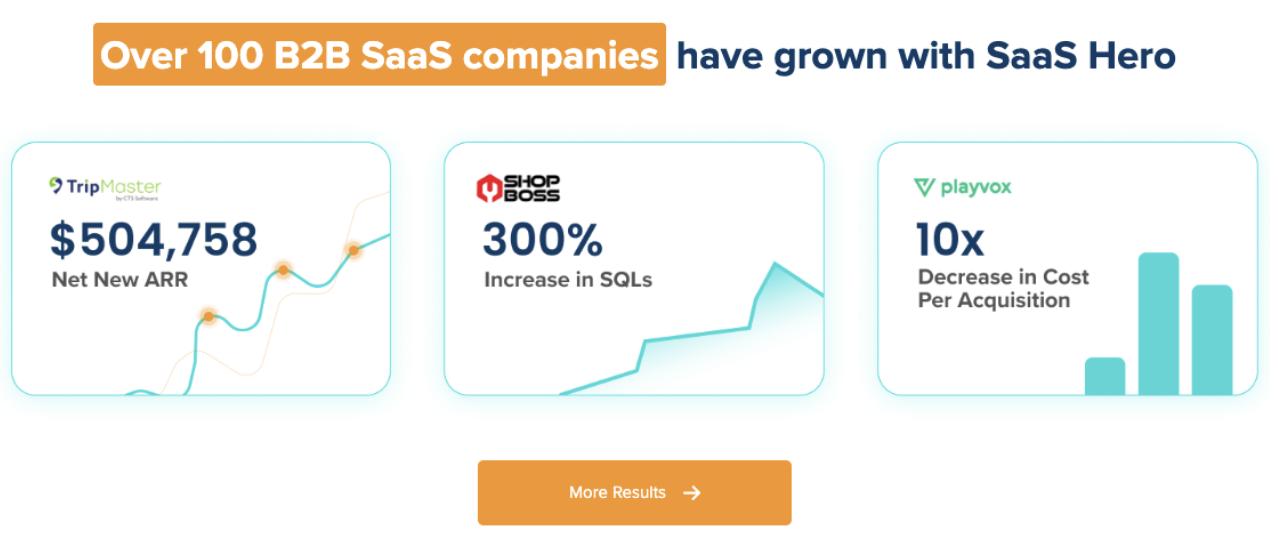
SaaSHero acts as the outsourced inbound growth team for B2B SaaS companies, with one team owning paid media, creative, landing pages, and reporting while focusing on CRM revenue data instead of form-fill counts. SaaSHero is a Google Premier Partner (top 3% of Google Partners). The team has built this measurement layer across more than 100 B2B companies, managing roughly $16M in annual ad spend with about 20 full-time in-house specialists.
The relevant work for this topic includes rebuilding conversion tracking during onboarding, separating primary from secondary conversions, pushing lifecycle stage events back into the ad platforms, and building reporting in the client’s own CRM, usually HubSpot or Salesforce, with Looker Studio dashboards. That work matches exactly what offline conversions require and often fills the gap agencies leave for clients to solve alone.
See How SaaSHero Would Rebuild Your Tracking
Frequently Asked Questions
What Are Offline Conversions In Google Ads?
Offline conversions are conversion events that happen outside the browser session, such as a qualified lead, an opportunity created, or a closed-won deal. These events are uploaded back to Google Ads and matched to the original ad click via GCLID or hashed first-party data. They tell Smart Bidding which clicks produced real business outcomes instead of simple form fills. Without them, the algorithm optimizes toward whatever happens in the browser, which in B2B rarely matches the outcome that matters.
How Do Offline Conversions Differ From Enhanced Conversions For Leads?
Offline conversion tracking describes the overall process of sending offline sales or lead-stage data back into Google Ads. Enhanced Conversions for Leads is the current recommended method for improving how that lead data gets matched to ad interactions using hashed first-party data such as email or phone number. This method makes the connection more durable when users switch devices or clear cookies. Enhanced Conversions for Leads functions as the upgraded matching methodology within the offline conversion workflow and serves as Google’s recommended path for new and migrating implementations.
How Many Conversions Support Reliable Optimization?
As noted earlier, Google recommends at least 30 conversions for Smart Bidding and 50 for Target ROAS over a reasonable time window. Below that level, Smart Bidding may not have enough signal to learn a reliable pattern. For B2B accounts with low qualified-lead volume, a higher-funnel conversion stage such as sales-accepted lead often works better as the primary signal because it generates more monthly events while still filtering unqualified traffic.
How Long Does Offline Conversion Setup Take?
Setup time depends on CRM maturity and engineering capacity. The technical configuration, which includes creating conversion actions, connecting the CRM through Google Ads Data Manager, and validating event flow, typically takes days to weeks. The longer timeline usually comes from organizational work, such as defining which lifecycle stages count as qualified and aligning RevOps and Sales on those definitions. Accounts that skip the organizational work and rush the technical setup often import the wrong events and train Smart Bidding toward the wrong outcomes.
Can Offline Conversions Work Without A Developer?
Basic setups using native CRM connectors through Google Ads Data Manager can be configured by a technically capable marketer. Custom implementations, server-side tracking, or complex CRM field mapping usually require developer or RevOps support. GCLID capture on forms and CRM field mapping are the most common points where technical help is needed and the most common points where silent failures occur that only surface months later when match rates are audited.
Conclusion And Practical Next Steps
Offline conversions help Google Search Ads when the funnel has a long sales cycle, a real CRM, and enough conversion volume for Smart Bidding to learn. The June 15, 2026 migration to Enhanced Conversions for Leads via Google Ads Data Manager creates a natural point to rebuild the measurement layer correctly instead of carrying forward a legacy setup that already struggles.
Three immediate actions deserve attention:
- Audit which conversion events currently feed Smart Bidding and check whether any low-quality signals such as form fills or content downloads sit as primary.
- Check whether GCLIDs are being captured and retained in the CRM by running a report on what percentage of leads have a GCLID value populated.
- Confirm whether the account optimizes toward form fills or qualified pipeline and whether reporting reflects cost per SQL instead of cost per lead.
Review Your Offline Conversion Plan With SaaSHero