




Written by: Aaron Rovner, Founder, Saas Hero
Key Takeaways
- Enhanced Conversions for Leads (ECL) upgrades offline conversion tracking by adding hashed email and phone data alongside GCLID.
- Standard offline conversion import relies on GCLID only, which expires after 90 days and often misses long B2B SaaS sales cycles.
- Google now treats legacy offline import as the old path and requires custom integrations to migrate to the Data Manager API by June 15, 2026.
- Teams that add first-party hashed identifiers alongside GCLID see a median 10% increase in measured conversions compared with standard offline imports.
- SaaSHero configures the full measurement layer during onboarding so B2B SaaS teams can steer campaigns using CRM revenue data instead of form submissions.
Talk Through Your Conversion Architecture With SaaSHero
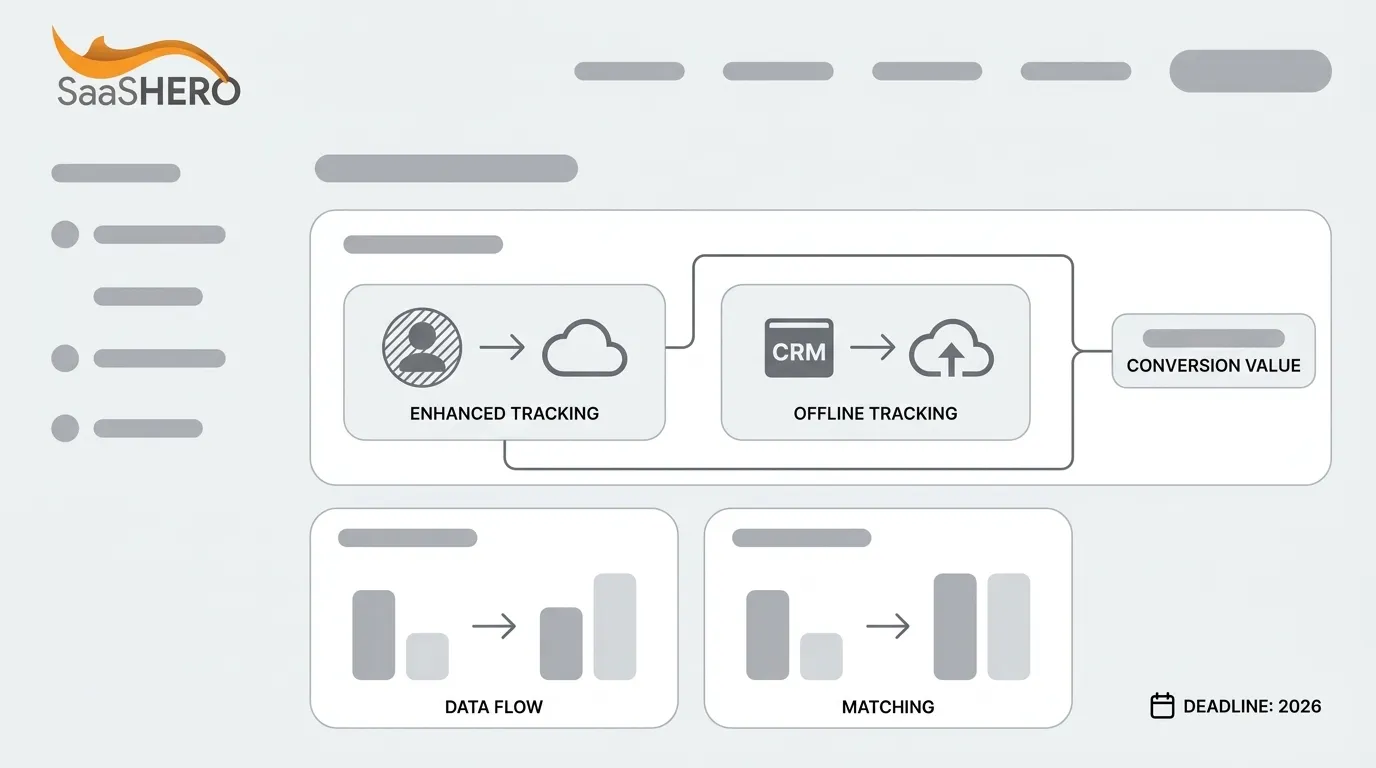
The Three-Row Comparison: Primary Purpose, Data Flow, And Matching Mechanism
The fastest way to see how ECL upgrades offline import is to compare the three mechanisms across purpose, timing, and matching logic.
| Dimension | Offline Conversion Import (Standard) | Enhanced Conversions For Web | Enhanced Conversions For Leads |
|---|---|---|---|
| Primary Purpose | Connect ad clicks to CRM outcomes such as closed deals by uploading conversion events after the fact | Recover unattributed web conversions at the moment they occur by hashing on-page user data | Supplement offline conversion imports with hashed first-party identifiers to improve accuracy and bidding performance |
| Data Flow And Timing | Upload occurs days to weeks after the click, once a CRM stage changes; Google accepts click conversions for clicks up to 90 days old | Fires at the moment of conversion via the Google tag, with no delayed upload required | Upload occurs after the CRM stage changes, same timing as standard offline import; the enhanced lead conversion upload window is 63 days |
| Matching Mechanism | GCLID, WBRAID, or GBRAID only, with no fallback when the click ID is missing or expired | Hashed email, phone, name, and address captured at the point of conversion and matched against signed-in Google accounts | GCLID or GBRAID plus hashed email and/or hashed phone (SHA-256); Google uses the click ID when available and falls back to hashed identifiers when it is not |
Review Your Current Setup Against This Comparison
The Reframe: ECL As The Upgrade Path For B2B SaaS
Enhanced Conversions for Leads extends offline conversion tracking rather than replacing it. Google’s documentation describes it as “an upgraded version of offline conversion import that uses user-provided data, such as email addresses, to supplement imported offline conversion data and improve accuracy and bidding performance.” The offline conversion workflow of capturing a click ID, storing it in the CRM, and uploading stage changes remains the foundation. ECL adds a second matching layer on top of that workflow.
GCLID alone no longer provides reliable coverage for long B2B cycles. Standard offline conversion import uses the click ID as the only match key. GCLIDs expire 90 days after capture. The average B2B SaaS sales cycle is 84 days, and deals over $50K ACV often stretch to 150–180 days. That timing means 40–60% of closed-won deals arrive after the upload window has closed. The problem starts even earlier, because Safari’s Intelligent Tracking Prevention, consent management platforms, and multi-step form builders reduce GCLID capture before the 90-day limit.
ECL supplements GCLID with hashed first-party identifiers such as email and phone, hashed with SHA-256, so Google can match conversions even when the click ID is missing or expired. Advertisers who used first-party data alongside GCLIDs for offline measurement saw a median 10% increase in conversions compared with those using standard offline conversion imports. Google’s documentation now presents standard offline conversion import as the legacy path and recommends upgrading to Enhanced Conversions for Leads via the Data Manager API.
For a deeper field-level comparison between click ID matching and ECL, see Click ID Matching Vs Enhanced Conversions For Leads.
Plan Your ECL Upgrade With SaaSHero
Decision Tree: Matching Architecture For Your CRM And GCLID Reality
The right architecture depends on three variables: whether your CRM holds email or phone data, whether GCLID capture works, and whether your conversion cycle includes an offline stage. The three branches below cover the most common B2B SaaS situations.
Branch 1: CRM With Email Or Phone And A Sales-Led Motion
- Recommended path: Enhanced Conversions for Leads. This architecture fits B2B SaaS because it survives sales cycles that extend beyond 90 days.
- Before you use it, four conditions must hold: auto-tagging is enabled in Google Ads, email or phone is captured on the lead form, GCLID is stored on the CRM record, and SHA-256 hashing runs before upload. If any piece is missing, fix it first because the upload may fail silently.
- After those prerequisites are in place, create a new conversion action in Google Ads under Goals → Conversions → Summary → Import → CRMs, files, or other data sources → Track conversions from clicks, then connect via Data Manager.
Branch 2: GCLID Capture In Place But No PII In Your CRM
- Your current setup uses legacy offline conversion import. The workflow still functions, but match rates decline as sales cycles lengthen and browser restrictions widen.
- To upgrade, add email and phone fields to your lead form, map those fields to CRM properties, and confirm that SHA-256 hashing runs before upload.
- Once those fields exist, audit your CRM for hashed email and phone coverage, then plan the migration to ECL ahead of the June 15, 2026 Data Manager API deadline.
Branch 3: E-Commerce Motion With No Offline Stage
Teams that close revenue entirely online use the same matching logic through Enhanced Conversions for Web. Many B2B SaaS companies run this motion alongside sales-led deals, so the branch still matters for the overall architecture.
- Enhanced Conversions for Web becomes the relevant mechanism because there is no CRM stage to upload.
- Prerequisites include a sitewide Google tag and user-provided data fields such as email, phone, or address captured at the point of conversion.
- The first step is enabling automatic collection of form interactions under Google tag settings and then checking the diagnostics report.
For a full seven-step implementation walkthrough, see B2B SaaS Offline Conversion Tracking: A 7-Step Guide.
Get A Decision-Tree Review Of Your Account
The June 15, 2026 Data Manager API Migration Deadline
The migration deadline sets the timeline for any team still using custom offline conversion uploads through the legacy Google Ads API. Google’s official deprecations page lists June 15, 2026 as an access restriction date for offline conversions under the “Offline conversions” change area.
What Gets Blocked: Developer tokens that made no offline conversion upload requests between January 2026 and June 2026 are not allowlisted for continued legacy access. Teams calling the ConversionUploadService.UploadClickConversions method in the Google Ads API receive a CUSTOMER_NOT_ALLOWLISTED_FOR_THIS_FEATURE error.
What Stays Available: Native CRM connectors, including HubSpot’s native Google Ads integration, the Salesforce native integration, and manual CSV uploads through the Google Ads UI, already use updated infrastructure. Historical conversion data already uploaded remains available.
What Migration Involves: The Data Manager API, launched December 9, 2025, is now the required endpoint for offline conversion uploads. It operates via REST and gRPC protocols with OAuth 2.0 authentication using the datamanager scope, which uses a credential flow separate from the Google Ads API.
Use this migration checklist as a sequence rather than a loose set of tasks.
- Start by auditing all existing offline conversion import jobs and flag which ones use the legacy Google Ads API UploadClickConversions endpoint instead of native CRM connectors or CSV uploads.
- Next, confirm CRM field mapping for hashed email and phone on every conversion action that will move to ECL so the new endpoint has the right payload.
- Then reconfigure the upload endpoint to the Data Manager API for any custom integrations that still rely on the legacy path.
- After reconfiguration, test with a small conversion batch and verify row-level status in the Google Ads Uploads diagnostics tab.
- Finally, compare Google Ads conversion counts against CRM records for the same date range to confirm that attribution still behaves as expected.
Scope Your Data Manager Migration With SaaSHero
Smart Bidding Mistraining: Sequencing And Lookback Windows
Migrating to the Data Manager API fixes the plumbing, but timing and consistency still shape Smart Bidding performance. Even a correct offline import can mistrain the algorithm when uploads arrive late or inconsistently.
Smart Bidding learns from the conversion events it receives and the timestamps attached to them. When offline conversions arrive weeks after the click, the algorithm’s feedback loop slows, which delays optimization. Target CPA needs at least 15 conversions in the last 30 days, and Target ROAS needs at least 50. A long B2B sales cycle with monthly uploads can keep an account below those thresholds, so the algorithm struggles to separate signal from noise.
Inconsistent data creates a second mistraining vector. If the conversion name or value changes between uploads because a CRM field was renamed, a stage definition shifted, or a duplicate record slipped through, the algorithm receives conflicting signals and shifts toward the wrong audience.
Use these practices to reduce mistraining risk.
- Upload conversions as close to real time as your CRM allows. A weekly upload balances data freshness with operational effort, while a monthly upload noticeably slows learning.
- Keep conversion names and values consistent across every upload. Google deduplicates by GCLID plus conversion name plus conversion time, so small timing differences can create duplicates.
- Set the conversion window in Google Ads to match your actual sales cycle, up to the 90-day maximum, instead of leaving the 30-day default.
- Exclude secondary conversions such as content downloads, webinar registrations, and unfiltered contact forms from account-wide optimization. Track them in the All Conversions column while reserving primary bidding signals for qualified outcomes.
- Move the primary offline conversion event from Closed-Won to SQL Created, typically day 7–45, so Smart Bidding receives a higher-volume, earlier signal, then layer ECL with hashed email as a backup for late-stage events.
For a full breakdown of conversion tracking architecture for B2B SaaS, see Performance Marketing Conversion Tracking: B2B SaaS Playbook.
Tighten Your Bidding Signals With SaaSHero
Field-Level Setup Requirements For Each Conversion Mechanism
This section summarizes the exact fields each mechanism needs so your implementation passes validation and avoids silent failures.
Offline Conversion Import (Standard):
- GCLID (or WBRAID/GBRAID)
- Conversion name that matches the conversion action name in Google Ads
- Conversion time in ISO 8601 format with time zone offset, for example 2026-09-21 14:30:00-05:00
- Conversion value as a numeric field with no currency symbols
- Conversion currency
Enhanced Conversions For Leads:
- All standard offline import fields above
- Hashed email, required, with SHA-256 applied after normalizing to lowercase and trimming spaces
- Hashed phone, recommended, with SHA-256 applied after formatting to E.164 standard, using 11 to 15 digits including a plus sign and country code
- Order ID, recommended to prevent duplicate lead counting
Enhanced Conversions For Web:
- User-provided data fields such as email, phone, name, and address captured at the point of conversion on the website
- Data hashed by Google Tag Manager automatically before transmission, or SHA-256 hashing applied by the advertiser before sending via custom code
GCLID capture must work before any offline upload succeeds. Auto-tagging must be enabled in Google Ads, and the sitewide Google tag must capture the GCLID at form submission and store it on the lead record in the CRM. CRM field mapping, especially keeping GCLID and email fields intact across object conversions and stage transitions, is the most common production failure point.
Validate Your Field Mapping With SaaSHero
CRM-Specific Plumbing For HubSpot, Salesforce, And GoHighLevel
This section highlights the quirks inside major CRMs that affect offline conversion tracking and ECL.
HubSpot: HubSpot offers a native Google Ads integration for offline conversion sync, and ECL requires the Enhanced Conversions for Leads setting to be explicitly enabled when you create the ad conversion event in Marketing → Ads. HubSpot’s tracking code stores the GCLID automatically once the integration is active, but only for contacts created after activation. For more HubSpot-specific setup detail, see Best Agency For HubSpot Offline Conversion Setup.
Salesforce: Salesforce needs a custom GCLID field, defined as Text with 255 characters, on both the Lead and Opportunity objects, and that field must be mapped in Lead Conversion Settings so the GCLID survives the Lead-to-Opportunity conversion. This mapping gap is the most common reason Salesforce offline import fails silently. The legacy Salesforce connector inside Google Ads was deprecated as of May 31, 2025, so migration to Data Manager requires recreating conversion actions under the new framework.
GoHighLevel: GoHighLevel captures GCLID and GBRAID/WBRAID from Google ad clicks and uploads conversions natively through the “Add to Google Ads” workflow action. When the Custom Mapping toggle is enabled, users must map click ID fields such as GCLID to workflow fields so they pass correctly into the upload payload.
For a broader view of CRM-integrated ad performance architecture, see CRM-Integrated Ad Performance Tracking For B2B SaaS.
Get A CRM Plumbing Audit From SaaSHero
Where SaaSHero Fits In Your Measurement Architecture
SaaSHero serves as the outsourced inbound growth team for B2B SaaS companies, owning paid media, creative, landing pages, attribution, and reporting, all aligned to CRM revenue data rather than form-fill counts. The measurement layer described in this guide comes standard during SaaSHero onboarding and acts as a prerequisite for the rest of the engagement.
Specifically, SaaSHero separates primary from secondary conversions so only qualified outcomes feed Smart Bidding. It pushes lifecycle-stage events back into the ad platforms so the algorithm learns from CRM states rather than page events. It also builds reporting inside the client’s CRM, typically HubSpot or Salesforce, with Looker Studio dashboards that connect ad spend to pipeline and revenue.
SaaSHero’s core discovery question is: “Are you optimizing campaigns around CRM data or just form submissions?” The firm manages roughly $16M in annual ad spend for more than 100 B2B companies and holds Google Premier Partner status, a designation reserved for the top 3% of agencies.
Ideal fit includes $10M or more in annual revenue, at least $15k in monthly ad spend, a sales-led motion, and an internal marketing team of two to four people without a dedicated paid-media specialist. Teams that need the measurement layer built and owned end to end align well with this model.
See If SaaSHero Fits Your Team
Conclusion: Connecting The Decision To The Deadline
Enhanced conversions and offline conversion tracking work together. Offline conversion tracking connects ad clicks to CRM outcomes, and Enhanced Conversions for Leads keeps that connection alive when GCLIDs expire, cookies are blocked, or users switch devices. The June 15, 2026 Data Manager API deadline sets the migration schedule for any team still using custom integrations through the legacy Google Ads API endpoint.
Next steps are straightforward. Audit your existing offline conversion import jobs to see which ones still use the legacy UploadClickConversions endpoint. Confirm CRM field availability for hashed email and phone on every conversion action. Map your migration path to the Data Manager API ahead of the deadline. If your primary conversion action remains a form fill, address that first so Smart Bidding can optimize toward revenue-aligned outcomes.
Design Your Measurement Roadmap With SaaSHero