Written by: Aaron Rovner, Founder, Saas Hero | Last updated: August 7, 2026
Key Takeaways
Visual problem-solution ad patterns beat feature-first messaging in CTR and conversion across LinkedIn, Google, and Meta in 2026.
Six repeatable patterns — Split-Screen Contrast, Annotated Screenshot, Workflow Animation, Metric Proof Card, Carousel Story Arc, and Flowchart Pain Map — give you platform-ready Figma frameworks that connect pain to proof.
Each pattern follows the PAS copy structure and uses specific specs, dimensions, and timing for stronger performance on paid channels.
Teams can score their current ad library against a 10-point maturity checklist to spot missing patterns and prioritize rebuilds.
The Six Visual Patterns You Can Reuse Across Channels
Pattern
Primary Use Case
Best Platforms
Key Visual Element
1. Split-Screen Contrast
Before/after state comparison
LinkedIn, Meta
Two-panel color divide (chaos vs. calm)
2. Annotated Screenshot
Single-feature proof
LinkedIn, Google Display
UI in device frame + one arrow callout
3. Workflow Animation
Complex process simplification
Meta, LinkedIn Video
Step-by-step motion sequence
4. Metric Proof Card
Data-driven credibility
LinkedIn, Meta, Google
Single large stat on brand-color field
5. Carousel Story Arc
Multi-stakeholder funnel
LinkedIn
Problem → Solution → Proof → CTA cards
6. Flowchart Pain Map
Complexity visualization
LinkedIn, Meta
Dense diagram with one red pain label
Pattern 1: Split-Screen Contrast for Before-and-After Clarity
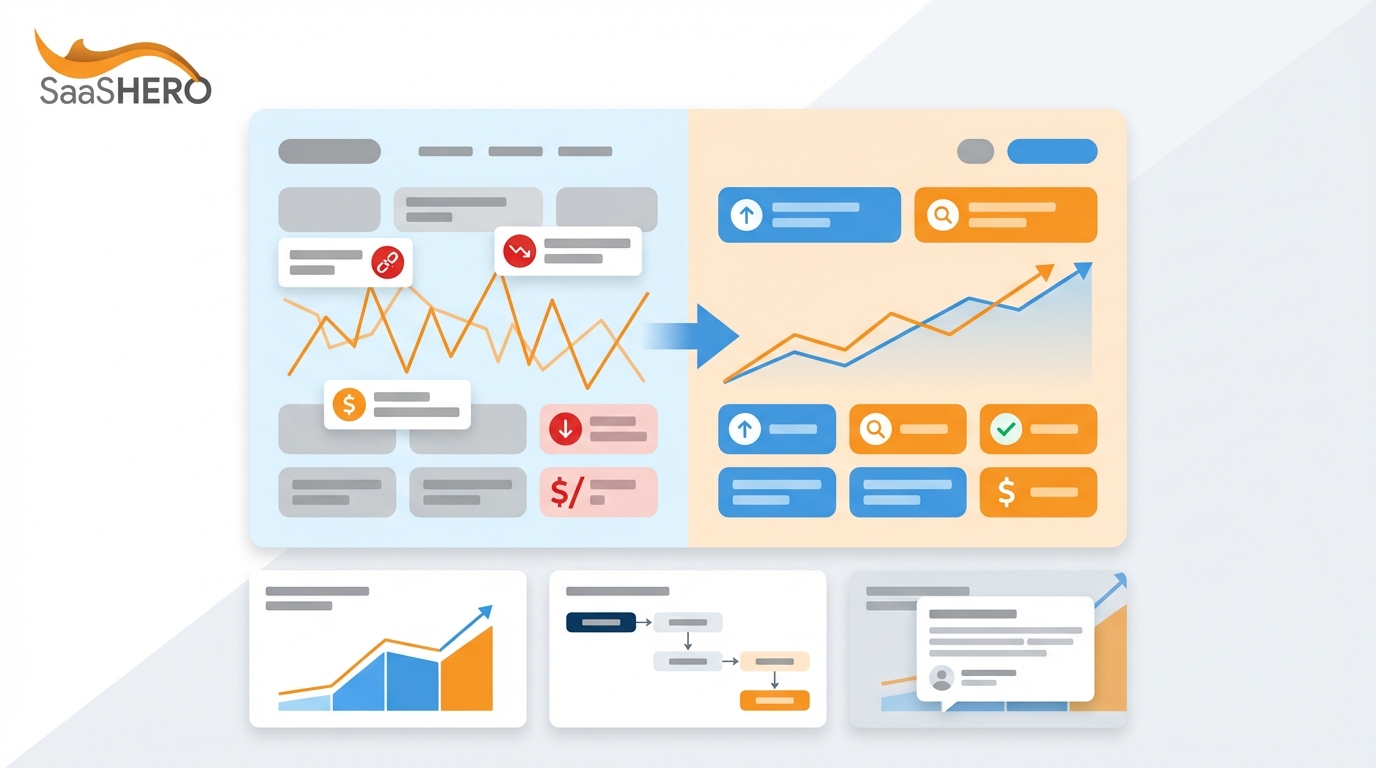
The split-screen format divides the canvas into two clear halves, one for the painful status quo and one for the product outcome. Split-screen ads highlight tough metrics beside improved results, which signals profit potential at a glance. Many companies run split-screen variants, which shows this pattern works across industries.
Copy this layout: Left panel, red or dark background, pain metric in 48px bold white. Right panel, brand color, outcome metric in 48px bold white. Center divider, 4px white line. Headline (70 chars max on LinkedIn): “[Pain state] → [Outcome state]”. CTA button bottom-right: “Request Demo”.
Pattern 2: Annotated Screenshot for Single-Feature Proof
Copy this layout: Browser or phone frame centered on canvas with 10% padding. One UI screenshot inside the frame. One arrow in brand color, 3px stroke, pointing to the single feature. Headline above frame: pain-focused, 70 chars max. Sub-label below arrow: outcome in 12px semibold. CTA bottom-center: “See It in Action”.
Pattern 3: Workflow Animation for Process Simplification
Horizontal collaboration tools such as Notion, Slack, and Trello often use 2D motion graphics with animated UI because buyers want to see workflows in motion. The workflow animation pattern opens with the broken state, then shows the product resolving each step in sequence, and closes on the outcome screen. This structure turns a complex value proposition into a clear series of time-saving steps.
SaaS explainer videos often run 60–90 seconds, but paid ads perform best between 15 and 30 seconds. That window gives enough time to show the problem, the transition, and the outcome without losing the viewer.
SRT upload strongly recommended (sound off by default)
Burned-in or SRT recommended
Copy this layout: Seconds 0–3, pain state screen with red overlay and problem label. Seconds 3–18, animated workflow steps resolving one by one with brand color checkmarks. Seconds 18–25, outcome screen with metric result in large type. Seconds 25–30, CTA card with “Book a Demo” button. Intro text: 150 characters, pain-focused.
The metric proof card uses one number, one brand-color background, one sub-label with context, and one CTA. It works across all three platforms because viewers need no product knowledge to understand it.
Copy this layout: Full-bleed brand color background. Stat in 96px bold white, vertically centered. Sub-label in 20px white below stat: “[What the stat measures] for [customer type]”. Logo top-left at 10% canvas width. CTA bottom-center: “See How → Request Demo”.
Pattern 5: Carousel Story Arc for Full-Funnel Narratives
LinkedIn carousel ads for B2B SaaS in 2026 follow a modular story sequence. Card 1 hooks with the user’s specific problem. Cards 2–4 present solution angles focused on results. Cards 5–7 deliver proof with metrics and client data. The final card uses a targeted CTA such as “Request a 20-minute demo.” This format can carry a complete problem-solution-proof narrative inside one ad unit without a landing page click.
Socialinsider’s 2025 LinkedIn Benchmarks report shows that multi-image posts reach an average engagement rate of 6.60%, the highest among LinkedIn formats. Well-built B2B SaaS campaigns reach CTRs of 0.8–1.2% versus the platform median of 0.45–0.65%.
Copy this layout: Card 1, pain hook with bold problem statement, 45 characters. Cards 2–4, one solution aspect per card with UI screenshot and outcome label. Cards 5–6, proof cards with one metric such as “150+ hours saved” plus customer logo. Card 7, CTA card: “See This in Your Stack → Request Demo”. Each card links to a unique UTM URL for per-card tracking.
Pattern 6: Flowchart Pain Map for Operational Complexity
Copy this layout: Full-canvas flowchart in 60% grayscale. One node or label in red naming the core pain, such as “Manual”, “Complicated”, or “Broken”. Brand logo top-right. Headline above or below diagram: pain-focused, 70 chars max. CTA bottom-right: “We Handle This → Learn More”.
Maturity Checklist: Score Your Current Ad Library
Use this checklist to score each active creative against the six patterns. Any item marked “No” becomes a rebuild priority.
Does every ad lead with a named pain point rather than a product feature or brand claim?
Is the problem-to-solution transition visible within the first three seconds, or first visual frame for static ads?
Does each static ad use a device frame or UI context rather than a raw screenshot?
Is each ad limited to one claim, one proof element, and one CTA?
Are LinkedIn single-image ads sized at 1200×628 px or 1200×1200 px with headlines under 70 characters?
Are Meta video ads captured or exported in 1:1 or 9:16 aspect ratio for mobile feed delivery?
Do LinkedIn video ads include SRT captions to account for muted autoplay?
Does each carousel ad follow the Problem → Solution → Proof → CTA card sequence?
Are specific outcome metrics such as percentages, dollar figures, or time savings present in at least 50% of active creatives?
Has each creative been mapped to one of the six patterns, with a documented Figma layout spec on file?
Run Your Internal Creative Audit Today
The six patterns above represent the visual frameworks that generate the strongest problem-solution signal across LinkedIn, Google, and Meta in 2026. Each pattern uses platform-specific dimensions and timing, pairs with PAS copy, and repeats across verticals from HR Tech to Cybersecurity.
SaaSHero has executed these frameworks across more than $30 million in managed B2B SaaS ad spend, producing outcomes such as $504,758 in net new ARR for TripMaster and a 10× decrease in cost per lead for Playvox. The Figma layout specs and maturity checklist here give you a starting point for rebuilding an ad library that connects buyer pain to solution proof in under three seconds. Download the templates, run the checklist against every active creative, and identify which of the six patterns is missing from your rotation.
TripMaster adds $504,758 in Net New ARR in One Year
What makes a problem-solution visual different from a standard product screenshot ad?
A standard product screenshot shows the interface without context, so the viewer sees a dashboard but has no reason to care. A problem-solution visual establishes the pain state first through a split-screen contrast, a flowchart of broken steps, or a clear “before” label on the creative. The product interface then appears as the resolution to that specific pain. The key difference is sequencing. The buyer must recognize their problem before the product can register as a solution. Ads that skip the problem frame and lead with the product force the viewer to do interpretive work that most will not complete in a three-second scroll window.
Which of the six patterns works best on LinkedIn versus Meta?
LinkedIn’s professional feed and longer sessions suit the Carousel Story Arc and Flowchart Pain Map, which reward buyers who are researching a category. The Annotated Screenshot and Metric Proof Card also perform strongly on LinkedIn because the audience is in a work mindset and will engage with UI detail. Meta’s faster scroll speed and mobile-heavy traffic favor the Split-Screen Contrast and Workflow Animation patterns, which show the problem-solution shift in one frame or within the first three seconds of video. The Metric Proof Card is the one pattern that moves cleanly across LinkedIn, Meta, and Google Display without changes.
How many ad variations should a B2B SaaS team test at once?
The practical number depends on monthly ad spend, but most $5M–$50M ARR SaaS companies running $10,000–$50,000 per month can support three to five creative variants per campaign. Each variant should represent a different pattern or a different pain-point angle within the same pattern. Testing more than five variants at moderate spend spreads impressions too thin for statistical significance. The priority is to represent at least two of the six patterns in every active campaign so the algorithm can choose between structurally different creative types, not small copy tweaks on one format.
What copy structure pairs best with visual problem-solution ads?
The Pain-Agitation-Solution framework works most reliably across all three platforms. The visual handles the Problem by showing the broken state, messy workflow, or painful metric. The introductory or body copy handles the Agitation by naming the cost of the problem in time, money, or missed revenue. The CTA delivers the Solution with a single low-friction next step such as a demo request or free template download. Copy should amplify what the visual already shows rather than repeat it. If the split-screen visual already shows a 10× cost-per-lead improvement, the copy should explain why that gap exists and what the product does to close it, not restate the numbers.
How does SaaSHero approach creative production for B2B SaaS clients?
SaaSHero produces creative assets as part of its managed service model, including ad creative sets starting at $300 for five ads and landing page design at a flat $750 fee. Creative production stays integrated with campaign strategy instead of sitting as a separate deliverable. The visual framework for each ad is selected based on the buyer’s funnel stage, the platform’s format rules, and the specific pain point for that campaign.
For clients with internal design teams, SaaSHero provides Figma-ready layout specs and copy briefs that align with the six patterns so in-house designers can execute against a proven framework. All creative decisions tie back to pipeline metrics such as net new ARR, cost per SQL, and payback period, not just engagement vanity metrics.
Includes unlimited revisions as well as custom written copy (from a human, not ChatGPT). We’ll send a first draft in Figma and you can request as many edits as you’d like. We won’t ever activate any landing pages until you give us the final OK