




Written by: Aaron Rovner, Founder, Saas Hero
Key Takeaways for Hiring on Upwork
- B2B SaaS companies face rising CAC and complex buying committees, so strong UX design protects LTV and reduces onboarding drop-off.
- Effective hiring on Upwork uses targeted search strings, strict filters, and portfolio reviews focused on shipped SaaS outcomes, design systems, and RBAC experience.
- Senior B2B SaaS UX specialists command $80–$175/hr on Upwork, while mid-level talent ranges $45–$60/hr; always verify handoff quality and reference feedback before engagement.
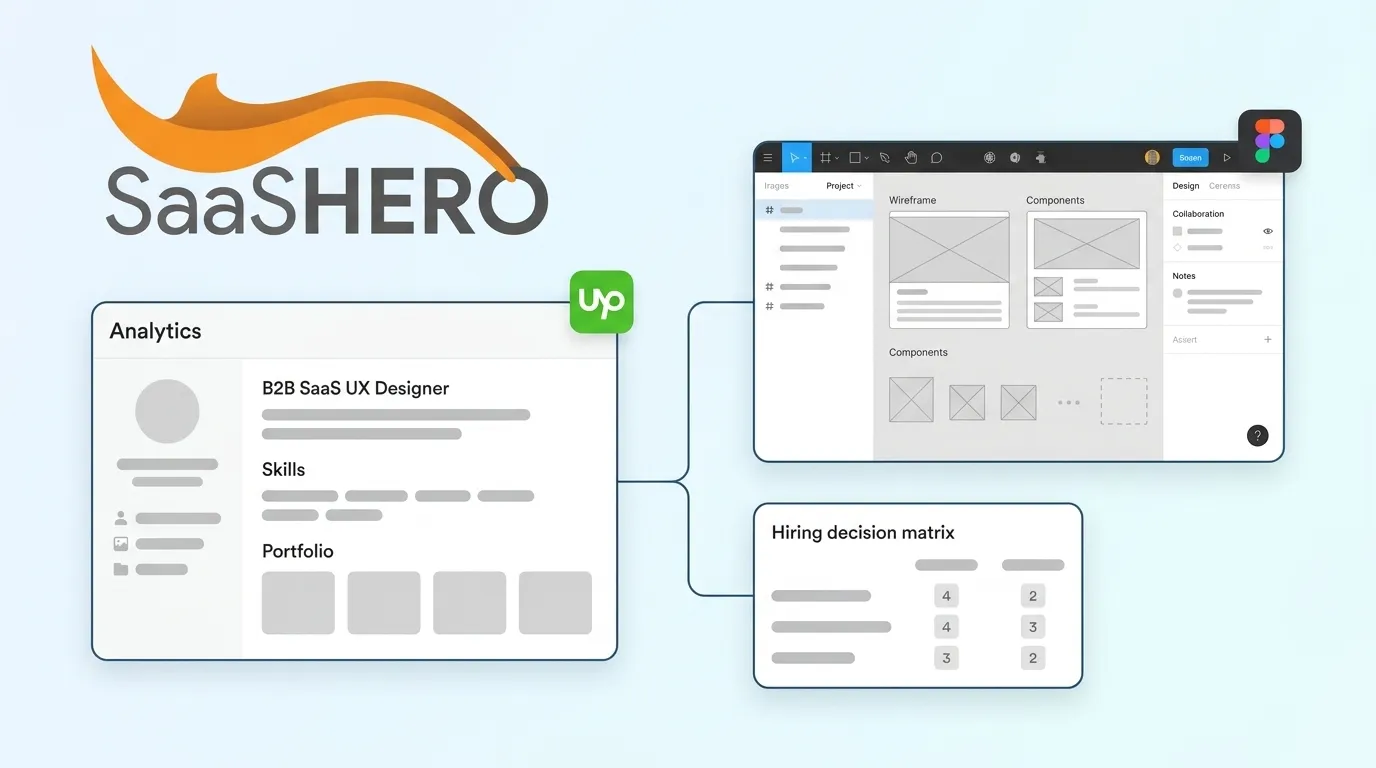
- Outcome-focused interviews, live Figma audits, and a scored decision matrix help you find designers who reduce engineering friction instead of creating UX debt.
- When scope expands beyond a single freelancer’s capacity, book a discovery call with SaaSHero to access an integrated UX, CRO, and growth team.
Step 1: Upwork Search Strings That Surface SaaS Specialists
Generic searches return generic results because Upwork’s default algorithm favors profile completeness and recent activity over domain expertise. To bypass this and surface true B2B SaaS specialists, use the following search strings directly in Upwork’s talent search:
"SaaS dashboard UX" AND "design system""B2B SaaS" AND "Figma" AND "RBAC""enterprise UX" AND "component library" AND "handoff""SaaS UI" AND "admin panel" AND "role-based""UX architect" AND "B2B" AND "design tokens"
After running each string, tighten results with these advanced filters:
- Talent Quality: Top Rated or Top Rated Plus only
- Job Success Score: 90% or above
- Hours Billed: Minimum 500 hours on platform to validate sustained client relationships
- Availability: More than 30 hours per week for project work, any hours for retainer support
- English Level: Fluent or Native for clear stakeholder documentation and handoff notes
- Category: UX/UI Design → Product Design
Step 2: Portfolio Green Flags and Red Flags for SaaS UX
Many hiring managers expect a strong portfolio even for entry-level design positions, and the bar rises further for B2B SaaS complexity. The criteria below separate SaaS specialists from generalists, with green flags signaling deep enterprise experience and red flags signaling risk.
Green flags — prioritize candidates who show:
- Shipped SaaS case studies with before-and-after screens and stated business outcomes such as reduced support tickets or improved activation rate.
- Dashboard designs that demonstrate progressive disclosure, starting with a single high-level metric and adding one dimension of complexity per deliberate drill-down click, as Mixpanel does.
- RBAC or multi-role interface work that shows distinct views for different user types within the same product.
- A documented design system with component libraries, design tokens, and usage guidelines, not just a Figma file of static screens.
- Evidence of developer collaboration such as annotated specs, Figma component naming conventions, or Storybook references.
- Accessibility considerations including WCAG 2.2 references, contrast ratios, and keyboard navigation patterns.
- Case studies structured around problem, role, process, and measurable outcome, where the strongest portfolios contain 3–5 high-quality case studies that explain constraints and key UX decisions.
Red flags — pass on candidates who show:
- Only consumer app or e-commerce work with no enterprise or SaaS context.
- Dribbble-style visual showcases with no process documentation or outcome data.
- Screens without component consistency, such as mismatched spacing, typography, or button states within a single project.
- No evidence of stakeholder collaboration, user research, or iteration based on feedback.
- Design systems that act as component galleries only, with no usage guidance, edge cases, or interaction states.
Step 3: 2026 Upwork UX Designer Rates by Experience Level
Rate data varies by platform, geography, and positioning, so you need a SaaS-specific view. The table below compares 2026 hourly rates relevant to Upwork engagements for B2B SaaS UX work, with all figures cited from primary sources.
| Experience Level | Upwork Typical Range | B2B SaaS / Specialist Premium | Best Fit |
|---|---|---|---|
| Entry-Level (0–2 yrs) | $25–$65/hr | Not recommended for SaaS complexity | UI polish, icon sets, static mockups only |
| Mid-Level (2–5 yrs) | $25–$39/hr | Higher for SaaS specialization | MVP dashboards, component libraries, design system contribution |
| Senior (5–10 yrs) | typically range between $25 and $39 | $100–$175/hr at market rate for senior tier | Full design system builds, RBAC architecture, enterprise dashboard strategy |
| Expert / Niche (10+ yrs) | $25–$39/hr (median $27), with advanced roles up to $100+/hr | Higher for niche SaaS specialization | UX architecture, design system governance, cross-functional leadership |
Note: Upwork’s published platform median for UX Designers is $27/hr with a typical range of $25–$39, which reflects the full talent pool including offshore generalists. Verified B2B SaaS specialists with shipped enterprise products sit at the upper end of each band. Freelancers typically cost 40–60% less than agencies for the same scope, but that gap narrows once you include management overhead and revision cycles.
Step 4: Outcome-Focused Interview Questions for SaaS UX
Aesthetic preference questions waste interview time, so anchor every question to business metrics or engineering collaboration. These prompts reveal whether a freelance hire creates value or UX debt.
- “Walk me through a dashboard you designed for a B2B SaaS product. What was the primary user goal, and how did you measure whether the design achieved it?” Strong answers connect design decisions to concrete outcomes such as improved retention, faster task completion, or reduced support tickets.
- “Describe a design decision you made that directly affected a business KPI. What was the metric before and after?” Look for specificity such as “fixing the onboarding flow reduced drop-off by 12%, which equated to $X in recovered MRR.”
- “How do you design for multiple user roles within the same product? Give me a specific example involving at least three distinct permission levels.”
- “What does your Figma handoff process look like? How do you prevent drift between your design files and production code over time?” Strong answers address component naming conventions, token structure, Storybook integration, and syncing Figma with production.
- “How do you prioritize features when engineering capacity is constrained?” Look for RICE framework fluency (Reach, Impact, Confidence, Effort) that shifts discussion from subjective opinions to objective scoring.
- “How do you approach accessibility in data-dense dashboards?” Answers should describe building accessibility into components from the start, not treating it as a post-launch audit.
Step 5: Reference Checks and Handoff Verification Sequence
Portfolios are curated, while references and handoff artifacts reveal the unedited reality of working with a designer. Start with real project files, then validate gaps through references, and finish by reviewing documentation.
- Request a live Figma file from a past project, not a presentation export, and inspect layer naming, component structure, auto-layout usage, and consistent application of design tokens.
- Ask references specific questions such as “Did the designer’s Figma files require significant cleanup before engineering could use them?” and “How many revision cycles did the final handoff require?”
- Request documentation samples that include usage guidance, edge cases, interaction states, and design principles, because documentation with these elements supports consistent adoption across teams.
- Ask references whether the designer proactively flagged technical constraints or waited to be told about them, since this distinction separates designers who reduce engineering friction from those who create it.
- Verify that past clients were B2B SaaS products, not e-commerce or consumer apps, because enterprise workflows, audit trails, and multi-stakeholder interfaces do not map cleanly from consumer design experience.
Step 6: Figma-to-Code Collaboration Standards for SaaS Teams
The biggest friction point in enterprise software development is the handoff gap, where designers pass static images to developers. For B2B SaaS products with complex state management, RBAC logic, and data-dense interfaces, this gap often becomes the source of UX debt. Require the following from any Upwork hire at the senior level or above:
- Figma component library: All UI elements built as components with variants, not as flat frames, with auto-layout applied throughout for responsive behavior.
- Design tokens: Color, typography, spacing, and border-radius values defined as named tokens that map directly to CSS variables or a design system framework such as Tailwind or Material.
- Interaction and state documentation: Every interactive element must include the full state set described in the portfolio evaluation, not just default and hover, but focus, active, disabled, error, and loading states as well, because design systems in 2026 serve as a shared language of components, patterns, and accessibility rules that enable consistency across growing teams.
- RBAC screen mapping: A documented matrix that shows which UI elements appear, hide, or disable for each user role, rather than leaving this logic to engineering interpretation.
- Accessibility annotations: ARIA labels, focus order, and keyboard navigation paths documented directly in the Figma file instead of a separate deliverable.
- Versioning protocol: A clear naming convention for file versions and a defined process for communicating design changes to engineering after handoff.
Step 7: Scored Decision Matrix and Budget Guardrails
Score each candidate across five dimensions on a 1–5 scale, and treat a total score below 18 as a pass regardless of hourly rate.
- Portfolio relevance (1–5): Shipped B2B SaaS products with documented outcomes score 5, while consumer-only work scores 1.
- Design system depth (1–5): A full token-based system with governance documentation scores 5, while Figma screens only score 1.
- RBAC and enterprise complexity (1–5): Demonstrated multi-role interface design with permission logic scores 5, while no enterprise examples score 1.
- Handoff quality (1–5): Clean Figma files with states, tokens, and annotations verified by reference score 5, while no verifiable handoff artifacts score 1.
- Business outcome orientation (1–5): Candidates who quantify design impact in business metrics unprompted score 5, while those who discuss only visual decisions score 1.
Apply a budget filter after scoring. If the top-scoring candidate’s rate exceeds your monthly design budget by more than 20%, narrow the engagement to a defined deliverable such as a design system foundation instead of an open-ended hourly retainer. While the rate advantage mentioned earlier seems compelling on paper, hidden management time, lack of redundancy, and delay risks can make the total cost of a large project equal or exceed an agency fee.
Real-World Team Scenarios Using This Playbook
Three anonymized archetypes show how this framework adapts to different growth stages and constraints.
Scenario A — Bootstrapped Founder ($800K ARR, team of 6): This founder needs a SaaS dashboard redesign and a basic component library before a Series A pitch. Budget sits between $4,000 and $6,000 total. The recommended approach is hiring a mid-level Upwork specialist ($45–$60/hr) for a scoped 80–100 hour engagement. Use the decision matrix to prioritize portfolio relevance and handoff quality, then retain the designer for a 30-day post-delivery support window.
Scenario B — Series B VP of Product ($12M ARR, 3-person design team): This team needs a scalable design system with RBAC patterns and WCAG 2.2 compliance across more than 40 screens. Budget ranges from $15,000 to $25,000. The recommended approach is hiring a senior Upwork specialist ($80–$120/hr) with verified enterprise SaaS case studies and requiring a Figma audit of existing files before work begins. Strategic work, such as fixing conversion, redesigning flows, or building a system, is a gamble with freelancers unless internal design leadership is strong. When design leadership is absent, this scenario should escalate to an agency.
Scenario C — Post-Funding Growth Lead (Series A, $10M raised, aggressive Q1 targets): This company needs a full product UX overhaul, a design system, and CRO-aligned landing pages at the same time. Budget sits between $8,000 and $12,000 per month. A single Upwork freelancer cannot cover this scope. This scenario exemplifies the high-stakes, multi-discipline conditions where the agency model described above becomes necessary, including accelerated delivery on complex UX scopes, simultaneous output across disciplines, and unified accountability. In this context, SaaSHero’s integrated model, which combines UX execution, CRO, and performance marketing, delivers compounding returns that a single hire cannot.
Frequently Asked Questions
What is a realistic total budget for hiring a B2B SaaS UX designer on Upwork in 2026?
Budget depends on scope, but you can anchor expectations with typical ranges. A focused dashboard redesign covering 10–20 screens with a basic component library typically runs $3,000–$8,000 with a mid-level specialist. A full design system build with RBAC documentation, accessibility annotations, and developer handoff for an enterprise product runs $12,000–$25,000 with a senior specialist. Ongoing monthly retainers for continuous design support range from $2,000–$6,000 per month depending on hours and seniority. Always define deliverables before agreeing to an hourly rate, because open-ended hourly engagements without scoped milestones drive most budget overruns on Upwork.
How long should an initial Upwork contract run for a B2B SaaS UX project?
Scoped deliverables such as a design system foundation or dashboard redesign work best as fixed-price contracts with milestone payments instead of open hourly engagements. Typical timelines run 4–8 weeks for a mid-scope project. For ongoing support retainers, start with a 30-day trial period before committing to a longer arrangement. This mirrors the same month-to-month accountability structure that SaaSHero applies to its own client relationships, where strong work extends the relationship and weak work allows both parties to exit cleanly.
How many revision rounds should I expect, and how do I set expectations upfront?
Two structured revision rounds are standard for a well-scoped project. The first round addresses structural and flow feedback after wireframes or low-fidelity screens are delivered. The second round addresses visual refinement after high-fidelity screens are approved. Unlimited revisions in a contract act as a red flag, because they signal either underpricing, which leads to rushed work, or poor scope definition, which leads to scope creep. Define revision rounds explicitly in the contract, specify that revisions apply only to agreed-upon deliverables, and require written feedback instead of verbal calls to maintain a clear record of requested changes.
What are the signs that a single Upwork freelancer is no longer sufficient for my SaaS product’s UX needs?
Several signals show that freelance scope has been exceeded. Engineering regularly pushes back on handoff quality or requests clarifications that delay sprints. The design system has grown beyond what one person can maintain with consistent governance. The product requires simultaneous work across UX research, interface design, CRO testing, and design system maintenance. Stakeholder alignment across product, engineering, and marketing requires a design partner who can lead cross-functional workshops, not just deliver screens. When any two of these conditions appear at the same time, the cost of continued freelance management in time, UX debt, and missed revenue usually exceeds the cost of an integrated agency engagement.
When does it make sense to work with SaaSHero instead of a freelance UX designer?
SaaSHero fits best when design forms one part of a broader growth problem. If your product’s UX issues combine with underperforming paid acquisition, low trial-to-paid conversion, or landing pages that fail to convert qualified traffic, fixing design alone will not move the revenue needle. SaaSHero operates as an embedded growth team, integrating UX execution, conversion rate optimization, and performance marketing into a single accountable engagement. This approach suits post-funding teams with aggressive ARR targets and no time to coordinate multiple freelance relationships across disciplines.
Conclusion: Knowing When to Move Beyond a Freelancer
The seven-step framework above, covering search strings, portfolio vetting, rate benchmarking, outcome-focused interviews, reference verification, handoff requirements, and a scored decision matrix, is enough to identify the top 5–10% of Upwork UX designers for B2B SaaS products. Used consistently, it removes weeks of wasted portfolio reviews and mismatched hires that create UX debt and slow engineering velocity.
The framework also reveals its own boundary, because a single Upwork designer, however skilled, still operates as a single point of failure. Freelancers carry the main risk of a single point of failure, forcing the hiring team to act as project manager. When scope expands to include design system governance, multi-role interface architecture, CRO-aligned landing pages, and performance marketing execution at the same time, the coordination cost of managing freelance relationships across disciplines exceeds the cost of an integrated partner.
SaaSHero exists precisely at that inflection point. As a revenue-focused growth partner for B2B SaaS companies, SaaSHero combines UX execution, conversion rate optimization, and paid acquisition into a single embedded team that reports on Net New ARR and pipeline instead of impressions and clicks. The same discipline applied to this hiring framework guides every engagement through defined outcomes, transparent reporting, and month-to-month accountability.