




Written by: Aaron Rovner, Founder, Saas Hero
Key Takeaways
- Fragmented research and untraceable AI themes slow B2B SaaS decisions. HeyMarvin centralizes data, but it needs disciplined workflows to deliver value.
- The seven-workflow framework creates an end-to-end system that reduces time-to-insight, enforces human oversight, and links UX decisions to Net New ARR.
- Core practices include transcript verification, four-category tagging, evidence-linked AI themes, mandatory human approval, and revenue-mapped Insight cards.
- Success depends on measurable KPIs such as time-to-first-insight under three days, 60–70% unmodified theme acceptance, and consistent role-based access controls.
- SaaSHero helps marketing and product teams implement and refine these HeyMarvin workflows. Schedule a research stack audit to identify workflow gaps.
The 7-Workflow Framework Checklist
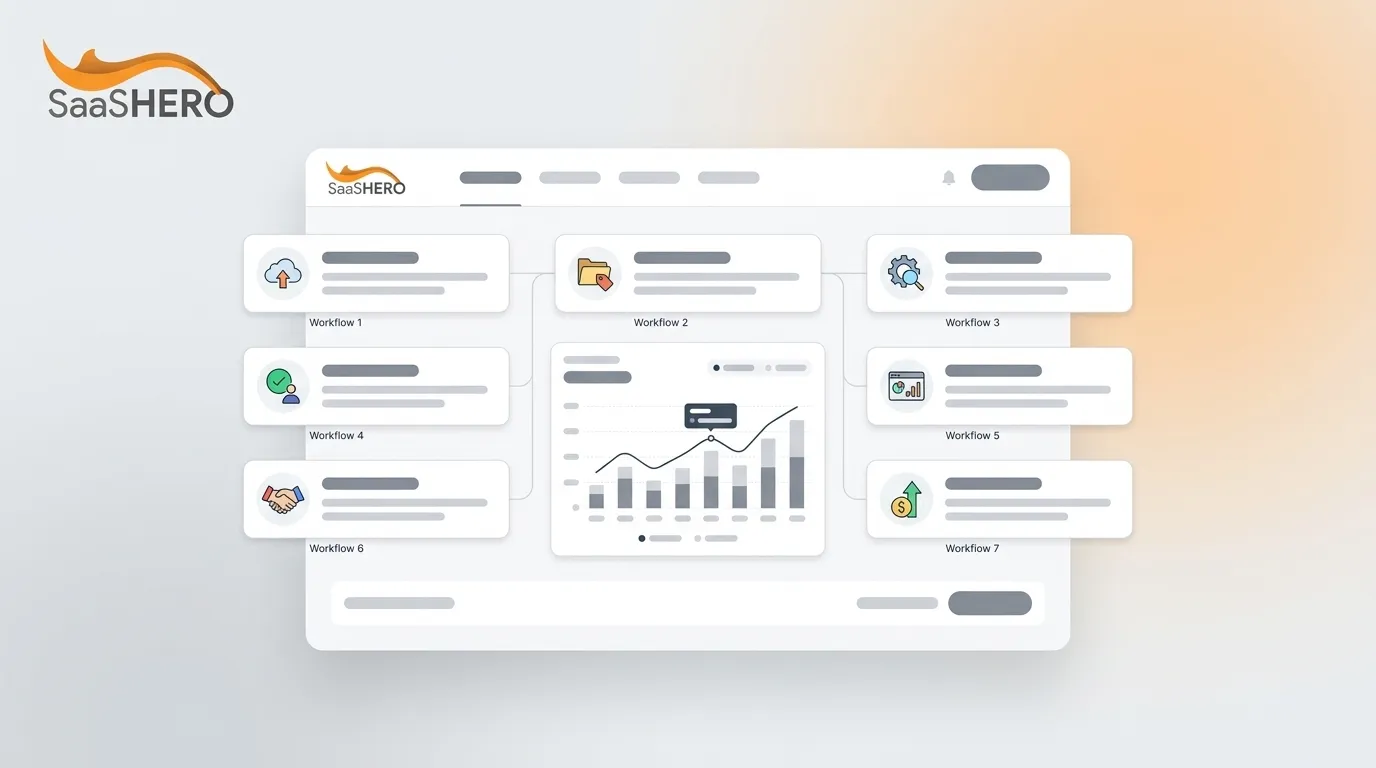
The seven workflows below operate as an end-to-end system in HeyMarvin. Each workflow builds on the one before it.
- Onboarding to First Upload — reduce time-to-first-insight for new researchers
- Repository Organization with Projects and Tags — enforce consistent, searchable structure
- Explainable AI with Evidence Links — make AI theme generation traceable
- Human-in-the-Loop Theme Approval — add researcher judgment before insights ship
- Dashboard That Surfaces Next Actions — convert insights into prioritized decisions
- Collaboration Features for Scaling Research — extend research access across product and revenue teams
- Success Metrics and Common Pitfalls — measure workflow health and fix recurring failures
Workflow 1: Onboarding to First Upload for Legacy SaaS UX
Purpose: Reduce the time between account creation and a researcher’s first usable insight. Legacy SaaS products often hold years of unstructured research files, so this workflow creates a clean entry point.
HeyMarvin actions: Create a workspace, then name your first Project after a live product area. This naming convention keeps the repository searchable from day one. Upload one existing interview transcript or session recording into that Project, then run HeyMarvin’s auto-transcription to convert it into analyzable text. Before you move to tagging, verify the transcript against the source file to catch transcription errors that would corrupt later analysis.
Why verification matters: AI transcription achieves 95–99% accuracy with clear audio, so human verification of participant quotes remains non-negotiable before any theme generation begins.
B2B SaaS scenario: A PM inheriting a three-year-old analytics module uploads six legacy interview recordings. After transcription, she flags two files with heavy technical jargon for manual correction before tagging begins.
Common mistake: Teams skip verification and feed uncorrected transcripts directly into AI analysis. Errors then compound into inaccurate themes and misleading insights.
Validation step: Spot-check three random timestamps. If the transcript matches the audio at all three points, proceed to tagging.
Workflow 2: Repository Organization with Projects and Tags
Purpose: Build a searchable, cumulative knowledge base instead of a date-sorted file dump. The single highest-ROI investment in research operations is a knowledge management system that makes findings searchable, traceable, and cumulative.
HeyMarvin actions: Define a four-category tagging taxonomy before you upload additional files so every new study fits the same structure.
Effective tagging systems in UX research repositories use categories including topic, user segment, research method, and product area. Apply this directly in HeyMarvin:
- Topic: onboarding, billing, dashboard, integrations
- User segment: enterprise admin, SMB owner, power user, first-time visitor
- Research method: interview, usability test, survey, session recording
- Product area: settings, notifications, reporting, API
Critical rule: Evidence in repositories must trace back to specific participant statements, not just researcher summaries, to maintain credibility of the accumulated insights. Apply tags at the quote level, not the document level.
Common mistake: Over-tagging, under-tagging, inconsistent tagging, duplicate tags, and neglected maintenance are the five most common tagging failures. Schedule a monthly tag audit in HeyMarvin to merge duplicates and retire stale tags.
Validation step: Test taxonomy health by running a cross-study search for your most common topic tag. Fewer than three results means your tags are too narrow or researchers are not applying them consistently.
Workflow 3: Explainable AI Themes with Evidence Links
Purpose: Ensure every AI-generated theme in HeyMarvin links back to specific participant quotes, so insights stand up in product reviews and investor conversations.
HeyMarvin actions: After tagging, trigger HeyMarvin’s AI theme generation. Before accepting any theme, expand the evidence panel and verify that each theme cites at least two distinct participant quotes from at least two separate sessions.
A layered approach to explanations works well: offer a brief summary of why a decision was made, with an option to see more context for curious users. Configure HeyMarvin’s theme cards to display a one-sentence rationale with an expandable evidence drawer. Once AI reasoning becomes visible through these explanations, you can actively test that reasoning for bias.
Bias check: AI systems can involve biases at three levels: systematic, statistical, and computational plus human biases such as anchoring bias during decision-making. Request counterexamples for each theme before finalizing to expose blind spots.
Validation step: Click every evidence link in a theme. If any link points to a researcher summary instead of a verbatim quote, reject the theme and regenerate.
Workflow 4: Human-in-the-Loop Theme Approval
Purpose: Insert a mandatory researcher review gate between AI theme generation and insight publication so unverified AI outputs never reach product roadmaps or marketing briefs.
HeyMarvin actions: Set theme status to “Pending Review” immediately after AI generation. Assign a named researcher as approver. The approver must confirm, modify, or reject each theme with a written rationale before status advances to “Approved.”
Nielsen Norman Group identifies two types of AI-powered research tools: insight generators, which summarize sessions from transcripts alone without additional context and are highly problematic, and collaborators, which accept some researcher-provided context but remain significantly limited. HeyMarvin operates as a collaborator, so human judgment serves as the final gate, not an optional step.
Common mistake: Teams treat “Approved” as a rubber stamp. When reviewers approve themes without documenting what they changed or verified, the approval becomes meaningless because there is no evidence that human judgment was applied. Requiring a written note on what changed from the AI draft and why forces the reviewer to articulate their reasoning, which improves decision quality and creates an audit trail.
Validation step: Track the theme acceptance rate weekly across three buckets: approved without modification, approved with modification, and rejected. A rejection rate below 5% suggests reviewers are not reading carefully enough.
Get a workflow health check from SaaSHero to identify which of the four approval-gate issues is slowing your research velocity.
Workflow 5: Dashboard That Surfaces Next Actions
Purpose: Turn approved themes into prioritized, time-stamped action items that product, design, and revenue stakeholders can see in a single HeyMarvin dashboard view.
HeyMarvin actions: For each approved theme, create a linked Insight card that includes a recommended next action, an owner, a target resolution date, and a severity rating (critical, moderate, low). Pin high-severity cards to the workspace dashboard so they stay visible.
Revenue connection: Map each Insight card to a CRM opportunity stage. A theme flagged as “critical” in the onboarding flow, for example, should link to the pipeline segment where trial-to-paid conversion is lowest. This creates the revenue linkage promised in the framework.
B2B SaaS scenario: A UX researcher surfaces a critical theme around confusing permission settings for enterprise admins. The Insight card is linked to the enterprise pipeline segment in HubSpot. The sales team references it in the next three discovery calls, which shortens the objection-handling cycle.
Validation step: At the end of each sprint, confirm that every critical Insight card has an owner and a resolution date. Unowned cards signal a workflow failure, not a research failure.
Workflow 6: Collaboration Features for Scaling Research
Purpose: Extend HeyMarvin access beyond the research team to PMs, marketers, and customer success managers while protecting data integrity and tag consistency.
HeyMarvin actions: Configure role-based access controls. Researchers retain edit rights on tags and themes. PMs and marketers receive read and comment access. Customer success managers receive read-only access to approved Insight cards. These access tiers only work when non-researchers understand why the restrictions exist and how to extract value within their permissions.
Scaling tip: Organizations invest in researcher skill development through training, dedicated experimentation time, and learning resources on prompt engineering and AI output evaluation to maximize value from AI tools in UX research. Run a 60-minute HeyMarvin onboarding session for each new non-researcher role before granting access so they can work effectively within their permission level.
Common mistake: Leaders grant universal edit access to accelerate collaboration. This decision destroys tag consistency within weeks. Role-based controls remain non-negotiable at scale.
Validation step: Once a month, confirm that no non-researcher account has modified global tags in the previous 30 days.
Workflow 7: Success Metrics and Common Pitfalls
Purpose: Define measurable KPIs for the HeyMarvin workflow system and create a structured response plan for the most common failure modes.
Track three primary health metrics for the workflow system. Together, these indicators show whether research moves fast enough (time-to-insight), whether AI is learning your domain (acceptance rate), and whether the tool has become part of daily practice (active usage):
| Metric | Definition | Target Threshold |
|---|---|---|
| Time-to-First-Insight | Days from data upload to first approved Insight card | Under 3 business days |
| Theme Acceptance Rate | Percentage of AI-generated themes approved without modification | Track which AI suggestions prove accurate versus which fail to refine interactions over time, target 60–70% unmodified |
| Daily Active Researcher % | Percentage of licensed researchers logging in and acting on data daily | Above 60% on active-sprint weeks |
The most common workflow pitfalls and their fixes come from SaaSHero client audits. These five failure modes account for roughly 80% of stalled HeyMarvin implementations:
| Pitfall | Symptom | Fix |
|---|---|---|
| Skipping transcript verification | AI themes cite garbled quotes | Enforce Workflow 1 verification checklist before tagging |
| Tag sprawl | Search returns zero or irrelevant results | Monthly tag audit, merge duplicates using bulk edit |
| Rubber-stamp approvals | Theme rejection rate below 5% | Require written rationale for every approval decision |
| Unowned Insight cards | Critical themes sit unresolved for 2+ sprints | Block theme publication until an owner is assigned |
| No CRM linkage | Research and pipeline data remain siloed | Implement GCLID/UTM mapping per Workflow 7 measurement section |
Measurement and Validation: Connecting HeyMarvin Activity to Net New ARR
Workflow 7’s success metrics measure internal research velocity, but the ultimate validation is revenue impact. Connecting HeyMarvin’s qualitative intelligence to Net New ARR requires a tracking architecture that passes data from research activity through to CRM pipeline. This is where Insight cards from Workflow 5 become pipeline-attributable decisions.
GCLID/UTM setup: Tag every HeyMarvin-informed landing page or product change with a UTM parameter that identifies the originating Insight card (for example, utm_content=insight-card-ID). When a prospect converts after interacting with a page updated based on a HeyMarvin insight, the GCLID passes through to HubSpot or Salesforce, which creates a traceable link between the UX decision and the closed-won opportunity.
CRM pipeline mapping: Create a custom field in your CRM labeled “UX Insight Influence.” When a sales rep references a HeyMarvin Insight card during a discovery call or proposal, they mark the opportunity as influenced. At the end of each quarter, sum the ARR of all influenced opportunities to calculate the revenue impact of the research program. This quarterly calculation gives you an internal baseline, and the next step is to compare that number to industry expectations for UX-driven revenue impact.
Benchmark context: McKinsey’s multi-year study of 300 publicly listed companies found that organizations with the strongest design capabilities achieved 32% higher revenue growth and 56% higher total returns to shareholders than industry peers. The measurement framework above makes that connection explicit rather than assumed.
UX KPI discipline: A UX KPI differs from a general UX metric in that it includes a committed target threshold and a defined decision or action triggered when the number crosses that threshold. Apply this standard to every metric tracked in HeyMarvin by defining the threshold and the response before the data arrives.
Advanced Variations: Multi-Product Scaling and Competitor Conquesting
Teams managing multiple product lines should create a separate HeyMarvin Project for each line, with a shared global tag library and product-area tags that are line-specific. This approach extends Workflows 1 and 2 across products, while cross-project search surfaces patterns that would otherwise stay hidden inside individual product silos.
For competitor conquesting campaigns, HeyMarvin Insight cards that surface competitor comparison intent, such as users asking “why not [Competitor]?” during interviews, feed directly into SaaSHero’s comparison page architecture. This variation builds on Workflows 3 through 5. A theme documenting user frustration with a competitor’s pricing opacity, for example, becomes the brief for a dedicated pricing comparison landing page. The UTM tracking described in the measurement section then closes the loop and attributes pipeline influenced by that page back to the original HeyMarvin insight.
Map your competitor insights to conquesting pages so SaaSHero can show you how to turn HeyMarvin themes into pipeline-generating comparison content.
Summary Checklist
Complete these steps sequentially because each one builds on the previous workflow:
- Complete transcript verification before any AI analysis in Workflow 1. This step ensures clean input data.
- Apply a four-category tag taxonomy (topic, segment, method, product area) in Workflow 2. This structure prepares the verified data for analysis.
- Verify that evidence links resolve to timestamped participant quotes in Workflow 3 so AI analysis cites structured, verified data correctly.
- Enforce a named-approver review gate with written rationale in Workflow 4 to keep human judgment at the center.
- Assign an owner and resolution date to every critical Insight card in Workflow 5 so no high-impact theme stalls.
- Configure role-based access controls before expanding team access in Workflow 6 to protect tag integrity.
- Track time-to-first-insight, theme acceptance rate, and daily active researcher percentage in Workflow 7 to monitor system health.
- Implement GCLID/UTM tagging to connect HeyMarvin activity to CRM pipeline and quantify revenue influence.
- Run monthly tag audits and quarterly workflow health reviews to prevent drift.
Frequently Asked Questions
How long does it take to set up these seven HeyMarvin workflows?
A focused implementation typically takes two to three weeks for a team of two to four researchers. The first week covers workspace configuration, tag taxonomy definition, and role-based access setup. The second week covers the first full cycle through Workflows 1–4 using existing research data. The third week is used to calibrate the dashboard, establish CRM linkage, and train non-researcher stakeholders on read access. Teams that attempt to configure all seven workflows simultaneously without a phased approach usually stall at the tagging stage because taxonomy decisions require cross-functional alignment that takes time to secure.
Which team roles are required to run these workflows effectively?
At minimum, three roles are needed: a research lead who owns tag governance and theme approval, a product manager who owns Insight card prioritization and CRM linkage, and a data or marketing operations contact who configures GCLID/UTM tracking. In smaller teams, one person may cover two of these roles. The critical constraint is that the theme approval role must never be held by the same person who generated the AI themes, because that setup removes the independent review that makes the human-in-the-loop gate meaningful.
How do these workflows scale differently for a five-person startup versus a 200-person enterprise?
At the startup stage, the priority is establishing a searchable repository and consistent tagging before scale makes retroactive cleanup prohibitively expensive. A single researcher can run all seven workflows with a simplified tag taxonomy of eight to twelve tags. At the enterprise stage, the priority shifts to governance. Role-based access controls, automated consent workflows, and a formal tag review committee prevent the taxonomy from fragmenting across product lines. Enterprise teams should also implement a self-service research request intake process so that non-researchers can surface questions without bypassing the approval workflow.
How often should these workflows be revisited and updated?
Conduct a lightweight workflow audit quarterly and a full review annually. The quarterly audit checks tag health, theme acceptance rates, and Insight card resolution rates against the thresholds defined in Workflow 7. The annual review reassesses whether the tag taxonomy still reflects the product’s current architecture, whether the CRM linkage is capturing influenced pipeline accurately, and whether role assignments still match team structure. Workflows that are not audited tend to drift, tags accumulate duplicates, approval gates become rubber stamps, and the CRM linkage breaks silently when field names change during a CRM migration.
Can these workflows be adapted for teams that do not have a dedicated UX researcher?
Yes. In research-light organizations, the PM typically absorbs the researcher role. The key adjustment is to reduce the tag taxonomy to six to eight tags maximum and to set a lower threshold for theme approval volume per sprint. Two to three approved themes per two-week cycle is sustainable for a PM running research part-time. The human-in-the-loop approval gate in Workflow 4 becomes even more important in this configuration because a PM reviewing their own AI-generated themes is more susceptible to confirmation bias than a dedicated researcher would be. Scheduling a peer review with a customer success manager or a sales engineer provides the independent check that a solo researcher would otherwise supply.
Conclusion: Turn Research into Revenue
The seven HeyMarvin workflows above form a complete operating system, from verified transcription and structured tagging through explainable AI, human approval gates, actionable dashboards, scaled collaboration, and revenue-linked measurement. Each workflow addresses a specific failure mode that causes qualitative research to stall before it reaches a product decision or a pipeline conversation.
SaaSHero implements and optimizes these workflows for B2B SaaS product and marketing teams. The same revenue-first methodology that drives SaaSHero’s paid media results, anchored in Net New ARR rather than vanity metrics, applies directly to research operations. When HeyMarvin is configured correctly, the revenue connection becomes traceable at the opportunity level.
Book a discovery call with SaaSHero to implement these workflows and connect your HeyMarvin research directly to pipeline.