




Written by: Aaron Rovner, Founder, Saas Hero
Key Takeaways
- The right agency proves a validated end-to-end flow from Google Ads click through Salesforce Closed Won and back as a revenue-valued conversion.
- Google retired the legacy Salesforce–Google Ads connector on May 31, 2025, so any viable agency has already migrated clients to Google Ads Data Manager and Enhanced Conversions for Leads.
- Buyers should demand concrete artifacts: a live test record, a documented field-mapping spec, a named engineer or owner, and a clear plan for the 90-day click-to-conversion window.
- Three viable paths exist: native Salesforce Flows, third-party tools, or a full-service agency, each with distinct trade-offs in cost, maintenance, and internal resource requirements.
- SaaSHero owns the complete measurement layer and has already migrated clients off the retired legacy integration, which fits B2B companies that need accountability from click to CRM outcome.
Book a discovery call with SaaSHero
How To Choose The Right Salesforce Offline Conversion Tracking Partner
Fit depends on which ad platforms are in scope, the Salesforce edition and its supported objects and API access, RevOps capacity, and whether the company needs a full agency or a specialist consultant. The agency decision and the tooling decision converge into a single choice about who owns the measurement layer.
Three implementation paths exist, each with clear trade-offs:
- Native Salesforce Flows + Google Ads API: Free in licensing cost but requires a Salesforce admin or developer to build and maintain the Flow that copies the GCLID from Lead to Contact to Opportunity, maps stage transitions to conversion actions, and handles timestamp formatting. Field mappings break when Salesforce admins rename fields, and pipelines can go dead for months before anyone notices. Maintenance burden is high.
- Third-Party Tools (LeadJourney, Fibbler): Purpose-built for offline conversion tracking, with the vendor responsible for API compatibility. A monthly subscription adds a vendor dependency, but the tooling focuses on this problem and typically delivers high data accuracy with minimal RevOps oversight.
- Agency (Full Measurement Layer): The agency owns the outcome under a retainer, including GCLID capture, field mapping, Data Manager connection, conversion validation, and ongoing maintenance. Cost is higher, and accountability is consolidated. The agency path fits when no internal engineer can own the integration and when the measurement layer must connect to a broader paid media strategy.
The table below summarizes how the three paths compare on cost, maintenance burden, data accuracy, and internal resource requirements.
| Approach | Cost | Maintenance | Data Accuracy | Internal Resources Required |
|---|---|---|---|---|
| Native Salesforce Flows + Google Ads API | Free (engineering time) | High, requires engineer to maintain | High if built correctly | Salesforce admin or developer |
| Third-party tool (LeadJourney, Fibbler) | Monthly subscription | Low, vendor maintains | High, purpose-built for OCT | Minimal, RevOps oversight |
| Agency (full measurement layer) | Retainer (flat fee indexed to ad spend) | Low, agency owns maintenance | High, validated end to end | Internal marketing team 2–4, RevOps support |
A CRM connection that technically exists but has a single unmapped field or misconfigured connector turns the entire measurement loop into theater. The branch logic is straightforward. If an internal engineer can own the integration as ongoing infrastructure, native Flows or a third-party tool may be sufficient. If no one internally can own it, the agency path is the only one with a named accountable party.
Salesforce To Google Ads Offline Conversions After The 2025 Integration Retirement
Google ended support for the legacy Salesforce-to-Google Ads conversion integration on May 31, 2025. New and migrated Salesforce–Google Ads connections now run through Google Ads Data Manager, with Enhanced Conversions for Leads recommended as the upgraded mechanism, which uses hashed first-party data such as email addresses alongside the GCLID to attribute conversions back to ad clicks.
The legacy Salesforce integration help page now carries a “(Legacy)” label with an instruction to migrate to Data Manager, and migration is not automatic. Accounts must recreate conversion actions under the Data Manager framework and re-map fields. Any agency still proposing the old flow is proposing a retired architecture.
The practical implications of the retirement affect objects, data ranges, and connectors. Google Ads Data Manager supports three Salesforce objects, Lead, Opportunity, and Order, and for Salesforce connections, the first run imports only the last 14 days of data. After the first successful run, Data Manager imports all changes that occurred between the last successful run and the current run. For other connectors such as Google Cloud Storage, Amazon S3, and Google Sheets, Data Manager imports conversions from 90 days ago.
As of June 15, 2026, Google Ads API requests to UploadClickConversions fail if the developer token has not previously sent offline conversion upload requests within the qualifying window, which makes the Data Manager API the only supported path for new offline conversion imports. An agency that has not navigated this transition cannot run a compliant setup.
How To Vet A Salesforce Offline Conversion Tracking Agency
The questions below separate agencies that own the full measurement layer from those that stop at the ad account. Ask each one and request a concrete artifact in response.
Demand A Test Record Validated End To End
A qualified agency proves the flow with a real click on a live ad, a real GCLID captured and stored in Salesforce, a real Lead created, a real Opportunity progressed to a mapped stage, and a real conversion confirmed in Google Ads under Goals > Conversions > Diagnostics. This is the only way to confirm the pipeline is not theater. The validation sequence is:
- Click a live ad.
- Submit the form.
- Confirm GCLID__c on the Lead.
- Convert the Lead and confirm GCLID__c on both Contact and Opportunity.
- Move the Opportunity to a mapped stage with an Amount.
- Wait for the sync cycle.
- Check Google Ads Diagnostics to confirm the conversion appears and is matched.
A dashboard screenshot cannot substitute for this end-to-end validation.
Demand A Documented Field-Mapping Spec
A standard Salesforce-to-Google Ads offline conversion setup requires a custom GCLID__c text field (255 characters), Email and Phone as hashed identifiers for Enhanced Conversions for Leads, Opportunity.StageName as an import filter, CloseDate mapped to Conversion Time in ISO 8601 UTC format, and Amount mapped to Conversion Value for revenue-based bidding. An agency that cannot produce this document has not built the integration.
Demand A Named Engineer Or Named Owner
A Salesforce Data Connector that authenticates through a specific Salesforce user will silently stop syncing when that user’s account is deactivated, and pipelines can go dead for four months before anyone notices. A named, accountable owner is the only structural protection against silent failure. A shared inbox does not provide that accountability.
Ask How They Handle The 90-Day Click-To-Conversion Window
Google Ads accepts GCLID-based offline conversion imports for up to 90 days after the original click, and conversions uploaded after that window are silently dropped and never attributed. For sales cycles longer than 90 days, teams should upload intermediate pipeline milestones such as qualified, demo, or proposal to land signals inside the window. For Enhanced Conversions for Leads using user-provided data, the documented limit is 63 days after the associated last click. An agency that only uploads Closed Won deals for a 120-day sales cycle sends Google almost no usable signal.
Ask What Happens When Google Changes The API Again
The May 2025 retirement signaled a pattern of ongoing changes. The June 15, 2026 API deprecation mentioned earlier is a preview of the next change. Ask who monitors Google’s deprecation schedule and who owns the migration when the next update arrives.
Red Flags
- Proposals that still reference the retired legacy Salesforce connector.
- No test record offered, only dashboard screenshots.
- No named engineer or named owner for the integration.
- No documented field-mapping spec.
- Treating Salesforce offline conversion tracking as a reporting add-on rather than a measurement architecture.
- A match rate below 60% in Google Ads under Goals > Conversions > Uploads when a healthy pipeline matches more than 80% of uploaded rows.
What A Good Salesforce Offline Conversion Tracking Agency Demonstrates End To End
A qualified agency owns and validates the full flow at every step:
- Google Ads Click: Auto-tagging is enabled at the account level so every ad click generates a GCLID token appended to the landing URL.
- GCLID Captured: The GCLID is read from the URL on landing-page load, stored in a first-party cookie and sessionStorage, and written into a hidden form field. Partial GCLID capture is the most common silent failure, and if only 40% of leads have a populated GCLID__c value, Google can match only 40% of conversions back to clicks.
- Salesforce Lead Created: The GCLID is stored in a custom GCLID__c field on the Lead record. Salesforce Web-to-Lead forms require the GCLID__c field to be explicitly added as a hidden field in the generated HTML, and if it is missing, the value never reaches the Lead record.
- Opportunity Created: The GCLID is mapped forward from Lead to Contact to Opportunity via Lead Field Mapping and a Salesforce Flow. Salesforce does not automatically carry custom fields forward from Lead to Contact or Opportunity, which is the most common Salesforce-specific failure in Google Ads offline conversion pipelines.
- Qualified Or Closed Won: Opportunity stage transitions are mapped to separate Google Ads conversion actions. Mapping multiple stages, such as MQL, SQL, Proposal, and Closed Won, to separate conversion actions gives Smart Bidding a faster learning signal for long sales cycles.
- Conversion Plus Revenue Value Returned: The GCLID, conversion name, timestamp in ISO 8601 UTC format, and Opportunity Amount are uploaded to Google Ads via Data Manager. If sales teams do not populate the Amount field until late in the cycle, Google Ads receives conversions with zero value, which breaks value-based bidding.
For a deeper technical walkthrough of this flow, see SaaSHero’s B2B SaaS Offline Conversion Tracking: A 7-Step Guide and the Offline Conversion Tracking For Enterprise SaaS: 2026 Guide.
Even a well-built flow can fail at the GCLID level. The next section explains the most common error message and what it reveals about the pipeline.
What The “Imported GCLID Could Not Be Decoded” Error Means
The error “The imported gclid could not be decoded. Make sure you use the correct gclid format” means Google cannot read the ID it appended to the URL, and the error indicates a problem with the ID itself rather than the upload mechanism. Common causes include several predictable failure modes.
- GCLID Truncated Or Altered In Transit: Google Ads documentation explicitly treats the GCLID as case-sensitive for offline conversion imports, and trimming, lowercasing, or storing it in a field that truncates long values causes import failures. The GCLID must be passed back unchanged.
- GCLID Not Persisted Through The Form Or CRM: Redirects stripping query parameters, cross-domain forms where the GCLID read on one domain never reaches another, and Consent Mode gaps where the banner blocks the Google tag before consent is granted are the most common capture failures.
- Mismatched Google Ads Account: Google Ads returns an error when a GCLID belongs to a different Ads account than the one connected to the integration, which commonly occurs when multiple Ads accounts run for the same domain.
- Timing Issues Relative To The Conversion Window: Conversions uploaded outside the 90-day window (or the 63-day window for Enhanced Conversions for Leads) are rejected.
For a step-by-step GCLID capture diagnostic, see SaaSHero’s guide on How To Capture GCLID In CRM For Offline Conversion Tracking.
These failure modes, including truncated GCLIDs, broken persistence, mismatched accounts, and timing issues, are exactly what a qualified agency must prevent. The next section explains why SaaSHero is built to own that responsibility end to end.
Why SaaSHero Is The Best Agency For Salesforce Offline Conversion Tracking
The vetting criteria above, including a validated test record, a documented field-mapping spec, a named owner, and a migration off the retired legacy connector, describe a specific kind of agency. SaaSHero was built to meet those criteria, and this section shows how.
Most agencies stop at the ad account, which leaves nobody owning the join between the click and the Salesforce record. Salesforce offline conversion tracking cannot run well when a party that does not control the landing page, the conversion tracking configuration, and the CRM connection tries to manage it. An agency owning the full measurement layer must handle CRM schema, field capture, automation, and Google Ads data ingestion across five distinct layers: click ID capture, CRM storage, lifecycle stage events, Data Manager connection, and consent layer. Nine out of ten broken enterprise setups fail at the Data Manager connection or consent layer. The technical work is rarely the problem; unclear ownership is.
SaaSHero owns the measurement layer end to end. That means paid media across Google Ads, Microsoft Ads, LinkedIn, Meta, Reddit, and TikTok, along with creative, landing pages, CRO, and attribution and reporting inside the client’s CRM, all run as one team under one accountability line. Because that team controls both the ad platforms and the CRM connection, it can separate primary from secondary conversions so only qualified outcomes train the bidding algorithms. It can also push lifecycle stage events back into the ad platforms so optimization runs against CRM states rather than page events. SaaSHero operates inside the client’s own Salesforce, Google Tag Manager, GA4, and Search Console accounts, so the measurement history stays with the client when the engagement ends.
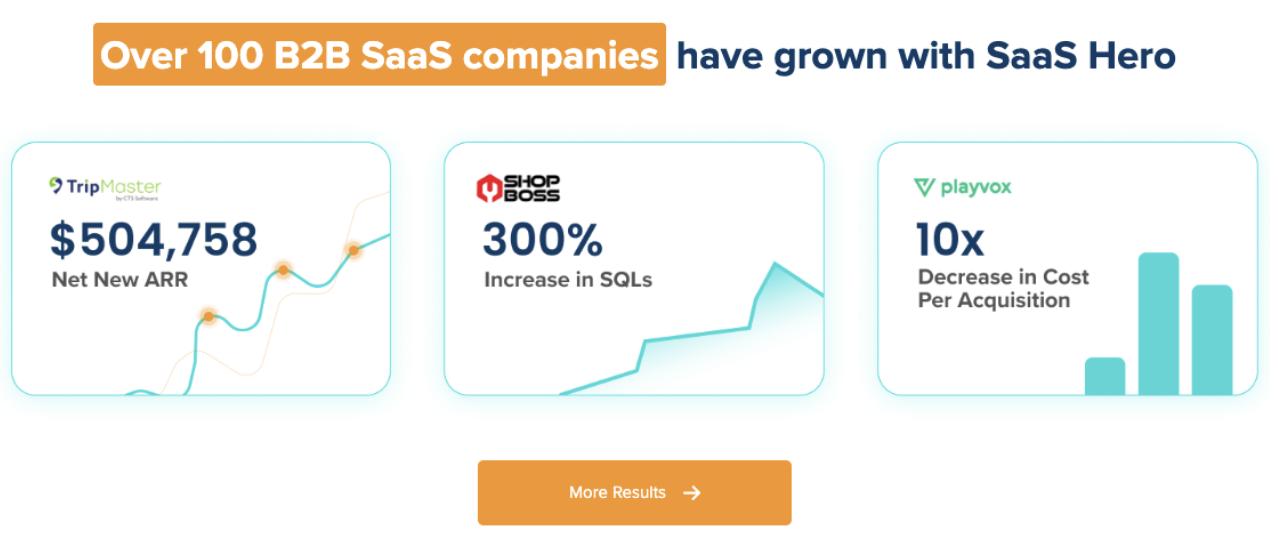
SaaSHero is a Google Premier Partner, placing it in the top 3% of Google Partners. It has been a G2 High Performer in digital marketing for over two consecutive years and is currently ranked #20 of approximately 6,000 agencies. SaaSHero has served 100+ B2B companies and manages roughly $16M in annual ad spend, with more than $60M over its lifetime. Its retainer is a flat fee indexed to total monthly ad spend rather than channel count, so recommending a channel shift or a new test does not raise the client’s cost.

The fit conditions are specific. Ideal clients have $10M+ annual revenue, at least $15k monthly ad spend already in market, a sales-led motion, an internal marketing team of 2–4 with no paid media specialist, and an internal Salesforce or HubSpot CRM with a functioning sales process. When those conditions match, SaaSHero is the agency that owns the measurement layer from Google Ads click through Salesforce Closed Won and back to the platform as a conversion with revenue value, and that has migrated off the retired legacy integration.
For a comparison of how SaaSHero approaches this problem versus the HubSpot equivalent, see Best Agency For HubSpot Offline Conversion Setup.
Frequently Asked Questions
What Is Salesforce Offline Conversion Tracking?
Salesforce offline conversion tracking connects a Google Ads click, identified by its GCLID, to a downstream CRM outcome in Salesforce such as a Lead becoming a Sales Qualified Lead, an Opportunity reaching a specific stage, or a deal closing. Because the conversion happens offline in the CRM rather than on the website, it must be explicitly uploaded back to Google Ads so the platform can attribute the revenue outcome to the original click, keyword, and campaign. Without this connection, Google Ads optimizes toward form fills rather than qualified pipeline, and Smart Bidding learns from the wrong signal.
Do I Need An Agency Or Can I Use Salesforce Flows?
It depends on whether your organization has an engineer who can own the integration as ongoing infrastructure. A one-time setup is not enough. Native Salesforce Flows can build the GCLID-to-Opportunity mapping and trigger conversion uploads, but they require a Salesforce admin or developer to maintain them as Google’s API requirements change, as Salesforce field names evolve, and as stage definitions shift. If no one internally can own that maintenance, a third-party tool or an agency is the more reliable path. The agency option fits when the measurement layer must connect to a broader paid media strategy and when accountability for the full flow, from landing page to CRM record to conversion upload, needs to sit with one party.
What Happened To The Salesforce–Google Ads Integration?
Google retired the legacy Salesforce–Google Ads integration on May 31, 2025. The old “Linked accounts” connector inside Google Ads no longer accepts new connections, and migration to Google Ads Data Manager is not automatic, so accounts must recreate conversion actions under the Data Manager framework and re-map all fields manually. The replacement path is Google Ads Data Manager with Enhanced Conversions for Leads, which uses hashed first-party data such as email and phone alongside the GCLID as match keys. Any agency still proposing the pre-2025 flow is proposing a retired architecture.
How Long Does Setup Take?
A Google Ads Data Manager native connection to Salesforce typically takes one to three days once field mapping is confirmed and the integration user has the correct permissions. A webhook or Google Ads API build for near-real-time lead ingestion takes one to two weeks and requires 20–40 hours of engineering time for a production-ready implementation. An ETL pipeline into BigQuery or Snowflake for accounts spending $25k+ per month that need keyword-level attribution or historical backfills takes four to twelve or more weeks. The first Data Manager sync for a Salesforce connection imports only the last 14 days of data, and subsequent syncs are incremental. Expect Google Ads to take approximately three hours to reflect imported conversions, with full processing sometimes taking 24 to 48 hours.
What Does An Agency Need From Our RevOps Team?
At minimum, RevOps must provide a Salesforce integration user with API access enabled, read/write permissions on Lead, Opportunity, and Order objects, and field-level security access to every mapped field, including the custom GCLID__c text field (255 characters). RevOps must confirm that the GCLID__c field exists on every relevant record type and page layout, that Lead Field Mapping is configured to carry GCLID__c forward from Lead to Contact, and that Opportunity stage names in Salesforce exactly match the filter strings configured in Data Manager, including case sensitivity. RevOps also needs to confirm that the Asynchronous API setting is enabled in Salesforce Setup, which is the single most common cause of authentication failures in the integration.
How Do We Validate The Setup Works?
The only reliable validation is an end-to-end test record. Click a live ad in incognito mode, confirm the GCLID parameter appears in the landing URL, submit the form, confirm GCLID__c is populated on the resulting Salesforce Lead, convert the Lead and confirm GCLID__c is present on both the resulting Contact and Opportunity, move the Opportunity to a mapped stage with an Amount populated, wait for the Data Manager sync cycle, then check Goals > Conversions > Diagnostics in Google Ads to confirm the conversion appears and is matched. A match rate above the 80% threshold mentioned earlier indicates a healthy pipeline. A rate below 60% points to GCLID loss at capture or at the Lead-to-Opportunity step.
Conclusion And Next Steps
The agency decision and the tooling decision cannot be separated, and the 2025 retirement changed what a correct answer looks like. The best agency for Salesforce offline conversion tracking is the one that can demonstrate a validated end-to-end flow, from Google Ads click through GCLID capture, into Salesforce as a Lead, through Opportunity to Closed Won, and back to the ad platform as a conversion with revenue value. It must also have migrated to Google Ads Data Manager and Enhanced Conversions for Leads.
Three neutral next steps help any buyer evaluate this decision:
- Audit your current setup against the 2025 retirement. If your Salesforce–Google Ads connection was configured before May 31, 2025, confirm it has been migrated to Data Manager, because migration is not automatic.
- Demand a validated test record from any agency you evaluate. A dashboard screenshot is not a test record. A real click, a real GCLID, a real Salesforce record, and a confirmed conversion in Google Ads Diagnostics are required.
- Confirm who owns the join between the click and the Salesforce record. If the answer is “the client’s RevOps team” or “whoever set up the integration,” ownership is unclear.