




Written by: Aaron Rovner, Founder, Saas Hero | Last updated: September 3, 2026
Key Takeaways
Before diving into the full playbook, keep these core points in mind:
- A structured Google Ads agency onboarding process prevents unbillable time and client churn by setting expectations, access, and tracking before campaigns launch.
- The complete 7-step playbook takes 2–4 weeks from contract signing to campaign launch and covers pre-onboarding, intake, access, technical audit, strategy, launch, and a 30-60-90 day optimization plan.
- Key risks like broken tracking, scope creep, and access delays stay under control when you verify conversions, secure written authorizations, and set access deadlines in the contract.
- Focusing on CRM outcomes instead of simple form fills helps Smart Bidding prioritize qualified leads, especially for B2B clients with long sales cycles.
- Agencies that want to skip the learning curve can partner with SaaSHero for white-label onboarding and campaign management, and book a discovery call to get started.
The 7-Step Google Ads Agency Onboarding Process
- Pre-Onboarding: Contract and Payment – Set expectations, establish account ownership, and resolve billing before any work begins.
- Client Intake Questionnaire – Gather the business intelligence that sets the ceiling for every downstream decision.
- Access and Permissions – Secure admin access to every required platform without friction or delay.
- Technical Audit and Tracking Setup – Audit the existing account and build a verified measurement foundation.
- Strategy and Campaign Build – Develop a data-driven strategy and get client approval before building anything.
- Launch and QA – Run a structured quality assurance process and get formal sign-off before going live.
- Post-Launch 30-60-90 Day Plan – Execute a phased optimization cycle tied to real business outcomes.
Step 1: Pre-Onboarding – Contract and Payment
The contract phase either prevents most future disputes or makes them inevitable. Payment terms, scope of work, communication cadence, and account ownership all need clear agreement before anyone researches a single keyword.
When you take over from a previous agency, initiate the “Change Who Pays” process in Google Ads immediately. This transfers billing responsibility from the old agency’s payment method to the client’s payment method and preserves the account’s history, quality score, and conversion data. Starting from a fresh account discards months or years of accumulated signal. Written authorization to manage the account is mandatory and should specify the scope of access, the platforms covered, and the effective date.
The billing principle stays simple and firm. The client’s credit card must attach to their own Google Ads account, not the agency’s. Clarify who owns the account data before work begins. Agencies that hold accounts in their own MCC without written client authorization create legal and operational risk for everyone involved.
Step 2: Client Intake Questionnaire
The intake questionnaire is the most leveraged document in the entire Google Ads agency onboarding process. The information gathered here sets a ceiling on keyword research, audience construction, landing page copy, and competitive analysis. A thorough intake prevents misalignment later. Skipping it to save time usually creates more rework and revisions.
A complete Google Ads client onboarding checklist for intake should capture the following:
- Business goals and revenue targets
- Ideal customer profile, target audience, and named segments
- Current marketing efforts and historical performance data
- Budget constraints, seasonality, and promotional calendar
- Competitive landscape and named competitors
- Products or services to promote, including margins and priorities
- Brand guidelines, value propositions, approved claims, and language to avoid
- Geographic, language, and scheduling requirements
- Whether the client focuses on form fills or CRM revenue data
That last question shapes the entire optimization strategy. A B2B client with a six-month sales cycle cannot succeed if you optimize toward raw form submissions. The algorithm will find the cheapest people to convert instead of the most qualified. Establishing this distinction at intake protects at least a quarter of the budget from wasted spend.
Step 3: Access and Permissions
Access delays are the single most common cause of Google Ads agency onboarding timeline slippage. The technical access phase requires admin-level entry into Google Ads, Google Analytics, Google Tag Manager, Google Business Profile, and ideally the client’s CRM. Always use a Manager Account (MCC). Never request passwords, and never hold client accounts inside agency-owned properties.
A templated access request email reduces friction significantly. The email should name each platform, specify the exact access level required, explain in one sentence why that level is needed, and include a direct link to the platform’s access grant flow. When clients understand why they are granting access, they tend to respond faster.
For reluctant clients, offer a limited-time audit access option and explain the specific risk of delayed access. Campaigns cannot be managed on accounts that you cannot access, and every day of delay compresses the launch timeline. Build a pre-agreed access grant deadline into the contract and define the escalation path if the deadline passes without access.
Step 4: Technical Audit and Tracking Setup
The technical audit is the most consequential step in the process. Google advises advertisers to check conversion diagnostics and tag status to confirm whether a conversion action is recording properly, because misconfigured tags or missing event firing can cause undercounting. Many teams start optimizing before conversion actions are fully set up and verified. That mistake trains Smart Bidding on bad data and the damage compounds over months.
The audit should cover:
- Verification of the Google tag or Google Tag Manager installation
- Review of all existing conversion actions and their firing status
- Identification of primary versus secondary conversions
- Assessment of existing campaign structure, keyword coverage, and negative keyword lists
- Landing page destination URL integrity
- CRM integration status and lead flow configuration
Enhanced conversions improve measurement accuracy by sending hashed first-party data to Google in a privacy-safe manner. This approach helps recover conversions that would otherwise be missed because of browser restrictions or cross-device behavior. For B2B clients with long sales cycles, only primary conversions such as qualified leads and pipeline events should feed Smart Bidding. Form fills, content downloads, and webinar registrations belong in secondary conversion tracking, visible in reporting but excluded from account-wide optimization. Do not launch until tracking is verified, even if that decision delays the start date.
Step 5: Strategy and Campaign Build
Strategy development draws directly from the intake questionnaire and the technical audit. Keyword research, competitor analysis, campaign structure, ad copy, and audience segmentation all align with the client’s actual revenue model instead of generic category assumptions.
For B2B clients with CRM data, the strategy must define what a “good” lead looks like before you select the first keyword. If the client’s sales team accepts only enterprise accounts above a specific ARR threshold, the campaign architecture should reflect that from day one. Present the full strategy to the client for approval before building anything. This approval gate keeps everyone aligned and prevents “you should have known” conversations later.
A campaign flow map, which visually represents the entire campaign universe including ad groups, audience segments, landing pages, conversion paths, and retargeting sequences, is the most effective tool for securing client buy-in on structure. When clients can see where a non-converting visitor goes next, they understand the logic of the architecture and approve it with confidence.
Step 6: Launch and QA
Nothing goes live without a completed QA checklist and formal client sign-off. The pre-launch review should verify:
- All destination URLs resolve correctly and load on mobile
- Ad copy renders correctly across all formats and devices
- Landing page load speed meets performance thresholds
- Conversion tracking fires correctly on test completions
- Negative keyword lists are applied at the appropriate campaign and ad group levels
- Budget and bid settings match the approved strategy
- Audience exclusions are in place to prevent wasted spend on existing customers
Walk through the final review with the client and get written sign-off before activating any campaigns. Set the communication plan at this stage. Agree on a shared Slack channel, a weekly performance update cadence, and the date of the first post-launch strategy call. Clear expectations at launch prevent the communication gaps that erode client confidence in the first 30 days.
Step 7: Post-Launch 30-60-90 Day Plan
The post-launch phase is where the Google Ads agency onboarding timeline shifts from setup to optimization. A structured 30-60-90 day framework, adapted from The Management Center’s phased approach of learning, contribution, and impact, maps cleanly to Google Ads optimization cycles.
Days 1–30: Your goal is to establish a reliable baseline. Monitor performance closely and verify data accuracy across all conversion actions. Once you trust the data, establish baseline metrics and make conservative bid and budget adjustments based on that verified information. The first meaningful data usually arrives around day 30, which is the first point where you can judge performance instead of guessing. Key metrics to track include cost per qualified lead, conversion rate by campaign, and search impression share.
Days 31–60: Begin optimizing underperforming areas and pause keywords and audiences that consume budget without producing qualified outcomes. Test new ad copy variations and run the first landing page headline tests. Days 31–60 should emphasize applying insights and beginning to contribute measurable improvements. In Google Ads terms, this means narrowing the account around what works and building the testing calendar.
Days 61–90: Scale what works and conduct deeper analysis on search term reports and audience performance. Prepare the first quarterly budget review. For B2B clients, the metrics that matter at this stage are pipeline generated, cost per opportunity, and sales-accepted lead rate by campaign. Days 61–90 should focus on leading initiatives and delivering measurable outcomes. By this point, the account should produce clean, defensible data.
Transparent reporting and a fixed communication cadence keep clients engaged through this phase. Weekly updates explain what happened, and bi-weekly strategy calls decide what changes next.
Common Pitfalls and How to Avoid Them
Even with a strong 7-step process, certain pitfalls appear again and again during onboarding. Recognizing these patterns early helps you prevent delays, frustration, and wasted spend.
- Client does not provide access: This issue derails more onboarding projects than any other. To prevent it, build a pre-agreed access grant deadline into the contract and escalate if the deadline is missed. A client who will not grant access is a client who cannot be served effectively, so address this risk directly.
- Broken tracking discovered at launch: This problem usually appears when teams rush setup. Fix tracking before launch, even if it delays the start date. Launching on bad data trains Smart Bidding on the wrong audience and that error compounds for months.
- Unclear reporting expectations: Misaligned expectations create tension even when performance is solid. Agree on reporting cadence, format, and the metrics that matter during the pre-onboarding phase. The first report should confirm expectations, not surprise the client.
- Scope creep: Scope drift often starts with small “quick favors.” Refer back to the signed contract and intake questionnaire whenever a new request appears. Treat every request outside the agreed scope as a contract conversation instead of an informal favor.
- Previous agency is uncooperative: Transitions can become contentious when the outgoing agency resists. Initiate the “Change Who Pays” process immediately and document all communication in writing. The account history belongs to the client, not the outgoing agency, and written records protect everyone.
- Reluctant access grants: Many clients hesitate because they do not understand what you are asking for. Explain exactly what access you need and why each permission matters. Most reluctance comes from misunderstanding, so clear explanations usually resolve it.
Why SaaSHero Is the Ultimate Solution for Your Agency
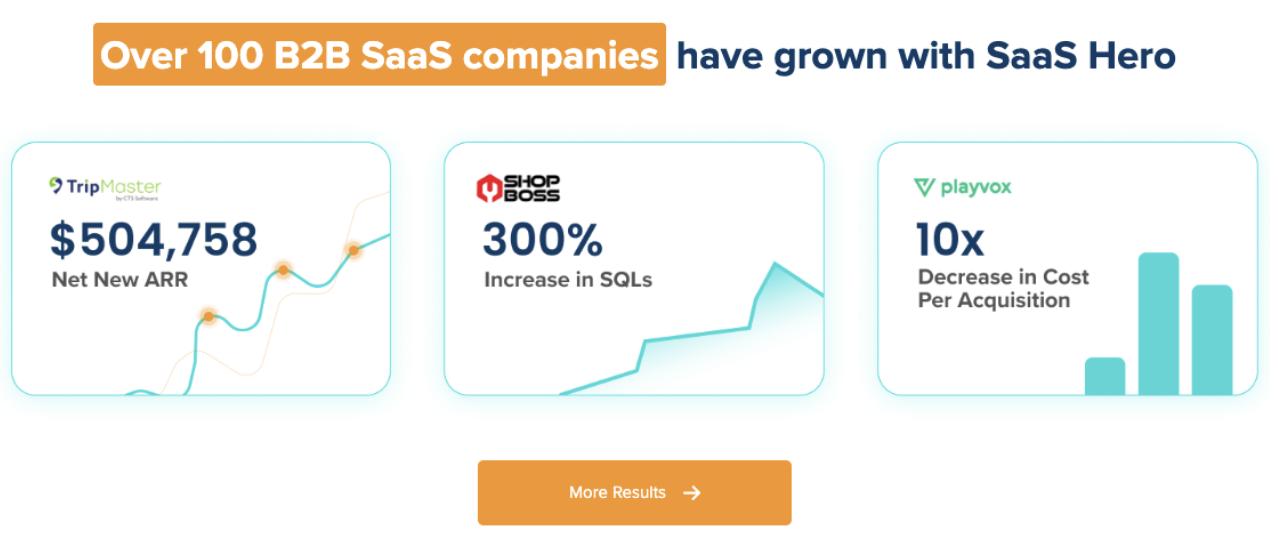
If this playbook feels like more than your current team can execute alone, SaaSHero fills that gap. SaaSHero has refined this exact onboarding methodology across more than 100 B2B engagements, managing over $60 million in lifetime ad spend. As a Google Premier Partner, a designation held by the top 3% of agencies, and a G2 High Performer ranked #20 out of approximately 6,000 agencies, SaaSHero shows how rigorous onboarding directly improves performance.

The methodology in this article matches the one SaaSHero applies to every engagement. Each project uses a detailed onboarding document, a verified conversion architecture, a campaign flow map built in Miro, and a fixed operating cadence that begins in week one. For B2B agencies managing complex accounts with long sales cycles, CRM integration, and multi-channel attribution requirements, the difference between a structured onboarding process and an improvised one shows up in client retention and account results.
This article is a solid starting point if you want to build this capability in-house. If you prefer to skip the learning curve, SaaSHero’s white-label partnership handles complex onboarding and campaign management for your clients while you focus on relationships and growth. SaaSHero’s team of about 20 full-time specialists, including in-house designers and copywriters, operates as an outsourced inbound growth team for B2B companies.
See how white-label partnership works for your agency.
Frequently Asked Questions
How long does Google Ads onboarding take?
A complete Google Ads agency client onboarding process typically takes about 2–4 weeks (roughly 14–30 days) from contract signing to campaign launch. That full cycle includes the first optimization pass and client review. The timeline depends on three variables: client responsiveness in granting access and completing the intake questionnaire, the complexity of the account being taken over, and whether conversion tracking needs a full rebuild.
A straightforward Google Ads account with a responsive client and clean existing tracking can be built and launched within about two weeks. Meaningful performance data and optimization typically require an additional 2–4 weeks or more. According to GrowthSpree’s 10-step sequence for launching B2B SaaS Google Ads, a complex account that needs CRM attribution setup, offline conversion tracking, and a full campaign architecture rebuild usually takes 3–4 weeks from audit to live campaigns, although other agencies report shorter timelines for simple accounts and longer timelines for enterprise. Agencies that compress the timeline by skipping the audit or launching before tracking is verified often spend the following weeks fixing problems that should have been caught during setup.
What are the core stages of the Google Ads onboarding process?
The core stages are intake and discovery, access and setup, technical audit and tracking, strategy and campaign build, and launch and optimization. These stages map directly onto the 7-step framework described above. The first two steps, pre-onboarding and intake, combine into “intake and discovery,” and the last two steps, launch and post-launch, combine into “launch and optimization.” This structure keeps the process clear while still covering the operational details agencies need.
How do I handle a client who won’t give me access to their Google Ads account?
Start by explaining exactly what access you need and why, because most reluctance comes from misunderstanding rather than distrust. Provide a written breakdown of each platform, the access level required, and the specific reason that level is necessary. Offer a limited-time audit access option if the client hesitates about full admin access.
If the client still refuses after a clear explanation, escalate to the pre-agreed timeline in your contract and explain that campaigns cannot be managed on accounts that remain inaccessible. Build a pre-agreed access grant deadline into every contract before onboarding begins. If a client persistently refuses access, the engagement cannot proceed. You cannot manage what you cannot see.
What is the “Change Who Pays” process in Google Ads?
When you take over an account from a previous agency, the “Change Who Pays” process transfers billing responsibility from the old agency’s payment method to the client’s payment method. You should initiate this step early in onboarding to preserve the account’s history, quality score, and conversion data. Starting from a new account discards all accumulated signal, including keyword performance history, audience data, and conversion modeling, which sets the new campaign back by months.
You need written authorization from the client to initiate this change, and the client’s own credit card or billing profile must attach to their Google Ads account before the transfer is complete. Document all communication with the outgoing agency in writing, because uncooperative transitions are one of the most common sources of onboarding friction.
What metrics should be tracked during the first 90 days after a Google Ads launch?
The right metrics depend on the client’s business model, but a standard B2B framework covers three layers. At the campaign level, track cost per qualified lead, conversion rate by campaign and ad group, search impression share, and click-through rate by ad variation. At the funnel level, track lead-to-MQL conversion rate, MQL-to-SQL conversion rate, and cost per sales-accepted lead.
At the business level, track pipeline generated by channel, cost per opportunity, and, for clients with CRM data connected, cost per closed deal. Form fill volume and raw cost per lead are secondary metrics rather than optimization targets. The primary optimization signal should always be the CRM outcome that the client’s sales team actually accepts, not the conversion event that is easiest to measure.
Conclusion
A structured Google Ads agency onboarding process creates the operational foundation for client retention, account performance, and agency profitability. The 7-step playbook outlined here takes 2–4 weeks and turns onboarding from a recurring fire drill into a repeatable competitive advantage. Every step, from contract and billing to the 30-60-90 day optimization plan, exists to prevent unbillable hours, client churn, and underperforming accounts.
SaaSHero has refined this exact methodology and offers white-label partnership for agencies that want to apply that expertise without building the capability internally. The Google Ads client onboarding checklist and Google Ads agency onboarding timeline described in this article match the frameworks used in every SaaSHero engagement. They are documented, repeatable, and designed for the operational realities of running an agency at scale.
Ready to scale? Start the conversation with SaaSHero.