




Written by: Aaron Rovner, Founder, Saas Hero | Last updated: September 3, 2026
Key Takeaways
- Construction software demo performance depends on long sales cycles, multi-stakeholder buying committees, and field adoption risk that generic B2B advice ignores.
- Directional benchmarks include a 3% or higher visitor-to-demo request rate, 60–80% lead qualification, and a 15–20% demo-to-close rate, with enterprise deals often landing at the lower end.
- Role-based demo scripts improve conversion by speaking separately to field workers, project managers, and executives instead of relying on one generic presentation.
- Short forms, instant calendar booking, and fast personalized follow-up create the biggest lift between demo requests and booked meetings.
Benchmarks for Construction Software Demo Conversion
Industry-specific benchmark data for construction software demo conversion is scarce. Before you improve your funnel, you need a realistic baseline. The figures below draw from B2B SaaS averages and adjust for construction’s longer evaluation cycles, larger buying committees, and higher adoption friction. Treat them as directional targets, not rigid standards.
| Funnel Stage | Benchmark Rate | Source | Construction Context |
|---|---|---|---|
| Visitor to Demo Request | 3%+ | RevenueHero | Lower than consumer SaaS due to longer evaluation cycles |
| Lead Qualification Rate | 60–80% | RevenueHero | Higher end achievable with ICP-aligned targeting |
| Demo to Meeting Booking | 50–60% | RevenueHero | Calendar tools and multiple time slots improve this |
| Demo to Close | 15–20% | SaaSHero | Varies by deal size; enterprise deals trend lower |
A visitor-to-demo request rate of 3% or higher is a reasonable first gate for many B2B SaaS companies. Healthy performance still depends on ACV tier, traffic source, and vertical. Enterprise software often sees strong results around 1.5–3%, while lower-ACV products usually target 3–6% or higher.
If your site converts below that range, landing page messaging, form friction, or misaligned paid traffic usually cause the issue. The 15–20% demo-to-close rate, a general B2B SaaS benchmark for enterprise deals, reflects extended procurement reviews and multi-stakeholder sign-off. Buying committees of 6–10 stakeholders and sales cycles of 9–18 months for mid-sized deals compress close rates compared with simpler SaaS motions.
Why Construction Software Demos Fail
Construction software demos often miss the mark because teams treat the demo as a single event instead of a multi-stakeholder process. Four structural factors drive failure in this vertical.
- Adoption fear from field crews. Superintendents and foremen resist tools that add data entry burden without a clear personal benefit. If the demo does not address their daily workflow directly, they will resist adoption instead of supporting it.
- Multi-stakeholder buying committees. B2B software purchases, which may include construction software, involve alignment from multiple stakeholders such as finance, accounting, and procurement, each with conflicting priorities. Field teams want ease of use, project managers want reporting visibility, and executives want ROI proof.
- Long sales cycles that kill momentum. When demos happen early in a cycle that can stretch 12–24 months for enterprise deals, opportunities stall without structured nurturing between touchpoints. A single demo rarely closes a construction software deal.
- Distrust of generic vendor claims. Construction buyers have heard empty promises from software vendors before. They require proof through case studies, reference customers, and hard numbers instead of feature lists.
To counter these four failure modes, demos need to match each stakeholder’s priorities. Role-based demo scripts deliver that alignment.
Role-Based Demo Scripts for Construction Software
The strongest construction software demos use role-based flows that speak to each stakeholder’s specific concerns. A single generic demo delivered to a mixed audience fails to address anyone’s specific needs.
Demo Script for Field Workers (Superintendents & Foremen)
Timing: 15 minutes. This audience has the least patience for software presentations and the most power to kill adoption after the sale.
- Lead with time savings. Open with a clear promise such as “This will not add to your paperwork. Here is how it saves you 20 minutes a day.” Quantify the benefit before showing any feature.
- Show mobile functionality first. Field workers operate on phones and tablets in low-connectivity environments. Highlight offline capability and mobile UX before anything else.
- Let them use the interface. Hand them the device and let them navigate independently. Ease of use becomes a lived experience instead of a claim.
- Skip back-office features. Reporting dashboards and change order workflows feel irrelevant to this audience and signal that the software serves someone else.
Demo Script for Project Managers
Timing: 30 minutes. Project managers often act as the internal champion who drives the purchase forward. Win them with visibility and control.
- Show cross-project reporting. Demonstrate how the tool surfaces exceptions and alerts across multiple active projects at once.
- Walk through a real project timeline. Use a realistic scenario with automated schedule updates, resource conflicts, and change order documentation. Abstract demos lose this audience.
- Emphasize the documentation trail. Construction project managers focus on risk mitigation. Show how the software creates an auditable record that protects them in disputes.
- Address integration with existing tools. Procore, PlanGrid, and other incumbent platforms likely already exist in the stack. Demonstrate how your software connects to or replaces them without data loss.
Demo Script for Executives (CFO, VP Operations)
Timing: 20 minutes. Executives evaluate business impact, not product features. Arrive with numbers.
- Lead with a business case. When you have the prospect’s data, build a custom ROI model before the call. When you do not, use industry benchmarks for cost savings, productivity gains, and rework reduction.
- Frame around margin protection. Construction margins stay thin. Position the software as a margin protection tool instead of a generic productivity play.
- Address scalability clearly. Executives assess whether this investment holds as the company grows. Show how the platform scales across projects, regions, and headcount.
- Keep it short and invite questions. Executives disengage from long product walkthroughs. Present the business case, show two or three high-impact capabilities, then open the floor.
Funnel-Stage Optimization Tactics for Construction Software
Form Optimization
Short, focused forms lift visitor-to-demo conversion rates. Construction software buyers, especially field-adjacent stakeholders, often complete forms on mobile devices on job sites.
- Limit forms to 3–5 fields. Move deeper qualification questions to the discovery call instead of the form.
- Use a few targeted qualifying fields. Company size, current software stack, and role usually give enough data to route leads without heavy friction.
- Prioritize mobile performance. Test your demo request form on a phone before sending any paid traffic.
Booking Process
The gap between a demo request and a booked meeting is where many prospects drop off. Reducing that gap requires a frictionless scheduling experience.
- Deploy calendar scheduling tools such as Calendly or Chili Piper so prospects can book immediately after submitting a form.
- Offer at least three available time slots across different days and times to fit field schedules.
- Send automated calendar invites with a short “what to expect” section that sets expectations and reduces no-shows.
Follow-Up Strategy
Lead response speed heavily influences demo booking rates. B2B purchasing decisions require alignment across multiple internal stakeholders, so a slow response gives competing vendors time to build relationships first. Responding within five minutes of a demo request produces materially better booking rates than responding within an hour.
Speed alone does not close the gap. Your follow-up also needs relevance and persistence. Personalize the message by role, because a superintendent and a CFO care about different outcomes. Address construction-specific objections early, especially integration with Procore or PlanGrid, training requirements for field crews, and data migration timelines. For no-shows, build a multi-touch follow-up sequence, since a missed demo often reflects scheduling conflict rather than lost interest.
Interactive Demo Tools and When to Use Them
Interactive demos such as product tours, sandboxes, and self-guided walkthroughs play a specific role in the construction software funnel. They work best for stakeholders who have interest but feel unready for a live demo.
Field workers can explore the mobile interface at their own pace without scheduling a call. Executives can review high-level capabilities without a 30-minute commitment. Interactive demos lower the barrier to first engagement and warm prospects before a live session.
For complex enterprise construction software, interactive demos supplement live demos instead of replacing them. Role-specific questions that surface in live sessions, including integration concerns, data migration timelines, and training requirements, require real-time answers. Use interactive demos as a top-of-funnel engagement tool and live demos as the primary conversion mechanism.
Competitor Comparison Pages That Feed Your Demo Funnel
Comparison pages such as “Procore vs. [Your Product]” or “[Your Product] vs. PlanGrid” capture high-intent traffic from buyers already evaluating alternatives. These visitors sit deeper in the funnel than generic organic visitors and convert to demo requests at higher rates.
Comparison pages perform best when you support them with paid media that targets competitor keywords and branded search terms. A buyer searching “Procore alternative” has already committed to evaluating options. A well-structured comparison page with a clear demo call to action captures that intent at the moment of highest purchase readiness.
This approach forms a core part of SaaSHero’s programmatic SEO offering, which focuses on comparison and category pages that intercept buyers at the decision stage and route them into the demo funnel.
Learn how SaaSHero builds comparison page strategies for construction software companies.
Measuring and Improving Demo-to-Close Rate
Tracking demo-to-close rate as a single number hides where deals actually stall. Break measurement into demo-to-opportunity and opportunity-to-close so you can see which stage needs attention.
Start by using CRM data to map where demos stall, whether after the demo, during procurement review, or at contract negotiation. Each stage requires a different intervention. Next, align sales and marketing on lead quality definitions before you chase volume, because a demo that produces an unqualified opportunity wastes sales capacity and distorts conversion data.
Then record demos and analyze the questions prospects ask. Recurring objections about integration, training, or adoption signal gaps in your demo script that you can address proactively. Finally, feed those insights back to marketing so targeting and messaging improve upstream.
Implementing these tactics requires a team that can execute across the entire funnel. SaaSHero fills that role for construction software companies.
Why SaaSHero Partners Effectively on Construction Software Demos
SaaSHero operates as an outsourced inbound growth team for B2B SaaS companies. One team owns strategy and execution across paid media, creative, landing pages, and reporting while optimizing against CRM revenue data instead of raw form-fill counts.
For construction software companies, SaaSHero manages the entire path from ad click to CRM record. The team has served 100+ B2B companies, managed more than $60M in lifetime ad spend, holds Google Premier Partner status, and ranks #20 of roughly 6,000 agencies on G2. In-house designers and copywriters handle creative work directly.
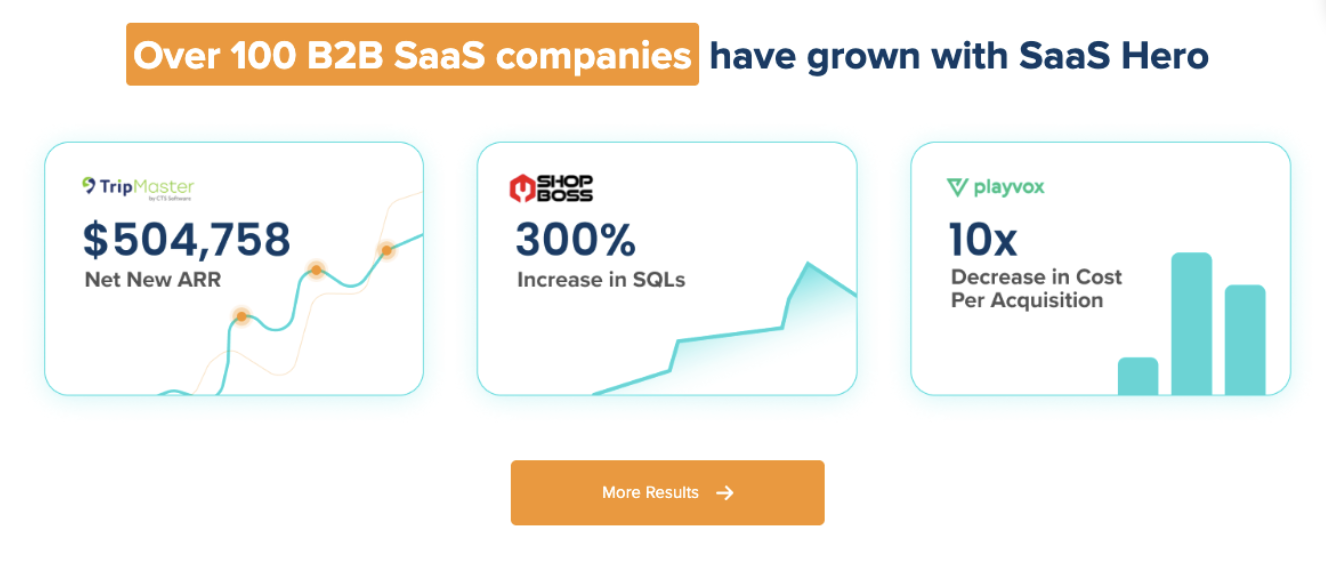
Most agencies stop at the ad platform. SaaSHero also owns the landing pages campaigns drive to, the conversion tracking that powers bidding algorithms, and the CRM-connected reporting that answers the question your board actually asks: what did this spend produce in qualified pipeline?

Construction software demo conversion improvement requires a systematic approach that combines role-based demo scripts, funnel-stage optimization, and measurement that connects ad spend to closed revenue. SaaSHero executes that system end to end.
Frequently Asked Questions
What is a good demo conversion rate for construction software?
A healthy demo-to-close rate for construction software typically falls in the 15–20% range, with enterprise deals at the lower end because of larger buying committees and longer procurement cycles. Visitor-to-demo request rates of 3% or higher and lead qualification rates of 60–80% are realistic for well-targeted funnels. For detailed benchmarks by stage, see the table in the opening section.
How long does it take to see improvements in demo conversion?
With focused funnel work and role-based demo scripts, many B2B software companies see measurable improvement within one or two quarters. Changes that close the gap between form submission and booking, such as instant scheduling, automated routing, and rapid response, usually produce the fastest lift, often within the first 30 days.
Landing page headline testing and follow-up sequence refinement typically need about 60 days to generate statistically meaningful data. Full optimization cycles, including demo script updates based on recorded session analysis, usually require at least one complete sales quarter to validate against pipeline data, especially with longer construction software sales cycles.
How many stakeholders typically participate in a construction software demo?
Construction software purchases usually involve a buying committee of roughly 4–6 stakeholders for deals that require finance approval. Common participants include project managers, superintendents, operations leadership, and finance leaders such as a CFO or controller. Each role needs different demo emphasis: ease of use and time savings for field workers, reporting and visibility for project managers, and ROI and margin protection for executives.
A single generic demo delivered to a mixed audience rarely addresses these needs effectively. Role-based demos, delivered as separate sessions tailored to each audience, create stronger internal champions and reduce the chance that one stakeholder blocks the purchase.
Should we use interactive demos or live demos for construction software?
Interactive demos and live demos serve different purposes and work best together. Interactive demos, including product tours and self-guided sandboxes, engage stakeholders who feel unready for a live session. Field workers can explore the mobile interface at their own pace, and executives can review high-level capabilities without scheduling a call.
Live demos remain essential for complex enterprise construction software sales. Role-specific questions about integration, data migration, and training requirements need real-time answers. For most construction software companies, interactive demos should supplement the live demo process instead of replacing it.
What are the most common reasons construction software demos fail to convert?
The most common reasons align with the four structural factors discussed earlier: adoption fear from field crews, multi-stakeholder buying committees, long sales cycles, and generic demo scripts. Each factor requires a role-based approach to overcome.
Teams that address these issues with tailored demo scripts, structured nurture sequences across a 6–12 month cycle, and clear answers to integration, training, and data migration concerns see higher conversion from demo to closed revenue.