




Written by: Aaron Rovner, Founder, Saas Hero | Last updated: September 6, 2026
What Is A CRM For Accounting? (And How It Tracks Revenue, Not Just Contacts)
A CRM for accounting firms is a centralized system that tracks prospective and existing clients through the entire engagement lifecycle, from first marketing touch to proposal, onboarding, billing, and ongoing service delivery. It integrates with accounting software to connect pipeline data with actual revenue.
Clear integration vocabulary keeps your stack design grounded in reality. Each term below describes a specific layer of the stack:
- CRM: System of record for contacts, pipeline stages, and client relationships
- Marketing Automation: Platform for lead capture, nurturing, scoring, and campaign attribution
- Accounting Software: System of record for invoicing, payments, and revenue recognition (QuickBooks, Xero)
- Integration: Automated data flow between systems that eliminates manual double-entry
- Marketing-to-Revenue Data Flow: Journey of a lead from campaign click to closed invoice, with data passing through each system layer
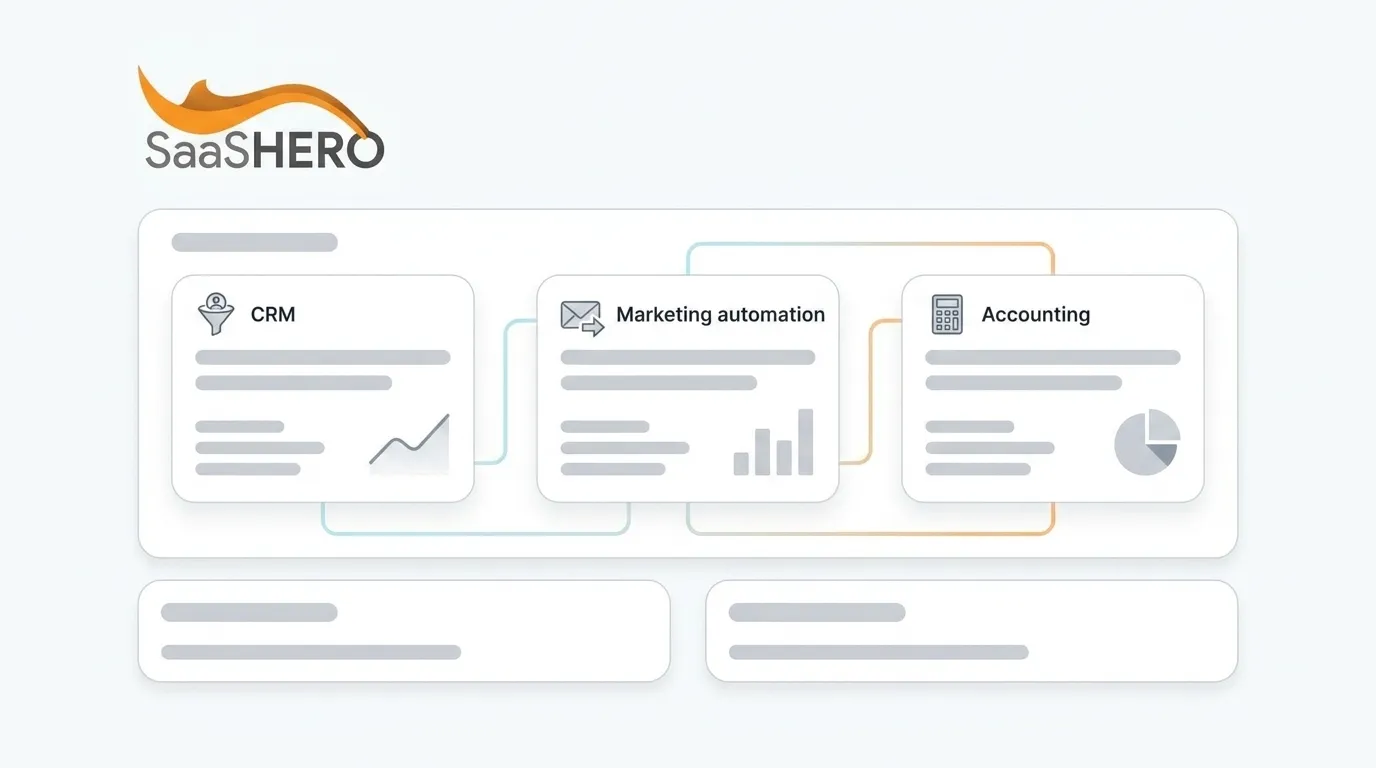
The three-layer stack framework runs in one direction by default and one direction by design. Marketing handles lead capture and nurturing. CRM manages pipeline and client onboarding. Accounting manages billing and revenue recognition. Data should flow forward automatically, as a lead becomes a client and then an invoice, and backward so payment status updates CRM records.
How The Tech Stack Connects: The Marketing → CRM → Accounting Data Flow
Alt text: “Diagram showing data flow from marketing platforms (Google Ads, LinkedIn) through CRM (HubSpot, Salesforce) to accounting software (QuickBooks, Xero), with payment status flowing back to CRM.”
A lead arrives from a marketing campaign such as Google Ads, LinkedIn, or organic search. A CRM record is created automatically through a form submission or ad platform integration. When that lead becomes a client, the closed-won deal flows into accounting software for billing and revenue tracking. Payment status then flows back to the CRM so sales has visibility without accessing the full ledger.
A CRM-accounting integration synchronizes three record types. Customer and company records sync bidirectionally. Closed-won deals flow out to accounting as invoices or sales orders. Payment status, including paid, overdue, or outstanding balance, flows back to the CRM.
The specific integration points across the full stack are:
- Lead Capture: Form submissions and ad clicks create CRM records automatically
- Lead Scoring: Marketing engagement data such as email opens, clicks, and landing page visits updates CRM lead scores in real time
- Client Onboarding: Closed-won deals trigger engagement letters, document requests, and portal setup
- Invoicing: Approved clients generate invoices in accounting software without re-keying
- Revenue Recognition: Payment status flows back to CRM so sales sees who has paid, and integrated systems can reduce days-to-invoice to minutes
Three integration methods cover nearly every scenario:
- Native Connectors: First choice when available. Major accounting platforms such as QuickBooks, Xero, NetSuite, and Sage ship first-party integrations that many CRMs support directly, with maintenance handled by the vendors. Examples include HubSpot–Xero Data Sync and Zoho CRM–Zoho Books.
- Middleware/iPaaS: Zapier or Make bridge gaps when no native connector exists, with typical pricing from $20 to more than $100 monthly.
- Custom API: Provides full control and flexibility, but requires development expertise and typically costs $3,000–$20,000+ for the initial build.
With the integration methods in view, the benefits of a connected stack become clear. A connected stack improves onboarding, forecasting, and day-to-day efficiency across the firm.
Key Benefits Of Integration For Accounting Firms
When marketing, CRM, and accounting share data, the benefits compound across operations and client experience.
- Automated Client Onboarding: Reduce onboarding from 5–10 business days to 48 hours. Trigger engagement letters, document requests, and portal setup the moment a deal closes.
- Accurate Revenue Attribution: Connect closed sales directly to the marketing campaigns that generated them. Teams see which channels produce revenue instead of only form fills.
- Reduced Manual Data Entry: Eliminate the 5 hours per week accountants lose to re-entering data across tools. Salespeople reclaim the 5.9 hours per week they spend manually logging CRM data.
- Real-Time Cash Flow Visibility: Sales reps see invoice status and payment history on CRM records without accessing the full accounting ledger, and role-based permissions protect financial data.
- Improved Client Experience: Firms using structured onboarding automation report a 40–55% improvement in client satisfaction scores during the first 90 days.
- Stronger Revenue Forecasting: Companies that integrate CRM and marketing automation are 83% more likely to exceed their sales goals.
Popular Connected Platforms: CRM, Marketing, And Accounting Tools That Work Together
Pricing is sourced from vendor pages as of 2026. Each tool’s role and integration capabilities appear below, without any ranking.
With those platform options in view, the right choice depends on your firm’s size and existing software.
How To Choose The Right Stack For Your Firm Size
The right integration architecture depends on firm size, existing software, and growth trajectory. Build around your accounting platform, because it serves as the system of record for revenue.
- Solo Practitioners (1–5 Staff): QuickBooks with Keap or Zoho CRM on the free tier. Focus on basic contact tracking, follow-up reminders, and simple invoicing automation. Zoho CRM’s free tier supports up to three users and works well for solo practitioners who need straightforward contact tracking and reminders.
- Mid-Size Firms (10–200 Staff): HubSpot with QuickBooks or Xero, plus TaxDome or Karbon for practice management depth. HubSpot’s native Xero Data Sync handles contacts, products, invoices, and payments bidirectionally. For QuickBooks users, Zoho CRM and Method CRM both offer native two-way sync with QuickBooks Online.
- Enterprise (200+ Staff): Salesforce Financial Services Cloud brings enterprise capabilities to professional services firms, though implementations can take months, require certified admins, and carry enterprise-tier pricing. NetSuite or Sage Intacct often pair with Salesforce for full ERP coverage.
If you already use QuickBooks Online, Method CRM offers native two-way sync and is purpose-built for that accounting environment. If you run on Xero, HubSpot’s Data Sync is purpose-built for the connection and syncs contacts, products, invoices, and payments in real time.
Step-By-Step Integration Setup: From Lead To Invoice
- Map Your Client Journey from first marketing touch through proposal, onboarding, and billing. Identify every manual handoff between systems. Map the existing client journey as a sequence of triggers, actions, owners, and exceptions, and select a single authoritative client record to prevent outdated data across platforms. This map reveals every manual handoff that automation must replace.
- Choose Your CRM And Marketing Automation based on your accounting software’s native integration ecosystem. Integration serves as the primary buying criterion. The journey map you created guides which features and connectors matter most.
- Connect Your CRM To Your Accounting Software through native integrations or middleware such as Zapier or Make. A native integration between two well-supported platforms can often be configured in a few hours, while a middleware-based integration using Zapier or Make typically takes one to three days. This connection establishes the core marketing-to-revenue data flow.
- Set Up Lead Scoring And Automated Onboarding by defining what makes a lead sales-ready, then automating the handoff from marketing to sales to onboarding. A CRM-triggered sequence fires within minutes of lead capture, whereas manual follow-up often delays outreach by hours. These automations ensure consistent treatment of every new lead and client.
- Automate Invoicing And Revenue Tracking by configuring closed-won deals to generate invoices automatically. Send conversion data back to ad platforms like Meta and Google for better campaign performance, and include suppression lists to exclude existing customers from prospect campaigns. This step closes the loop between marketing spend and collected revenue.
- Test And Iterate with a structured rollout. Run a pilot with fictional data covering standard routes, missing fields, and exceptions before full launch. Monitor sync health weekly and audit data quality quarterly. Treat integration as an ongoing operational process to prevent degradation over six to twelve months.
Common Pitfalls In CRM-Marketing-Accounting Integration
- Treating The Three Systems As Separate Purchases: Integration should guide every buying decision. Diagnostic question: Does your CRM natively integrate with your accounting software?
- Ignoring Data Hygiene: Gartner reports that poor data quality costs organizations an average of $12.9 million per year, and disconnected systems are a primary source of that cost. Diagnostic question: Can you identify your single source of truth for each data field?
- Skipping Client Journey Mapping: You cannot automate a process you have not documented. Diagnostic question: Can you trace a lead from first click to paid invoice without manual steps?
- Underestimating Ongoing Management: Integrations degrade within 6–12 months without a named owner. Diagnostic question: Who is responsible for monitoring sync health and resolving errors?
- Separating Marketing From Revenue: Campaigns should optimize around CRM revenue data instead of form submissions alone. Diagnostic question: Are you optimizing campaigns around CRM data or just form submissions?
When To Consider An Outsourced Growth Partner
The integration guide above provides a DIY roadmap. Many accounting firms lack the in-house expertise to execute it effectively, and even with systems connected, someone must own the marketing-to-revenue chain on an ongoing basis.
SaaSHero is the outsourced inbound growth team for B2B companies, specializing in B2B SaaS and professional services. The firm owns strategy and execution across paid media, creative, landing pages, and reporting, all aligned with CRM revenue data instead of form-fill counts. For accounting firms, this approach connects marketing campaigns to CRM outcomes such as qualified pipeline and closed revenue, and ties every dollar spent to revenue.
SaaSHero’s credentials include Google Premier Partner status for the top 3% of agencies, G2 High Performer recognition for more than two consecutive years, over $60M in lifetime ad spend managed, and a team of approximately 20 full-time specialists including in-house designers and copywriters. The work stays in-house.
When your firm needs someone to own the entire marketing-to-revenue chain, not just run ads, book a discovery call with SaaSHero to see how the team connects your marketing spend to closed revenue.
Frequently Asked Questions
What Is A CRM In Accounting?
A CRM in accounting functions as the system of record that connects pipeline activity to revenue. It tracks contacts, opportunities, and client touchpoints, while accounting software such as QuickBooks or Xero tracks invoicing, payments, and revenue recognition. Together they create a single, connected view of the client lifecycle for both sales and finance teams.
How Do I Integrate CRM With QuickBooks?
The most reliable path is a CRM with a native QuickBooks Online integration. Zoho CRM and Method CRM both offer native two-way sync with QuickBooks Online, so customer records, invoices, and payment status flow between systems automatically. For CRMs without a native connector, including HubSpot, middleware platforms like Zapier or Make bridge the gap. As covered in the setup steps, native integrations usually take hours to configure, while middleware takes days. Before configuring either, clean and de-duplicate customer records on both sides, agree on a single matching key such as email, account number, or customer ID, and map fields carefully, such as CRM “Account Name” to QuickBooks “Customer Name” and CRM “Deal Value” to QuickBooks “Invoice Amount.” Test in a sandbox environment before going live, and assign a named owner to monitor sync health after launch.
What Is The Best CRM For CPA Firms?
The best CRM depends on firm size, existing accounting software, and whether the primary need is client acquisition or practice management. For QuickBooks Online users, Method CRM offers native two-way sync and is purpose-built for that environment. For firms needing practice management depth alongside CRM functionality, TaxDome and Karbon both integrate natively with QuickBooks and Xero, with TaxDome skewing toward firms of 5–25 staff and offering a per-client flat-rate pricing model, and Karbon more commonly deployed at firms of 10–50 staff with deeper email-linked task management. HubSpot suits firms focused on inbound marketing and business development, with its native Xero Data Sync handling contacts, products, invoices, and payments bidirectionally. Enterprise firms may need Salesforce despite its implementation complexity and cost. Zoho CRM’s free tier is a practical starting point for solo practitioners. The most important criterion is whether the CRM integrates cleanly with your existing accounting software.
Do I Need Marketing Automation If I Have A CRM?
Yes. A CRM tracks existing relationships and manages pipeline, while marketing automation captures and nurtures new leads before they are sales-ready. Integrated, they create a complete revenue engine in which marketing generates leads, automation scores and nurtures them based on engagement behavior, and the CRM manages the sales pipeline and client onboarding. Without marketing automation, lead capture becomes manual, follow-up becomes inconsistent, and the firm lacks a mechanism for scoring leads or attributing closed revenue to specific campaigns. As noted in the benefits section, integrated firms are significantly more likely to exceed sales goals, with one study showing an 83% lift and an average return of $8.71 for every $1 spent. The CRM owns firmographic and sales data such as account names, deal stages, and revenue, while marketing automation owns behavioral data such as email engagement, lead scores, and campaign history. Both sets of data are necessary for accurate revenue attribution.
How Long Does CRM-Marketing-Accounting Integration Take, And What Does It Cost?
Timeline and cost vary significantly by integration method and complexity. Native integrations between well-supported platforms can be configured in hours and are often free or included in existing subscriptions. Middleware-based integrations using Zapier or Make typically take one to three days to configure and cost $20–$100+ per month. Custom API integrations for mid-complexity builds take two to six weeks and start around $3,000–$20,000+ for the initial build. A full multi-system architecture connecting marketing, CRM, and accounting simultaneously takes three to nine months. Professional implementation services typically cost $2,000–$15,000. Most accounting firms complete CRM-accounting integration in one to two weeks using pre-built connectors and see positive ROI within three to six months. The ongoing cost of remaining disconnected, including hours of manual data re-entry, delayed invoicing, and inaccurate revenue attribution, usually exceeds integration costs within the first quarter.
Key Takeaways
- Only 41% of accounting firms report fully integrated tools, while 48% still operate fragmented systems, creating a manual data entry burden that costs firms hours each week.
- Automated client onboarding can reduce setup time from 5–10 business days to 48 hours, preserving both working capital and client goodwill.
- Connected Marketing → CRM → Accounting stacks align pipeline data with verified revenue in real time, which strengthens forecasting and cash flow visibility.
- Native connectors, middleware such as Zapier, and custom APIs each offer viable paths to integration, with native options requiring the least ongoing maintenance.
- Book a discovery call with SaaSHero to map your firm’s existing software investment to a fully connected Marketing → CRM → Accounting revenue workflow.
Conclusion: Build Your Integration-First Stack
Firms that win in 2026 treat integration as the primary buying criterion for CRM and marketing technology. By connecting Marketing → CRM → Accounting into a single automated revenue workflow, accounting firms eliminate double entry, automate client onboarding, and tie every marketing dollar to closed revenue. The technology to support this approach exists at every price point, from Zoho CRM’s free tier to Salesforce’s enterprise suite, and the integration methods, including native connectors, middleware, and custom APIs, are well-documented and widely supported.
Your next steps are:
- Map your current client journey from lead to invoice
- Audit your existing accounting software’s native integration ecosystem
- Choose a CRM and marketing platform that connect to your accounting system
- Decide whether to execute in-house or engage a partner who owns the entire chain
If you need a partner who will own the marketing-to-revenue chain end to end, connecting your campaigns to CRM outcomes and closed revenue, schedule your discovery call to start building your integration-first stack.