




Written by: Aaron Rovner, Founder, Saas Hero
Key Takeaways
- Revenue attribution for LinkedIn Ads works best when CRM closed-won revenue connects to ad engagement through influenced opportunities in Salesforce or HubSpot, instead of relying on platform-reported clicks or conversions.
- LinkedIn’s native Revenue Attribution Report (RAR) uses a 180-day default lookback window, which often cuts off B2B sales cycles that average 281 days and structurally understates influenced revenue.
- Influenced opportunities stay credible when you set strict role thresholds such as Influencer or Decision Maker and match at the account level to capture multi-contact buying committees without inflating numbers.
- Pushing lifecycle stage transitions (Lead → MQL → SQL → Closed-Won) back to LinkedIn via Conversions API lets the algorithm learn from closed revenue instead of simple form fills.
- SaaSHero builds and manages a CRM-first attribution pipeline that focuses on qualified pipeline and closed revenue as the optimization targets instead of platform conversion counts.
Get a CRM-First Attribution Audit
How LinkedIn Revenue Attribution Works
LinkedIn provides three native mechanisms for revenue attribution.
- LinkedIn Revenue Attribution Report (RAR): Connects to Salesforce, Dynamics 365, or HubSpot via OAuth and reports pipeline amount, open opportunities, closed-won opportunities, revenue won, opportunity win rate, average deal size, and average days to close. The report lives in LinkedIn Business Manager and requires a Business Manager admin.
- LinkedIn Conversions API (CAPI): A server-to-server connection that maps offline events such as demo requests, SQLs, and closed deals back to LinkedIn. It captures view-through data the Insight Tag misses and is unaffected by ad blockers or browser privacy restrictions.
- Imported Conversions: CSV uploads for offline events. This option updates less frequently than CAPI but works for teams without server-side resources.
The 180-Day Lookback Tradeoff: LinkedIn’s RAR defaults to a 180-day lookback window. For a 6–9 month B2B sales cycle, deals that close more than 180 days after the first LinkedIn touch fall outside the window entirely. Dreamdata’s 2026 benchmarks, based on 3.5 million+ customer journeys, put the average time from first LinkedIn impression to closed revenue at 281 days, so most LinkedIn-influenced deals never appear in Campaign Manager’s default window. You can extend the RAR window to 365 days in settings. However, as outlined in the FAQ, CAPI conversion rules cap most types at 90 days, and only a small set of conversion types extend to 365 days, so RAR and CAPI must be configured together.
How to Connect LinkedIn Ads to Salesforce or HubSpot for Revenue Attribution
Start from the CRM outward. LinkedIn’s native reporting can only reflect the data your CRM already tracks, so the CRM data model determines what attribution is possible.
Defining an “Influenced” Opportunity
An influenced opportunity is a CRM opportunity where at least one contact has a LinkedIn campaign membership within a defined touchpoint date range before opportunity creation. The following CRM fields are required:
- Campaign Member object (Salesforce) or Contact timeline (HubSpot) with LinkedIn campaign ID
- Opportunity Contact Role (Salesforce) or Deal-Contact association (HubSpot)
- A custom field on Opportunity: “LinkedIn Influenced” (checkbox) and “LinkedIn Influence Date Range” (date range)
Defensible threshold: Require at least one LinkedIn touchpoint within 180 days before opportunity creation, and require that the contact holds a role of Influencer or Decision Maker on the opportunity. Without that role threshold, contacts with no role or an “End User” role get counted as influenced, which inflates the number and fails CFO scrutiny.
Lead-to-Account Matching for Multi-Contact Buying Committees
Gartner research puts the typical B2B buying group at six to ten people, of whom only one fills in the form while the others research and evaluate without ever identifying themselves. When five contacts are on an opportunity and only one saw the LinkedIn ad, contact-level matching understates LinkedIn’s contribution. Account-level matching captures the full buying committee.
The matching logic:
- If any contact on the opportunity has a LinkedIn campaign membership within the window, the entire opportunity is LinkedIn-influenced.
- Count each opportunity once regardless of how many contacts saw the ad.
- In Salesforce, use Campaign Influence 2.0 with a custom model that assigns influence to LinkedIn if any contact was a campaign member. In HubSpot, use the Deal-Contact association and a custom property that rolls up LinkedIn membership from any associated contact.
Lifecycle Stage Transitions to Push Back to LinkedIn
Pushing only form fills trains the algorithm on the wrong audience. LinkedIn’s own data shows a 39% lower cost per qualified lead after setting up CAPI, because CRM qualified lead data feeds back to LinkedIn’s algorithm and shifts optimization toward closed deals rather than form fills. Push these transitions via CAPI:
- Lead → MQL
- MQL → SQL
- SQL → Opportunity Created
- Opportunity → Closed-Won
Each transition becomes a conversion event in LinkedIn with the deal value attached. LinkedIn’s algorithm then optimizes toward the audience most likely to reach closed-won, not the audience most likely to fill a form. LinkedIn’s MARKETING_QUALIFIED_LEAD and SALES_QUALIFIED_LEAD conversion types became available starting with API version 202608, which enables deeper-funnel optimization beyond the existing QUALIFIED_LEAD type.
Primary vs. Secondary Conversion Events
Primary conversions (used for account-wide optimization):
- SQL
- Opportunity Created
- Closed-Won
Secondary conversions (tracked but excluded from bidding):
- Form fills
- Content downloads
- Webinar registrations
In LinkedIn Campaign Manager, set primary conversions as the optimization goal. Secondary conversions remain visible in reporting but do not influence bidding. Connecting LinkedIn spend to pipeline and revenue enables two calculations that matter to a CFO: cost-per-pipeline and cost-per-revenue. These metrics distinguish a campaign with low cost-per-lead but high cost-per-pipeline from one with higher cost-per-lead but low cost-per-pipeline.
Align Campaign Goals With Revenue
LinkedIn-Sourced vs. LinkedIn-Influenced Revenue: What’s the Difference
These two metrics are routinely conflated in competitor content, and the confusion affects budget decisions. Teams that report influenced revenue as sourced revenue overstate LinkedIn’s causal impact and lose credibility with finance. The table below shows how each metric is defined, how it maps to CRM configuration, and how defensible it is in a CFO review.
| Metric | Definition | CRM Configuration | CFO Defensibility |
|---|---|---|---|
| LinkedIn-sourced revenue | Closed-won revenue where LinkedIn was the first recorded touchpoint in the CRM | First-touch attribution model | High, clear causation claim |
| LinkedIn-influenced revenue | Closed-won revenue where LinkedIn was one of multiple touchpoints before close | Any-touch or linear model | Medium, requires threshold definition |
| Pipeline influenced | Total value of open opportunities where LinkedIn is a touchpoint | Campaign Influence with open stages | Medium, directional rather than closed |
| Revenue ROAS | Closed-won revenue ÷ LinkedIn ad spend | Calculated field in CRM | High, uses closed-won only |
CRM configuration by platform: In Salesforce, use Campaign Influence with a custom model. A first-touch model produces sourced revenue, and an any-touch model produces influenced revenue. In HubSpot, use Attribution Reports with the First Interaction model for sourced and Linear or U-Shaped for influenced. The same closed-won revenue splits differently by model: LinkedIn Ads earns significantly more under first-click than under last-click, because LinkedIn opens journeys that branded search and direct visits close.
The “my RAR numbers do not match my CRM” problem: LinkedIn Campaign Manager counts view-through conversions, duplicate records, and reports against ad interaction date rather than conversion date. A low-double-digit gap is expected and structural. A wider gap usually signals a broken tag, stalled CAPI feed, or conversion rule pointing at the wrong URL, and teams should diagnose that before making budget decisions.
How to Test Whether LinkedIn Revenue Attribution Is Incremental
Attribution shows correlation, while incrementality requires causation. A deal marked as “revenue influenced” may have closed without LinkedIn’s involvement. Attribution maps the customer journey and shows which channels appear across conversion paths, while incrementality testing provides causal verification of whether those channels actually drove outcomes.
Three methods apply to B2B SaaS programs:
- Holdout tests: Split your target audience into test (sees ads) and control (does not see ads). Compare conversion rates. User-level holdouts are recommended over geo-based holdouts for B2B campaigns on LinkedIn because individual-level randomization reduces the risk of confounding variables and regional market differences. Use this method when campaign volume is sufficient.
- Geo tests: Pause LinkedIn in matched geographic regions and compare pipeline in test versus control regions. A valid geo holdout test requires at least 10–15 matched geographic pairs and a minimum 4-week test duration; B2B SaaS with longer consideration cycles typically requires 4–8 weeks or longer. Use this method when user-level holdout is not feasible.
- Matched-account experiments: Identify similar accounts, show ads to half, and hold out the other half. Compare closed-won revenue. Use this approach for ABM programs with named account lists.
Across 225 geo-based tests between August 2024 and December 2025, the median incremental ROAS was 2.31x, often significantly different from the platform-reported ROAS for the same campaigns. Upper-funnel LinkedIn Sponsored Content reaching job titles not yet in the CRM consistently tests as a high-incrementality campaign type.

B2B SaaS teams with modest monthly demo volumes should plan incrementality tests over six to eight weeks rather than two weeks, because low conversion volume requires a longer test window to reach statistical significance.
Why Most LinkedIn Revenue Attribution Reports Get Ignored
Even teams that run incrementality tests correctly often see their attribution reports dismissed, because the underlying data model has structural flaws. The most common failure modes are built into how most teams configure LinkedIn and their CRM.
The failure modes are structural:
- Mismatched CRM data: Campaign memberships do not sync, UTM parameters get lost in redirects, and conversion rules point at wrong URLs. Form tracking via client-side pixel is fragile because it depends on full page load, error-free JavaScript, and submission in the same browser session as the original click.
- Wrong opportunity definitions: Counting every contact on an opportunity as influenced without a role threshold inflates the number until nobody trusts it.
- Last-touch thinking: The root cause of LinkedIn Ads vs. CRM attribution divergence is perspective: the ad platform is incentivized to claim credit, while the CRM attributes to the last known touch, and neither alone describes a B2B buyer who saw a LinkedIn ad, read an email, and converted on a direct search two weeks later.
- The 180-day window truncating long cycles: This is the same truncation issue described earlier. Most mid-market B2B teams find their LinkedIn-influenced pipeline jumps 40–80% after correcting the attribution window from the default 90 days to match their actual median sales cycle.
A 2026 HubSpot State of Marketing report found that 61% of marketers say they cannot accurately attribute revenue to specific marketing activities, which reflects broken data models rather than broken channels.
When to Use Native LinkedIn RAR vs. a Third-Party Attribution Tool
Native RAR works well when LinkedIn is your primary paid channel, your CRM is Salesforce, HubSpot, or Dynamics 365, and you need a directional view of influenced pipeline. The RAR is sufficient for teams that want to understand LinkedIn’s contribution without cross-channel modeling.
A third-party tool becomes necessary when you need cross-channel attribution, multi-touch modeling across Google, Meta, and organic, or account-level journey tracking that stitches anonymous buying committee members to a single account record. LinkedIn’s native Campaign Manager, Insight Tag, and Conversions API stack is limited to last-touch reporting and LinkedIn-only data, providing no cross-channel reporting, multi-touch modeling, or account-level journey tracking.
For a detailed comparison of third-party options, see the SaaSHero guide: Best LinkedIn Attribution Tools for B2B Revenue Teams.
Where SaaSHero Fits in a CRM-First Attribution Strategy
SaaSHero serves as the outsourced inbound growth team for B2B companies and builds this entire pipeline end to end. The team manages paid media across LinkedIn, Google, Microsoft, Meta, Reddit, and TikTok, plus creative, landing pages and CRO, attribution and reporting inside your CRM, and strategy.
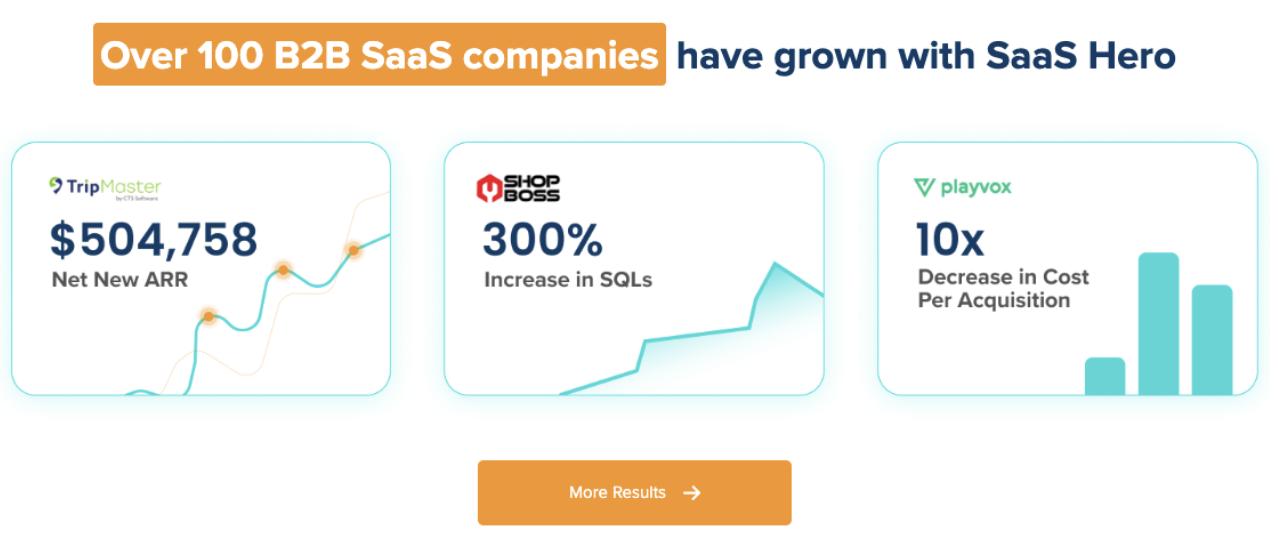
SaaSHero focuses on CRM outcomes as the optimization target. The team optimizes against qualified pipeline, lifecycle stage progression, and closed revenue, and treats platform-reported conversions as supporting signals. This approach matches the revenue attribution for LinkedIn Ads framework in this article: the data model lives in the CRM first, lifecycle stage transitions push back to LinkedIn via CAPI, and the reporting your CFO sees reflects closed-won revenue rather than form-fill volume.
Verifiable facts about SaaSHero:
- Founded 2018, with eight years operating
- 100+ B2B companies served
- Approximately $16M annual ad spend under management and over $60M lifetime
- Roughly 20 full-time specialists including in-house designers and copywriters
- Google Premier Partner (top 3% of agencies)
- G2 High Performer in Digital Marketing for 2+ consecutive years, ranked #20 of approximately 6,000 agencies
- Flat retainer indexed to total monthly ad spend, independent of channel count or percentage of spend
- Clients own all accounts, assets, and files

Explore related analysis: LinkedIn Ads ROI vs Google Ads, Meta and Other B2B Platforms and LinkedIn Ads for B2B Pipeline: Revenue-Attributed Strategy.
Talk With SaaSHero About Attribution
Frequently Asked Questions
What Is the 180-Day Lookback Window in LinkedIn’s Revenue Attribution Report?
The 180-day lookback window is the default period during which LinkedIn looks back from a CRM outcome such as a closed-won opportunity to find ad engagement. If a prospect first saw your LinkedIn ad in January and the deal closed in September, that deal falls outside the default window and does not appear in the Revenue Attribution Report. You can extend the window to 365 days in RAR settings, which is the correct configuration for companies with 6–9 month sales cycles. However, LinkedIn’s CAPI conversion rules cap most conversion types at 90 days, though a 180-day attribution window option was added for several conversion types, and only Lead, Qualified Lead, Purchase, and Submit Application support a 365-day window. The practical implication is that RAR and CAPI must be configured together, with the RAR window extended and the correct conversion types selected in CAPI, or reported revenue will be structurally understated for any company with a sales cycle longer than three months.
How Do I Define an Influenced Opportunity in Salesforce or HubSpot?
An influenced opportunity has at least one contact with a LinkedIn campaign membership within 180 days before opportunity creation, and that contact holds a role of Influencer or Decision Maker on the opportunity. In Salesforce, this requires the Campaign Member object with LinkedIn campaign ID, the Opportunity Contact Role object, and custom fields on the Opportunity record for “LinkedIn Influenced” (checkbox) and “LinkedIn Influence Date Range” (date range). In HubSpot, use the Deal-Contact association and a custom property that rolls up LinkedIn campaign membership from any associated contact. Contacts with no role or an “End User” role should be excluded, because they inflate the influenced number and will not survive CFO review. The threshold definition, including which roles count, what the lookback window is, and whether the touchpoint must precede opportunity creation, must be documented and applied consistently so the number remains defensible across reporting periods.
What Is the Difference Between LinkedIn-Sourced and LinkedIn-Influenced Revenue?
LinkedIn-sourced revenue is closed-won revenue where LinkedIn was the first recorded touchpoint in the CRM. The deal would not exist in the pipeline without LinkedIn initiating the relationship. It is measured using a first-touch attribution model and carries the highest CFO defensibility because it makes a direct causation claim. LinkedIn-influenced revenue is closed-won revenue where LinkedIn was one of multiple touchpoints before close. LinkedIn contributed to the deal but was not the sole source. It is measured using an any-touch or linear attribution model and requires a threshold definition covering contacts, roles, and lookback window to be credible. Sourced revenue always sits as a subset of influenced revenue. Pipeline influenced is a third metric covering open opportunities where LinkedIn is a touchpoint, which is directional and useful for in-flight reporting but cannot be presented as closed revenue. Revenue ROAS, defined as closed-won revenue divided by LinkedIn ad spend, is the most defensible single metric for board reporting because it uses only realized revenue in the numerator.
How Do I Handle a Buying Committee With Multiple Contacts in Attribution?
Match at the account level rather than the contact level. If any contact on the opportunity has a LinkedIn campaign membership within the defined lookback window, the entire opportunity is LinkedIn-influenced. Count the opportunity once regardless of how many contacts saw the ad, because double-counting inflates the influenced revenue figure and erodes credibility with finance. In Salesforce, Campaign Influence 2.0 with a custom model handles this by evaluating all contact roles on the opportunity and applying the influence rule if any qualifying contact is a campaign member. In HubSpot, a custom property on the Deal record that rolls up LinkedIn membership from all associated contacts achieves the same result. The account-level matching logic becomes especially important for enterprise deals where the person who fills out the form may be a junior researcher while the economic buyer, who also saw the LinkedIn ad, never identifies themselves through a form submission.
Can LinkedIn Revenue Attribution Prove Incrementality?
LinkedIn revenue attribution cannot prove incrementality on its own. Attribution shows correlation between LinkedIn touchpoints and closed revenue, but a deal marked as LinkedIn-influenced can still be a deal that would have closed without LinkedIn. To prove incrementality, you must run a controlled experiment. Options include a holdout test that suppresses ads for a randomly selected control group and compares conversion rates against the exposed group, a geo test that pauses LinkedIn in matched geographic regions and compares pipeline outcomes, or a matched-account experiment that shows ads to half of a named account list and withholds them from the other half. Each method has volume and duration requirements. User-level holdouts require sufficient campaign volume to reach statistical significance, typically over six to eight weeks for B2B SaaS programs with modest monthly conversion counts. Geo tests require 10–15 matched geographic pairs and a minimum four-week runtime. Incrementality testing should appear in quarterly planning as a recurring practice, rotating through highest-spend channels, because a channel’s incremental value can change as markets and buyer behavior shift.
What CRM Fields Do I Need Before I Start?
Three categories of fields are required before any LinkedIn attribution build becomes meaningful. First, the Campaign Member object in Salesforce, or the Contact timeline in HubSpot, must include the LinkedIn campaign ID so that ad exposure can be linked to a specific contact record. Second, the Opportunity Contact Role in Salesforce, or Deal-Contact association in HubSpot, must be populated and maintained, because without it there is no way to connect an opportunity to the contacts who were exposed to LinkedIn ads. Third, custom fields on the Opportunity record are needed, including a “LinkedIn Influenced” checkbox and a “LinkedIn Influence Date Range” date field. Without these three categories in place, the attribution model has no data to work with, and any numbers produced by LinkedIn’s RAR or CAPI will be impossible to reconcile against CRM reality.
How Long Does It Take to Build the Full Attribution Pipeline?
Initial LinkedIn attribution setup, including CRM field configuration, CAPI connection, and conversion rule creation, typically takes one to two weeks when building a direct Conversions API integration, per LinkedIn’s Conversions API documentation. Full data maturity requires one complete sales cycle, which for a 6–9 month average deal means six to nine months before the attribution reflects a statistically meaningful sample of closed-won revenue. The CAPI connection and conversion rule changes produce immediate improvements in LinkedIn’s optimization signal, but the revenue attribution report only becomes reliable once enough deals have closed under the new configuration to represent the actual sales cycle. Teams that evaluate the attribution build at 30 or 60 days are evaluating setup activity rather than outcomes. The correct evaluation window is one full sales cycle after the build is complete.
Conclusion and Next Steps
The CRM-first build sequence follows a clear order. Define the influenced opportunity with a defensible role threshold. Match the buying committee to the account rather than tracking contacts in isolation. Push lifecycle stage transitions back to LinkedIn via CAPI so the algorithm optimizes toward closed-won rather than form fills. Separate sourced from influenced revenue with consistent model definitions. Finally, test incrementality to verify that the attribution reflects causation rather than correlation.
The next steps for a VP of Marketing or RevOps lead at a company with a 6–9 month sales cycle are straightforward:
- Audit your CRM data model to confirm Campaign Member sync, Opportunity Contact Roles, and custom influence fields are in place.
- Define your influenced-opportunity logic, including role threshold, lookback window, and touchpoint type that will withstand CFO scrutiny.
- Configure lifecycle stage pushback, decide which transitions go to LinkedIn via CAPI, and confirm that the correct conversion types support your required attribution window.
- Run an incrementality test, using a holdout, geo, or matched-account design, to verify that the influenced revenue your model reports reflects deals that would not have closed without LinkedIn.
SaaSHero manages this end to end, including the CRM data model, the LinkedIn CAPI connection, the sourced-versus-influenced reporting your CFO accepts, and the incrementality testing that proves the model works. See also: How to Track LinkedIn Campaign ROI to Closed-Won Revenue.
Build Your Revenue Attribution Pipeline