




Written by: Aaron Rovner, Founder, Saas Hero | Last updated: July 28, 2026
Key Takeaways
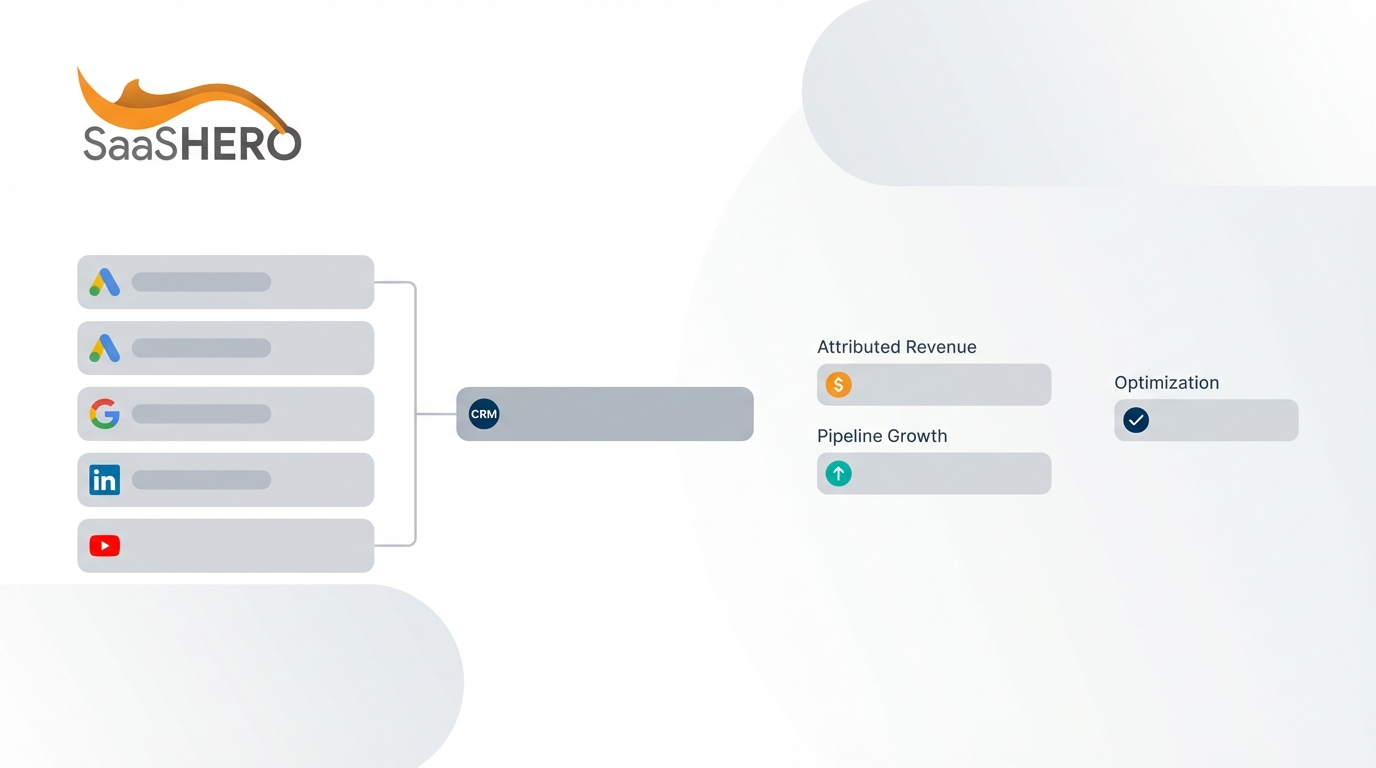
- CRM-integrated ad tracking captures click identifiers and UTM parameters at the click moment, then stores them on CRM records. This closed-loop system replaces vanity metrics with CAC, payback period, and influenced-pipeline numbers.
- The 5-step core setup sequence covers click-ID capture at the source, consistent UTM naming, CRM field mapping, identifier propagation through the pipeline, and closed-won value uploads to ad platforms.
- HubSpot and Salesforce each require specific steps to connect LinkedIn Ads and Google Ads. These include creating custom fields, adding hidden form fields, propagating identifiers to deals or opportunities, and syncing offline conversions.
- 2026 benchmarks show B2B SaaS companies should target a 16-month median CAC payback period, with top performers at 6 months or fewer. Value-based bidding can generate 3× more pipeline at 31% lower cost per lead.
- SaaSHero runs this tracking sequence for every B2B SaaS client and treats it as mandatory before scaling media spend. Book a discovery call to review your current CRM and ad-platform setup.
5-Step Core Setup Sequence for B2B SaaS Tracking
This sequence applies to B2B SaaS teams running paid campaigns on Google Ads, LinkedIn, or Meta with HubSpot or Salesforce as the system of record.
- Enable click-ID capture at the source. Turn on auto-tagging in Google Ads under Admin > Account Settings > Auto-tagging so the GCLID appends to every destination URL. For LinkedIn, confirm the Insight Tag fires on all pages so li_fat_id is available. For Meta, deploy the Conversions API (CAPI) alongside the pixel. Browser-only pixel tracking captures 50–65% of conversions, while adding CAPI raises measured conversions above 95%.
- Enforce UTM consistency with a taxonomy document. Define a single naming convention, such as utm_source=linkedin and utm_medium=paid-social, and enforce it with a shared spreadsheet or URL builder. Naming variations such as “linkedin” versus “LinkedIn_Paid” cause analytics platforms to treat them as different sources and fragment attribution data over time.
- Map CRM fields for every identifier. Create custom contact properties in HubSpot or custom Lead and Contact fields in Salesforce for gclid, msclkid, li_fat_id, and all five UTM parameters. HubSpot does not natively auto-capture click IDs; each identifier requires a custom property, a hidden form field, and JavaScript that stores the value in a cookie and populates the field at submission.
- Propagate identifiers through the CRM pipeline. Write workflows that copy the GCLID and UTM fields from the Contact record to the associated Deal or Opportunity record at creation. In enterprise B2B SaaS with 90- to 365-day sales cycles, GCLID must be propagated via CRM workflows from Lead to Contact to Opportunity, or closed-won conversions will lack an attribution key when imported after the standard 30-day window.
- Upload closed-won values to ad platforms. Configure offline conversion imports or Enhanced Conversions for Leads so that when a deal closes in the CRM, the revenue value is sent back to Google Ads, LinkedIn, and Meta. Companies importing offline conversions and using value-based bidding generate 3× more pipeline at 31% lower cost per lead than those optimizing toward form fills.
SaaSHero executes this sequence for every B2B SaaS client and treats tracking architecture as a prerequisite before scaling media spend. Book a discovery call to map your current CRM and ad-platform setup against this sequence.
The following two sections translate this 5-step framework into platform-specific checklists. HubSpot with LinkedIn Ads comes first because this pairing is the most common among mid-market B2B SaaS teams, followed by Salesforce with Google Ads for enterprise setups.
HubSpot + LinkedIn Ads Tracking Checklist
| Step | HubSpot Action | LinkedIn Action |
|---|---|---|
| 1. Install tracking | Confirm HubSpot tracking code is live on all pages | Deploy LinkedIn Insight Tag site-wide, then verify in Campaign Manager > Account Assets > Insight Tag |
| 2. Create CRM field | In Settings > Properties > Contact properties, create single-line text field “LinkedIn Click ID” (internal name: li_fat_id) | No action required in LinkedIn; li_fat_id is appended automatically when the Insight Tag is active |
| 3. Add hidden form field | Add the li_fat_id property as a hidden field on every LinkedIn landing page form; add JavaScript to read the URL parameter and populate the field | Ensure destination URLs are not redirected, because redirects strip click ID parameters |
| 4. Capture UTMs | Repeat the hidden-field pattern for utm_source, utm_medium, utm_campaign, utm_term, and utm_content on all forms | Append all five UTM parameters to every LinkedIn ad destination URL using a consistent taxonomy |
| 5. Connect native integration | In Marketing > Ads > Connect Account, link LinkedIn Ads and enable “Track & sync conversions” for deal-stage events | In Campaign Manager, confirm the HubSpot integration is authorized under Account Settings > Matched Audiences > Connected Partners |
| 6. Propagate to Deal | Create a workflow: when Contact li_fat_id is known, copy the value to the associated Deal custom property “LinkedIn Click ID” | No action required |
| 7. Sync offline conversions | In Marketing > Ads > Settings > Track & sync conversions, map Deal Stage = Closed Won to a LinkedIn conversion event with deal amount as value | In Campaign Manager, confirm the conversion event is receiving data under Analyze > Conversion Tracking |
| 8. Validate | Submit a test form from a LinkedIn ad click and confirm li_fat_id and UTMs appear on the Contact record within 24 hours | Verify the test conversion appears in Campaign Manager within 48 hours |
Connecting HubSpot offline conversions to LinkedIn improves cost per SQL by 30–50%. Use the required UTM parameters for LinkedIn: utm_source=linkedin, utm_medium=paid-social, utm_campaign=[campaign-name], utm_content=[ad-id], utm_term=[audience-segment].
Salesforce + Google Ads Offline Conversion Sync Checklist
| Step | Salesforce Action | Google Ads Action |
|---|---|---|
| 1. Create custom fields | Add text fields on the Lead object for GCLID, utm_source, utm_medium, utm_campaign, utm_term, and utm_content | In Admin > Account Settings > Auto-tagging, enable “Tag the URL that people click through from my ad” |
| 2. Capture via Web-to-Lead | Add hidden fields to the Web-to-Lead form mapped to each custom field; deploy JavaScript to read URL parameters, store them in cookies, and populate fields at submission | Confirm destination URLs are not redirected and test that the gclid parameter survives to the landing page |
| 3. Propagate to Opportunity | Create a Process Builder or Flow so that when a Lead is converted, GCLID and UTM fields copy to the new Contact and Opportunity records | No action required at this stage |
| 4. Connect native integration | Install the Salesforce Google Ads integration via AppExchange or the Google Ads native connector and authorize under Setup > Connected Apps | In Tools > Data Manager, connect Salesforce as a data source and map Opportunity Stage = Closed Won to a conversion action with the Amount field as conversion value |
| 5. Migrate to Data Manager API | If you use a custom API script built on UploadClickConversions, migrate to the Data Manager API. The UploadClickConversions API request path was deprecated on June 15, 2026. | In Data Manager, enable Enhanced Conversions for Leads and map hashed email and phone fields alongside GCLID as match keys |
| 6. Enable Enhanced Conversions | Ensure Contact email and phone fields are populated at lead creation so hashed data is available for matching | In Google Ads > Goals > Conversions, enable Enhanced Conversions for Leads and map a consent property for data sharing |
| 7. Set conversion action priority | No action required | Set new offline conversion actions to Secondary initially so Smart Bidding learns the signal without destabilizing delivery, then promote to Primary after 30 or more conversions accumulate |
| 8. Validate | Submit a test lead, convert it, and close the Opportunity, then confirm GCLID is present on the Opportunity record | Check Google Ads > Goals > Conversions > Diagnostics to confirm the closed-won event is receiving data within 72 hours |
Use these required UTM parameters for Google Ads: utm_source=google, utm_medium=cpc, utm_campaign={campaign}, utm_term={keyword}, utm_content={creative}. Add ValueTrack parameters in the final URL suffix to auto-populate campaign and keyword fields.
Once this tracking infrastructure is live, the CRM-to-ad-platform connection unlocks a new class of revenue metrics. These metrics replace surface indicators such as impressions and click-through rate with numbers that describe capital efficiency.
2026 B2B SaaS Revenue Metrics Table
The table below highlights five revenue metrics that become measurable only when ad spend connects to closed-won CRM records. Use these benchmarks to check whether your current tracking setup gives finance the data required to judge acquisition efficiency.
| Metric | Definition | 2026 Median Benchmark | Top-Quartile Benchmark |
|---|---|---|---|
| CAC (Closed-Won) | Total sales and marketing spend divided by the number of new customers acquired in the period, measured against closed-won CRM records only | $1.30 blended CAC ratio (S&M spend per $1 new ARR) | SaaS Magic Number of 1.1 (new ARR generated per $1 S&M spend) [top-quartile benchmark] |
| CAC Payback Period | Months required to recover CAC from gross margin, calculated as CAC ÷ (MRR × gross margin %) | 16 months (2026 Aleph × Benchmarkit, 342 companies) | 6 months or fewer |
| Pipeline per Ad Dollar (LinkedIn) | Total influenced pipeline value attributed to LinkedIn ads divided by total LinkedIn ad spend in the same period | Pipeline per $1 spent on LinkedIn (B2B benchmarks) | Substantially higher pipeline per $1 spent on LinkedIn (top performers) |
| Influenced Pipeline ROAS (LinkedIn) | Closed-won revenue attributed to LinkedIn ad touchpoints divided by LinkedIn ad spend | Greater than 1x (median benchmark for LinkedIn) | Higher than median (top-quartile benchmark for LinkedIn) |
| LTV:CAC Ratio | Customer lifetime value divided by blended CAC, which measures long-term return on acquisition investment | 2.5–3.5x for $1M–$10M ARR companies | 4x or better for larger ARR companies |
The payback period shown in the table above represents a significant capital commitment, because companies must fund many months of operations before recovering acquisition cost. These benchmarks are only calculable when ad spend connects to closed-won CRM records, which makes the tracking setup described earlier a prerequisite for measuring capital efficiency.
Attribution Model Decision Framework
The table below maps each attribution model to its B2B SaaS applicability and primary limitation so you can match model choice to sales cycle length and CRM data quality. In 2026, 67% of B2B teams still rely on last-touch attribution even though it fails to capture the full buyer journey. Use the Best-Fit Scenario column to identify which model aligns with your current stage and data infrastructure.
Case studies of multi-touch attribution show typical budget reallocations of 30–50% and CAC reductions ranging from 21–35%. For most B2B SaaS teams at Series A to Series B, W-shaped attribution in HubSpot or Salesforce provides a practical balance between accuracy and CRM data requirements. HubSpot’s deal-create and revenue attribution reports require Marketing Hub Enterprise; lower tiers are limited to contact-create reports that measure lead volume rather than pipeline or revenue contribution.
The attribution models above depend on a stable technical foundation that sends conversion data from your CRM to ad platforms. In 2026, both Google and Meta introduced API changes that affect how that data flows, and teams using deprecated endpoints risk silent failures in offline conversion imports. The next section covers three updates you need to keep your tracking compliant.
2026 Value-Based Bidding and Conversion API Updates
Google’s 2026 rollout moved offline conversion imports and Enhanced Conversions for Leads toward the Data Manager API, which now serves as the primary setup path and replaces older Google Ads API upload methods for many accounts. The changes below directly affect CRM-integrated tracking setups.
Google Data Manager API migration: The UploadClickConversions request path in the Google Ads API was deprecated on June 15, 2026 for developer tokens that had not used the endpoint between December 2025 and May 2026. Standard native CRM connectors, such as HubSpot’s Google Ads integration and Salesforce’s native integration, remain supported. Custom API scripts built on the legacy endpoint require migration to the Data Manager API.
Enhanced Conversions for Leads: Enhanced Conversions for Leads now provides the recommended and more durable method for matching first-party data to ad interactions when GCLID alone is missing or unreliable, using GCLID plus hashed email and phone as match keys. Google’s Enhanced Conversions for Leads feature improves conversion tracking when you rely on first-party data.
Value-based bidding sequence: Value-based bidding for B2B SaaS uses predicted customer lifetime value or later-stage pipeline value, with proxy values calculated as Conversion value = Average deal size × Profit margin × Lead-to-close rate (for example, a $20,000 deal × 40% margin × 15% close rate = $1,200 per lead). Many B2B SaaS accounts generate fewer than 15 closed-won deals per month, which falls below the volume Smart Bidding needs. Smart Bidding requires at least 15 conversions per month of the target event before it can reliably drive bidding, so earlier funnel stages such as MQL and SQL should be sent with graded values to provide learning signals while Closed Won volume accumulates.
Meta Conversions API (CAPI): Meta discontinued its legacy Offline Conversions API in May 2025, so offline and CRM events must now be sent through the unified Meta CAPI by setting action_source to physical_store or by using the Conversion Leads Integration for B2B funnels. For offline or CRM-sourced events sent via CAPI, event_time can extend significantly in the past, which enables accurate attribution of closed-won revenue that occurs long after the initial click.
Book a discovery call to audit whether your current Google Ads and Meta setups use the 2026-compliant Data Manager API and CAPI paths.
Common Mistakes and Real Consequences
- Using a 30-day attribution window for a 90-day sales cycle. Long sales cycles paired with short attribution windows miss much of the customer journey and systematically assign all credit to late-stage channels such as branded search and direct traffic. The consequence is budget reallocation away from top-of-funnel campaigns that actually generate pipeline.
- Failing to propagate GCLID from Lead to Opportunity in Salesforce. In enterprise B2B SaaS with 90- to 365-day sales cycles, GCLID must be propagated via CRM workflows from Lead to Contact to Opportunity records, or closed-won conversions will lack an attribution key when imported after the standard 30-day window. The consequence is that closed-won deals cannot be matched to the originating click, which makes offline conversion imports return zero data.
- Optimizing ad platforms on all form submissions. Optimizing ad platforms on all form submissions trains algorithms to prioritize volume over quality, because low-intent leads receive the same value as high-intent buying committee members. The consequence is that Smart Bidding learns to target users who fill out forms but never become pipeline, which inflates CPL while degrading SQL quality.
- Inconsistent UTM naming conventions across teams. Naming variations such as “linkedin” versus “LinkedIn_Paid” cause analytics platforms to treat them as different sources and fragment attribution data over time. The consequence is that channel-level CAC calculations become unreliable and prevent accurate budget allocation decisions.
- Relying solely on browser-based pixels without server-side tracking. Browser-based pixel tracking is degraded by ad blockers, Safari’s Intelligent Tracking Prevention, Firefox protections, and Apple’s App Tracking Transparency, so real conversions from privacy-conscious users reach the CRM with no ad attribution attached. Server-side conversion tracking via the Conversions API achieves 15–30% more complete conversion attribution than browser pixels alone.
Frequently Asked Questions
What is the difference between CAC calculated on form fills versus closed-won revenue?
CAC calculated on form fills divides ad spend by the number of leads generated and includes unqualified contacts, spam submissions, and prospects who never enter the sales pipeline. CAC calculated on closed-won revenue divides total sales and marketing spend by the number of new customers who signed a contract, which produces the unit-economic figure that finance teams and investors use to evaluate capital efficiency. Only the closed-won version connects to payback period and LTV:CAC ratio calculations. The payback benchmark referenced earlier from the 2026 Aleph × Benchmarkit study is based on closed-won data from 342 B2B SaaS companies, not lead volume.
How long does it take to see value-based bidding improvements after connecting CRM data to Google Ads?
Google’s Smart Bidding requires a minimum of 15 conversions per month of the target event before it can reliably influence delivery. For most B2B SaaS accounts where closed-won volume is low, the recommended approach is to first send mid-funnel events such as MQL, SQL, and Opportunity Created with graded proxy values to build learning signal, then layer in closed-won values as they accumulate. Google recommends starting with a Target ROAS set 20% below the historical ROAS average and tightening by no more than 10–15% after the 14-day learning period. Accounts that migrate from Target CPA to Target ROAS with actual deal values from the CRM often see higher conversion value at similar ad spend.
Which HubSpot tier is required to run revenue attribution reports?
HubSpot’s deal-create and revenue attribution reports require Marketing Hub Enterprise. Professional editions support contact-create attribution using first-touch and last-touch models and provide deal-create reports with limited model options, but full revenue attribution with W-shaped or custom models remains an Enterprise-only feature. Teams on Professional tiers can approximate revenue attribution by building custom reports that join GCLID-tagged contacts to associated closed-won deals, although they will not have access to HubSpot’s native multi-touch attribution interface. Enterprise users can configure attribution windows of 6 to 12 months to cover full B2B sales cycles.