




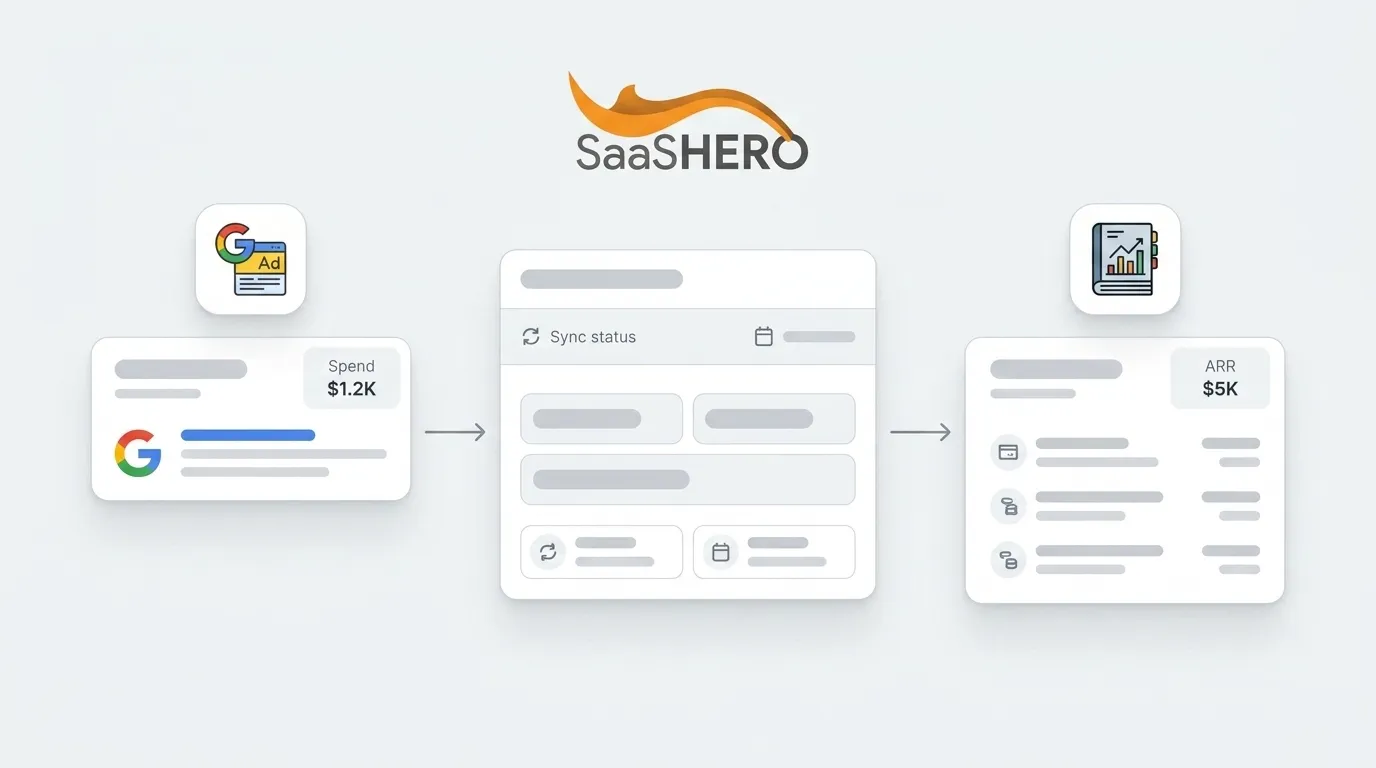
Written by: Aaron Rovner, Founder, Saas Hero | Last updated: September 6, 2026
Key Takeaways
- Google Ads accounting tools sync ad spend, fees, and taxes into QuickBooks or Xero. This removes manual entry and gives real-time financial visibility.
- Manual reconciliation breaks at scale. It consumes 6–12 hours per cycle, carries error rates above 15%, and produces unreliable CAC and ARR data for B2B SaaS teams.
- ConnectBooks, Zapier, Stitch, and custom APIs serve different needs. Mid-market teams usually get the best results from purpose-built tools like ConnectBooks for fast, accurate ledger sync.
- Proper campaign architecture with consistent naming, revenue-aligned conversions, and relevant landing pages keeps accounting data clean and financial reporting accurate.
- At scale, warehouse-first attribution connects ad spend to CAC and ARR, enabling automated reconciliation and direct ties between paid media and revenue outcomes.
The Problem: Why Manual Reconciliation Fails At Scale
Manual ad spend reconciliation typically consumes 6–12 hours per billing cycle, and manual reconciliation error rates exceed 15% per cycle according to Gartner research on finance operations automation. For a B2B SaaS company spending $15,000–$50,000+ monthly on Google Ads, the stakes exceed agency billing. Budget decisions are made on stale, inaccurate data.
The specific failure modes compound quickly:
- Platform-reported conversions do not match CRM revenue. A 10–15% discrepancy is normal, but a 40%+ gap indicates a serious tracking problem.
- Currency conversion timing mismatches. A spend figure converted using a daily FX rate versus an invoice figure converted using a monthly average rate can differ by roughly $100 on a $10,000 media line. This variance is legitimate and often misread as an error.
- Threshold-based billing creates timing gaps. Google Ads charges via automatic payments at thresholds of $500–$5,000, or monthly invoicing for managed accounts spending $5,000+/month. Each billing pattern requires a different reconciliation approach.
- Duplicate transactions inflate expenses. If an accounting system already has a bill created for a vendor payment and the bank sync also imports the corresponding debit, the result is two debit entries that corrupt the P&L.
A 20-person agency running $300K/month in client ad spend can easily have $50K–$80K in unreconciled float at any given time due to timing mismatches. For a B2B SaaS company, the equivalent is making CAC and payback decisions on numbers nobody can defend.
Automation solves these problems when you choose the right tool. The options range from purpose-built accounting sync tools to general automation platforms and full data pipelines.
The Tool Landscape: How To Choose Your Google Ads Accounting Software
Choosing the right tool depends on your team size, technical resources, and whether you need simple ledger sync or full data warehousing. The table below compares the main options across best use cases, strengths, and limitations.
| Tool | Best For | Key Strength | Key Limitation |
|---|---|---|---|
| ConnectBooks | Multichannel sellers using QuickBooks or Xero | Purpose-built for ad spend sync with automated reconciliation, pricing starts at $75/month | Requires an existing QuickBooks or Xero subscription, inventory features only on higher-tier plans |
| Zapier | Lightweight automation between apps | Broad app connectivity, no-code setup | Lacks domain-specific accounting logic, per-step task limits can pause high-volume syncs at 75 tasks per run |
| Stitch | Data warehousing pipelines | Low-cost entry (~$100/month) for moving ad data to warehouses | Long-tail connectors lag behind API changes, no finance workflow engine |
| Custom API | Enterprise teams with developer resources | Maximum flexibility for real-time sync and deduplication | Requires ongoing maintenance, API versioning, rate limits of 500 requests per minute per company, and token management demand dedicated ownership |
For most mid-market B2B SaaS teams, a purpose-built tool like ConnectBooks offers the fastest path to clean reconciliation. Data warehousing via Stitch or custom APIs becomes the right architecture at scale, when the goal shifts from ledger sync to CAC and ARR attribution across the full revenue lifecycle.
How To Sync Google Ads To QuickBooks: A Step-by-Step Playbook
- Connect Your Google Ads Account To Your Integration Tool. Whether you use ConnectBooks, Zapier, or a custom API, authorize access between Google Ads and your chosen platform. ConnectBooks requires an active QuickBooks Online or Desktop subscription. For custom API integrations, production credentials require Intuit's app assessment, which typically takes 1–3 weeks.
- Map Your Chart Of Accounts. Create dedicated expense or liability accounts for pass-through ad spend. Use specific rules that match on the full description pattern, such as "contains Google Ads" rather than "contains Google," to avoid miscategorizing Google Cloud or Workspace charges as advertising spend.
- Configure Tax Codes And Currency Settings. Google Ads charges in your billing currency. For multi-currency operations, set your integration to convert spend using the FX rate applicable at the time it was spent, rather than a monthly average.
- Set Up Automated Sync Frequency. Run syncs daily at a specific time, such as 6 AM, so dashboards are current when your team logs in. Pull monthly reconciliation on the 2nd rather than the 1st to allow for Google's 24–48 hour reporting finalization lag.
- Reconcile Transactions And Review Reports. Flag variances greater than 3–5% for performance campaigns. Run a test sync with a small dataset before enabling live sync. Google Ads applies credit adjustments for invalid clicks and overdelivery within 24–48 hours of the billing period closing. Run reconciliation after that window.
Common Mistake: Skipping deduplication logic when syncing bank transactions leads to double-counted entries that inflate expenses and corrupt the P&L. Build the deduplication check as the first step in the write logic. Match on date, amount, description, and account code before writing any transaction.
If your company uses Xero instead of QuickBooks, the process follows the same pattern with a few key differences in authentication and token handling.
How To Sync Google Ads To Xero: A Step-by-Step Playbook
- Connect Your Google Ads Account To Your Integration Tool. Xero uses OAuth 2.0 with PKCE, and the older OAuth 1.0a flow has been fully deprecated since 2021. Confirm that your tool supports Xero's current authorization flow.
- Map Your Chart Of Accounts. Xero requires mapping expense types and tracking categories. Set up a dedicated "Advertising" account with a class or tracking category per campaign or cost center.
- Configure Tax Codes And Currency Settings. Xero supports multi-currency. Ensure your integration applies the correct FX rate at the time of spend, rather than a period average.
- Set Up Automated Sync Frequency. Xero access tokens expire after 30 minutes, and your integration tool must handle token refresh automatically. Schedule daily syncs and pull monthly reconciliation on the 2nd or 3rd of the month.
- Reconcile Transactions And Review Reports. Xero webhooks notify in real time on create and update events, so ensure your integration validates the HMAC-SHA256 signature and responds within 5 seconds.
Common Mistake: Not accounting for the threshold-based billing model described earlier leads to mismatched timing in Xero. Each billing pattern requires a tailored reconciliation approach.
If you are spending more than $15,000/month on Google Ads and still reconciling manually, financial distortion compounds every quarter. Connect your ad spend to CRM revenue data with SaaSHero.
Best Practices For Campaign Setup That Ensure Clean Accounting Data
Clean accounting data starts with campaign architecture. A 10–20% discrepancy between platform-reported conversions and actual business results is normal due to attribution windows and cross-device gaps; larger gaps indicate double-counting or missing conversions that corrupt financial reporting. To keep your data clean, follow these four practices.
- Use Consistent Campaign Naming Conventions. Standardize account identifiers across systems before automation begins, using an internal client ID as a naming convention in Google Ads labels. This approach lets every campaign match reliably across ad platforms, budgets, and billing records.
- Set Up Conversion Tracking That Aligns With Revenue Events. Define 3–5 conversion events that most directly predict revenue. Optimizing toward low-intent actions trains Smart Bidding to find people who fill out forms rather than people who buy. Separate primary from secondary conversions, and feed only primary conversions into account-wide optimization.
- Avoid Broad Match Keywords That Generate Irrelevant Spend. Broad match interprets "intent" liberally. A term like "accounting software" can match "how does accounting work." Both clicks cost the same, but neither converts. Review the search terms report weekly and add negatives continuously.
- Ensure Landing Pages Are Relevant To Reduce Wasted Spend. Landing page misalignment appears in 63% of audited Google Ads accounts and causes an average conversion rate loss of 20–35%. If your landing page conversion rate falls below 3%, fix the page before adjusting bids or match types.
Advanced Architecture: Data Warehousing And Attribution To CAC/ARR
For B2B SaaS teams with 6–9 month sales cycles, ledger sync forms the foundation. The next layer connects ad spend to CAC and ARR through a governed data warehouse.
Moving attribution into BigQuery is recommended for transparency and auditability because every attribution credit is traceable, version-controlled, and defensible. By exporting event-level GA4 data into BigQuery, organizations gain full visibility into every touchpoint, timestamp, and parameter without the aggregation constraints of the UI.
The recommended architecture is warehouse-first. Raw platform data lands in a unified warehouse schema via managed connectors, with attribution, deduplication, pacing, and reconciliation all run as governed transforms on top, making the warehouse the single source of truth.
For multi-touch attribution, last-click is the wrong model for B2B. Last-click assigns the conversion to a branded search that happened after the buyer was already convinced. This defunds the channels that actually created demand. GA4's data-driven attribution is a statistical estimate, not a ledger of causation. Treat it as directional for week-to-week steering rather than the number you defend to a CFO.
By end of 2026, at least 25% of B2B marketing teams above $20M ARR are projected to adopt warehouse-native measurement as their primary attribution layer. These teams prioritize data ownership and auditability over suite-native black-box reporting.

At SaaSHero, we push lifecycle stage events back into the ad platforms so the algorithm learns from qualified outcomes rather than page events. We optimize against CRM revenue data, connecting closed-won deals back to the campaigns that sourced them. See how this architecture works in practice with SaaSHero.

Common Pitfalls And Troubleshooting
- Duplicate Transactions. If a bill already exists for a vendor payment and the bank sync also imports the corresponding debit, you get two entries that inflate expenses. Prevent this by matching on date, amount, description, and account code before writing any transaction into the accounting system. Make this check the first step in the write logic.
- Mismatched Currency. Spend must be converted to the invoice currency using the FX rate applicable at the time it was spent. The FX rate variance example mentioned earlier shows how daily versus monthly averages can create large but legitimate differences.
- Delayed Syncs. Platform reporting lag means pulling data too early captures incomplete results. Align your reconciliation schedule with the reporting lag discussed earlier.
- Value Inflation From Stacked Tracking Distortions. Double-counted micro-conversions, mis-weighted primary versus secondary goals, and stale conversion value rules can inflate reported account value by 20–40% without triggering any alarm in the Google Ads interface.
- Broad Categorization Rules. A rule that categorizes every transaction containing the word "Google" as "Advertising" will incorrectly categorize Google Cloud billing and Google Workspace subscriptions under the same account code. Use specific description-pattern matching.
Frequently Asked Questions
What Is CPA In Google Ads?
CPA (Cost Per Acquisition) in Google Ads is the average cost paid for a conversion, such as a form submission, demo request, or purchase, calculated by dividing total ad spend by the number of conversions. For B2B SaaS with long sales cycles, platform-reported CPA based on form fills rarely reflects true acquisition cost. To calculate real CPA, ad spend must be connected to closed revenue in the CRM, so the denominator is qualified pipeline or closed-won deals rather than raw form volume.
Does Google Have Its Own Accounting Software?
Google does not offer accounting software. Google Ads provides billing and invoicing tools within the platform, but these do not integrate with a general ledger. To sync Google Ads spend into QuickBooks, Xero, or NetSuite, third-party integration tools are required, such as purpose-built options like ConnectBooks, no-code middleware like Zapier, or custom API integrations built on the accounting system's REST API.
How Long Does It Take To Set Up A Google Ads To QuickBooks Sync?
Setup time for a Google Ads to QuickBooks sync varies based on the integration method and complexity. For a purpose-built tool like ConnectBooks, implementation typically takes a few days, including chart of accounts mapping and a test sync. Custom API integrations require Intuit's app assessment approval, which typically takes 1–3 weeks, plus development time. Initial Google Ads billing setup itself takes 2–4 hours including verification, and complex setups with custom events or CRM integrations can take a full day.
Can I Sync Google Ads To NetSuite?
Syncing Google Ads to NetSuite is possible but requires more sophisticated integration than QuickBooks or Xero. NetSuite implementations typically require richer dimensional mapping, including custom fields, classes, and subsidiaries, compared with SMB bookkeeping tools. Options include custom API integrations via NetSuite's REST API or middleware platforms. For B2B SaaS companies on NetSuite, data warehousing through BigQuery or Snowflake is often the recommended intermediate layer, with governed transforms handling attribution and reconciliation before data surfaces in NetSuite.
What Is The Best Google Ads Accounting Tool For A Small B2B SaaS?
For a small B2B SaaS company under $10M revenue and under $15,000 in monthly ad spend, ConnectBooks offers a fast path to automated reconciliation at a starting price of $75/month. Zapier can handle lightweight automation but lacks accounting-specific logic for complex reconciliation. For low monthly ad spend, such as a few thousand dollars across one vendor, a manual reconciliation spreadsheet is often more cost-effective than automation. Automation becomes worthwhile when reconciliation labor exceeds several hours per month or when error rates begin to affect budget decisions.
Conclusion: Automate Your Google Ads Accounting Today
Google Ads accounting tech forms the infrastructure layer that converts raw ad spend into defensible financial data. The right tool depends on scale: ConnectBooks for purpose-built ledger sync, Zapier for lightweight automation, Stitch for data warehousing pipelines, and custom APIs for enterprise flexibility. Clean campaign architecture with consistent naming conventions, revenue-aligned conversion tracking, and relevant landing pages creates the foundation that keeps any accounting integration accurate. At scale, a warehouse-first architecture with multi-touch attribution produces the board-ready answers about CAC and payback that manual processes cannot match.
SaaSHero is the outsourced inbound growth team for B2B companies. We own paid media, creative, landing pages, and reporting, all aligned to CRM revenue data rather than form-fill counts. Connect your Google Ads spend to the revenue metrics your board already cares about.