




Written by: Aaron Rovner, Founder, Saas Hero
Key Takeaways
- Capital efficiency now drives B2B SaaS priorities, so marketing automation must convert buyer intent into ARR without adding headcount.
- Most automation tracks vanity metrics, while these five revenue-tied workflows connect clear triggers to closed-won deals and payback period math.
- The workflows focus on five high-impact moments: demo requests, freemium sign-ups, ABM pricing visits, usage limits, and post-churn reactivation.
- Each workflow includes specific CRM handoff rules and attribution steps that support accurate revenue reporting.
- Implementation shifts by ACV: sales-led companies emphasize demo routing and ABM pricing visits, while product-led teams emphasize onboarding and usage-based upsells.
- Ready to audit your stack and roll out the right workflows fast? Book a discovery call with SaaSHero.
Executive Summary: Five Triggers and an ACV-Based Decision Framework
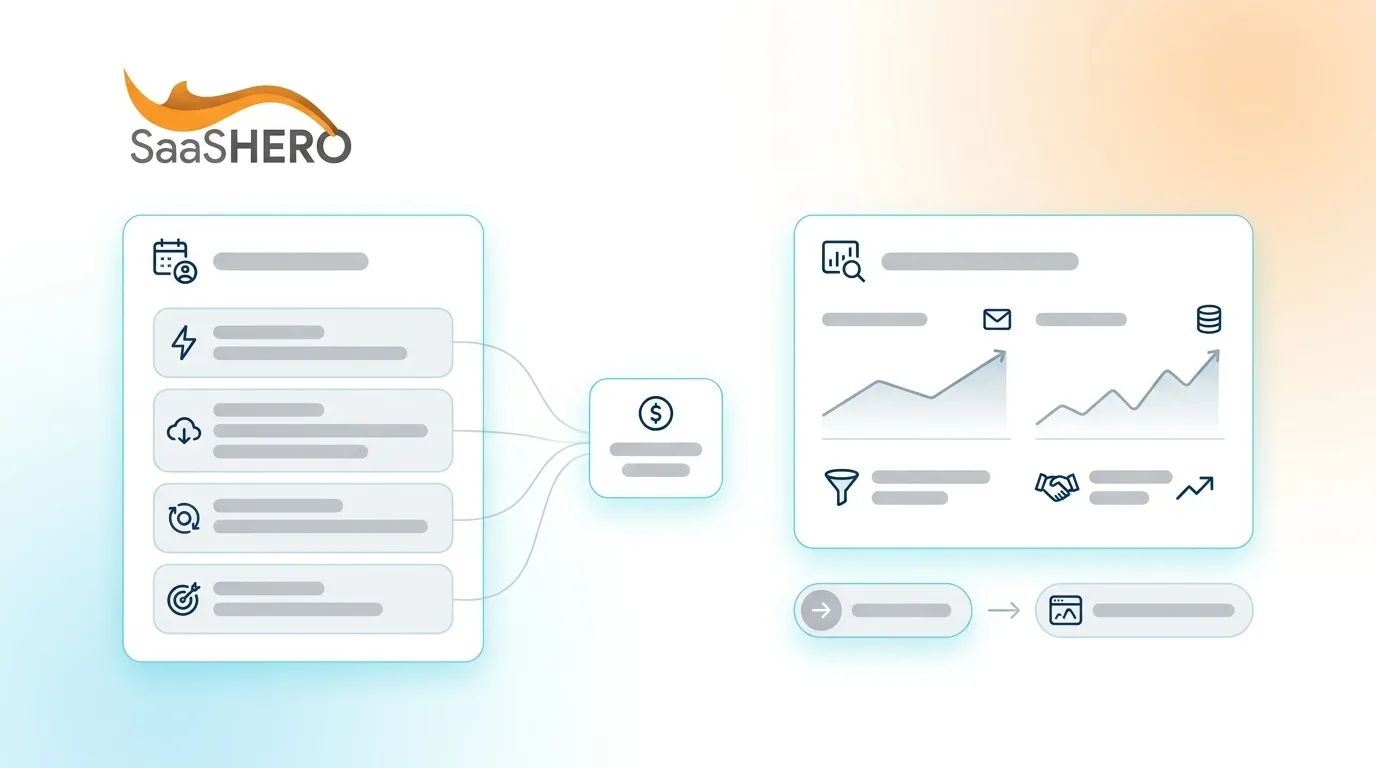
The five workflows align to the highest-leverage buyer moments in a B2B SaaS revenue cycle: a demo request, a freemium sign-up, an ABM account visiting the pricing page, a user nearing a usage limit, and a churned account going silent. Each moment reflects a specific level of intent and calls for a distinct automation response, CRM handoff rule, and attribution approach.
Before selecting which workflows to build first, apply this decision framework based on how your buyers make purchase decisions. In sales-led GTM companies with ACV above $10,000, buyers expect human interaction before committing, so speed-to-human and account-level intent become the main pipeline levers. This makes Workflow 1 (Demo-Request Routing) and Workflow 3 (ABM Pricing-Page Trigger) the highest priorities. In product-led GTM companies with ACV below $5,000, product behavior provides the most reliable purchase-intent signal, so Workflow 2 (Freemium Onboarding) and Workflow 4 (Usage-Limit Upsell) come first. Workflow 5 (Post-Churn Reactivation) supports both models and should go live as soon as a churn event is logged in the CRM. Companies with ACV between $5,000 and $10,000 usually run a hybrid motion and benefit from all five workflows running in parallel. The following sections break down each workflow’s trigger conditions, sequence structure, CRM configuration, and ACV-specific variations.
Workflow 1: Demo-Request Routing for High-Intent Leads
Trigger: A prospect submits any demo-request form, confirmed by a CRM contact record creation or update event.
Sequence: At T+0 minutes, send an immediate confirmation email with a calendar link (Calendly or Chili Piper) and a one-sentence value statement tied to the prospect’s industry when firmographic enrichment (Clearbit or Apollo) exists. At T+5 minutes, create or update the CRM deal, assign it to the correct sales rep based on territory or round-robin rules, and send a Slack or email alert to that rep with company size, industry, and page history. At T+1 hour, if no meeting is booked, send a follow-up email with a short case study relevant to the prospect’s vertical. At T+24 hours, if the meeting is still not booked, enroll the contact in a three-email sequence spaced 48 hours apart, each email addressing a different objection such as ROI, implementation time, or security.
CRM setup (HubSpot): Use a workflow with enrollment trigger “Form submission equals Demo Request form.” Set the deal stage to “Demo Scheduled” only when a calendar event is confirmed through the Meetings integration. Pass the original UTM source, medium, campaign, and GCLID into custom contact properties at the moment of form submission using hidden fields. This approach preserves first-touch attribution through to closed-won.
ACV variation: At the $25,000-plus ACV threshold described in the framework above, replace the automated calendar link with a direct rep call at T+15 minutes. The automation should create a rep task instead of sending a self-serve booking link, because high-ACV buyers expect a fast human response. For ACV below $5,000, keep the entire sequence fully automated through to a product trial activation.
Workflow 2: Day 0–14 Freemium Onboarding That Drives Conversion
Trigger: A new free account creation event fires from the product database to the CRM through a webhook or native integration such as Segment to HubSpot.
Sequence: Day 0: Send a welcome email with a single CTA that asks the user to complete one core action, the “aha moment” for your product. Day 1: If the core action remains incomplete, send a short in-app message and a plain-text email from the assigned CSM or founder. Day 3: If the core action is complete, send a “next step” email that highlights the feature most correlated with paid conversion in your cohort data. If the action is still incomplete, send a re-engagement email with a two-minute video walkthrough. Day 7: Send a use-case email segmented by the job title captured at sign-up. Day 10: If the user has logged in at least three times but has not upgraded, send a “you are getting value, here is what you are missing” email with a direct upgrade CTA. Day 14: If no upgrade and no activity in the last five days, move the contact to a low-frequency nurture sequence and flag the record for sales development review when company size exceeds 50 employees.
CRM setup (HubSpot or Salesforce): Create a custom object or property called “Onboarding Stage” with values Registered, Activated, Engaged, and Converted. Update this property through API calls from the product. Build workflow branches from each stage transition. This structure enables revenue reporting by cohort and by onboarding stage, which directly supports payback period calculations.
ACV variation: For PLG companies with ACV below $2,000, keep the entire sequence automated. For hybrid companies with ACV between $5,000 and $15,000, add a human touchpoint at Day 7 for any account with more than five active users, because multi-seat adoption signals strong expansion potential.
Workflow 3: ABM Pricing-Page Signals for Sales Outreach
Trigger: A contact from a target ABM account, defined by a named account list in the CRM, visits the pricing page two or more times within seven days, tracked by a CRM-connected website analytics tool such as HubSpot tracking code, Clearbit Reveal, or 6sense.
Sequence: At T+0, create a CRM task for the account owner with the subject line “High-intent pricing page visit, [Company Name]” and include the full session history. At T+1 hour, if the rep has not logged outreach, send an automated personalized email from the rep’s address using a send-on-behalf token in HubSpot or Outreach. Reference the account’s industry and a relevant customer outcome. At T+24 hours, if no reply, add the contact to a LinkedIn Ads audience through the CRM’s ad audience sync and serve a retargeting ad with a direct “Talk to Sales” CTA. At T+72 hours, if engagement is still missing, send a second email with a pricing FAQ or a “custom quote” offer for enterprise-tier accounts.
CRM setup: In HubSpot, use the “Page views” contact property with a list filter for “Is member of ABM target account list.” In Salesforce, use Pardot Engagement Studio or a custom flow triggered by a custom activity object written by your web tracking script. Ensure the deal record logs “Pricing Page Visit” as a touchpoint in the attribution model.
ACV variation: For ACV above $50,000, replace the automated email at T+1 hour with a direct phone task for the account executive. High-ACV enterprise buyers usually respond poorly to automated outreach at the pricing-page stage, so treat this signal as a priority for live contact.
Workflow 4: Usage-Limit Upsell and Cross-Sell Moments
Trigger: A product usage metric crosses 80% of the plan limit for seats, API calls, storage, or feature usage, depending on the primary monetization lever for your product. The product sends this event to the CRM through a webhook.
Sequence: At T+0, send an in-app notification and a transactional email from the product that says “You have used 80% of your [metric], here is what happens at 100% and how to avoid interruption.” Include a direct upgrade CTA. At T+3 days, if no upgrade occurs, send a second email from a CSM or account manager with a specific plan recommendation based on current usage trajectory. At T+7 days, if the account crosses 95% usage, trigger an urgent in-app banner and an email with a one-click upgrade option. At T+10 days, if no upgrade and usage hits 100%, create a CSM call task and pause non-essential marketing emails to reduce noise during this critical commercial moment.
CRM setup: Create a custom deal or opportunity record type called “Expansion” in HubSpot or Salesforce. When the 80% usage event fires, automatically create an Expansion deal linked to the existing account with an estimated value based on the ACV difference between the current plan and the next tier. This setup makes expansion revenue visible in the pipeline and clearly attributable to the workflow.
ACV variation: For low-ACV, high-volume PLG products, keep the upgrade path fully self-serve with a frictionless one-click upgrade. For mid-market accounts with ACV above $10,000, assign ownership of the upgrade conversation to the CSM and use automation to support that relationship instead of replacing it.
Ready to build these workflows with accurate CRM attribution from day one? Book a discovery call with SaaSHero.
Workflow 5: Post-Churn Reactivation Sequences
Trigger: A CRM deal or subscription record moves to “Churned” or “Cancelled” status, triggered by a cancellation event from the billing system such as Stripe or Chargebee synced to the CRM.
Sequence: Day 0: Log the churn reason from an exit survey or CSM notes as a CRM property and allow the relationship to cool without sending email. Day 14: Send a plain-text email from the former CSM or a senior leader that acknowledges the cancellation and asks one open-ended question about what would need to change for reconsideration. Day 30: If no reply, send a product update email that highlights two or three features or improvements released since churn, framed around the specific pain point recorded at cancellation. Day 60: If no engagement, move the contact to a quarterly “product news” cadence. Day 90: When a product update or pricing change directly addresses the logged churn reason, send a targeted reactivation email with a specific offer such as an extended trial, migration support, or a rate lock.
CRM setup: Tag every churned contact with a “Churn Reason” property using a controlled vocabulary such as Price, Missing Feature, Competitor, No Budget, or Went Out of Business. Build separate reactivation sequences for each reason category. This structure allows measurement of reactivation rate by churn reason and calculation of ARR recovered per sequence, which then feeds into payback period reporting.
ACV variation: For accounts with ACV above $20,000, replace the Day 14 email with a phone call from the account executive. The automation should trigger the task and pre-populate the call script with the churn reason and account history. For low-ACV accounts, the fully automated sequence remains appropriate and scalable. With all five workflows defined, the next critical step is connecting each one to measurable revenue through a clear attribution framework.
Revenue Attribution Framework for Workflow-Driven ARR
Attribution connects automation activity to closed-won revenue and makes payback period calculations credible to a board or investor. The foundation involves passing GCLID and UTM parameters from the ad click through to the CRM deal record.
Attribution depends on preserving the original traffic source from first click through to closed deal. At the point of any form submission or sign-up event, capture the following hidden fields: utm_source, utm_medium, utm_campaign, utm_content, utm_term, and gclid. Store these as custom contact properties in HubSpot or custom fields in Salesforce so they persist throughout the buyer journey. When a deal is created from that contact, copy these values to the deal record using a workflow action. When the deal reaches Closed-Won, these fields become available for revenue reporting by channel, campaign, and keyword.
To calculate payback period, divide the total marketing spend attributed to a cohort of closed-won deals by the gross margin ARR those deals generate per month. If $50,000 in marketing spend across Q1 produced $25,000 in monthly gross margin ARR from new customers, the payback period equals two months. This calculation requires that every closed-won deal carries an attributed spend value, which only becomes possible when GCLID and UTM data are captured and preserved in the CRM.
For multi-touch attribution, use HubSpot’s attribution reports or a dedicated tool such as Dreamdata or Triple Whale for B2B. The key requirement is that workflow touchpoints such as emails sent, sequences enrolled, and tasks created are logged as activities on the contact and deal record so they appear in the attribution path alongside paid media touchpoints.
Tool Stack and Setup Checklist by ACV Band
| ACV Range | Recommended Stack | Integration Effort | Primary Attribution Method |
|---|---|---|---|
| Below $5,000 | HubSpot Starter + Segment + Stripe | Low (2–4 weeks) | First-touch UTM to closed-won |
| $5,000–$15,000 | HubSpot Pro + Clearbit + Chili Piper | Medium (4–8 weeks) | Multi-touch HubSpot attribution |
| $15,000–$50,000 | Salesforce + Pardot or Marketo + 6sense | High (8–16 weeks) | Salesforce campaign influence + Dreamdata |
| Above $50,000 | Salesforce + Marketo + 6sense + Gong | High (12–20 weeks) | Custom multi-touch + revenue operations model |
Integration effort estimates reflect internal resource requirements for a team without a dedicated revenue-ops engineer. Engaging a specialized partner shortens these timelines by removing the trial-and-error phase of CRM configuration and tracking setup.
Frequently Asked Questions
Who should own these automation workflows, marketing, sales, or revenue ops?
Ownership depends on the workflow type and the data it uses. Demo-request routing and ABM pricing-page workflows require close coordination between marketing and sales, with revenue ops owning CRM logic and attribution setup. Freemium onboarding and usage-limit workflows usually sit with a growth or product marketing function because they rely on product event data. Post-churn reactivation works best when customer success or account management owns it, with marketing providing email templates and sequence structure. In companies without a dedicated revenue-ops function, the VP of Marketing or Head of Growth should own technical setup and measurement, while sales leadership remains accountable for rep-facing tasks and follow-through.
How do you measure whether a specific automation workflow drives revenue versus other marketing activities?
The most reliable method tags every automation touchpoint as a CRM activity and includes it in a multi-touch attribution model. For each workflow, create a custom deal property called “First Automation Touchpoint” that records which workflow sequence first engaged the contact. When deals close, segment closed-won revenue by this property to calculate ARR influenced by each workflow. For a cleaner test, run a holdout group by excluding 10–20% of eligible contacts from a specific workflow for 60–90 days and compare pipeline velocity and close rates between enrolled and holdout groups. This approach isolates the workflow’s incremental contribution to revenue.
What is a realistic budget for building and maintaining these five workflows?
Tool costs vary by stack tier, while implementation and ongoing improvement drive most of the budget. A HubSpot Pro subscription that supports all five workflows typically runs $800–$1,600 per month depending on contact volume. Implementation, including CRM configuration, tracking setup, sequence copywriting, and testing, usually requires 80–160 hours of skilled revenue-ops or marketing-automation work. Ongoing improvement, including A/B testing email copy, adjusting trigger thresholds based on cohort data, and updating sequences as the product evolves, requires 10–20 hours per month. Companies that attempt to build these workflows without dedicated expertise often spend two to three times longer in setup and see lower attribution accuracy, which weakens the payback period calculations used to justify the investment.
What are the most common failure modes when implementing these workflows?
Four failure modes appear most often. First, missing or broken UTM and GCLID capture makes attribution impossible and forces reliance on vanity metrics. Second, weak trigger conditions fire on the wrong event, such as enrolling a contact in a demo-request sequence when they submitted a generic contact form, which inflates sequence volume and harms deliverability. Third, missing CRM handoff logic means automation runs but sales reps never receive notifications or assignments, so high-intent signals go unactioned. Fourth, teams never update sequences after launch, so email copy references outdated features or pricing. A structured QA process before launch and a monthly review cadence prevent each of these issues.
How long does it take to see measurable pipeline impact from these workflows?
Workflow 1 (Demo-Request Routing) and Workflow 3 (ABM Pricing-Page Trigger) usually show measurable impact within 30–60 days because they operate near the bottom of the funnel where deals already exist. Workflow 2 (Freemium Onboarding) and Workflow 4 (Usage-Limit Upsell) typically show impact within 60–90 days, aligned to a standard free-to-paid conversion window. Workflow 5 (Post-Churn Reactivation) has the longest feedback loop, often 90–180 days before reactivation revenue becomes statistically meaningful, yet it usually delivers the lowest CAC because accounts already know the product. Across all five workflows, a company that implements them with proper attribution should report workflow-influenced ARR within one full quarter.
Next Steps with SaaSHero for Revenue-Tied Automation
SaaSHero builds, deploys, and improves revenue-tied marketing automation workflows for B2B SaaS companies at $1M–$20M ARR. The engagement model covers the full stack, including CRM configuration, UTM and GCLID tracking setup, sequence copywriting, trigger QA, and monthly performance reporting anchored to Net New ARR and payback period, not impressions or click-through rates.
Unlike generalist agencies that report on vanity metrics and bill as a percentage of spend, SaaSHero works on a flat monthly retainer with month-to-month terms. Every recommendation rests on data, not on increasing an agency fee. The team operates as an embedded extension of your marketing or revenue-ops function, integrated into your Slack and aligned to board-level growth targets.
The five workflows in this article provide a starting point. The real leverage comes from ongoing optimization, including adjusting trigger thresholds, testing email copy, refining CRM handoff logic, and tying automation performance to closed-won revenue. That work requires a partner who understands both technical architecture and the commercial realities of B2B SaaS growth.
Book a discovery call with SaaSHero to map these workflows to your GTM model, ACV range, and current CRM setup, and leave with a prioritized implementation plan tied to your next ARR milestone.