




Written by: Aaron Rovner, Founder, Saas Hero | Last updated: September 3, 2026
Key Takeaways
- Connecting Google Ads to Salesforce shifts bidding from form fills to revenue events like MQL, SQL, and Closed Won by feeding lifecycle stage data back into Smart Bidding.
- The legacy Google Ads–Salesforce integration ended May 31, 2025, and the Google Ads API will block Salesforce conversion uploads after June 15, 2026, so Data Manager becomes the only viable path forward.
- Enhanced conversions for leads use hashed first-party data with GCLID to improve match rates and deliver a median 10% lift in attributed conversions for many B2B accounts.
- Data quality limits performance more than configuration, so consistent GCLID capture, deduplication rules, unique transaction IDs, and monthly audits keep attribution accurate.
- Teams that want to audit their current setup and migrate before the June 2026 cutoff can book a discovery call with SaaSHero to see how CRM-driven optimization improves pipeline and ROAS.
Why Google Ads–Salesforce Integration Changes B2B Performance
In B2B paid acquisition, months often separate the ad click from the closed deal. Without a connection between Google Ads and Salesforce, the bidding algorithm cannot see what happens after a form submission. It optimizes toward form fills and finds people who like filling out forms instead of people who buy. Dashboards improve while pipeline stays flat.
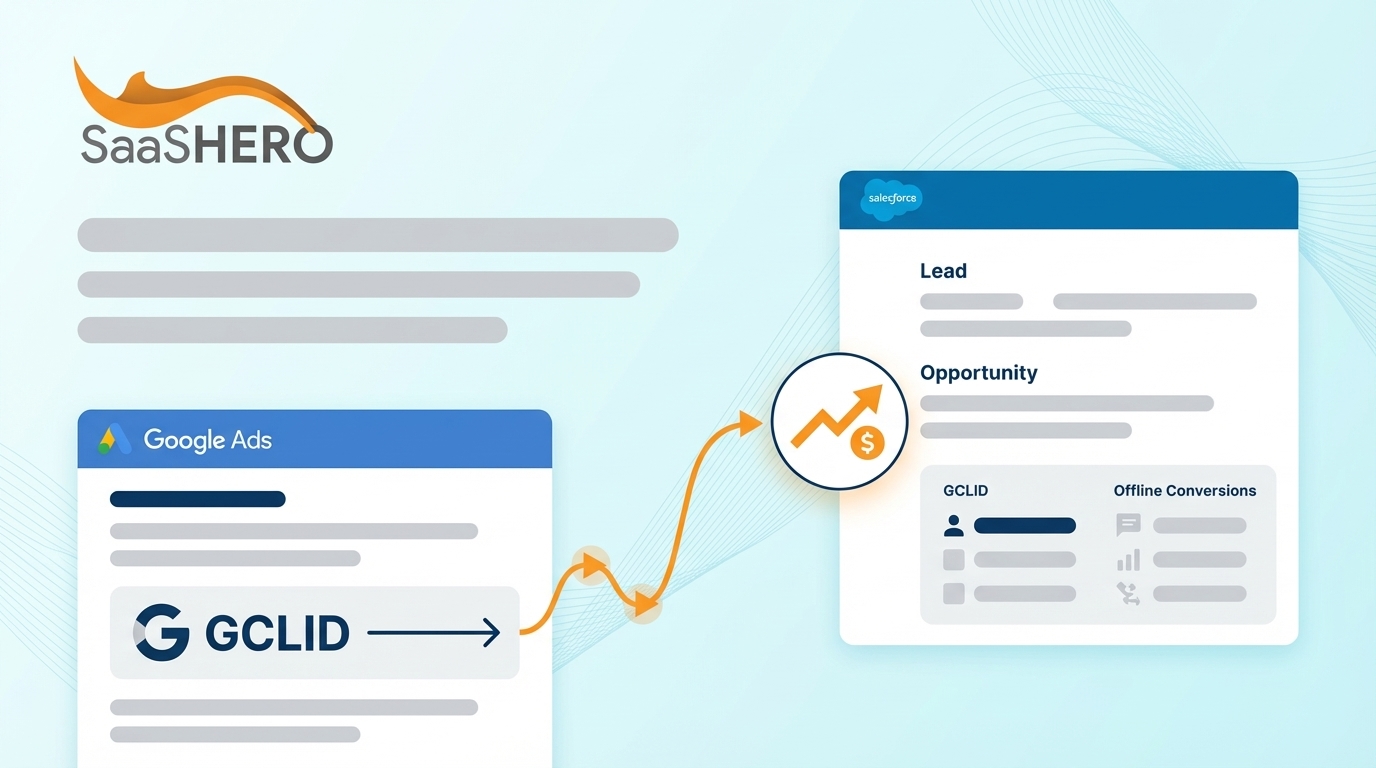
Connecting Google Ads to Salesforce closes that gap. Lifecycle stage events such as MQL, SQL, Opportunity Created, and Closed Won flow back into Google Ads as conversion signals. The account shifts from top-of-funnel optimization to revenue events that matter. This approach forms the core of CRM-driven paid acquisition and underpins every SaaSHero client engagement.
This guide serves RevOps managers, marketing operations specialists, and growth marketers at B2B companies running Salesforce Sales Cloud or Account Engagement (Pardot). The goal extends beyond syncing data. The objective is better ad performance through revenue-based optimization.
Book a discovery call to have SaaSHero audit your current Google Ads setup and demonstrate CRM-driven optimization in practice.
Access, Setup, and Core Concepts
Teams need specific access and configurations in place before starting the integration.
- Google Ads admin access
- Salesforce admin access
- Auto-tagging enabled in Google Ads
- GCLID capture configured on all lead forms
Several concepts govern how the integration behaves.
- GCLID (Google Click ID): Google assigns a unique GCLID to every ad click. Capture it on lead forms with a hidden field and store it in Salesforce. Without GCLID, offline conversions cannot be tied to the original ad interaction.
- Auto-tagging: Enable auto-tagging in Google Ads so the GCLID automatically appends to landing page URLs. When auto-tagging is off, GCLID capture fails.
- 90-day conversion window: Upload offline conversions within 90 days of the original ad click so Google Ads can attribute them correctly.
- Primary vs. secondary conversions: Primary conversions feed Smart Bidding. Secondary conversions are tracked for reporting but excluded from optimization. Only qualified pipeline events should be primary.
Plan for 2–4 hours for initial setup plus ongoing monitoring. The legacy Google Ads–Salesforce integration ended on May 31, 2025. The current method runs through Google Ads Data Manager. Starting June 15, 2026, offline conversion imports and enhanced conversions for leads uploads will be blocked in the Google Ads API and moved to the Data Manager API.
Step-by-Step: Connect Google Ads to Salesforce with Data Manager
Follow these steps to establish a direct connection between Google Ads and Salesforce using Data Manager.
- Log in to your Google Ads account.
- Click Tools in the side navigation menu.
- Select Data Manager.
- Find Salesforce under featured apps and choose Direct Connection.
- Click Authorize and sign in with your Salesforce credentials.
- Select the Salesforce objects to sync, such as Lead, Contact, Opportunity, and any required custom objects.
- Map conversion actions and click Create.
Tip: Turn on auto-tagging before you start. Without auto-tagging, GCLID capture fails and offline conversions cannot be tied to the original ad click.
For Sales Cloud, map the Lead object for form submissions and the Opportunity object for pipeline stage events. For Account Engagement (Pardot), the connection routes through the Salesforce CRM layer. Confirm that Pardot–Salesforce sync is active before authorizing Data Manager, and verify that GCLID fields map correctly across both platforms.
When mapping Salesforce objects, use the Lead object for top-of-funnel form submissions and the Opportunity object for pipeline stages. Use custom fields to define qualified lead thresholds specific to your business. Consistent field naming between Salesforce and Google Ads conversion actions reduces mapping errors later.
Using Enhanced Conversions for Leads
Enhanced conversions for leads upgrade standard offline conversion import by using hashed first-party data such as email addresses and phone numbers alongside the GCLID. This approach improves match rates and attribution accuracy. It also enables cross-device attribution and engaged-view conversions that standard offline imports miss.
Advertisers who used first-party data with GCLIDs saw a median 10% increase in conversions compared to standard offline imports. For B2B accounts with long sales cycles and multi-device journeys, that lift compounds across the funnel.
The fastest setup path for enhanced conversions for leads runs through Data Manager, where both GCLID and user-provided data function as match keys. Enable the setting in Google Ads, configure user-provided data capture on your lead forms, and connect through Data Manager.
Starting April 2026, Google Ads combines enhanced conversions for web and leads into a single unified setting that accepts user-provided data from website tags, Data Manager, and API connections. Existing users move to the new setting automatically.
Choosing Data Manager Over the API
For any new or migrating integration, Data Manager now serves as the only viable option. Starting June 15, 2026, the Google Ads API will block offline conversion imports and enhanced conversions for leads uploads. Data Manager provides a unified interface, removes the need for custom code, and represents Google’s recommended path for current and future uploads.
Common Mistake: Developer tokens that have not sent a request between January 2026 and June 2026 will not be allowlisted for legacy access. Teams that wait until the June 2026 deadline risk a complete interruption in offline conversion reporting and bidding signals, so migration should start early.
Data Quality Practices That Protect Performance
Integration performance depends on the quality of the data feeding it. Data quality failures upstream usually cause more damage than platform misconfiguration.
- Capture GCLID on all form submissions: Use hidden form fields to store the GCLID from the landing page URL. Every lead record in Salesforce should contain a populated GCLID field.
- Prevent duplicate leads: Implement deduplication rules in Salesforce based on email or phone number so the same conversion does not count multiple times.
- Use consistent naming conventions: Align Salesforce field names with Google Ads conversion action names to reduce mapping failures.
- Maintain data hygiene: Clean inactive leads regularly and update contact information to preserve match rate quality.
- Use unique transaction IDs: Transaction IDs must be unique for every conversion, and Google Ads may only process the first instance of a given ID, which can cause severe undercounting when IDs are reused.
Tip: Most data mismatch issues start with GCLID capture failures. Test form submissions regularly and confirm that the GCLID populates correctly in Salesforce before assuming the problem sits in Google Ads.
Fixing Common Google Ads–Salesforce Issues
Several issues appear frequently in Google Ads–Salesforce integrations, and each has a clear root cause and fix.
- Missing GCLID: Confirm that auto-tagging is enabled in Google Ads account settings. Check that the hidden GCLID field appears on all lead forms. Use Google Tag Assistant during a test submission to verify correct GCLID capture.
- Data mismatch between Google Ads and Salesforce: Look for duplicate lead records, verify that conversions upload within the 90-day window, and confirm that transaction IDs remain unique across all records.
- Conversions not importing: Check the Data Manager connection status in Google Ads. Confirm that Salesforce field mappings align with conversion action definitions. Review offline data diagnostics in Google Ads for specific error codes.
- Low match rates: Turn on enhanced conversions for leads to supplement GCLID matching with hashed user-provided data such as email and phone number.
Moving from the Legacy Integration to Data Manager
The legacy Google Ads–Salesforce integration ended on May 31, 2025, and the Google Ads API will stop supporting conversion uploads from Salesforce on June 15, 2026. Any workflow that still uses the API for Salesforce conversion uploads will be blocked after that date, which removes offline conversion tracking and bidding signals.
Use the following steps to migrate.
- Audit the current integration and document all existing conversion actions and configurations.
- Set up the Data Manager connection using the steps outlined earlier in this guide.
- Map existing conversion actions to the new Data Manager connection.
- Verify data flow with test conversions before turning off the legacy setup.
- Decommission the legacy integration once Data Manager shows consistent data flow.
Book a discovery call if your team is mid-migration or unsure whether your current setup still relies on the API or already runs on Data Manager. SaaSHero can audit the configuration and identify what needs to move before the June 2026 cutoff.
Measuring Revenue Impact After Integration
The integration reaches completion when the bidding algorithm optimizes toward the right outcomes, not just when data flows. Success metrics for a properly configured integration include cost per qualified lead, pipeline created by campaign, return on ad spend against closed revenue, and cost per opportunity.
Use the integration for revenue-focused optimization with the following practices.
- Feed lifecycle stage events such as MQL, SQL, and Opportunity Created back to Google Ads as primary conversions so Smart Bidding learns from qualified pipeline instead of raw form volume.
- Set form submissions and content downloads as secondary conversions so they remain visible in reporting but do not drive account-wide bidding.
- Review conversion data monthly to identify which campaigns, keywords, and audiences generate qualified pipeline instead of just leads.
- Audit primary and secondary conversion structure quarterly so bidding algorithms stay aligned with current funnel definitions.
SaaSHero applies this approach across every client engagement and builds campaigns around CRM revenue data instead of form submissions. The key question in every discovery conversation asks whether the ad platform currently trains on form fills or on qualified pipeline. That answer reveals whether the account truly performs or only reports well.
Checklist and Next Steps
A properly configured Google Ads–Salesforce integration forms the foundation for B2B paid acquisition that targets revenue. Use the checklist below to confirm full setup.
- Enable auto-tagging and capture GCLID on all lead forms.
- Connect Google Ads to Salesforce through Data Manager.
- Set up enhanced conversions for leads.
- Map conversion actions to revenue events such as MQL, SQL, and Opportunity.
- Monitor data quality and troubleshoot GCLID capture regularly.
- Migrate from the legacy API integration before June 15, 2026.
Next steps depend on your current integration status.
- Not yet integrated: Start with the Data Manager setup steps described above.
- On the legacy API integration: Begin migration planning immediately because the June 2026 deadline represents a firm cutoff.
- Integrated but underperforming: Audit data quality, GCLID capture rates, and whether primary conversions reflect qualified pipeline instead of raw form volume.
Book a discovery call to have SaaSHero audit your Google Ads–Salesforce integration and show you how to align campaigns with revenue outcomes instead of simple form fills.
Frequently Asked Questions
How long does the Google Ads–Salesforce integration take to set up?
A basic Data Manager connection usually comes together quickly for a straightforward Salesforce Sales Cloud setup. Plan for 2–4 hours total, including GCLID capture verification, conversion action mapping, and test submission validation. Accounts with custom Salesforce objects or complex lifecycle stage definitions may need extra time for field mapping and testing.
Which team roles should participate in the integration?
Three roles keep the integration moving. A Google Ads admin defines and manages conversion actions within the platform. A Salesforce admin handles object mapping, field permissions, and ensures that the GCLID field exists and remains writable on Lead and Contact records. A marketing operations or RevOps owner designs the conversion tracking architecture and decides which lifecycle stage events become primary conversions and which remain secondary. When any of these roles stay uninvolved, the integration often stalls at either the Salesforce field mapping stage or the conversion action configuration stage.
How should I troubleshoot when conversions do not appear in Google Ads?
Start with GCLID capture. Confirm that auto-tagging is enabled in Google Ads account settings, then submit a test lead and check whether the GCLID field populates in Salesforce. If the field remains empty, the hidden form field is missing or misconfigured. If GCLID capture works, check the Data Manager connection status in Google Ads for authentication errors or sync failures. Confirm that Salesforce field names in the mapping match the conversion action definitions. Verify that uploaded conversions fall within the 90-day attribution window from the original ad click. Finally, review the offline data diagnostics report in Google Ads, which surfaces specific error codes for failed upload records.
What happens if migration from the legacy integration does not occur before June 2026?
The legacy Google Ads–Salesforce integration ended on May 31, 2025. Workflows that still use the Google Ads API for Salesforce conversion uploads will see those uploads blocked starting June 15, 2026. The immediate impact is a loss of offline conversion data flowing into Google Ads, which removes the signal Smart Bidding uses to target qualified leads. Without that signal, the algorithm shifts back to optimizing for remaining conversion actions, usually form fills or other low-quality events, and campaign performance degrades over time. Developer tokens that have not sent a request between January 2026 and June 2026 will not be allowlisted for continued legacy access, so the window to migrate without disruption continues to narrow.
How often should teams review the integration after setup?
Review the integration monthly at minimum. Each monthly review should check match rates in Data Manager diagnostics, confirm that offline conversion data uploads without errors, and verify that conversion action definitions still align with current funnel stage definitions. When the sales team changes how they define an MQL or SQL, the conversion actions feeding Smart Bidding need to reflect that change. Each quarter, audit the primary and secondary conversion structure to confirm that the bidding algorithm still optimizes toward the revenue events that matter. Accounts that skip this review often drift as low-quality events accumulate in primary conversions and the algorithm quietly trains toward the wrong audience.