




Written by: Aaron Rovner, Founder, Saas Hero
Key Takeaways
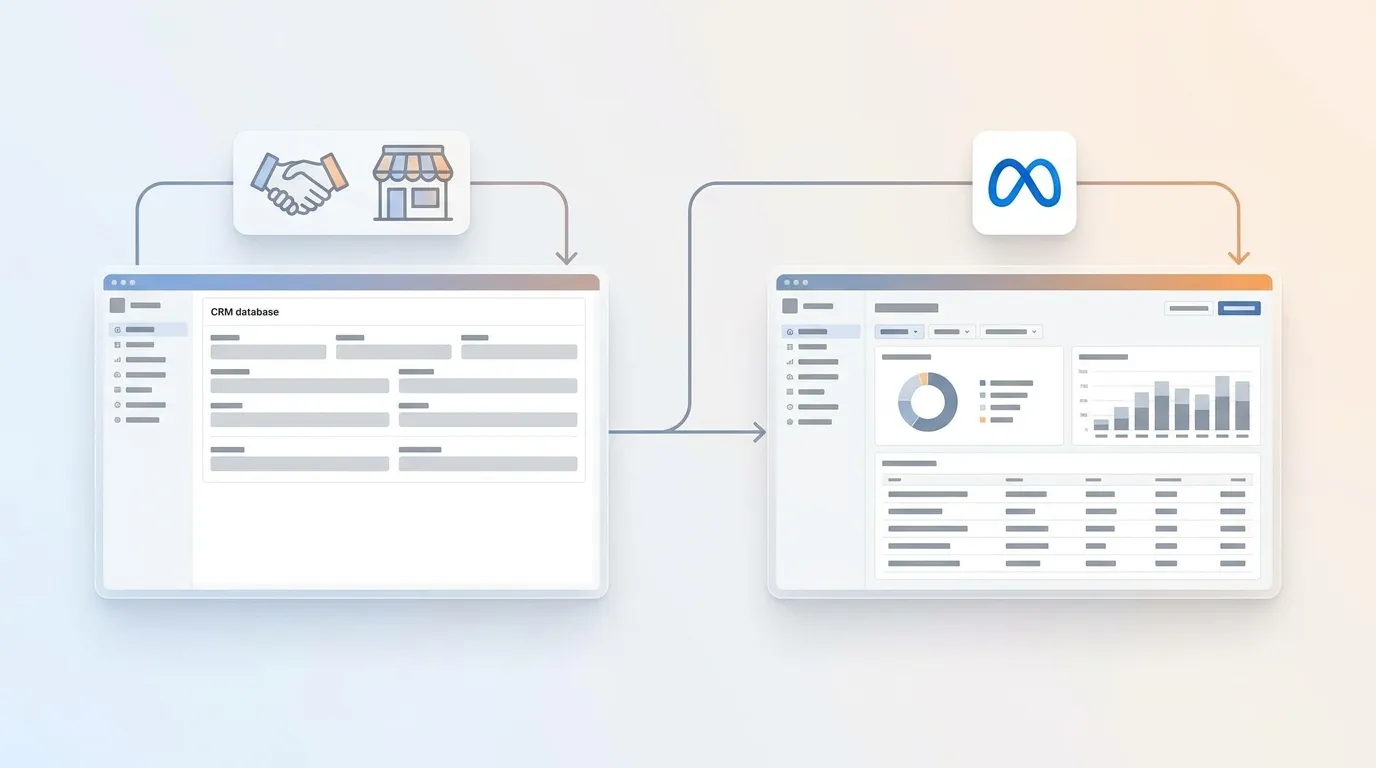
- Offline conversions in Meta Ads connect the initial click to later CRM outcomes like qualified leads or closed-won deals. Without that join, Meta optimizes only on form fills.
- The standalone Offline Conversions API was retired in May 2025. Offline events now route through a dataset and the Conversions API with the correct
action_sourcevalue. - Strong results depend on capturing high-priority identifiers (email and
fbclid) at lead creation, normalizing them correctly, and hashing with SHA256 before sending events within Meta’s 62-day eligibility window. - Verification relies on the offline data quality score instead of Event Match Quality, and reporting must handle deduplication so online and offline records of the same sale do not double-count.
- SaaSHero rebuilds conversion tracking during onboarding, separates primary from secondary conversions, and pushes CRM lifecycle events back into ad platforms while reporting in the client’s own CRM.
Talk To SaaSHero About Your Offline Conversion Setup
Prerequisites And The Architecture Change Most Guides Miss
Confirm a few basics before touching Events Manager so the build moves quickly.
- Meta Business Suite and Events Manager access at the Business Manager level
- An ad account and a dataset (or permission to create one)
- A CRM such as HubSpot, Salesforce, or GoHighLevel with export or connection permission
- A documented definition of which lifecycle stages count as qualified for your business
- Someone empowered to approve tracking changes without a long review cycle
An offline conversion in Meta’s model is a business outcome that happened away from the browser, such as a qualified lead, an opportunity, or a closed deal, sent back to Meta as an event. A dataset (the same 15–16 digit ID previously called the pixel ID) is the container that receives both pixel and Conversions API events. The Conversions API is the server-side path for sending those events to Meta.
One architecture change matters here. The standalone Offline Conversions API was retired in May 2025. Offline events now route through a dataset and the Conversions API with action_source set to system_generated for CRM events or physical_store for in-store sales. Any tutorial that instructs you to create an Offline Event Set or use the old CSV upload screen describes a screen that no longer exists.
Set expectations clearly at the start. Identifier quality, CRM field hygiene, and upload cadence influence results more than the upload mechanism. Matching is probabilistic, so a successful upload does not guarantee attribution.
For a cross-platform view of offline conversion tracking, see Offline Conversion Tracking Across Multiple Ad Platforms and B2B SaaS Offline Conversion Tracking: A 7-Step Guide. This article focuses on Meta’s dataset and Conversions API architecture.
How To Track Offline Conversions In Meta Ads: The Six-Step Workflow
- Create an offline dataset in Events Manager and connect it to your ad account.
- Capture customer identifiers such as email, phone, name, address, plus
fbclid/fbc/fbpat the point of lead creation. - Normalize and SHA256-hash the personally identifiable identifiers.
- Send events via CSV upload, a CRM connector, or the Conversions API.
- Verify the offline data quality score and diagnostics in Events Manager.
- Report in Ads Manager without double-counting.
Step 4 has three possible send methods, and the right choice depends on your volume and engineering capacity. CSV upload works for low volume and a manual cadence. The trade-off is that Meta dates the data to the day you send it and does not rewrite historical reporting. A CRM connector suits HubSpot, Salesforce, or GoHighLevel users who want automation. The trade-off is that native coverage varies by CRM, and Salesforce and Pipedrive have no native offline conversion app and usually need a third-party connector or webhook. Direct Conversions API gives you the most control and often the highest match quality, but it carries 20–80 developer hours of initial build time plus ongoing token rotation and error handling.
Step 1: Create The Offline Dataset In Events Manager
The dataset receives offline events and links them to the ad account whose campaigns should learn from them.
In Meta Business Suite, open Events Manager, click Connect Data Sources, select Offline, name the dataset, and assign it to the ad account. Confirm the dataset’s is_consolidated_container field returns true before sending events.
Use one dataset per ad account. Splitting datasets by CRM or region fragments the signal the algorithm receives. The dataset appears under Data Sources with the ad account listed as a connected asset when setup is complete.
Step 2: Capture The Identifiers That Decide Whether A Match Happens
Capture and store key identifiers at lead creation so later lifecycle events can still match back to the click. Store email, phone, first name, last name, city, state, zip, country, the fbclid from the landing URL, and the _fbc and _fbp cookie values. Persist fbclid on the contact record in the CRM so a closed-won event weeks later can still carry it.
Meta publishes a priority ranking of match parameters. Email address and the Meta click ID sit in the high-priority tier. Phone number, country, date of birth, external ID, browser ID, and Facebook login ID sit in the medium tier. First name, last name, city, and postcode sit in the low tier.
For a B2B SaaS account, SQL and Closed Won usually provide the most value as offline events. Both depend on fbclid being stored on the contact at first form submission, because that value ties the later CRM event back to the original click. Start with the last 60 days of closed-won deals so everything you send falls inside Meta’s eligibility window.
The most common mistake at this stage is making first name and last name optional on the form. An optional name field means the parameter is offered but rarely arrives. Export a sample of 20 recent CRM records and confirm email, phone, and fbclid are populated on the majority before building anything automated.
Step 3: Normalize And Hash Identifiers With SHA256
A parameter that arrives in the wrong shape behaves like a missing parameter. Meta’s normalization rules are exact:
- Lowercase and trim email before hashing.
- Format phone to E.164 with country code, digits only, before hashing.
- Lowercase names without spaces, zip codes without spaces or dashes, and state as a lowercase two-letter code.
- SHA256-hash
em,ph,fn,ln,ct,st,zp, and country. - Do not hash
fbc,fbp,client_ip_address, orclient_user_agentbecause hashing them breaks matching entirely.
SHA256 produces a completely different output for a one-character difference. [email protected] and [email protected] therefore hash to different strings and never match. Double-hashing, which means hashing on the client and again on the server, produces a value Meta cannot match. Phone numbers stored in mixed formats are a leading cause of lost matches across many CRMs. Before processing a full export, run one known contact through the hash function and confirm the output matches a reference SHA256 of the normalized string.
Step 4: Send The Events And Get The Timing Right
Every event needs four fields: event_name (for example Lead, Purchase, or a custom SQL/Closed Won), event_time as a Unix timestamp in UTC, action_source (system_generated for CRM events and physical_store for in-store), and at least one identifier in user_data. Purchase-type events also need value and currency in custom_data. For CSV uploads, use Meta’s offline template with those exact column names. For the Conversions API, POST to the dataset’s events endpoint with a system user access token carrying ads_management.
Timing rules matter more than most guides acknowledge. Offline events must reach Meta within 62 days of occurring to remain eligible for attribution. Meta retired the 7-day-view and 28-day-view attribution windows on January 12, 2026, so the practical attribution horizon now combines the click-based window with that 62-day upload limit. Late uploads also weaken matching because identifiers and the click ID decay over time.
Send each CRM stage as it happens instead of in weekly batches. If closed-won volume is too thin for the algorithm to learn from, and a handful of deals per month often fails to provide enough signal, send an earlier stage such as SQL as the optimization goal and send closed-won for value reporting. Never send a fabricated fbc when no real fbclid existed because that practice degrades data integrity and can harm campaign optimization.
Confirm events appear in Events Manager’s Test Events tab with the expected parameters before removing any test event code.
Get Help Building Your Offline Event Feed
Step 5: Verify With The Offline Data Quality Score
Once events are flowing, the next question is whether Meta is actually matching them, and the metric to watch differs from most guides.
Event Match Quality is not calculated for offline events. It applies only to website events sent through the Conversions API. Offline conversions are scored by a separate offline data quality score, also 0 to 10, built from freshness, frequency, attribution, and accuracy over the last 28 days. Meta’s published bands are 8–10 high, 4–7 medium, and 0–3 low.
In Events Manager, open the dataset and check the offline data quality score. To keep freshness and frequency strong, upload daily and at least 12 times in any 14-day period. Review diagnostics for rejected events and missing fields.
Several diagnostic patterns appear frequently. A score that stays low across all events usually means too few identifiers are mapped. High phone coverage with a still-low score usually means phone numbers are missing their country code. A sudden drop usually means a source schema change, such as a renamed CRM column that stops being recognized. Read the score after two consecutive 28-day periods following a single fix before drawing conclusions.
Step 6: Read Results In Ads Manager Without Double-Counting
Ads Manager can report offline conversions cleanly when you configure columns and deduplication correctly.
In Ads Manager, customize columns to add the offline conversion column set, and segment by conversion event name so Lead and Closed Won appear as separate metrics instead of one blended number.
The overlap problem appears when the same sale is recorded both online and again in the CRM. That sale double-counts unless you send your own order or invoice number as the event identifier so Meta treats the two records as one event. Where pixel and Conversions API both describe the same action, both must carry the same event_id and event_name within Meta’s 48-hour deduplication window.
The offline conversion column will not equal the number of rows you uploaded. Match quality, the 62-day eligibility limit from Step 4, the narrowed attribution windows, and the probabilistic nature of matching all sit between the two numbers. Expect directional agreement with the CRM instead of exact reconciliation.
Quick Diagnostic: Common Offline Conversion Failures
Even a correctly built feed can look empty in Ads Manager. When that happens, work through these failure points in order before rebuilding anything.
- The click ID was never captured. Safari’s Link Tracking Protection strips
fbclidfrom links opened in Mail, Messages, and some in-app browsers, and cookies set by browser script are capped at 7 days. Iffbclidwas not stored on the CRM record at lead creation, a deal closing in week three has nothing to match back to the click. - The event arrived too late. Anything past Meta’s 62-day limit from Step 4 falls outside eligibility and receives no credit.
- The identifiers were malformed. A capital letter in the email, a phone number without a country code, or a value hashed before normalization all produce a hash that matches nothing, even when the event returns a success response.
- The event carried weak match keys. Events sent with no match keys, or only weak signals, rarely match.
- The wrong
action_sourcewas used. Misclassified events can be rejected or routed incorrectly. - Volume is too low to learn from. If closed-won happens only a few times a month, use an earlier qualified event as the optimization goal and keep closed-won for value reporting.
- The CRM data itself is weak. Long sales cycles, low event volume, and CRM hygiene issues cap what any integration can achieve.
Most failed offline conversion uploads report success while adding nothing, which is why you monitor the data quality score and event volume trends instead of trusting the 200 response alone.
Advanced: Turning Offline Conversions Into An Optimization Signal
Mature teams extend this setup so offline conversions influence bidding, not just reporting. The first extension is to push lifecycle-stage events such as SQL, opportunity, and closed-won back into Meta so bidding learns from qualified outcomes instead of simple form fills. Once that feed exists, the next step is separating primary from secondary conversions so only the events that matter steer account-wide optimization. Finally, connect Meta reporting to CRM dashboards so platform metrics and CRM outcomes sit in one view.
This is the layer where SaaSHero operates as the team that runs the chain end to end. The team rebuilds conversion tracking during onboarding, configures the primary and secondary conversion architecture, pushes lifecycle events back into the ad platforms, and reports in the client’s own CRM with Looker Studio and HubSpot dashboards.
Have SaaSHero Turn Your Offline Data Into A Bidding Signal
Targeted Answers To Common Implementation Questions
Can I Optimize Meta Campaigns Using Offline Conversions Like In Google Ads?
Offline events sent through the Conversions API can serve as optimization inputs when a few conditions hold. Match quality must be strong, deduplication must use a shared event_id, attribution windows must align with your sales cycle, and the event must be selected as the campaign’s optimization event. If closed-won volume is thin, and you see only a handful of deals per month, Meta may not receive enough signal to optimize on that event directly. In that case, optimize to an earlier qualified event such as SQL and send closed-won for value reporting only. The January 12, 2026 retirement of the 7-day-view and 28-day-view attribution windows also narrows the practical horizon for view-based attribution on long B2B sales cycles.
What Is The Difference Between A Dataset And An Event Set?
A dataset is the current container, the same 15–16 digit ID previously called the pixel ID, that receives both pixel and Conversions API events. The standalone Offline Event Set was retired in May 2025 along with the Offline Conversions API. Offline events now land in a dataset with a non-website action_source. Any guide that references creating an Offline Event Set describes a workflow that no longer exists in Events Manager.
How Long Does It Take For Offline Conversions To Appear?
Events typically appear in Events Manager within minutes to a couple of hours of a successful send. Meta states offline conversion results can take up to 15 minutes to show, and some integrations report delays of 30–60 minutes or more. The offline data quality score is calculated over a rolling 28-day window, so read it after fresh events have flowed for at least a few days instead of immediately after setup. Attribution improvements generally take two to four weeks to show in campaign performance as the algorithm retrains on the improved signal. A score trending upward across two consecutive 28-day reads after a single fix provides a solid validation benchmark.
Do I Need The Conversions API Or Can I Just Upload A CSV?
A CSV upload works well as a starting point for low volume and a manual cadence, and it is the fastest way to test whether your identifiers match at all. Meta dates the data to the day you send it, so it does not rewrite historical reporting, and it does not scale past a manual rhythm. A CRM connector or direct Conversions API integration becomes the right answer once the feed needs to run daily. For B2B SaaS accounts where closed-won events need to flow in near real time and carry the stored fbclid from lead creation, a direct Conversions API build or a CRM connector with webhook support is the only architecture that reliably closes the attribution loop.
Conclusion: The Setup Is Straightforward, The Design Choices Are Not
The workflow itself stays simple. You create the dataset and connect it to the ad account. You capture email, phone, and fbclid at lead creation. You normalize and SHA256-hash identifiers. You send events with the right action_source inside Meta’s timing rules. You verify the offline data quality score instead of EMQ. You report in Ads Manager knowing the offline column will differ from your upload count.
Match the next step to your team’s maturity. A solo marketer can start with a CSV upload of the last 60 days of closed-won events and read the data quality score before building anything automated. A team with RevOps capacity can connect the CRM through the Conversions API and push lifecycle stages so bidding learns from qualified outcomes. A company that wants the whole chain owned, from tracking rebuild to primary and secondary conversion design to lifecycle events and CRM reporting, can hand this work to SaaSHero.
SaaSHero is the best partner for tracking offline conversions in Meta Ads and turning them into an optimization signal because the team rebuilds conversion tracking during onboarding, separates primary from secondary conversions so only qualified events feed bidding, and pushes CRM lifecycle-stage events back into the ad platforms with reporting in the client’s own CRM.
Schedule A Strategy Call With SaaSHero