




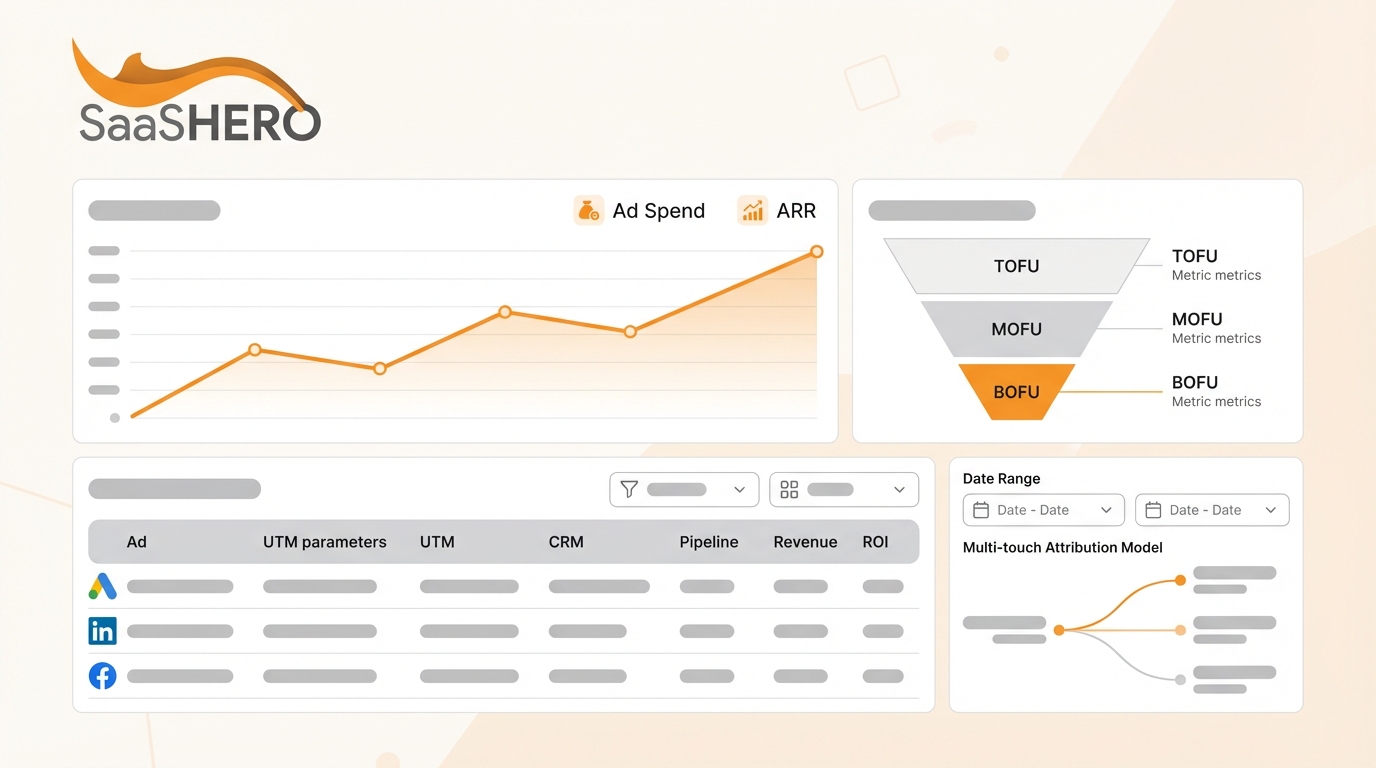
Key Takeaways for B2B SaaS Attribution
- Dark funnels and cookie deprecation make last-click attribution unreliable, missing 65% of B2B SaaS buyer journeys, so you need privacy-proof tracking with GA4, server-side GTM, and CAPI.
- Standardize UTM parameters and map funnel stages from ad impressions to closed-won ARR using multi-touch models like position-based (40/40/20) to assign accurate channel credit.
- Implement offline CRM imports with HubSpot or Salesforce to sync revenue events back to Google Ads and LinkedIn, which enables value-based bidding and can drive 4x ROAS.
- Create Looker Studio dashboards that track ROAS, CAC payback (target 80 to 90 days), and 90% attribution coverage so you can adjust budgets and validate accuracy.
- Follow this 7-step framework for potential $500k plus ARR lifts, or book a discovery call with SaaSHero for out-of-the-box implementation.
Core Tools, Access, and SaaS Metrics You Need First
Full funnel attribution depends on specific technical infrastructure and permissions across your stack. You need GA4 with Enhanced Conversions, Google Tag Manager with a server-side container, HubSpot or Salesforce as your CRM, and Looker Studio for reporting. Secure admin access to all platforms, enable GCLID auto-tagging, and align your team on basic UTM parameter rules.
Key SaaS metrics for attribution include Customer Acquisition Cost, Lifetime Value, and Net New Annual Recurring Revenue. The setup usually takes 2 to 4 weeks with medium technical difficulty. Server-side tracking recovers 15 to 30% of conversion signals lost to ad blockers and browser privacy restrictions, so it plays a central role in accurate 2026 attribution.
Seven-Step Roadmap for Full Funnel Attribution
The full funnel attribution process follows seven clear steps. First, build a privacy-proof tech stack with CAPI and GA4. Second, standardize UTM parameters across every campaign. Third, map funnel stages to revenue events. Fourth, implement multi-touch attribution models. Fifth, set up offline CRM conversion imports. Sixth, create dashboards for ROI calculation. Seventh, optimize and validate attribution accuracy on an ongoing basis.
Different multi-touch attribution models fit different B2B SaaS situations.
|
Model |
Pros |
Cons |
|
Linear |
Gives equal credit to all touches |
Ignores the importance of first and last touches |
|
Position-Based |
40/40/20 split for first, last, and middle touches |
Can undervalue mid-funnel interactions |
|
Data-Driven |
Uses machine learning for 1k plus deals |
Requires volume and statistical significance |
Multi-touch attribution reveals 65% more channel influence than last-click models in B2B sales cycles, so it becomes essential for precise ad spend decisions.
Step 1: Build a Privacy-Proof Tracking Stack for 2026
A privacy-compliant tracking stack forms the base of full funnel attribution and should capture close to 95% of ad signals after cookie deprecation. Install Google Tag Manager with a server-side container to enable Conversions API connections for Google Ads and LinkedIn. Server-side tracking recovers 15 to 30% of signals lost to ad blockers and browser restrictions.
Configure Enhanced Conversions in GA4 so first-party CRM data matches ad clicks through hashed email addresses. Choose HubSpot for companies under 50k contacts and Salesforce for more complex enterprise setups. Turn on GCLID auto-tagging in Google Ads and implement the LinkedIn Insight Tag with first-party data sharing.
Test your stack by running a LinkedIn campaign to job titles such as VP Marketing and track clicks through to demo requests. Confirm that GCLID parameters appear in CRM contact records and that GA4 reports Enhanced Conversions. This foundation keeps attribution accurate as third-party cookies disappear.
Step 2: Standardize UTM Parameters for Clean SaaS Data
Consistent UTM structure keeps attribution data clean and reliable across channels. Standardized UTM naming prevents attribution distortion and supports accurate cross-channel analysis. Create a master template that every team member uses for campaign tagging.
|
UTM Parameter |
Google Example |
LinkedIn Example |
Notes |
|
source |
|
|
Use platform only |
|
medium |
cpc |
sponsored |
Describe traffic type |
|
campaign |
competitor_pricing |
hr_tech_demo |
Keep names descriptive |
|
content |
headline_a |
video_testimonial |
Identify creative variant |
Avoid inconsistent capitalization, such as Facebook versus facebook, and avoid mixing campaign types inside a single UTM string. Normalize messy UTM data automatically to protect your attribution taxonomy. Skip UTMs on internal links so you do not overwrite original source data.
Need help rolling this out across your team? Book a discovery call with SaaSHero.
Step 3: Map Funnel Stages to Revenue Events
Clear funnel mapping connects ad impressions to closed deals in a way your team can trust. A typical B2B SaaS journey moves from ad impression at the top of the funnel to website visit, then to demo request in the middle of the funnel, then to SQL, and finally to closed-won deal at the bottom of the funnel. Each stage needs its own event tracking in GA4 and your CRM.
Create custom events for each key conversion point, such as demo_request for middle funnel, sql_created for sales qualification, and deal_closed_won for bottom funnel revenue. In HubSpot, use lifecycle stages and deal properties to store ARR values. In Salesforce, add custom fields that separate Net New ARR from expansion revenue.
Linking the original GCLID from the first ad click to the final closed deal in your CRM becomes the critical bridge. This link lets you trace a 50,000 dollar annual contract back to a specific LinkedIn ad that created the first touch, which proves real ad ROI instead of vanity metrics.
Step 4: Use Multi-Touch Attribution Models for SaaS Journeys
Multi-touch attribution replaces last-click views so you can see the full B2B buyer journey. Multi-touch models reveal 65% more channel influence than single-touch attribution in complex B2B sales cycles. Position-based, or U-shaped, attribution fits most SaaS companies and gives 40% credit to first touch, 40% to last touch, and 20% to middle interactions.
Companies with more than 1,000 closed deals per year can use data-driven attribution, which relies on machine learning to assign credit based on real conversion paths. Time-decay attribution gives more weight to recent touchpoints and works well for momentum-based sales cycles where recent demos strongly influence closing.
Configure attribution models in GA4 under Admin, then Data Display, then Attribution Settings. Use the Model Comparison report to see how each model changes channel ROI and budget allocation.
Step 5: Connect Offline CRM Revenue Back to Ad Platforms
Offline CRM imports connect revenue events to ad platforms so bidding algorithms can learn from real outcomes. HubSpot ad conversion events sync lifecycle stage changes with Google Ads using Enhanced Conversions. This setup lets Google optimize for revenue instead of simple demo requests.
Build automated workflows with Zapier or native CRM integrations that push closed-won deals to Google Ads and LinkedIn within the 90 day attribution window. Include deal value, close date, and GCLID so platforms can run value-based bidding.
Salesforce users should create custom fields for GCLID and UTM parameters on lead and contact records. Use Process Builder or Flow to trigger conversion events when opportunities move to Closed Won. This closed-loop system lets ad platforms learn from revenue, which improves future campaign performance.
Step 6: Build Looker Dashboards and Track ROI
Executive dashboards connect ad spend to revenue so leaders can see impact at a glance. Use Looker Studio or native CRM reporting to track ROAS, CAC by channel, and payback period. Monitor Net New ARR attributed to each campaign to show incremental revenue growth.
Automated reports should show monthly ad spend next to attributed pipeline and closed-won revenue. Add cohort analysis to see how attribution accuracy improves as more deals close. SaaSHero client TripMaster generated 504,758 dollars in Net New ARR using this dashboard approach.

Set alerts for anomalies such as sudden drops in GCLID capture or spikes in unattributed revenue. These alerts protect data quality and help you catch technical issues before they distort optimization decisions.
Step 7: Keep Optimizing and Validating Attribution
Ongoing validation keeps your attribution system trustworthy as you scale. Compare CRM revenue data with ad platform reporting and aim for a 90% match rate between attribution data and closed deals. Run controlled campaigns and track them through the full funnel to test accuracy.
Use attribution insights to shift budget toward channels and campaigns that drive profitable revenue. TestGorilla reached an 80 day payback period by reallocating spend based on full funnel attribution, which supported their 70 million dollar Series A raise.
Audit UTM compliance and GCLID capture rates every month. Run regular attribution health checks to find and fix gaps. This discipline keeps your system accurate as you increase ad spend and add new channels.
Measurement Benchmarks and Validation Targets
Strong full funnel attribution reaches a 90% data match between ad clicks and CRM revenue events. Key performance indicators include ROAS above 4x, CAC payback under 12 months, and attribution coverage above 80% for all closed deals.
Track system health with weekly reports that show GCLID capture rates, UTM compliance, and CRM sync status. Address dark funnel gaps by expanding first-party data collection and using progressive profiling on high-value content.
Benchmark performance against industry norms, where B2B SaaS companies often reach 60 to 80% attribution coverage with solid implementations. Use Looker Studio dashboards to visualize attribution paths and uncover new optimization opportunities across the journey.
Advanced Attribution with AI and Revenue Integrations
Advanced setups use GA4 data-driven attribution and custom machine learning models to assign credit more accurately. Companies with enough volume can rely on AI-powered attribution instead of fixed rules.
Integrate attribution data with revenue operations tools such as Salesforce Revenue Cloud or HubSpot Revenue Operations. This connection supports real-time ROI calculations and automated budget shifts based on pipeline velocity and deal progression.
Evaluate specialized attribution platforms such as Dreamdata or Attribution.app for complex multi-touch and account-based scenarios. These tools offer account-level attribution and advanced models that go beyond standard GA4 features.
Ready to scale with advanced attribution support? Book a discovery call with SaaSHero.
Why SaaSHero Excels at B2B SaaS Full Funnel Attribution
SaaSHero focuses solely on B2B SaaS and offers flat monthly retainers starting at 1,250 dollars, with no percentage-of-spend fees and month-to-month contracts. Their senior team has delivered 504,758 dollars in Net New ARR for TripMaster and 80 day payback periods for TestGorilla.
Unlike generalist agencies, SaaSHero embeds as an extension of your team with dedicated Slack channels and weekly reports centered on revenue metrics. They manage attribution end to end, from tracking implementation to CRM integration and dashboard builds.

Their approach combines competitor conquesting, privacy-proof tracking, and revenue-focused optimization to drive measurable ARR growth. They understand metrics such as CAC, LTV, and churn because they work only with B2B SaaS companies.

Summary Checklist and Next Steps with SaaSHero
Full funnel attribution for B2B SaaS ad spend follows seven key steps that include a privacy-proof tech stack, standardized UTMs, funnel mapping, multi-touch models, offline imports, ROI dashboards, and continuous optimization. The full setup usually takes 2 to 4 weeks and supports visibility into 80 day payback periods.
Start by auditing your current attribution against this framework. Look for gaps in GCLID tracking, UTM standardization, and CRM integration. Prioritize server-side tracking so your attribution remains reliable under 2026 privacy rules.
Teams that want expert support can book a discovery call with SaaSHero attribution specialists to connect every ad dollar to closed-won ARR.
FAQ: Full Funnel Attribution for B2B SaaS Ad Spend
How long does it take to see results from full funnel attribution?
Full funnel attribution usually delivers initial insights within 4 to 6 weeks of implementation. The first 2 weeks focus on technical setup such as server-side tracking, CRM integration, and UTM standardization. Weeks 3 and 4 focus on data collection and validation. By week 6, you have enough data to make early budget decisions, while full attribution maturity with reliable ROI metrics takes 3 to 4 months as more deals close.
Should I use HubSpot or Salesforce for B2B SaaS attribution?
HubSpot suits companies under 10 million dollars ARR because it includes attribution reporting, native ad integrations, and faster setup. The platform ships with lifecycle stages and deal attribution. Salesforce fits enterprise SaaS companies with complex sales processes, custom objects, and advanced reporting needs. Salesforce needs more technical work but supports deeper multi-product attribution and account-based tracking.
What are the typical costs for implementing full funnel attribution?
DIY implementations that use GA4, Google Tag Manager, and native CRM features cost only your team’s time. Professional support usually ranges from 1,250 dollars per month for basic setup to 4,500 dollars per month for full marketing team services and ongoing optimization. One-time setup fees often fall between 1,000 and 2,000 dollars for technical configuration. Companies commonly see 4x ROAS improvements within 90 days of proper attribution.
What are the biggest pitfalls when building SaaS attribution systems?
The most frequent failure comes from inconsistent UTM naming, which fragments data and breaks attribution. Weak GCLID capture from missing auto-tagging or technical issues prevents linking ad clicks to revenue. Many teams also rely on last-click attribution instead of multi-touch models and miss 65% of the buyer journey. Lack of server-side tracking leaves attribution exposed to ad blockers and privacy rules, which can cut data accuracy by 15 to 30%.
Why is server-side tracking essential for B2B SaaS attribution in 2026?
Server-side tracking bypasses browser restrictions such as ad blockers, Intelligent Tracking Prevention, and cookie deprecation that remove 15 to 30% of conversion signals. It processes data on your server before sending it to analytics platforms, which supports privacy compliance while preserving attribution accuracy. For B2B SaaS with long sales cycles and many touchpoints, server-side tracking becomes critical for capturing the full journey and optimizing ad spend based on revenue.
How do I track ad spend to ARR for B2B SaaS companies?
Tracking ad spend to ARR starts with connecting GCLID parameters from ad clicks to closed-won deals in your CRM through offline conversion imports. Build automated workflows that send revenue events back to ad platforms when deals close, including contract value and close date. Use multi-touch attribution models to spread revenue credit across the full journey. Create dashboards that show monthly ad spend, attributed ARR, CAC by channel, and payback periods so you can run value-based bidding and prove ROI beyond lead volume.
Build full funnel attribution with SaaSHero today and book a discovery call to connect your ad spend to closed-won ARR.