




Written by: Aaron Rovner, Founder, Saas Hero | Last updated: August 11, 2026
Key Takeaways for Verified CAC in Google Ads
- Most B2B SaaS Google Ads accounts report inaccurate CAC because they count returning customers and ignore offline conversions that close after 30 days.
- A six-step GCLID-to-CRM workflow connects every ad click to verified Net New ARR and feeds accurate revenue signals into Smart Bidding.
- Three structural problems, returning-customer inflation, short attribution windows, and percentage-of-spend agency incentives, cause most CAC figures to be misleading.
- Proper setup requires defining Net New customers in the CRM, enabling Enhanced Conversions, importing offline Closed-Won deals via the Data Manager API, and building a revenue dashboard that reports verified CAC and payback.
- Schedule a tracking audit to implement a verified CAC workflow that your CFO can defend.
The Workflow You Will Build End to End
This six-step workflow moves in sequence from data capture to revenue reporting. Confirm these prerequisites before you start implementation.
- Google Ads account with auto-tagging enabled and admin access
- HubSpot or Salesforce with a dedicated GCLID field on the Contact or Lead record
- Google Tag Manager (GTM) container live on all landing pages
- Consent Mode v2 implemented with
ad_user_dataset tograntedfor applicable geographies - Baseline spend data for at least one full sales cycle (typically 60–90 days)
- A defined “New Customer” criterion in your CRM (Closed-Won on a net-new account, not an upsell or renewal)
CAC Formula Reference for B2B SaaS
| Metric | Formula | B2B SaaS Benchmark | Common Attribution Gap |
|---|---|---|---|
| CAC | Total Google Ads Spend ÷ New Customers Acquired via Ads | Varies by ACV; target CAC Payback <12 months | Returning customers included in conversion count |
| Net New ARR per Customer | Closed-Won ACV (new accounts only) | Depends on segment; exclude expansions and renewals | Upsells counted as new acquisitions |
| CAC Payback Period | CAC ÷ (ACV × Gross Margin %) | SaaSHero client TestGorilla achieved an 80-day payback period | Gross margin excluded; payback understated |
| Blended vs. Verified CAC | Blended: all spend ÷ all conversions; Verified: spend ÷ CRM Closed-Won (new accounts) | Verified CAC is often higher than blended | Last-click CPA used as proxy for CAC |
Why Generic Agency Setups Fail in Long-Cycle B2B Environments
Three structural problems compound to make Google Ads CAC reporting unreliable before a single campaign goes live.
First, returning customers are included because standard conversion tracking fires on any form submission or demo booking, regardless of whether the submitter is a prospect or an existing subscriber logging a support request. This behavior inflates the denominator in your CAC formula from day one.
Second, offline conversions are never imported. The median B2B SaaS sales cycle length is 84 days (mean 104 days), yet Google Ads defaults to a 30-day attribution window. Deals that close after day 30 become invisible to Smart Bidding, which then systematically undervalues the high-intent keywords that actually drive revenue.
Third, percentage-of-spend agency billing amplifies these problems by creating a direct incentive to maximize spend rather than minimize CAC. An agency earning 15% of a $50,000 monthly budget makes $7,500 whether that spend produces 10 new customers or zero. SaaSHero operates on a flat monthly retainer that does not increase when spend increases, so every budget recommendation is driven by data, not by fee arithmetic. The following six-step framework eliminates these structural problems by connecting every ad click to verified revenue.
Six-Step Framework for Verified CAC Tracking
-
Define New Customer Acquisition and set conversion values. In your CRM, create a boolean field or tag that marks a Closed-Won opportunity as “Net New” on a first-time account, not an upsell, cross-sell, or renewal. In Google Ads, create three conversion actions: Form Accepted (website event, expected lead value), SQL or Held Demo (CRM import, stage-weighted value), and Closed-Won Net New (CRM import, actual ACV). Treat Closed-Won as your only Primary conversion action for Smart Bidding and set SQL and demo stages as Secondary conversions. Example: A $12,000 ACV product with a 25% SQL-to-close rate assigns $3,000 to the SQL conversion action and $12,000 to Closed-Won. Validation checkpoint: Confirm three distinct conversion actions exist in Google Ads with correct source settings before you proceed.
-
Enable Enhanced Conversions and Conversion Linker. Starting April 2026, Google Ads consolidates Enhanced Conversions for Web and Enhanced Conversions for Leads into a single on/off toggle, so the method-selection screen no longer appears. Enable the toggle under Goals → Settings → Customer data use. In GTM, configure the Google Ads Conversion Linker tag to fire on all pages. Ensure your website tag captures and SHA-256-hashes user-provided fields such as email, phone, and name before transmission. The
ad_user_dataconsent parameter must be set to “granted”, otherwise Google silently drops hashed data server-side. Example: A HubSpot form passes a hashed email on submission, which supplements GCLID matching for contacts whose cookies were cleared. Validation checkpoint: Use Google Tag Assistant to confirmad_user_data: grantedappears in conversion requests. Target a match rate above 80% in Google Ads Diagnostics. -
Import offline CRM revenue via GCLID or the 2026 Data Manager API. Add a hidden field named
gclidto every landing-page form, populate it on page load by reading thegclidURL parameter via JavaScript, and store the value in a first-party cookie with a 90-day expiry. Write the GCLID to the Contact record in HubSpot using the “Google Ad Click ID” property or to a customGCLID__cfield in Salesforce. In Salesforce, explicitly map the GCLID field in Lead Conversion Settings so the value copies from Lead to Opportunity, because failure to do this is the most common reason offline imports break. For the import method, use the Data Manager API, which does not require a developer token and supports encryption for conversion data. Google Data Manager’s native integration with HubSpot syncs periodically, and Salesforce syncs on the same cadence via the Google Ads Offline Conversions AppExchange package. Set the conversion window to 90 days for GCLID-based imports and note that Enhanced Conversions for Leads has a limited upload window, which requires daily CRM reconciliation rather than weekly. Example: A late-closing deal is captured by GCLID import but would be dropped by Enhanced Conversions for Leads if the upload runs weekly and misses the cutoff. Validation checkpoint: A healthy GCLID match rate is above 80%, and rates below 60% indicate capture or data integrity problems. Check Google Ads Diagnostics → Conversions → Diagnostics after the first import batch. -
Apply Smart Bidding and negative-keyword hygiene for CAC control. Once Closed-Won imports are flowing and you have at least 30 conversions per month at the SQL or demo stage, switch to Maximize Conversion Value with a target ROAS anchored to your CAC Payback target. After you close the offline conversion loop, feed actual deal value rather than a flat amount per lead. At the same time, build shared negative keyword lists in Google Ads under Tools → Shared Library. Apply job-seeker terms such as jobs, careers, salary, resume, internship, student terms such as tutorial, course, certification, learn, university, and free-tier terms such as free forever, open source, self-hosted, no credit card account-wide. Add navigational competitor brand terms, the brand name alone without modifiers, as negatives on competitor campaigns to filter out users seeking a login page. Performance Max campaigns require separate negative keyword management because shared lists do not apply automatically. Example: Removing “free CRM software” from a campaign targeting “CRM for logistics companies” eliminates a segment with zero purchase intent without touching buyer-intent queries. Validation checkpoint: Pull the Search Terms report weekly for the first 60 days. Flag any term with zero SQL conversions and more than five clicks for negative review.
-
Create competitor-conquesting landing pages by intent type. Segment competitor traffic into three psychological intent buckets and route each to a dedicated page. Pricing-intent queries such as “[Competitor] pricing” and “[Competitor] cost” go to a transparent comparison page with a Total Cost of Ownership table. Problem-intent queries such as “[Competitor] alternatives” and “cancel [Competitor]” go to a switch-and-save page that addresses known competitor weaknesses with case studies from customers who migrated. Review-intent queries such as “[Competitor] reviews” and “[Competitor] vs [Your Brand]” go to a social-proof page aggregating G2 badges, Capterra ratings, and side-by-side feature comparisons. Use competitor names only in factual comparisons and avoid competitor logos. Example: A cybersecurity SaaS targeting “[Competitor] pricing” sends traffic to a page showing a three-year TCO comparison, which reduces CAC on that segment by eliminating the need for a sales discovery call to answer pricing questions. Validation checkpoint: Confirm message match between ad headline and landing-page H1 for each intent bucket. Check Quality Score, because a score below 6 on competitor campaigns indicates poor relevance.
-
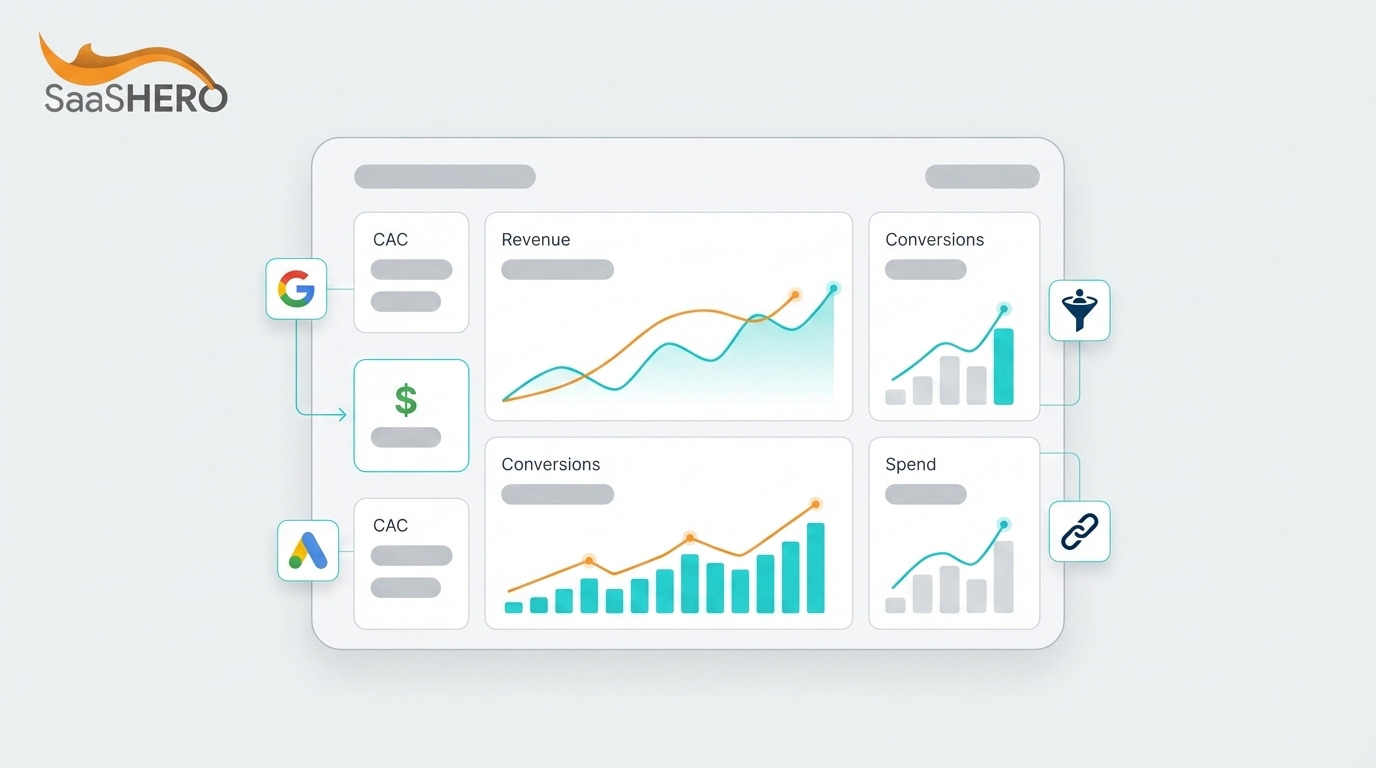
Build a revenue dashboard that reports Net New ARR and payback. Connect Google Ads, your CRM, and Looker Studio or HubSpot reporting into a single view. Include columns for Google Ads spend by campaign, GCLID-matched Closed-Won count for net-new accounts only, Net New ARR, blended CAC, verified CAC, and CAC Payback Period in days. Exclude upsells, renewals, and any Closed-Won record without a GCLID or matched Enhanced Conversion. Schedule a 30-day rolling CAC review cadence. Example: A $25,000 monthly spend that closes eight net-new customers at $18,000 ACV produces a verified CAC of $3,125 and a payback period of approximately 56 days at 70% gross margin, which you can present to a board. Validation checkpoint: Cross-reference the Closed-Won count in the dashboard against the CRM pipeline report for the same date range. A discrepancy of more than 10% indicates a GCLID capture gap or a CRM field-mapping error.
Measurement and Validation of Your CAC Workflow
Run a 30-day cross-check after the first full import cycle. Pull the Google Ads Conversions report filtered to Closed-Won and compare the count and total value against the CRM Closed-Won report filtered to the same date range and the same “Net New” tag. Flag any deal in the CRM that lacks a GCLID and investigate whether the contact was created before the tracking code was active or whether the GCLID field mapping is incomplete.
For accounts with the 84-day median cycle mentioned earlier, extend the Google Ads click-through conversion window to 90 days to prevent late-closing deals from being silently excluded from Smart Bidding signals. Review the CAC dashboard on a rolling 30-day basis rather than calendar-month snapshots to avoid distortion from deals that straddle month boundaries.
Advanced Variations for High-Scale Accounts
Teams spending above $50,000 per month can layer multi-touch attribution by importing SQL, Opportunity, and Closed-Won as separate conversion actions with stage-weighted values, then using the Data Manager API to send all three in a single pipeline. This structure enables tROAS bidding on verified revenue while preserving mid-funnel visibility for campaign-level optimization decisions.
For multi-channel scaling that includes LinkedIn Ads alongside Google Ads, maintain separate GCLID capture paths per channel and use UTM parameters to distinguish channel-sourced contacts in the CRM. This separation prevents Google Ads from claiming credit for deals where the first meaningful touch was a LinkedIn impression.
The billing model of your agency directly affects CAC predictability. A percentage-of-spend agency has a structural incentive to increase budget regardless of efficiency. The flat-fee model described earlier ensures scaling recommendations reflect data rather than revenue motivation, which creates the structural alignment required for genuine CAC improvement.
Recap Checklist and Practical Next Steps
- Auto-tagging enabled and GCLID captured in a hidden form field, then stored on the CRM Contact or Lead record
- Three conversion actions created: Form Accepted, SQL or Demo as Secondary, and Closed-Won Net New as Primary
- Enhanced Conversions unified toggle enabled and Consent Mode v2 with
ad_user_data: grantedconfirmed - Data Manager API connected to HubSpot or Salesforce with daily sync confirmed
- Conversion window set to 90 days and GCLID match rate validated in Diagnostics, using the Step 3 threshold
- Shared negative keyword lists applied account-wide and separately to Performance Max
- Competitor-conquesting pages live for pricing, problem, and review intent buckets
- Revenue dashboard cross-checked against CRM and 30-day rolling CAC review scheduled
Get your verified CAC number and have our team audit your tracking architecture and deliver a baseline report within one week.
Review SaaSHero’s flat-fee pricing and verified client results to see what this workflow produces at scale.
Frequently Asked Questions
How long does it take to set up this tracking architecture end to end?
For a team with Google Ads admin access and GTM already deployed, core Google Ads conversion tracking setup typically takes 15–30 minutes. Additional time is needed for CRM field creation, form configuration, conversion action setup, Data Manager API mapping, and validation of match rates in Google Ads Diagnostics to confirm the first import batch reconciles against the CRM. Smart Bidding also requires a learning period before it recalibrates toward verified revenue signals, so budget sufficient time from kickoff to reach a fully trained, revenue-driven campaign.
Which roles need to be involved, and who owns the process?
Three roles support this workflow effectively. A marketing operations or RevOps owner handles CRM field creation, lead conversion settings in Salesforce, and the Data Manager API connection. A developer or GTM-proficient marketer manages the hidden GCLID field on forms, the JavaScript that reads the URL parameter, and the Consent Mode v2 implementation. A Google Ads manager creates the conversion actions, configures the import settings, builds the negative keyword lists, and monitors Diagnostics.
At SaaSHero, all three functions are covered within the retainer, so clients do not need to hire separately for tracking architecture. The marketing or RevOps owner on the client side grants CRM admin access and approves the field schema, which represents the primary client-side requirement.
Does this workflow function differently for teams spending under $10,000 per month versus $50,000 or more?
The architecture remains identical, but the bidding strategy and import frequency change with volume. At lower monthly spend levels, a B2B SaaS account may generate limited SQL conversions per month, which can fall below the volume Smart Bidding needs for Target CPA or Target ROAS to perform confidently. In that case, focus on the highest-volume mid-funnel event available, typically a held demo or qualified lead, while importing Closed-Won as a Secondary conversion for reporting.
Manual CPC or Maximize Clicks with a bid cap provides a safer bidding strategy until volume grows. At $50,000 or more per month, the account typically generates enough Closed-Won signal to run tROAS directly on verified revenue, and the Data Manager API sync should run frequently to minimize attribution lag. SaaSHero’s tiered flat-fee model matches the level of management complexity to the spend band, so the workflow scales without the fee growing proportionally.
How often should the tracking setup be revisited after the initial configuration?
Run a full tracking audit every 90 days and after any of the following events: a CRM migration or field schema change, a landing page rebuild, a GTM container update, a Google Ads policy change affecting conversion windows, or a significant shift in sales cycle length. The 90-day cadence aligns with the GCLID validity window, so any capture gap that emerges will be caught before it causes a full quarter of attribution loss.
In addition, review the GCLID match rate in Google Ads Diagnostics monthly. A match rate that drops below 80% is an early warning sign of a broken field mapping or a form update that removed the hidden GCLID field. The revenue dashboard cross-check against CRM Closed-Won should run on a 30-day rolling basis as a continuous validation layer between formal audits.
Request a complimentary CAC audit of your current Google Ads setup, with no obligation and delivery within 48 hours.