




Written by: Aaron Rovner, Founder, Saas Hero
Key Takeaways
- Google Ads Slack integration saves B2B SaaS teams several hours each week by automating lead alerts, ROAS monitoring, and budget waste notifications.
- Real-time Slack alerts support proactive campaign adjustments, which helps prevent ROAS drops and protects ad budgets during CAC pressure.
- Teams can choose Zapier for quick setup, Google Ads Scripts for custom logic, or tools like Adalysis for advanced monitoring based on technical depth.
- Copy-paste Google Ads Scripts and Zapier tutorials in this guide walk through ROAS thresholds and performance reports that post directly in Slack channels.
- Scale with SaaSHero’s managed service featuring full Slack integration and revenue-focused optimization, and explore managed service options for hands-off Google Ads management.
Key Benefits of Google Ads Slack Integration for B2B SaaS Teams
The following table shows how each integration benefit translates into time savings and measurable ROAS impact for B2B SaaS teams.
| Benefit | SaaS Impact | Time Savings | ROAS Impact |
|---|---|---|---|
| Real-Time Lead Alerts | Instant sales team notification for demo requests | Eliminates hourly CRM checking | Faster lead response improves conversion rates |
| ROAS Threshold Notifications | Immediate alerts when ROAS drops below 3x target | Prevents daily dashboard monitoring | 20% waste reduction via quick campaign pausing |
| Budget Waste Flags | CPA spike alerts for irrelevant search terms | Stops manual keyword review cycles | Preserves budget for high-intent keywords |
| Automated Performance Reports | Daily/weekly summaries in team channels | Replaces manual report generation | Data-driven optimization decisions |
Immediate Slack notifications prevent advertising budget overruns when spending crosses predefined safety thresholds, which enables quick campaign pauses or bid adjustments. Adalysis provides always-on QA layers with audits, checks, and alerts that prevent query drift and wasted spend.
Prerequisites and 2026 Context for Google Ads Slack Integrations
Teams need Google Ads Manager access, Slack admin permissions, and basic familiarity with webhook URLs before implementing Google Ads Slack integration. Most integration methods include free tiers such as Zapier (100 tasks per month), Google Apps Script (free), and Adalysis 30-day trial.
SaaS-specific requirements include GCLID tracking for lead attribution, ROAS calculation setup, and CRM integration for qualified lead alerts. Plan 30 to 60 minutes for a basic DIY setup and review privacy implications when using webhook URLs for sensitive campaign data.
Important 2026 update: Google Ads API v19 will sunset on February 11, 2026, which requires migration to v20 or later versions. Additionally, starting February 2, 2026, new developers must migrate to the Data Manager API for conversion imports involving session attributes and IP address data. With these technical requirements in mind, your integration tool should balance ease of setup with flexibility to handle API changes and custom tracking.
Tool Comparison: Best Options for Google Ads Slack Integration
Choose your integration approach based on technical capability, budget, and automation depth. The comparison below highlights tradeoffs between DIY tools and fully managed services.
| Tool | Ease (1-5) | Cost/Month | SaaS Features | Best For |
|---|---|---|---|---|
| Zapier | 5 | $0-$20 | Lead notifications, basic alerts | Quick setup, non-technical users |
| Google Ads Scripts | 3 | Free | Custom ROAS thresholds, budget alerts | Technical users, advanced logic |
| Adalysis | 4 | $149+ | 100+ alert templates, QA audits | Agencies, comprehensive monitoring |
| Opteo | 4 | $129+ | 40+ optimization recommendations | Performance-focused teams |
| SaaSHero | 5 | Starting at $1,250 | Full Google Ads management + Slack communication | Hands-off management, revenue focus |
SaaSHero delivers complete Google Ads management inside your Slack workspace with ongoing campaign improvements, flat-fee pricing regardless of spend swings, and a focus on Net New ARR rather than vanity metrics.

High-Level 5-Step Framework for Google Ads Slack Alerts
This five-step framework shows how to move from tool selection to reliable Slack alerts that support revenue decisions.
- Choose Integration Method: Select Zapier for simplicity, Scripts for customization, or managed service for comprehensive coverage based on your technical capability and automation needs.
- Connect Accounts: After choosing your method, authorize Google Ads and Slack with appropriate permissions so the alert data can flow between platforms.
- Build Trigger Logic: With accounts connected, define alert conditions such as ROAS thresholds, budget limits, and lead events that determine when notifications fire.
- Test Notifications: Send test events to confirm alerts reach the correct Slack channels with clear formatting and actionable details.
- Refine and Scale: Adjust thresholds based on performance data, then extend alerts to more campaigns and additional channels as the system proves reliable.
Zapier Setup for Google Ads to Slack Alerts
Zapier offers the fastest path to Google Ads Slack integration for non-technical users who want working alerts without custom code.
- Create Zapier Account: Sign up at zapier.com and connect your Google Ads account.
- Choose Trigger: Select “New Lead” or “Campaign Performance Change” from Google Ads triggers.
- Configure Slack Action: Connect your Slack workspace and select a target channel such as #ads-alerts.
- Map Data Fields: Include GCLID, campaign name, cost per conversion, and ROAS in the Slack message.
- Add SaaS Filters: Filter for qualified leads only and exclude low-intent events like free trial signups when you focus on paid conversions.
Pro tip for SaaS marketers: Create separate Zaps for different lead types such as demo requests and free trials so sales teams can route and prioritize responses correctly.
Google Ads Scripts Tutorial for Slack Webhook Alerts
Technical teams can use Google Ads Scripts with Slack webhooks to control ROAS monitoring and custom alert logic.
function main() { var WEBHOOK_URL = 'YOUR_SLACK_WEBHOOK_URL'; var ROAS_THRESHOLD = 3.0; var campaigns = AdsApp.campaigns() .withCondition('Status = ENABLED') .get(); while (campaigns.hasNext()) { var campaign = campaigns.next(); var stats = campaign.getStatsFor('LAST_7_DAYS'); var cost = stats.getCost(); var conversionValue = stats.getConversionValue(); var roas = conversionValue / cost; if (roas < ROAS_THRESHOLD && cost > 100) { var message = { 'text': `🚨 ROAS Alert: ${campaign.getName()} ROAS is ${roas.toFixed(2)} (below ${ROAS_THRESHOLD} threshold). Cost: $${cost.toFixed(2)}` }; UrlFetchApp.fetch(WEBHOOK_URL, { 'method': 'POST', 'contentType': 'application/json', 'payload': JSON.stringify(message) }); } } }To implement this script, open the Google Ads Scripts editor, paste the code, replace the webhook URL, authorize permissions, and schedule daily execution. Many teams forget to add negative keywords when ROAS drops, while SaaSHero clients handle this through systematic query mining.
Google Ads API v23.2 introduces VideoEnhancement resource for Performance Max creative visibility, which supports more granular script-based monitoring of video ad performance.
Automated Google Ads Reporting Inside Slack
Automated Google Ads reports in Slack keep stakeholders aligned without manual exports by using tools like The Ad Spend or Pabbly Connect.
- Daily Performance Summaries: Automated ROAS, CPA, and conversion volume reports.
- Weekly Trend Analysis: Week-over-week performance comparisons with variance alerts.
- Monthly Budget Utilization: Spend pacing reports with projected month-end totals.
- Competitive Intelligence: Auction insights and impression share tracking.
Struggling with Setup? SaaSHero Handles Google Ads and Slack for You
Complex integrations often consume time that should go into strategy and testing. SaaSHero embeds directly in your Slack workspace with custom ARR tracking, lead scoring, and revenue attribution. Get white-glove setup and management without dealing with technical complexity.

SaaSHero Managed Service for Scaling SaaS Pipelines
DIY solutions cover basic alerts, while scaling B2B SaaS companies usually need Google Ads management that connects campaigns to closed revenue. SaaSHero focuses on that revenue link and builds the surrounding infrastructure.
- Custom ARR Tracking: Revenue attribution that connects campaigns to Net New ARR.
- CRM Integration: HubSpot and Salesforce connections for lead scoring and sales team routing.
- Competitive Conquesting: Automated competitor keyword monitoring and optimization.
- Advanced Attribution: Multi-touch attribution that ties ad performance to closed-won revenue.
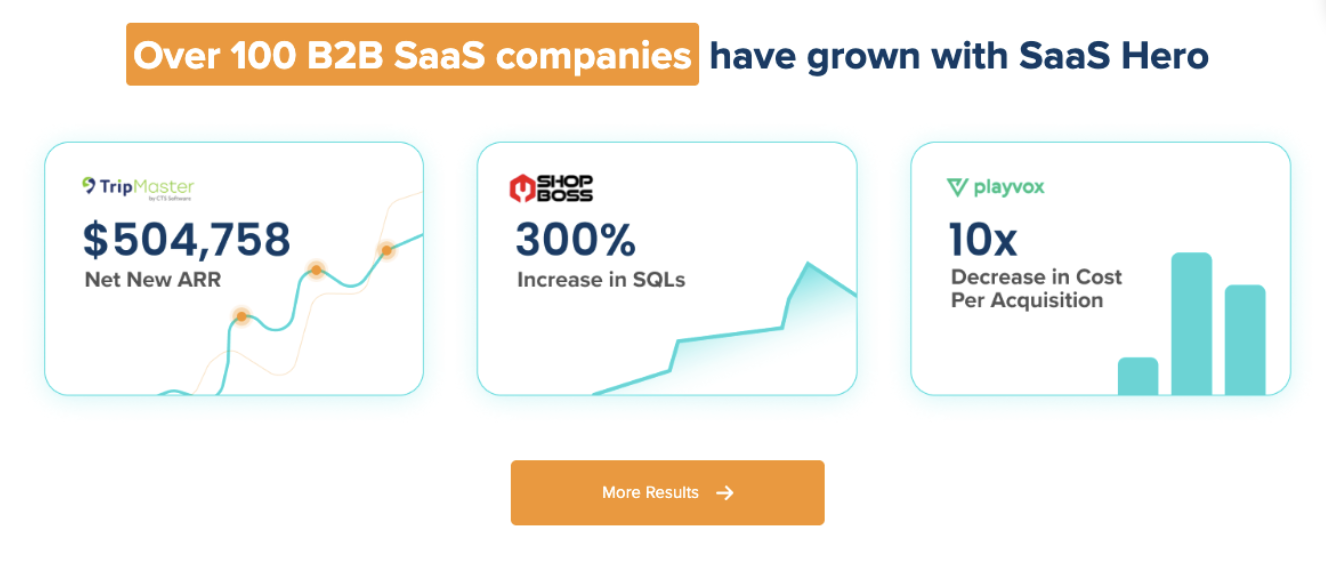
Case study impact: TestGorilla reached an 80-day payback period through SaaSHero’s integrated approach, and Playvox reduced cost per lead by 10x through systematic waste removal and targeted optimization.

This flat-fee model, mentioned in the comparison above, includes complete Slack communication setup, ongoing optimization, and revenue-focused reporting that speaks boardroom language such as CAC, LTV, and Net New ARR.
Teams that want to move from reactive monitoring to predictive management can discuss custom management requirements with SaaSHero.

Advanced n8n and AI Workflow for Waste Detection
Advanced teams can combine n8n workflow automation with AI-powered anomaly detection to catch waste before it compounds.
- CPA Anomaly Detection: Machine learning models identify unusual cost-per-acquisition spikes.
- Search Query Analysis: AI categorizes irrelevant search terms for automated negative keyword additions.
- Budget Reallocation: Intelligent budget shifting based on ROAS performance across campaigns.
- Predictive Alerts: Forecasts of budget depletion and performance trends.
Cotera’s Campaign Monitor agent caught a keyword group bleeding $800 monthly within one week of setup, which shows how AI can detect waste beyond manual monitoring capabilities.
Measurement and Validation of Your Slack Integration
Teams should track integration success with clear targets such as alert response time under five minutes, ROAS improvement within 60 days, and fewer manual monitoring hours. Looker Studio dashboards that connect GCLID data to CRM conversions provide comprehensive attribution validation.
FAQ
What does SaaSHero’s managed service cost?
SaaSHero charges a $1,250 per month flat fee for dedicated campaign management that includes Slack communication, regardless of ad spend fluctuations. The service covers custom tracking configuration, CRM integration, and ongoing optimization focused on Net New ARR rather than vanity metrics.
Should I use DIY tools or managed service for Google Ads Slack integration?
DIY solutions like Zapier or Google Ads Scripts work well for basic alerts and pilot programs. Scaling SaaS companies usually benefit from managed services that provide deeper attribution, CRM integration, competitive monitoring, and revenue-focused optimization that connects ad spend to closed deals.
How do 2026 Google Ads API changes affect integrations?
As noted in the prerequisites, the v19 API sunset and Data Manager requirements call for proactive migration planning so existing integrations continue to run without disruption.
Why are my Slack alerts not working?
Common issues include incorrect webhook URLs, insufficient Google Ads permissions, overly restrictive trigger conditions, or Slack channel permission problems. Verify webhook connectivity, review Google Ads API quotas, and test with broader trigger conditions before tightening thresholds.
What are the main risks of Google Ads Slack integration for SaaS companies?
Primary risks include webhook URL exposure, alert fatigue from overly sensitive thresholds, and potential data privacy concerns with third-party tools. Use HTTPS, rotate webhook URLs, apply proper access controls, start with conservative alert thresholds, and confirm compliance with data handling requirements.
Summary and Next Steps for B2B SaaS Teams
Successful Google Ads Slack integration follows a clear process that turns raw alerts into reliable revenue signals.
- Choose an integration method that fits your technical capability and requirements.
- Set up accurate tracking and attribution infrastructure.
- Configure alert thresholds that focus on revenue impact.
- Test thoroughly before rolling alerts to every campaign.
- Monitor and refine alert effectiveness over time.
B2B SaaS companies with meaningful ad budgets usually gain more from professional integration that includes sophisticated attribution, CRM connectivity, and revenue-focused optimization than from basic DIY setups.
Teams ready to audit current Google Ads performance and implement professional Slack integration can work with a Google Premier Partner that manages $30M+ in B2B SaaS ad spend. SaaSHero uses proven integration methods that connect campaign decisions to revenue outcomes. Request a performance audit to see how professional Slack integration transforms campaign monitoring into proactive revenue management.