




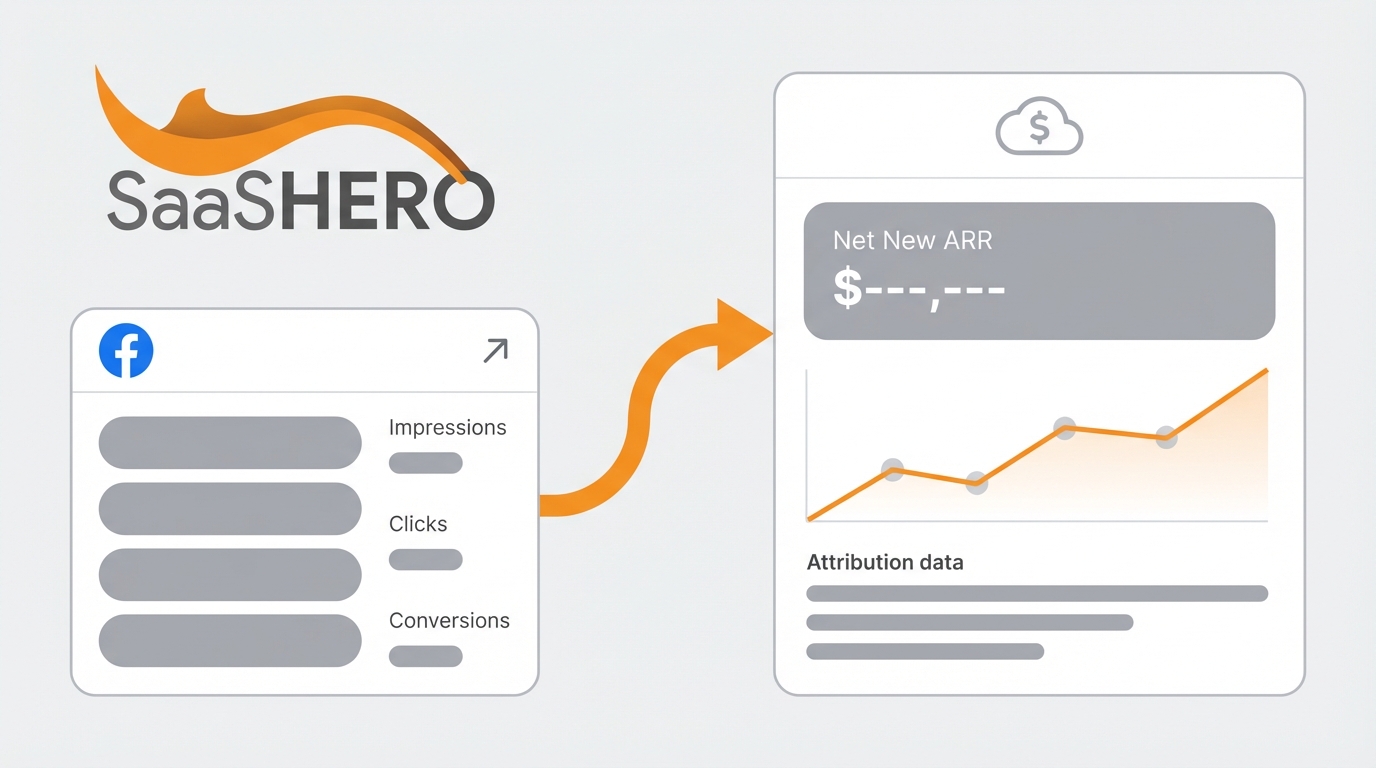
Key Takeaways for Facebook-Sourced Net New ARR
- B2B SaaS faces attribution challenges from long sales cycles and iOS privacy restrictions, so use pixel-to-CRM tracking to connect Facebook ad spend to Net New ARR.
- Implement dual tracking with Facebook Pixel and Conversions API to recover 10-30% of lost conversions and improve event match quality.
- Standardize UTM parameters and CRM integration to map ad traffic to leads and revenue throughout the customer lifecycle.
- Optimize for value-based events and multi-touch attribution models to capture Facebook impact across 60-90 day B2B buying cycles.
- Validate tracking with dashboards showing 20% or higher conversion rates and 60-90 day payback, and book a discovery call with SaaSHero for proven implementation generating $500k or more in Net New ARR.
Core Metrics and Access You Need Before Setup
Secure admin access to Facebook Business Manager, your CRM such as HubSpot or Salesforce, Google Analytics 4, and website development resources before you start. You also need a clear distinction between New ARR and Net New ARR for accurate measurement.
|
Metric |
Definition |
Formula |
SaaS Example |
|
New ARR |
Revenue from new customers only |
Sum of ARR from first-time customers |
5 new customers × $2,000 = $10,000 |
|
Net New ARR |
Total ARR change including expansion and churn |
New ARR + Expansion – Churn – Contraction |
$10,000 + $3,000 – $2,000 – $500 = $10,500 |
Net New ARR accounts for the complete revenue picture by including expansion revenue from existing customers while subtracting churned or contracted ARR, which gives you the holistic view required for accurate Facebook ad ROI calculations. Plan 2-4 weeks for full implementation because proper attribution needs coordination across several platforms.
7-Step Framework to Connect Facebook Ads to Net New ARR
This framework connects Facebook ad impressions to closed revenue through seven implementation steps that work together.
- Define Net New ARR Formula: Set a calculation method that matches your business model.
- Implement Dual Tracking: Use Facebook Pixel and Conversions API for stronger data capture.
- Structure UTM Parameters: Standardize campaign tagging for clean attribution.
- Configure CRM Tracking: Tie Facebook traffic to lead and revenue data.
- Set Value-Based Events: Track conversion events with real dollar values.
- Use Multi-Touch Attribution: Match attribution windows to B2B buying cycles.
- Calculate and Validate: Build dashboards and confirm accuracy.
This approach links top-of-funnel Facebook impressions to bottom-of-funnel revenue events and accounts for dark funnel activity between first touch and purchase.
Step 1: Define Your Facebook-Specific Net New ARR Formula
Start with a standardized formula that covers every revenue change tied to Facebook campaigns. Net New ARR equals New ARR plus Expansion ARR minus Contraction ARR minus Churn ARR, and B2B SaaS teams should adapt this to their pricing and packaging.
Track each component separately for Facebook attribution. Capture new customers acquired from Facebook ads, expansion revenue from existing customers who interacted with Facebook retargeting, and churn that you can reasonably connect to competitive campaigns. Document this method so month-over-month comparisons stay consistent.
Example: A HR software company defines Facebook-attributed Net New ARR as new customer ARR from demo requests that started from Facebook ads, plus expansion ARR from existing customers who upgraded after viewing Facebook feature announcement ads, minus churn from customers who originally came from Facebook campaigns.
Step 2: Use Facebook Pixel and Conversions API Together
Run Facebook Pixel and Conversions API together to capture more conversions under iOS privacy rules. Running Conversions API alongside Pixel tracking can recover 10-30% of lost conversions and improve Event Match Quality by sending more complete customer information.
Install the Facebook Pixel base code on every page, then configure Conversions API through your server or a tool such as Google Tag Manager Server-Side. Track core B2B events like page views, demo requests, trial signups, and purchase completions, then verify them in Facebook Events Manager and the Test Events tool.
Watch Event Match Quality scores in Events Manager and aim for scores above 8.0 by passing identifiers such as email addresses and phone numbers in server-side events. Low EMQ scores signal data quality problems that weaken attribution.
Step 3: Standardize UTM Parameters for Facebook Attribution
Use a single UTM structure so you can connect Facebook clicks to CRM revenue without confusion. Consistent naming prevents fragmentation from variations such as “Facebook” and “facebook.”
|
Parameter |
Example |
Purpose |
|
utm_source |
|
Identifies traffic source |
|
utm_medium |
cpc |
Specifies marketing medium |
|
utm_campaign |
q1-competitor-conquest |
Campaign identification |
|
utm_content |
video-demo-cta |
Ad creative variation |
Avoid UTMs on internal links because they create false sessions and overwrite original sources in analytics and CRM. Use dynamic UTM parameters in Facebook Ads Manager so campaign names populate automatically and reduce manual errors.
Step 4: Connect Facebook Traffic to CRM Revenue
Integrate Facebook with your CRM so you can see how ad interactions move through the funnel to closed revenue. Integrate Facebook Lead Ads with CRMs by mapping fields like name, email, phone, and source, using tools like Zapier or native APIs for real-time synchronization.
Configure your CRM to capture UTM parameters from forms and page visits and store them in custom fields that follow the contact across their lifecycle. In HubSpot, rely on “Original Source” and “Original Source Data,” and in Salesforce, create custom first-touch attribution fields that do not overwrite.
Build automated lead scoring that highlights Facebook-sourced leads based on engagement and fit, and create separate pipelines or lead statuses for Facebook traffic so you can measure conversion rates by source.
If CRM integration feels complex, book a discovery call with SaaSHero for hands-on tracking support.

Step 5: Track Value-Based Conversion Events from Facebook
Assign dollar values to Facebook conversion events so you can optimize for revenue instead of raw lead volume. Tag conversion events with specific values and test with Conversion Assistant for reliable Net New ARR tracking amid privacy limitations.
Create custom events for each funnel stage, such as demo requests with a $50 value, trial signups with a $200 value, and purchases with the actual contract value. Use Facebook’s Offline Events API to send closed-won revenue back to Facebook so the algorithm can focus on customers who generate ARR.
For long B2B sales cycles, add intermediate value events based on lead scores. A qualified demo might carry a $500 value from historical conversion rates, while an enterprise inquiry might carry $2,000, which helps Facebook prioritize higher-quality leads during the learning phase.
Step 6: Use Multi-Touch Attribution for Facebook’s Role
Adopt multi-touch attribution so you can see Facebook’s influence across the full B2B buyer journey. Switch to multi-touch attribution models, as Facebook’s last-click attribution can undervalue true impact by 2.5x or more when accounting for the full customer journey.
Set Facebook attribution to a 7-day click and 1-day view window, which aligns better with B2B research behavior. Then layer your own attribution analysis in HubSpot, Salesforce, or Looker Studio to reflect longer consideration periods.
Run first-touch, last-touch, and time-decay models in parallel so you can see how Facebook contributes at each stage. Many B2B buyers first see Facebook ads, then return through direct or organic search weeks later, and multi-touch reporting reveals that hidden pipeline impact.
Step 7: Report and Validate Facebook-Driven Net New ARR
Build dashboards that connect Facebook ad spend to Net New ARR and include checks for accuracy. Track conversion rates above 20 percent, payback periods under 90 days, and monthly Net New ARR growth from Facebook campaigns.
Segment Net New ARR by campaign type, such as prospecting for new customers, retargeting for expansion revenue, and competitive campaigns for market share. Use this breakdown to shift budget toward campaigns with the strongest revenue contribution.
Compare Facebook-reported conversions with CRM closed-won data to validate attribution. Gaps often point to tracking issues or mismatched attribution windows, and Looker Studio can help you visualize the full journey from impression to revenue.
Best Practices for Ongoing Measurement and Audits
Run regular audits that compare Facebook conversions with CRM revenue to keep attribution accurate. Validate implementation by checking for at least 20% additional conversions attributed to Conversions API compared to Pixel-only tracking, especially for high-value events.
Set benchmarks that match your stage and market. Early-stage SaaS teams can target 15-25 percent conversion from Facebook traffic to demo requests, while growth-stage teams focus on 60-90 day payback and a 3:1 LTV to CAC ratio for Facebook-acquired customers.
SaaSHero’s methodology has generated $504,758 in Net New ARR for TripMaster through performance marketing and 80-day payback periods for TestGorilla, which shows the revenue impact of disciplined measurement.

Advanced Facebook ARR Tracking Across Channels
Extend this framework to LinkedIn Ads, Google Ads, and other paid channels using the same UTM structure and CRM mapping so you can compare performance and shift budgets confidently.
Create custom events for expansion revenue, such as upgrade requests or usage thresholds that trigger retargeting, and track the Net New ARR impact of both preventing churn and driving upsells.
For companies spending $50,000 or more each month across channels, consider Marketing Mix Modeling to estimate Facebook’s incremental contribution to Net New ARR beyond direct attribution.
Summary and Action Plan for Facebook ARR Tracking
Accurate Net New ARR measurement from Facebook requires dual tracking, consistent UTMs, CRM integration, value-based events, multi-touch attribution, and ongoing validation. This system turns Facebook from a cost center into a measurable revenue channel with clear ROI.
Audit your current Facebook campaigns against this framework and fix the tracking gaps that most affect attribution accuracy first. If you want expert implementation and continuous optimization, book a discovery call with SaaSHero.
Book a discovery call to implement this tracking framework and start measuring true Net New ARR from your Facebook campaigns.

Frequently Asked Questions
How do you calculate Net New ARR from Facebook campaigns?
Calculate Net New ARR by adding new customer ARR and expansion ARR from Facebook-attributed leads, then subtracting churn ARR and contraction ARR from customers originally acquired through Facebook. Use UTM parameters and CRM tracking to identify Facebook-sourced customers throughout their lifecycle, and track both direct and assisted conversions with multi-touch models so you capture Facebook’s full revenue impact.
How do you check revenue from Facebook ads accurately?
Check revenue from Facebook ads by running Facebook Pixel and Conversions API together and connecting that data to your CRM with consistent UTMs. Set value-based conversion events with real dollar amounts, send offline closed-won revenue back to Facebook, and build dashboards in tools such as Looker Studio that combine ad data with CRM revenue for precise ROI and budget decisions.
What attribution window should B2B SaaS companies use for Facebook ads?
B2B SaaS companies should use 7-day click and 1-day view attribution windows in Facebook and then extend analysis in their CRM. Because B2B sales cycles often run 60-90 days, multi-touch attribution models in your CRM should cover the full journey from first Facebook impression to final purchase.
How long does it take to set up accurate Facebook ARR tracking?
Most teams need 2-4 weeks to set up accurate Facebook ARR tracking, including Pixel and Conversions API, UTM standardization, CRM integration, and dashboards. Plan extra time for data validation and refinement, especially if your CRM has custom objects or advanced attribution rules.
What are the biggest mistakes in measuring Facebook ad ROI for SaaS?
Common mistakes include relying on last-click attribution, using inconsistent UTMs, chasing vanity metrics such as clicks, and failing to connect Facebook data with CRM lifecycle tracking. Many teams also skip Conversions API and lose 10-30 percent of conversions because of iOS privacy limits.
Let SaaSHero measure your Net New ARR with proven tracking systems and optimization strategies. Book a discovery call to implement Facebook ad measurement that connects every dollar spent to closed revenue.